


Contents
Fuji Xerox compatibility with Fujifilm AIP7 Full Embedded app
This page applies to:

Last updated September 29, 2026
Contents
In June 2026, PaperCut released an update for the Fujifilm AIP7 Full Embedded app, that allows a subset of Fuji Xerox devices to run this embedded application. There are a limited number of Fuji Xerox devices that have firmware which supports the AIP 7 platform.
Why install the Fujifilm Embedded app?
The Fujifilm Embedded app for PaperCut Hive has a number of enhancements over the PaperCut Hive Fuji Xerox Embedded app:
- Integrated Scanning
- Copy Control
- Cloud Pull Print
- Modern interface common among other brands
- All new features added in the future
Which Fuji Xerox devices support AIP 7?
PaperCut strongly suggests you reach out to your Fuji Xerox/Fujifilm partner for information on if your devices are supported as the following list available to PaperCut may not contain all models. Please note you will need a minimum of Fuji Xerox firmware 1.60.x, available through your partner.
ApeosPort-VI C7771 / C6671 / C5571 / C4471 / C3371 / C3370 / C2271 |
B9100 / B9125 / B9136 Copier/Printer |
Primelink C9070 / C9065 |
ApeosPort-VII C7773 / C6673 / C5573 / C4473 / C3373 / C3372 / C2273 |
ApeosPort-VII C7788 / C6688 / C5588 |
ApeosPort-VII 5021 / 4021 |
ApeosPort-VII C4421 / C3321 |
DocuPrint CP475 AP |
DocuPrint P475 AP |
ApeosPort 3560 / 3060 / 2560 |
ApeosPort 5570 / 4570 |
ApeosPort C2560 / C2060 |
ApeosPort C7070 / C6570 / C5570 / C4570 / C3570 / C3070 |
ApeosPort-VII CP4421 |
ApeosPort-VII P5021 |
How to install the Fujifilm AIP 7 Full Embedded app on a supported Fuji Xerox device?
Please follow the command line installation instructions available in the Fujifilm embedded manual to install this app on a Fuji Xerox device. This manual is available from your Fujifilm Authorised Partner.
Known limitations
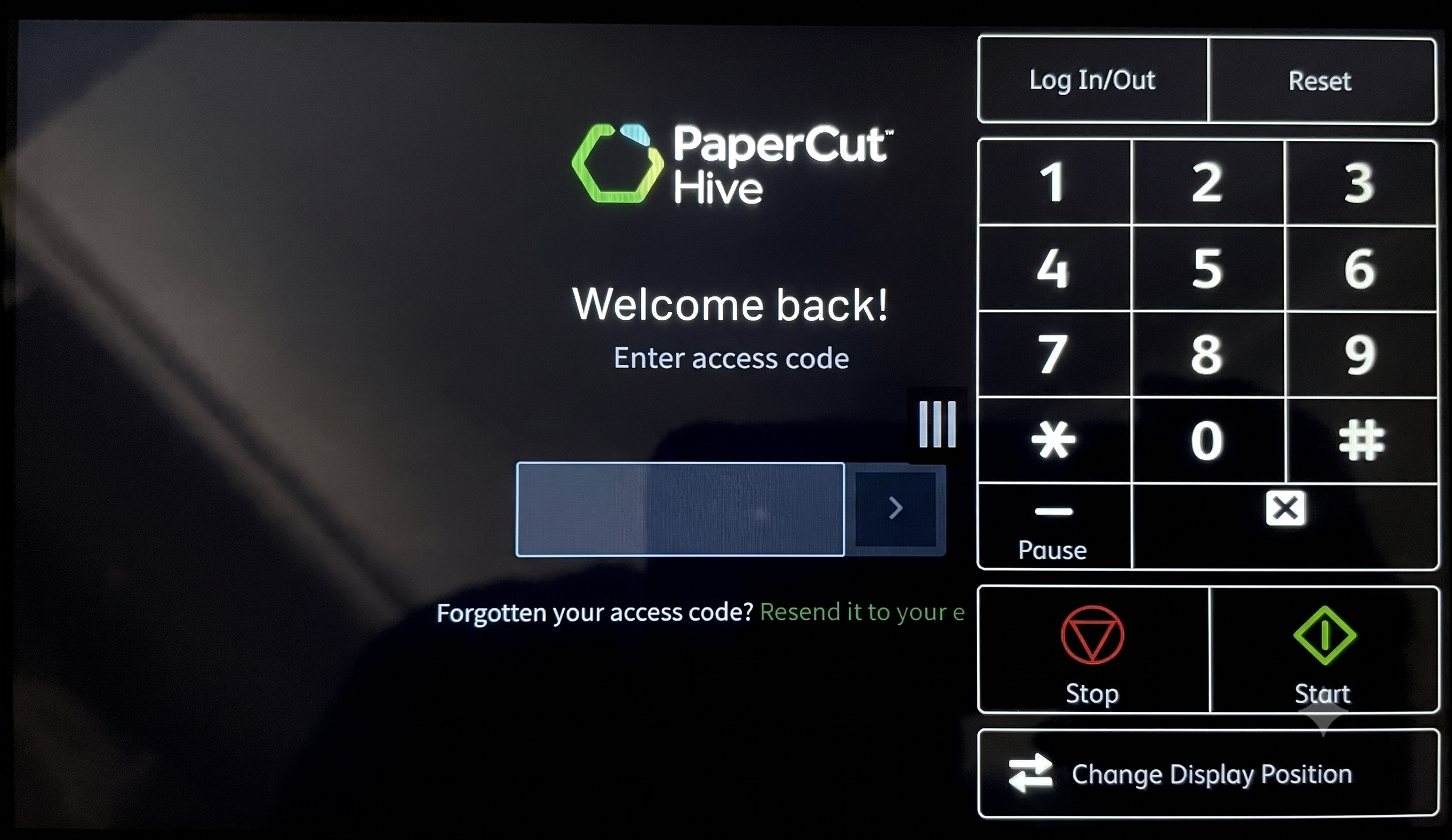
On-screen numeric keypad - The Fuji Xerox has an on-screen numeric digital keypad. This keypad will not interact with the PaperCut Hive Fujifilm embedded When the access code is selected, a full keyboard will open that is fully compatible.
Category: Reference Articles
Subcategory: Devices (PaperCut Hive)
Comments
Comments are not available in this preview environment. On papercut.com, this space shows the live Disqus comment thread for this page.