Welcome to the Q2 2026 release for PaperCut Hive and PaperCut Pocket! In this release, we’ve focused heavily on giving IT administrators their time back. We know that as your organization grows, your administrative workload shouldn’t have to.
With our latest updates, we’re delivering practical, scalable tools that mirror the way your business actually operates. We’re automating the tedious tasks and giving you clearer visibility into your print environment.
At a glance: what’s new in Q2 2026?
- Groups: Manage quotas and deploy print queues at scale
- Departmental Reports: Track and allocate costs by department.
Manage users at scale with Groups
Groups takes the powerful features you already rely on, like quotas, Print Queue Deployment, and reporting, and makes them significantly smarter by syncing directly with the Microsoft Entra ID or Google Workspace groups your organization already manages.
You can now manage your print environment by department, class, or team, meaning your print infrastructure grows seamlessly alongside your business. You can manage print the exact same way you already manage everything else: at the group level, through the directory you already maintain.
Here is how Groups supercharges your daily management:
- Sync the right users directly from your existing directory groups so your users are always up-to-date.
- Automatically assign starting balances and schedule regular top-ups per group to ensure new users always have the correct quota.
- Deploy print queues more intelligently by aligning specific printers directly with departments, classes, or teams.
- Run bulk actions like sending emails, credit changes, and restriction updates across entire groups in seconds, complete with task notifications confirming when the job is done.
It’s less manual IT overhead, and a smarter print environment that is perfectly in sync with your organizational structure.
Click below to explore Groups in PaperCut Hive
Get started with Groups in PaperCut Hive
Turn print and copy activity into departmental insights
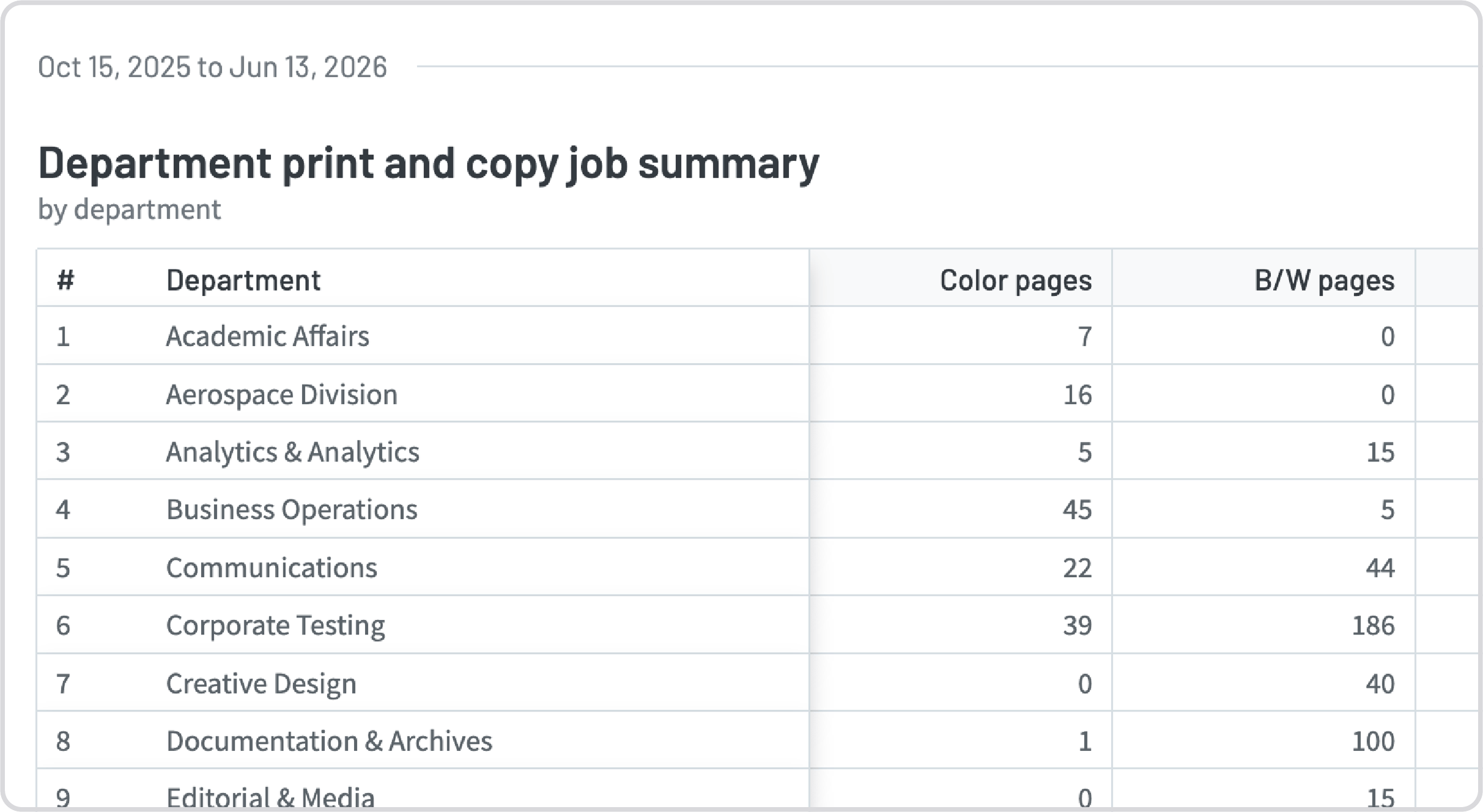
New Departmental Reports give IT and Finance teams the transparency they need to pinpoint exactly which departments are driving costs.
By automatically leveraging the department data synced from your user directory (Microsoft Entra ID and Google Workspace), PaperCut Hive can give you the breakdown of how much printing, copying, and scanning is happening within each department.
We’ve added three specific reports to give IT and Finance teams the transparency they need:
- Department job type summary: View overall printing, copying, and scanning trends.
- Department print and copy job summary: Breakdown activity for printing vs copying.
- Department paper size usage: Get into the details with information on the different paper sizes being printed (is that A3 device really needed?).
You can even schedule these reports for automatic delivery, giving IT and Finance teams ongoing cost visibility without having to lift a finger.
Whether you’re looking to optimize device placement, enforce print policies, or just allocate costs fairly across cost centers, these new insights have you covered.
Find out more about reporting in PaperCut Hive
Wrap-up
This Q2 2026 release is all about reducing your administrative overhead so you can focus on more strategic projects. From massive time-savings with Groups, to granular visibility with Departmental Reports, we hope these updates make your everyday print management a breeze.
Already using PaperCut Hive and ready to explore the new features? Log in to your admin console today to check them out.
If you’re new to PaperCut Hive, get started today to see how we can transform your organization’s print management.