We’re excited to announce the arrival of PaperCut MF 26.0. This release delivers a powerful mix of identity, security, and device compatibility to help your team manage print infrastructure with even greater control and less friction.
Here is a quick tour of what’s new, so you can jump to the parts that matter most to you:
At a glance: what’s new in PaperCut MF 26.0
- Log in once, access everything with Modern Authentication
- Unblock printing for the ARM64 laptop revolution
- A faster and more modern experience for Ricoh devices.
- Refresh your screens with the Modern UI dark theme
- Proactive security and service alignment
Log in once and access everything with Modern Authentication
PaperCut MF now features Centralized Authentication, meaning users only need to authenticate once for a seamless session across the User Client, Print Deploy, and Web Interfaces.

We’ve also added support for SAML 2.0 federation, allowing you to authenticate users via your existing corporate Identity Provider (IdP) like Okta, Microsoft Entra ID, PingFederate, or JumpCloud. This ensures secure, seamless access while aligning print management with your broader enterprise identity infrastructure.
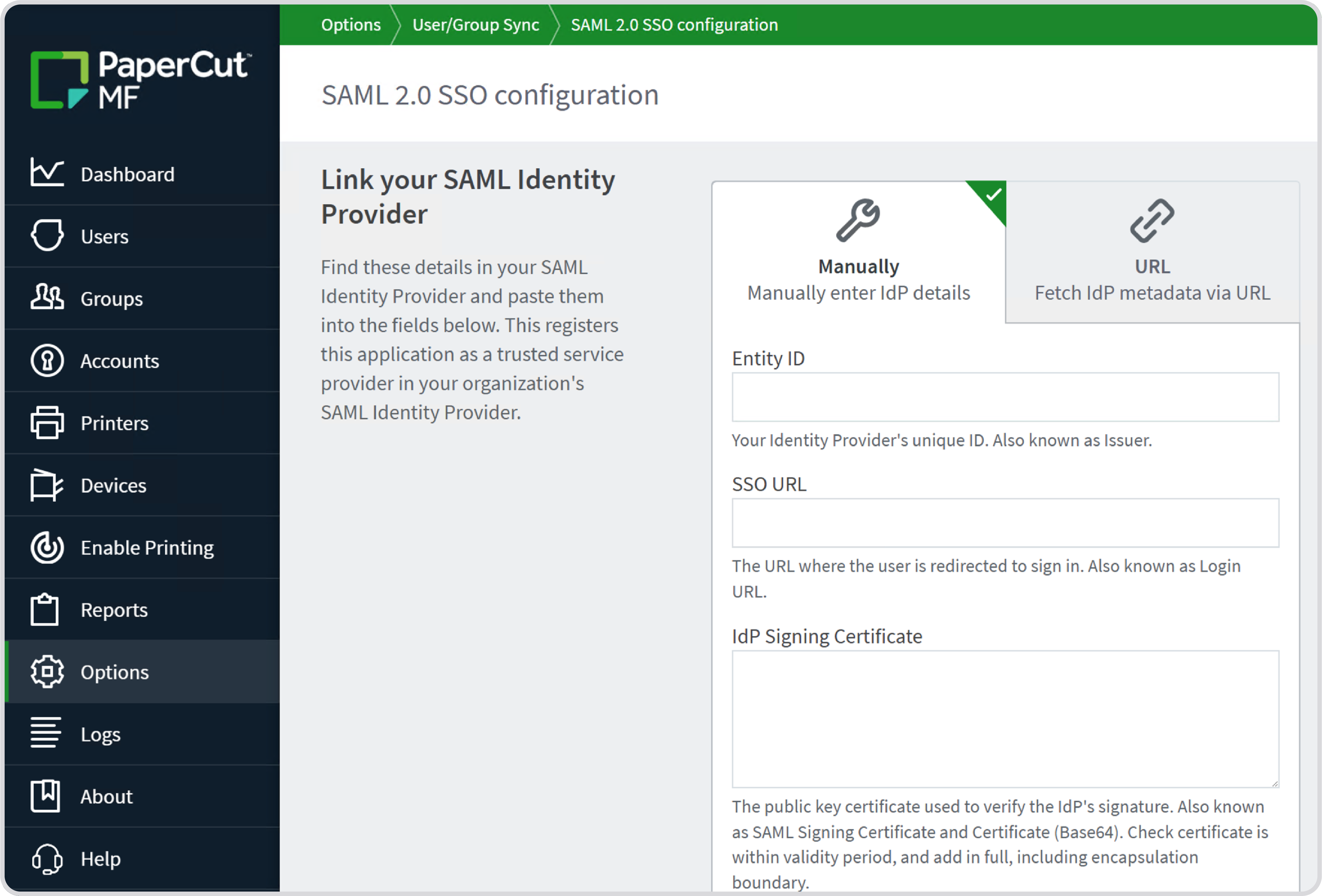
Find out more about Unified Authentication and SAML 2.0 configuration in PaperCut MF.
Unblock printing for the ARM64 laptop revolution
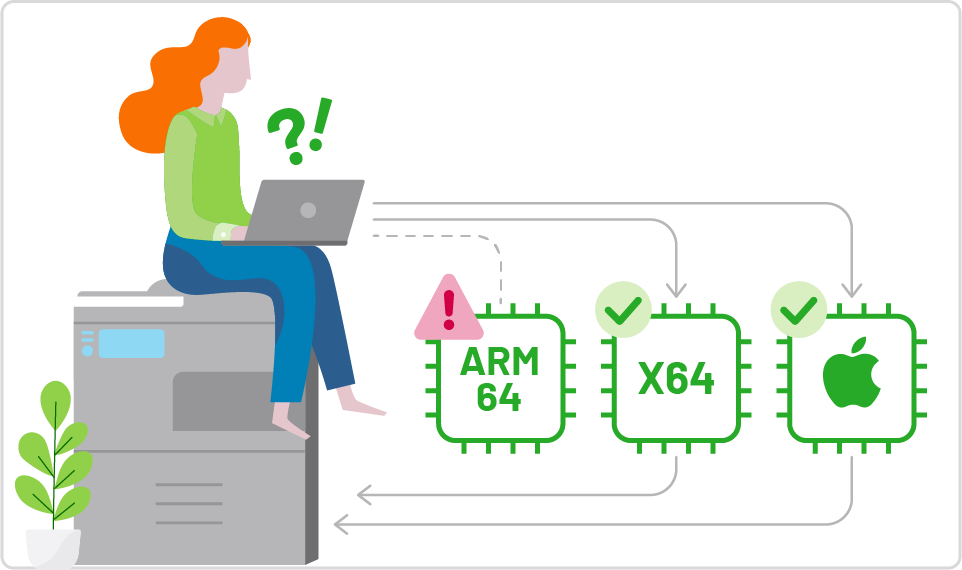
Print Deploy is now an architecture-aware deployment engine. It automatically detects the device’s CPU and delivers the correct driver, ensuring users can print from any laptop—whether it’s x64 or ARM64.
Don’t wait for native manufacturer drivers; the PaperCut Global Print Driver instantly steps in so your users can print on day one. Plus, you can now house all your drivers in a single, unified print queue, eliminating redundant administrative work.
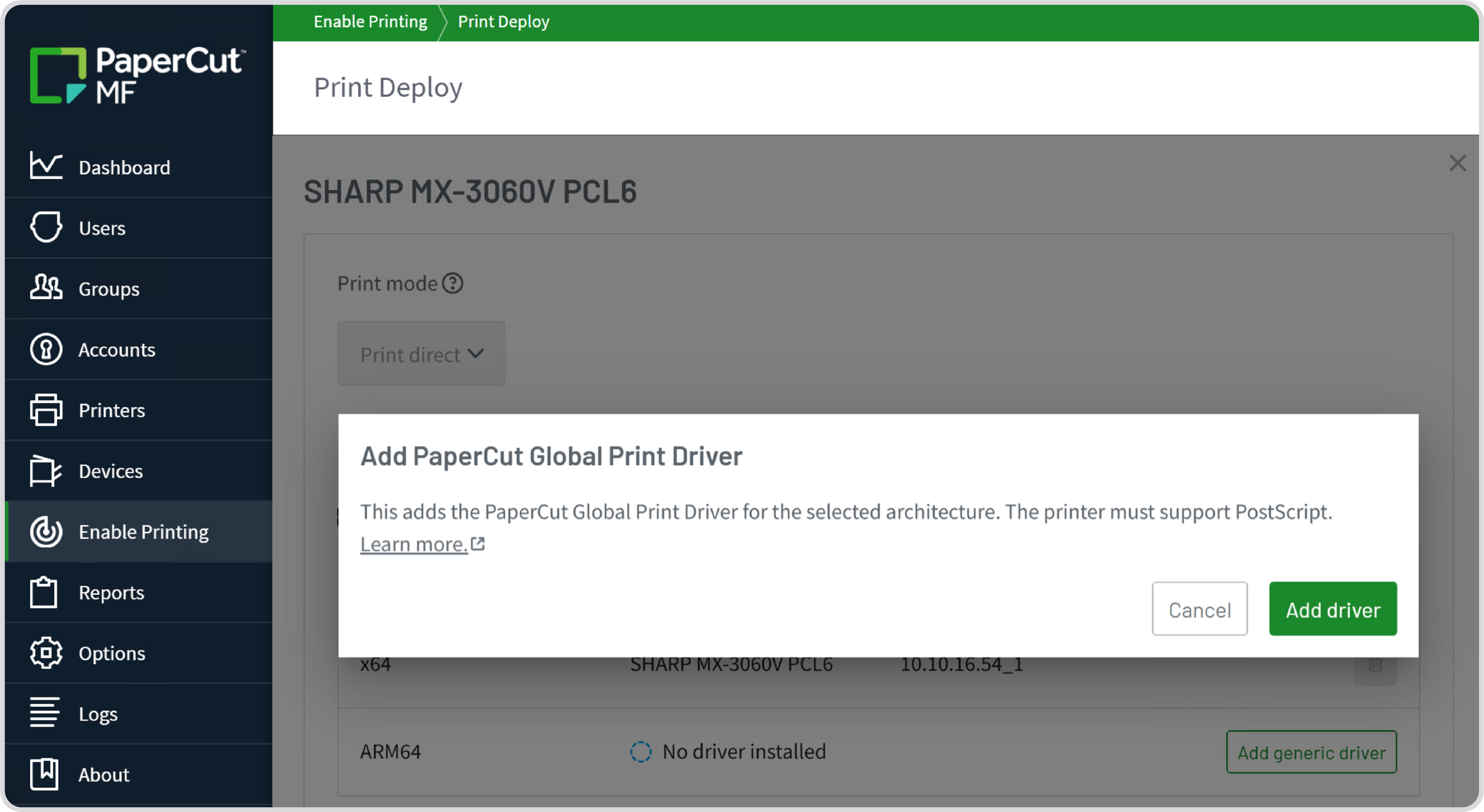
Explore our manual for the setup steps for deploying print queues to ARM64 devices.
A faster and more modern experience for Ricoh devices
The all-new Ricoh MF embedded application (Ricoh SmartSDK-V2) has been completely rebuilt. It delivers the full PaperCut MF experience to your latest Ricoh devices with a modern, intuitive interface that matches your other embedded apps, ensuring a familiar experience across your entire mixed fleet.
Logins are quicker, screens load faster, and setup is drastically simpler. One-click installation and CSV-based bulk deployments save you time, while in-product upgrades allow you to update legacy applications directly from the PaperCut MF admin interface.
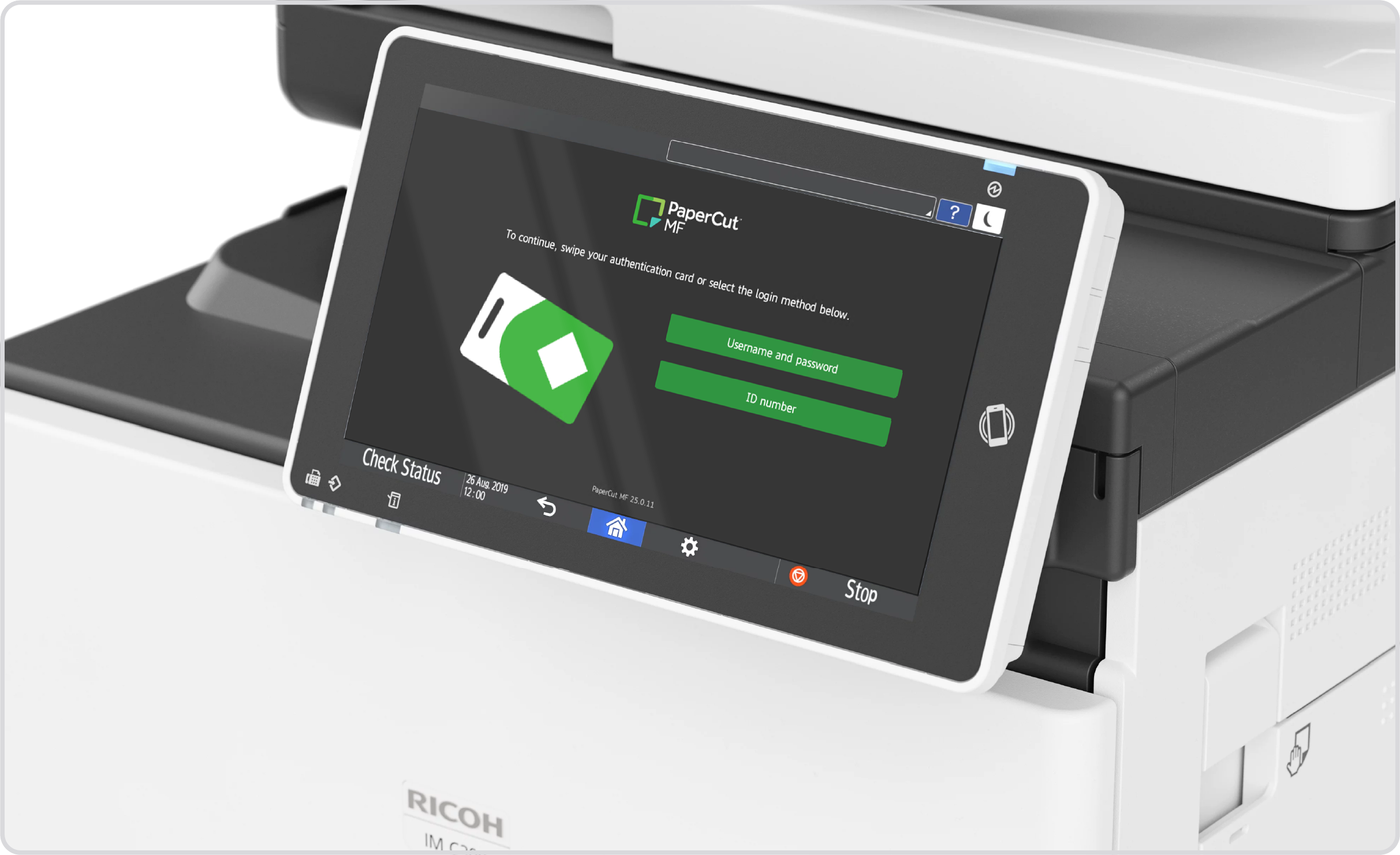
We are currently inviting testers to experience our new Ricoh embedded, with the full release planned for PaperCut MF 26.0.3 at the end of July.
Refresh your screens with the Modern UI dark theme
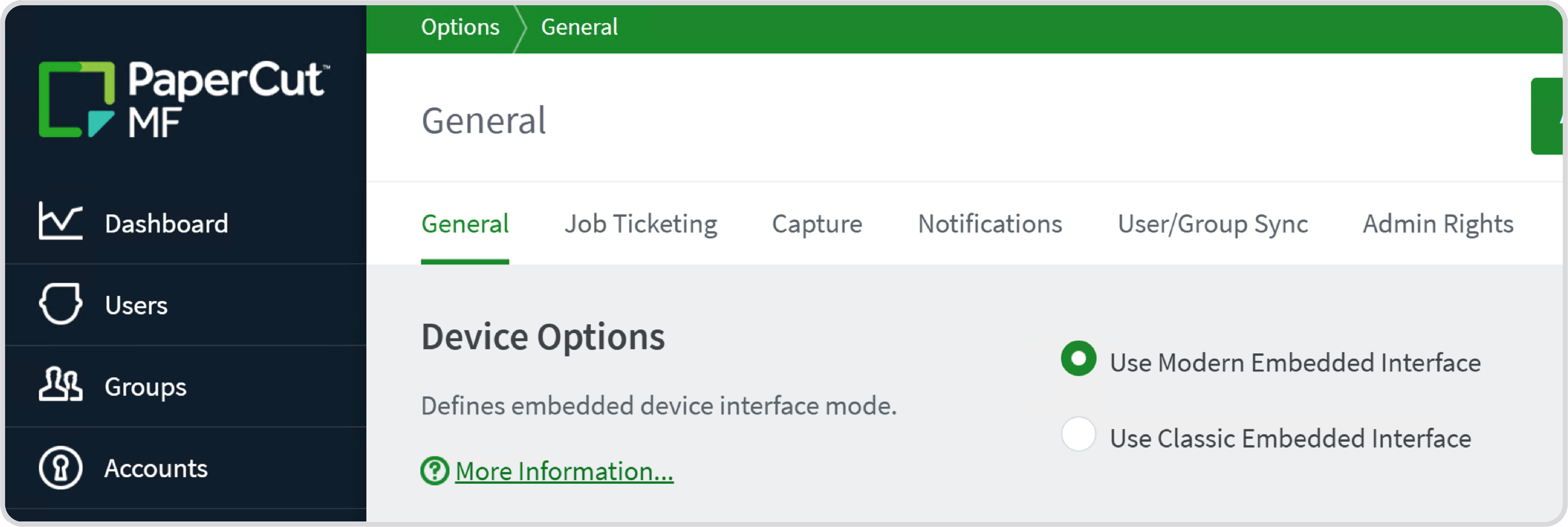
This visual update introduces a dark mode for the PaperCut MF Embedded interface on select platforms. It provides a fresh aesthetic choice that aligns with modern office hardware and user preferences without changing any features or workflows.
Because this is a skin and not a redesign, users don’t need to be re-trained on how to print, copy, or scan. Existing customers upgrading to MF 26.0 will keep their classic UI automatically—nothing changes unless you actively choose to opt-in using a simple system-wide configuration that requires no device restarts.
Proactive security and service alignment
PaperCut MF 26.0 introduces automated enhancements to protect your infrastructure and ensure seamless service.
To automatically harden your environment against known vulnerabilities, unmaintainable End-of-Life (EOL) hardware that no longer receives manufacturer security updates is now disabled upon upgrade. If you’re dealing with hardware delays, an audited “break-glass” path allows you to manually re-enable EOL devices to keep workflows active during transition periods.
We’ve also programmatically aligned cloud features like Scan to Cloud and OCR with active Maintenance & Support (M&S). If your status lapses, these features are gracefully hidden from the device screen to prevent user errors. If you experience procurement delays, your PaperCut partner can apply a temporary trial license to instantly restore cloud services while you renew your M&S.
Wrap-up
PaperCut MF 26.0 empowers your business with enterprise-grade identity, next-generation hardware compatibility, and proactive security controls.
If you’re an existing customer, reach out to your PaperCut MF reseller to start the upgrade process. If you’re new to PaperCut, get started today to see how we can transform your organization’s print management.