
New Ricoh MF embedded app
Overview
The all-new Ricoh MF embedded application (known as Ricoh SmartSDK-V2) is a completely rebuilt experience, designed from the ground up to elevate PaperCut MF on Ricoh devices. It introduces a modern, intuitive user interface that is consistent with other PaperCut MF embedded applications, making it easier for users and administrators alike.
Features at a glance
- A faster, more responsive user experience.
- User experience aligned with other PaperCut MF embedded apps.
- Simplified ‘one-click’ installation process.
- Upgrade from the old app to new with ‘one-click’ upgrade.
- Auto-update of the new app when updating your PaperCut MF server.
- No longer need to access the device to accept certificates.
- Bulk installation (and bulk upgrade) available via CSV.
- Modern UI ready.
Early access now available!
Please use this form to gain access to a build of PaperCut MF with the new app.
PaperCut has released the ‘Early Access build’ as of 10th of September 2026. This is available as a separate build that contains the new Ricoh MF embedded application. This separate build gives you time to test and provide feedback on the new app, while keeping your active PaperCut MF application server up to date with 26.0.5.
All dates subject to change.
Key benefits in more detail
Faster at the device
Logins are quicker, screens load faster, and everyday interactions feel smooth — so users can print, copy, or scan without delays.
Intuitive experience
A clean, up-to-date interface aligned with other PaperCut MF embedded apps — familiar, consistent, and easy to use.
Modern UI
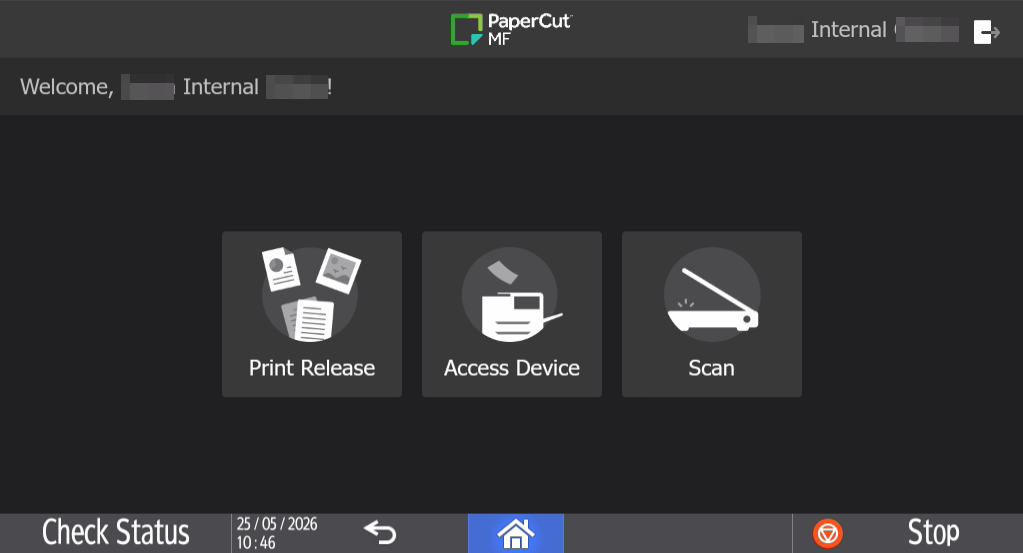
Admins can choose to use the Modern UI released in MF26, or they can use the Classic UI they know and love.
Easy deployment
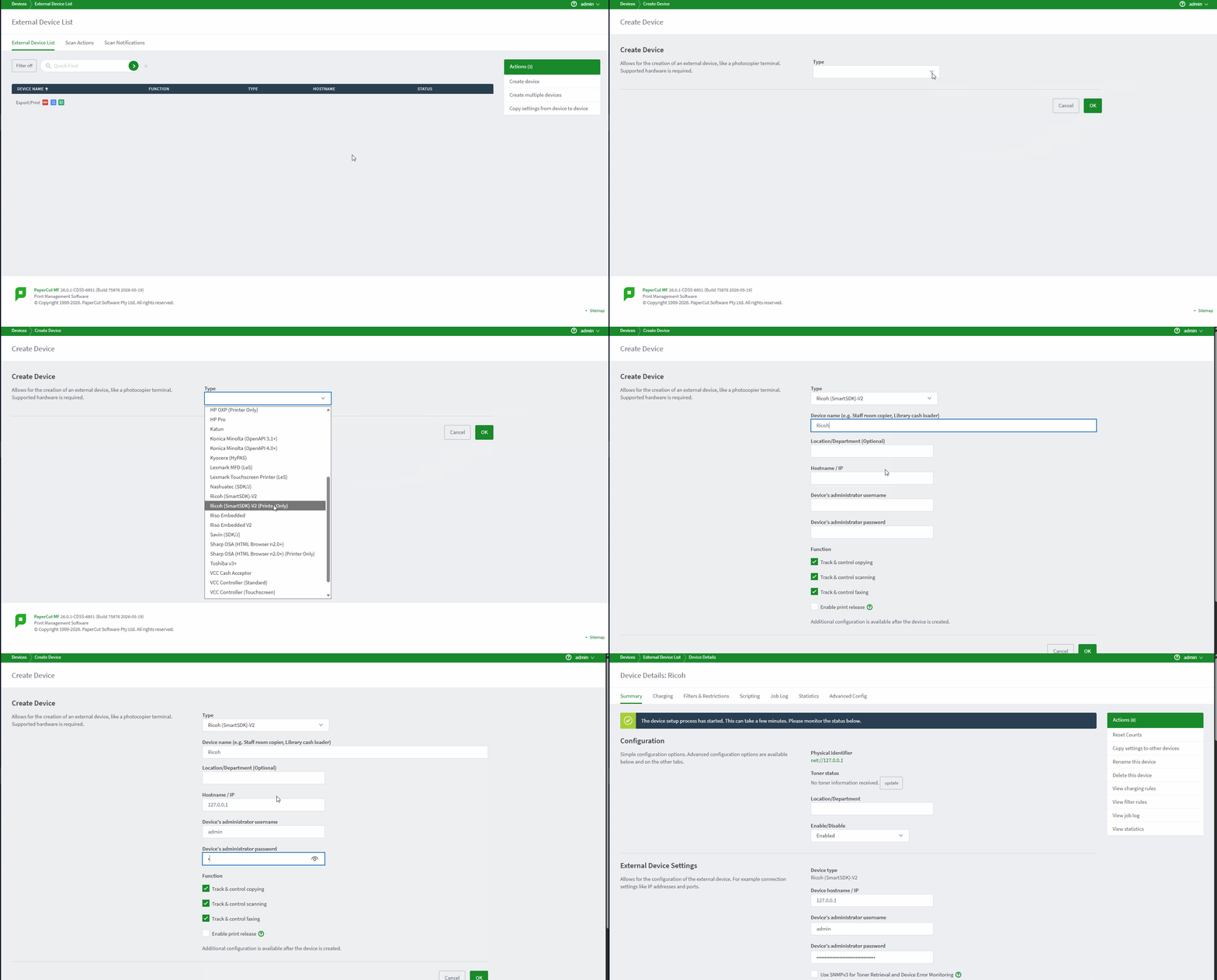
One-click installation simplifies setup, reducing deployment time and effort while improving reliability and setup complexity.
In product upgrade - A PaperCut MF first
Devices running the old v1 Ricoh embedded application can be upgraded to the new app directly from within the PaperCut MF admin interface.
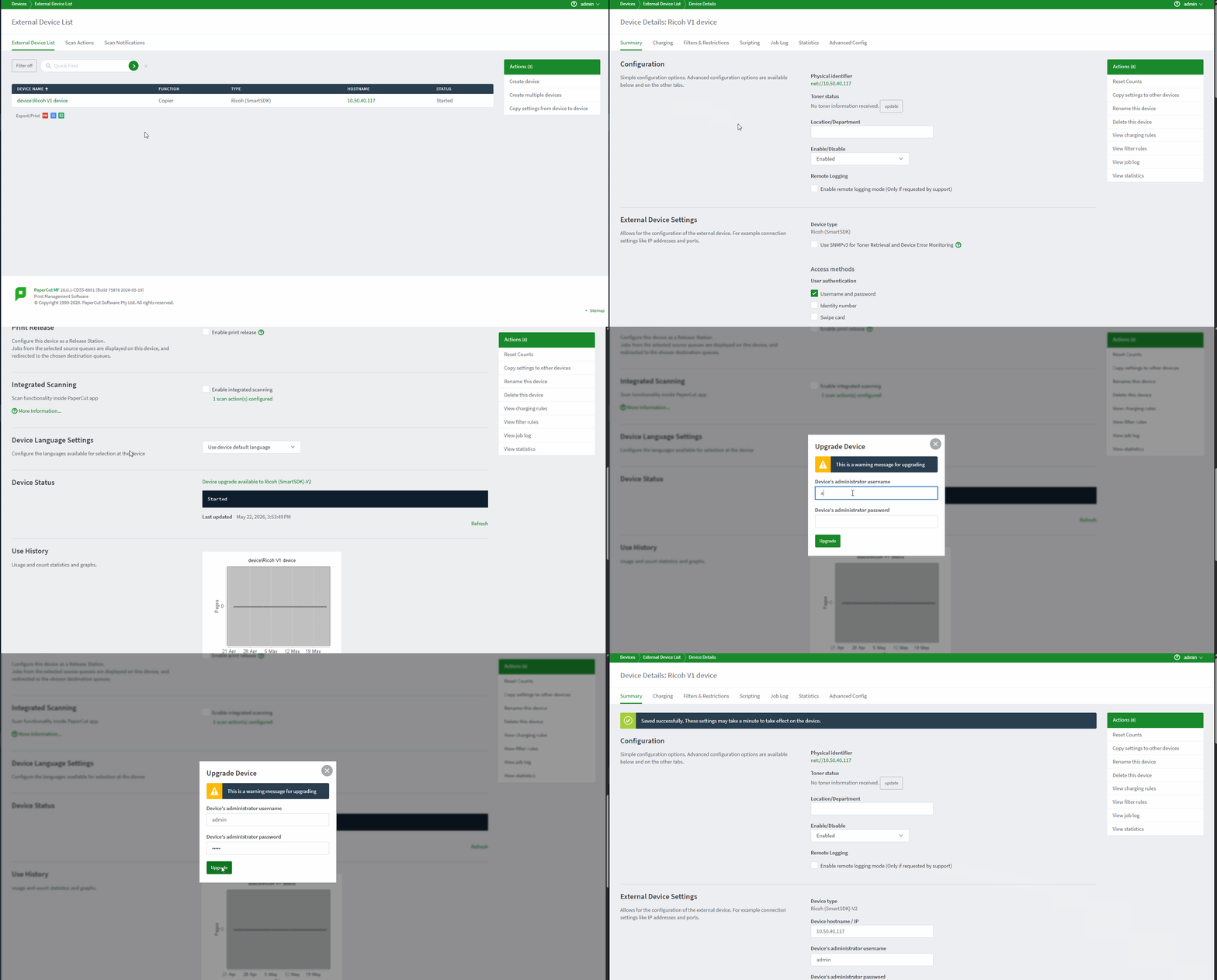 Design not final*
Auto-certificate acceptance
No need to manage accepting certificates on the device or from the ROC Tool. So long as the device has the Root Certificate Authority installed, the certificate will be accepted.
Bulk installation
Bulk installation is now down entirely in the PaperCut MF admin interface, by uploading a CSV you can stage, deploy and upgrade all in one place!
Auto update of the new app
After upgrading your PaperCut MF server, if a new version of the app is available, the devices will update to the latest version once the server starts.
Why build a new Ricoh embedded application?
- The V1 app was developed in 2015 and Ricoh devices have changed a lot since then.
- The old app is entirely bespoke embedded code. This means that adding new features is time-intensive.
- The interface was not consistent with the majority of other PaperCut MF embedded applications, which all run on the PaperCut ‘device web common’ platform. The V2 app will use this platform.
- The ROC Tool was previously required to install/upgrade/uninstall and accept certificates. The new app no longer requires the ROC Tool for any functionality.