






This page describes the subscription models for PaperCut Hive and PaperCut Pocket. It explains the differences between Hive’s entitlement-based recurring model and Pocket’s monthly user-based subscription. It defines entitlements, active users, and how subscriptions are applied (Hive) or set up (Pocket).
PaperCut Hive subscription overview
PaperCut Hive is a cloud-native print management solution sold as a flexible subscription (minimum 12-month term).
Because Hive is a cloud service, it doesn’t use traditional license keys. Instead, your organization is granted entitlements that live in your cloud environment.
What are entitlements?
Think of entitlements as the “active ingredients” of your Hive subscription. They define what your environment is allowed to do. Common entitlements include:
- Printers: In the entitlement, this is called Device with basic functionality. Basic subscription that lets you use all of Hive’s basic functionality, for example, deploy print queues, secure mobile device printing, and print tracking.
- Embeddeds: The additional software (printer app) that runs on your MFD (copier) touchscreens for secure print release (available in Lite or Full versions).
- Cloud Services: Power-ups like Cloud OCR, which turn your scans into searchable digital files.
How a PaperCut Hive subscription is applied
Because PaperCut Hive is sold through our expert Partner Network, the setup is a collaborative process:
- Partner activation: Your Partner purchases the subscription and provisions your environment.
- Customer invitation: You receive an invitation to register your organization. You must register the organization and accept the PaperCut Terms of Service.
- Automatic delivery of entitlements: PaperCut automatically applies your entitlements to your organization’s instance.
How to add more features
Your PaperCut Hive environment can grow with your business by enabling Add-ons.
- Free Add-ons: You can enable these directly within the PaperCut Hive admin console at any time.
- Paid Add-ons: If you need more devices or advanced features, contact your Partner. After they process your order, the new entitlements will automatically appear in your Hive admin console, ready for you to connect to your organization.
PaperCut Pocket subscription overview
The core of the subscription model is “unique active user ” billing, where organizations are charged based on the number of individual users who actually interact with the software during a billing period.
What is an “active user” in PaperCut Pocket?
A user is considered active and billable if they perform any of the following “qualifying” actions within a calendar month:
- Authenticated sessions: A user who runs an authenticated print client (Windows, Mac, or Chrome OS).
- Mobile app use: A user who opens the PaperCut Pocket/Hive mobile app on iOS or Android.
- User portal or admin console interaction: A user who logs into the User Portal or admin console.
How to set up PaperCut Pocket and subscribe
This explains how to set up your free trial and configure your monthly payment details for when your trial ends.
- On the PaperCut Pocket web page , click Start Free Trial.
- Start your organization’s free trial.
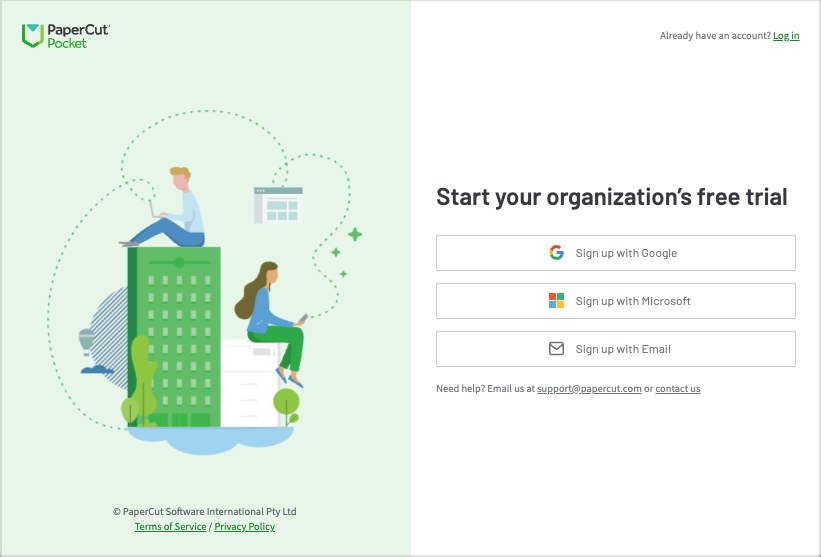
- Follow the online instructions to set up PaperCut Pocket in your organization. This includes adding your payment details, ready to use when the trial is finished.
Pricing and purchasing details for PaperCut Hive and Pocket
PaperCut Hive
For all the information you need, take a look at How do I buy PaperCut?
PaperCut Pocket
For pricing and tiers information, head over to the Cloud print management for Small & Medium Businesses page and scroll down to the Flexible pricing section.
Comments