Printing visibility (print reports and print logs) - know your printing
End-to-end visibility is a foundation for IT security. Why? Because it lets you predict, prevent, detect, and if necessary contain, security issues. All of PaperCut’s products have print visibility as a core feature; keeping job-by-job detailed print logs and allowing detailed reporting of every job sent through your printers.
Having visibility of your printing through print reports is the first step in understanding what controls you need to put in place to:
- improve printed document security
- ensure your assets are used fairly and correctly
- encourage and celebrate those individuals doing the right thing.
Daylight is always the best disinfectant!
You can work with individuals to encourage good behavior, or correct bad. You can do this through conversation, coaching, or implementing rules in software. But the starting point for understanding your users’ behavior is through visibility (think ‘print reports’). You need to understand what the ‘current state of play’ is in your printing environment before you can even begin to think about what areas you need to prioritize to improve.
A page meter on a multifunction device (MFD) will tell you how many pages per month that device uses. The cost of paper, toner and/or lease will absolutely translate this into real dollars. Did someone print content from the company intranet? Ever a confidential presentation laying about and wanted to know who ‘misplaced’ them? Or exam questions laying about that shouldn’t be?
Those MFD counters also don’t tell you what percentage of these jobs were avoidable. Or what percentage of the documents were uncollected and left lying on the printer. How many were reprints and unnecessarily single-sided? In our experience, the 80/20 principle applies to printing. 20% of users generate 80% of the waste. Want to guess who are your 20%?
Visibility offers accountability and an immediate change in behavior. And it doesn’t need to be all about dollars, compliance, risk mitigation, and other terms you users will connect to as just organizational aspirations. While anything not printed is a reduced risk and a lowered cost, it’s also a tree saved, an MFD not manufactured, and emissions reduced.
How to get visibility into your printing
We’ve listed the key features you need to get visibility into your printing. The foundational set is recommended for all organizations as baseline.
Foundational (the must-have features)
| Feature | Description | Product |
|---|---|---|
| Print job log | The starting point for print visibility is a centralized, detailed job log. This also often referred to as a printer audit log or printer event log. | PaperCut MF PaperCut NG PaperCut Pocket PaperCut Hive |
| Print reports | Gather and interpret print activity (by user, printer, department, etc.) via built-in and customized printer reports. | PaperCut MF PaperCut NG |
Advanced Features (level-up)
| Feature | Description | Product |
|---|---|---|
| Print archiving | Log more than just the print event (time, which printer, who printed, etc.). Also archive the whole job's contents — text and images — so approved administrators can actually see the contents of the print job itself. | PaperCut MF PaperCut NG |
| Watermarking | Move visibility from beyond the print log used by SysAdmins to the printed document itself, with watermarking. A print document watermark can be as simple as a date and username on each page, through to something more advanced like a digital signature. These visual marks are a great motivator fo people to not leave sensitive stuff laying around because its origin is always visible! | PaperCut MF PaperCut NG PaperCut Pocket PaperCut Hive |
| Scheduled reporting | Millennials have high expectations and so should you. Expect your reports, routinely by automating their delivery right into your inbox. | PaperCut MF PaperCut NG |
Real world examples
There are hundreds of tips about printer tracking, so we've taken the best practices from key industries and put them here for you:

Education

Large Enterprise
When an up-and-coming construction company kicked off a top secret project for their next potential high profile development, they needed to make sure sensitive design and technical documents wouldn’t leak to their competitors.
Using a combination of print archiving, digital signatures, and watermarking, they were able to make every printed document uniquely traceable back to an individual. Project staff knew it was “their name on the line” if they were careless. This small but tangible change helped reinforce the requirement for confidentiality during this important phase. As one key staff member put it, a reminder on every print job was far more effective that the all-hands email that went out at the start of the project!
Managers also got regular reports to see what their staff were printing. From simple job log summaries to detailed examinations of the contents of individual print jobs, they could see exactly which documents their staff were printing.

Government / Local Council
Features in more detail
The following content explains a number of the features referenced in the examples above.
Print job log
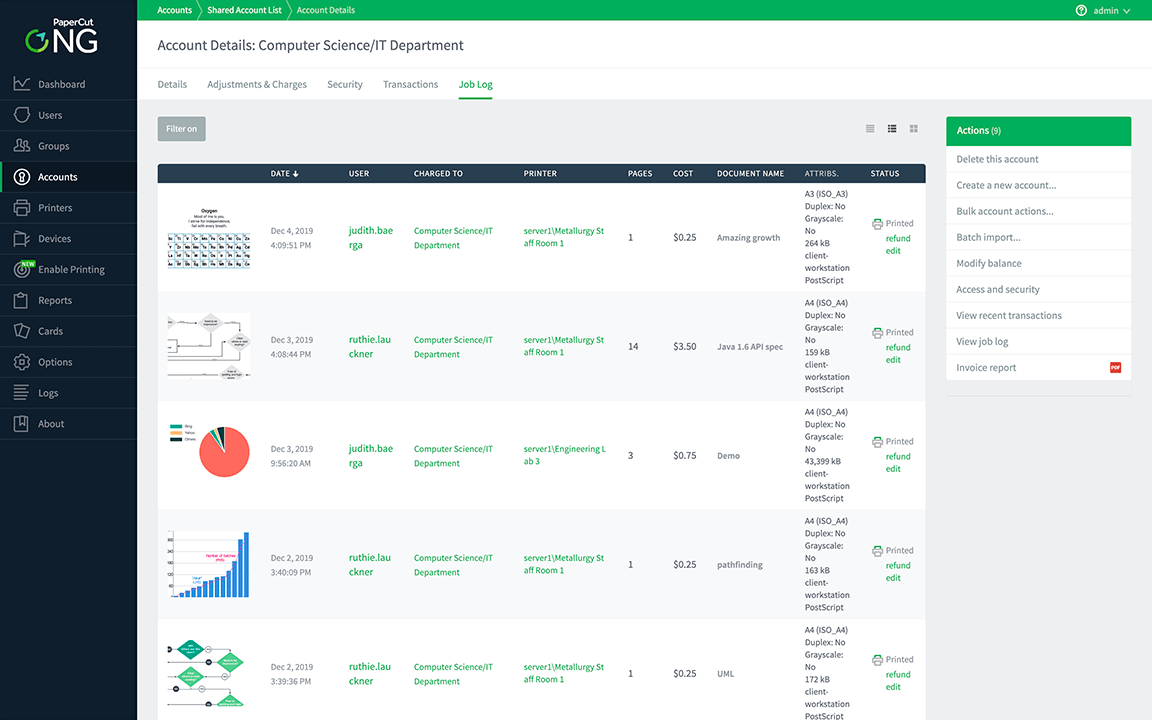
Visibility naturally begins with PaperCut’s centralized and detailed log (in the admin console under Logs -> Job Log) which gives you insight into exactly what’s been printed in your environment.
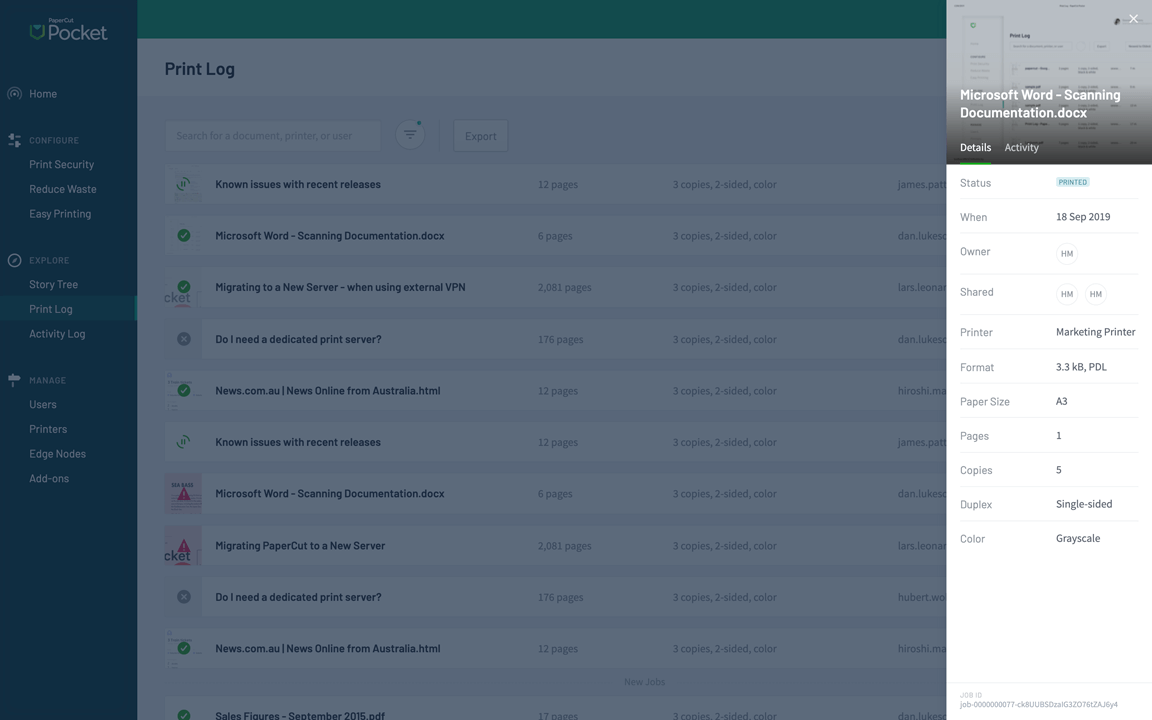
The print log contains the date, time, printer used, username, document name (now we’re talking), and some other stuff that comes in handy from time to time like size in bytes, originating machine, driver type, and more!
Let’s not skip over the centralized part! This is all from one web-based user interface, and the scope of the log can be all of the organization, per user, per printer, and filtered even further. And this is all regardless of whether the machine was a printer or MFD, who made it, or how long ago it happened!
Print reporting
The presentation of any data collected through logs is imperative for it to be interpreted, actioned, and shared.
Executive Summary reports give a single, compelling view into your organization’s current state of printing. The highest printing users. The devices with the highest utilization. These are the first clues in all cases as to where to want to focus a deeper dive into the data.
PaperCut MF and NG have a number of built in reports (over 50 popular one-click reports) that output to PDF, HTML, and CSV and cover all perspectives of data from summary to detailed per-transaction logs. We’ve done the heavy lifting here for you! You can even customize the report headers and filter the data in the built-in reports to make everyone feel at home.
All of PaperCut’s products also allow you to customize how the data is presented. PaperCut MF and NG support custom reports to be written and ‘dropped into’ your own solution, and PaperCut Hive and PaperCut Pocket can export their data to popular cloud reporting tools like Power BI and Tableau.
If you want to go to town and build fully customized reports, you can do that too - either using PaperCut MF/NG with JasperSoft Studio, or using a completely separate tool like Crystal Reports.
Print document watermarking
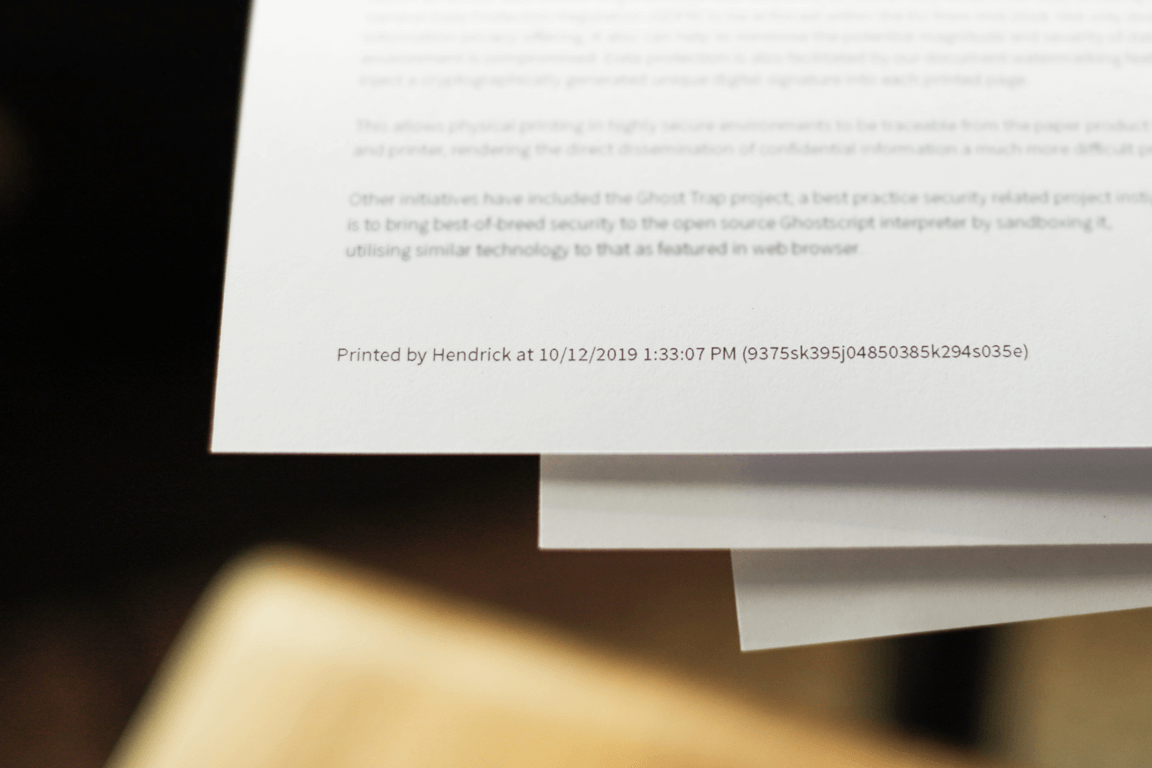
The unique watermarking feature distributes print visibility to your users as much as it does to the system administrator. When elements of Job Log are printed unobtrusively onto each and every page, it servers as a constant reminder of the importance of securing the printed form.
A system administrator can also use this watermark to tie a ‘misplaced’ document back to the original owner via the PaperCut Web UI. This can be via the visible username, date and time, or a digital signature (if printing a user’s username is less than ideal).
Print archiving
You can tell a lot about printing from the log data. In some situations though, you need more than a document name to really tell what’s going on. This is where archiving the full print document itself for a period of time comes in handy.
Print archiving gives you a complete, human readable view of the print job as it was printed, without the need to access the original application that printed it. Web pages, blueprints, tickets, emails. All can be viewed using the job archive. Note that PaperCut Hive and PaperCut Pocket archive the top page only.
When coupled with watermarking, you can use a single found page to show the complete original document that was printed and by whom. You can then view that user’s entire print history to check for any other data or privacy concerns.
Scheduled reporting
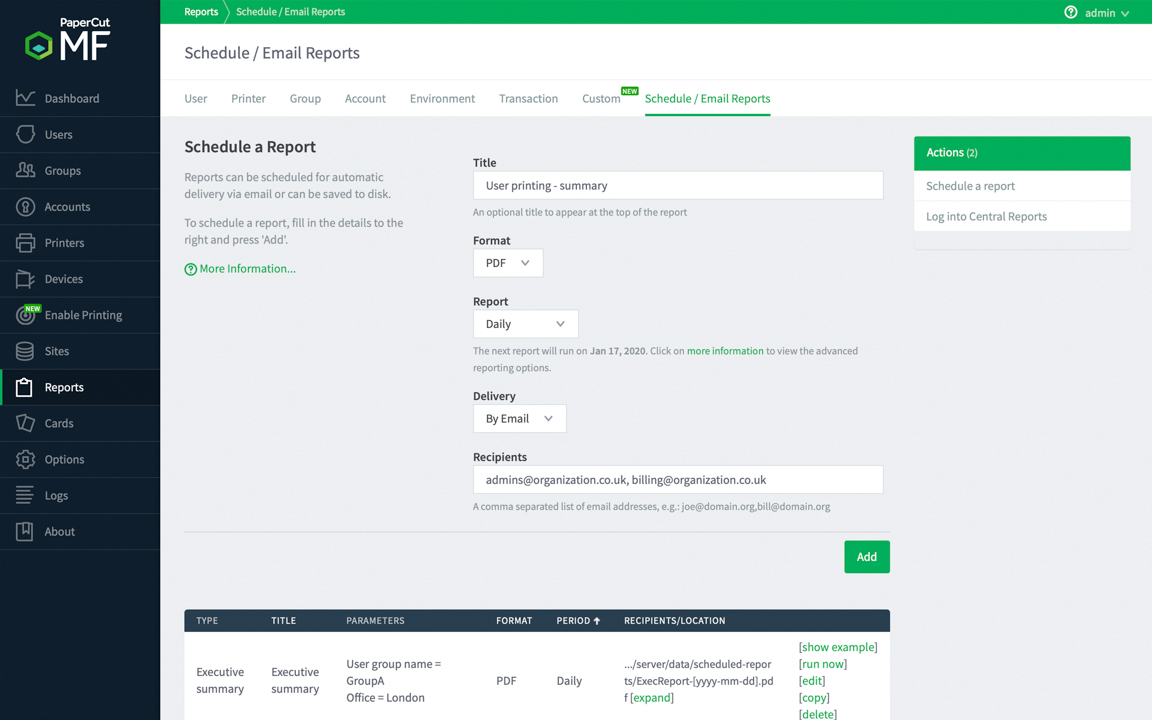
The value of reporting is greatly enhanced with the ability for any of the reports to be set to run on a routine schedule. Reporting as a feature is in most cases an essential feature, however the usability improves significantly if your predictable reporting needs can be scheduled to simply be emailed to you!
Check out a demo!
Reading about reporting is great, but sometimes a live demo speaks a thousand words. Luckily we have a cloud hosted instance of PaperCut MF (NG is very similar reporting-wise) so that you can take a look:
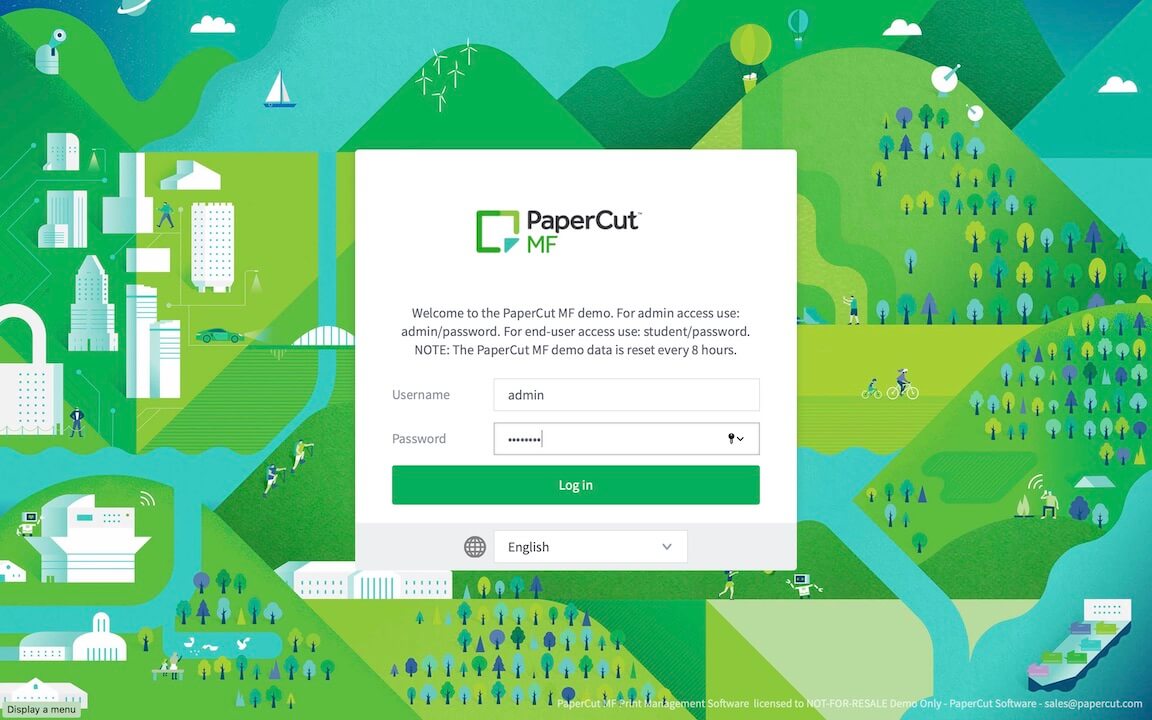
Log into the demo site demo.papercut.com with the username ‘admin’ and the password ‘password’ - don’t worry, we wouldn’t use that combo in real life 😀
- Printer Log (see Logs -> Job Log) - quickly see who’s printing what, and when, real-time.
- Reports (see Reports -> User) - immediately see one-click reports based on User, Printer, Group, Account and more.
- Print Archiving (see Logs -> Job Log) - within the job log you’ll see a clickable thumbnail of what was printed.
- Scheduled Reports (see Reports -> Schedule/Email Reports) - schedule a monthly Executive Summary to be sent by email. No more having to set a monthly reminder to log into the dashboard!
Otherwise if you’re looking to try things out on your own, and you’re interested in PaperCut NG - head over and download the free 40 day PaperCut NG trial.