Choose your language

Choose your login

Support

How can we help?

PaperCut's AI-generated content is continually improving, but it may still contain errors. Please verify as needed.

Lightbulb icon
Lightbulb icon

Here’s your answer

Sources:

* PaperCut is constantly working to improve the accuracy and quality of our AI-generated content. However, there may still be errors or inaccuracies, we appreciate your understanding and encourage verification when needed.

Lightbulb icon

Oops!

We currently don’t have an answer for this and our teams are working on resolving the issue. If you still need help,
User reading a resource

Popular resources

Conversation bubbles

Contact us

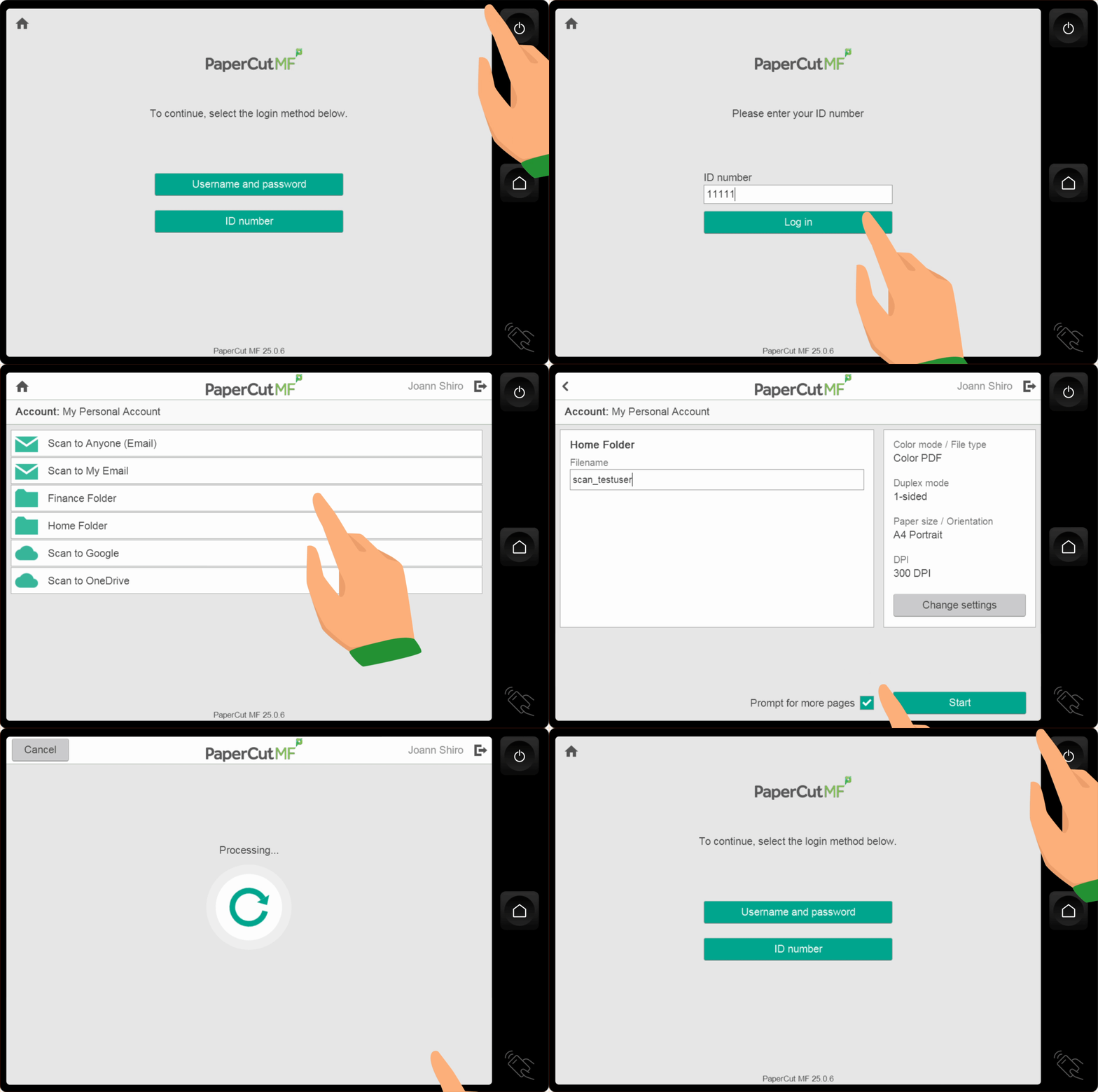
An animation of the PaperCut MF integrated scanning user flow

Scan fast with minimal clicks

The average user doesn’t need a menu full of acronyms like DPI and TIFF or to waste time standing at the MFD. They need their document delivered to the right place, in the right format, fast. PaperCut MF gives users predefined scan actions, so they can scan and walk away.


To learn more about implementing and managing Integrated Scanning, see the What is Integrated Scanning manual page.

A consistent experience on any brand MFD

Stop training users on multiple multifunction device (MFD) user interfaces. PaperCut MF provides a universal, standardized interface for every MFD brand in your fleet, eliminating confusion. Reduce user error, and ensures the end-user experience is simple, no matter the manufacturer.

Our embedded software enables printing and scanning on all popular MDF brands. Learn more about our embedded software.

Scan actions find the user at any MFD

Just like Find-Me Printing, a user’s scan destinations are linked to their identity credentials, not the MFD. Once authenticated with a card swipe or login, the user’s relevant scan actions immediately appear on any MFD. The profile roams with the user, ensuring they see only the options appropriate for their role, wherever they are.

Click through to our manual for details on configuring scan actions.

The PaperCut Hive admin console setting to choose release control options (how would you like to release your print job?)

Flexible scan destinations

Cut out multi-step manual processes and get documents to their destination from the MFD.

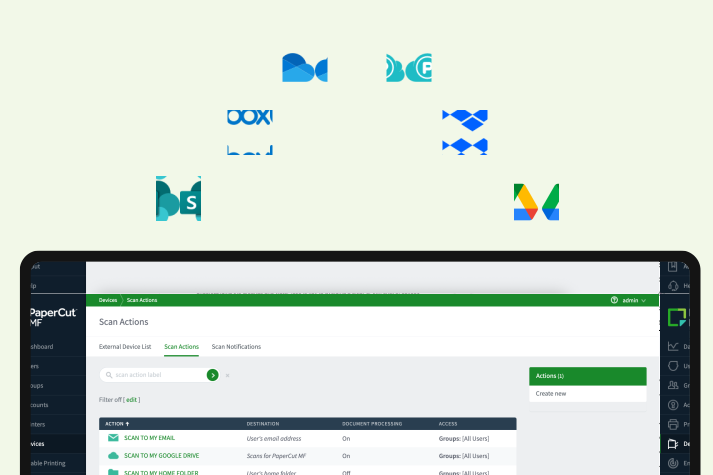
Integrated Scanning supports direct scanning to local network folders, email and fax. Or send a scanned document to a location in the cloud storage provider of your choice including;

  • Microsoft OneDrive & SharePoint
  • Google Drive
  • Dropbox
  • Box
  • Evernote
  • pCloud

Learn more about PaperCut MF Integrated Scanning destinations.

An image showing how a scanned document can be easily sent to a cloud storage provider such as Microsoft OneDrive, SharePoint, Google Drive, Dropbox, Box, Evernote and pCloud

Centralize and deploy scan workflows

Stop configuring individual scanning settings on every multifunction device (MFD).

Admins define all scan actions, destinations, and permissions from a centralized web admin interface.
Set specific quality settings for different tasks, for example, low-resolution black-and-white for expense reports, and high-resolution color for project archives.

A comprehensive guide to help you prepare for Integrated Scanning implementation .

An image from MF showing how an admins can define all scan actions, destinations, and permissions from a centralized web admin interface

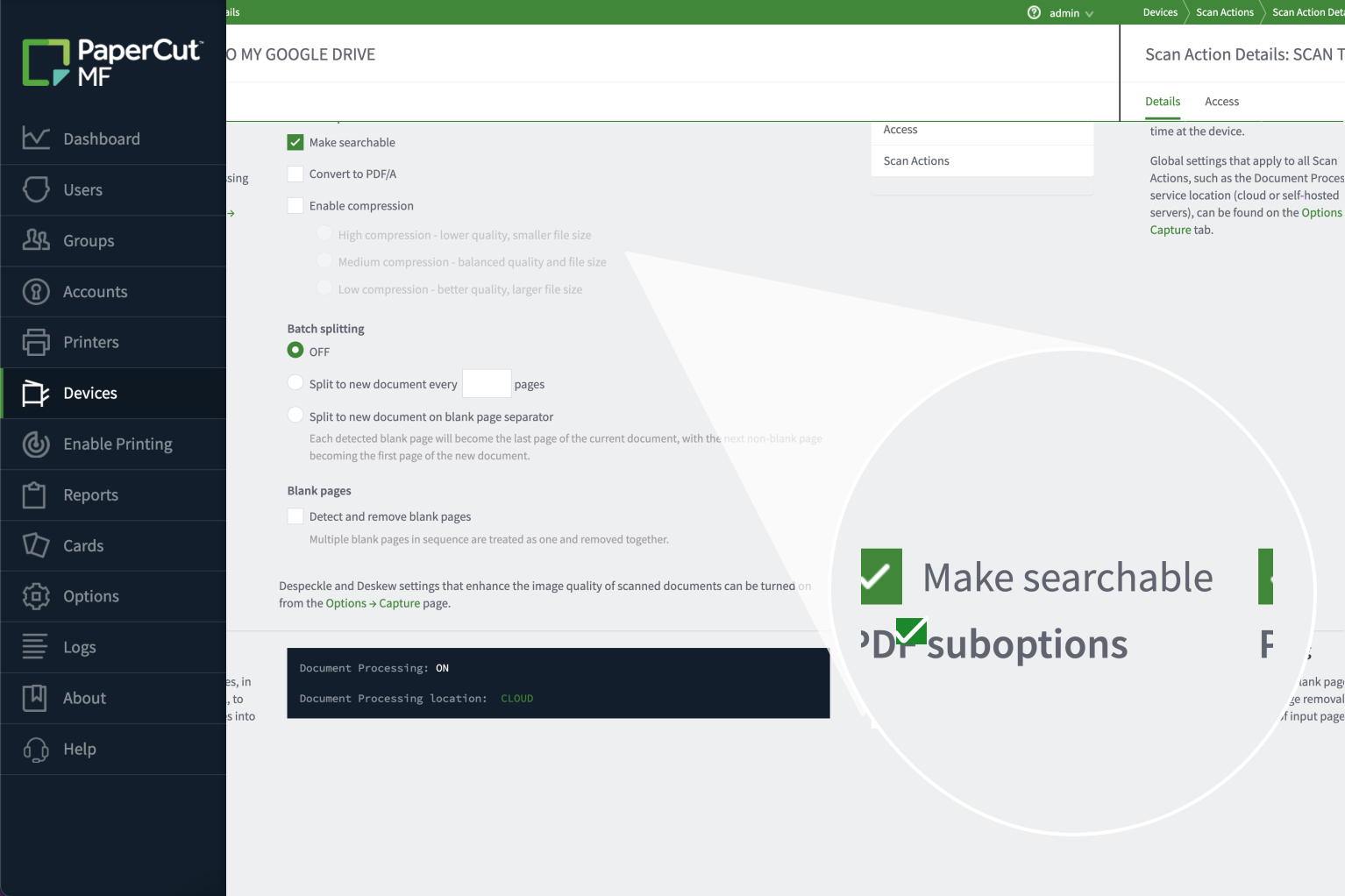
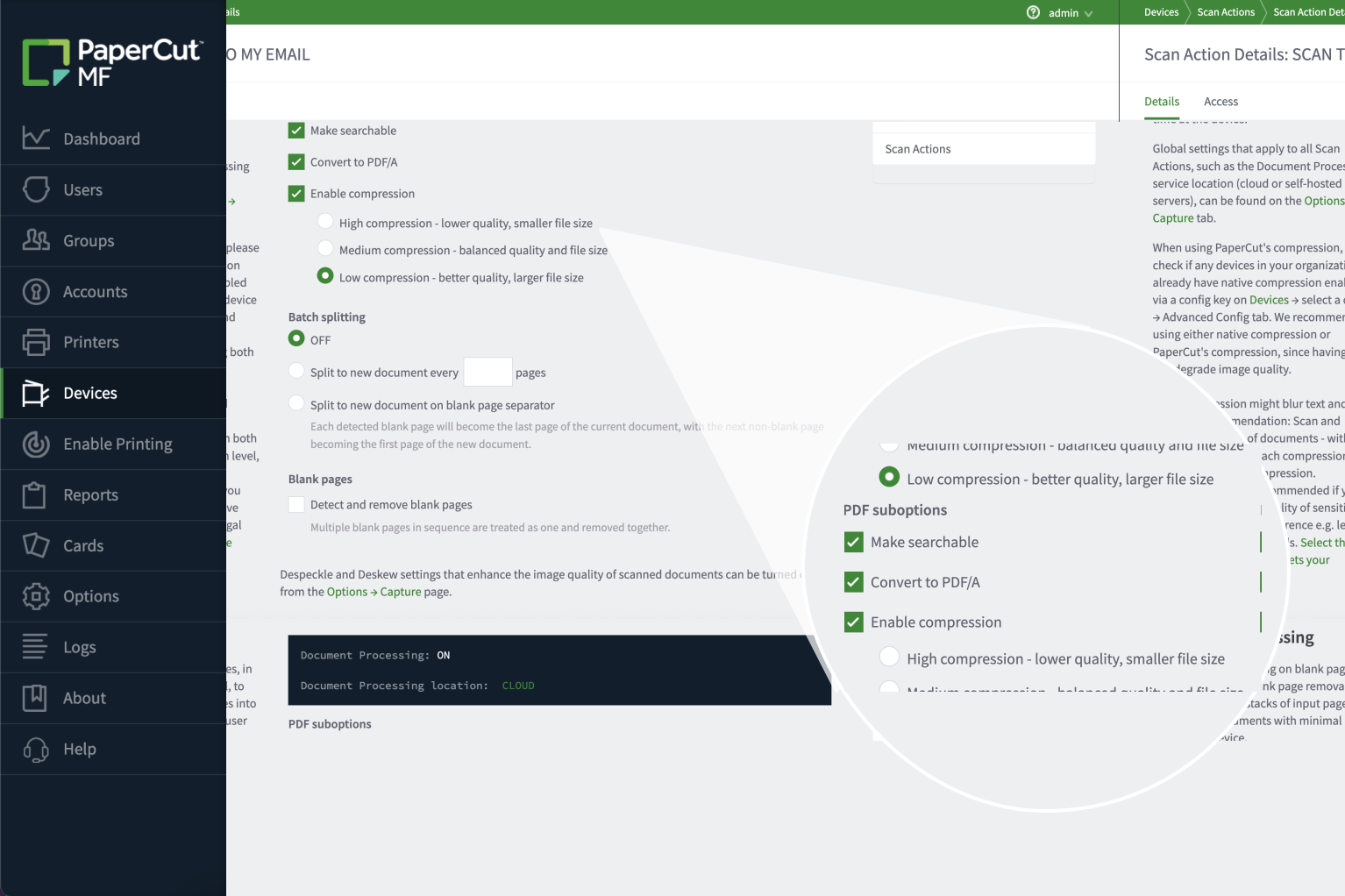
Create searchable PDFs with OCR processing

Turn your paper documents immediately into useful digital assets. Optical Character Recognition (OCR) allows you to create fully searchable PDFs, making scanned documents retrievable alongside electronic files. Choose to process documents locally on your server or leverage the power of the cloud for document processing transformation.

For a more detailed look, read PaperCut MF’s Document Processing feature.


An image from paperCut MF showing how the Optional Character Recognition (OCR) feature allows you to create fully searchable PDFs.

Configure for simplicity or advanced control

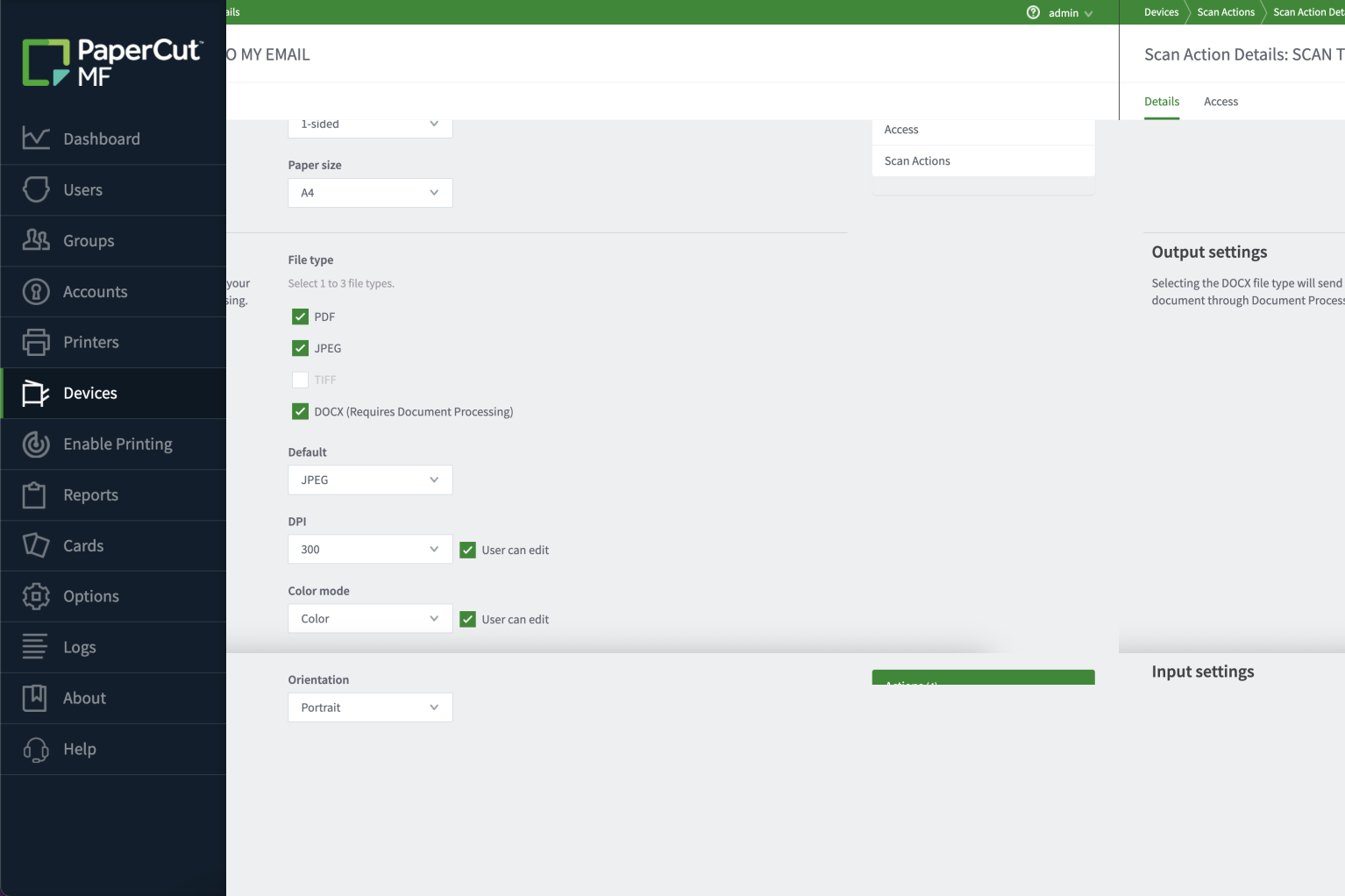
You have total control over what the user can and can’t change at the device.

Make the experience as simple as possible, a one-click scan with no user-editable settings, or you can give users freedom to modify settings for more complex jobs.

Deploy the right level of complexity for the right group or task.

To dive into the full capabilities of scanning with PaperCut MF, read all about Advanced Scanning .

An image from MF showing how an admin can define what the user can and can't change at the device. The admin can make the experience as simple as possible or  can give users freedom to modify settings for more complex jobs.

Enforce consistent file naming conventions

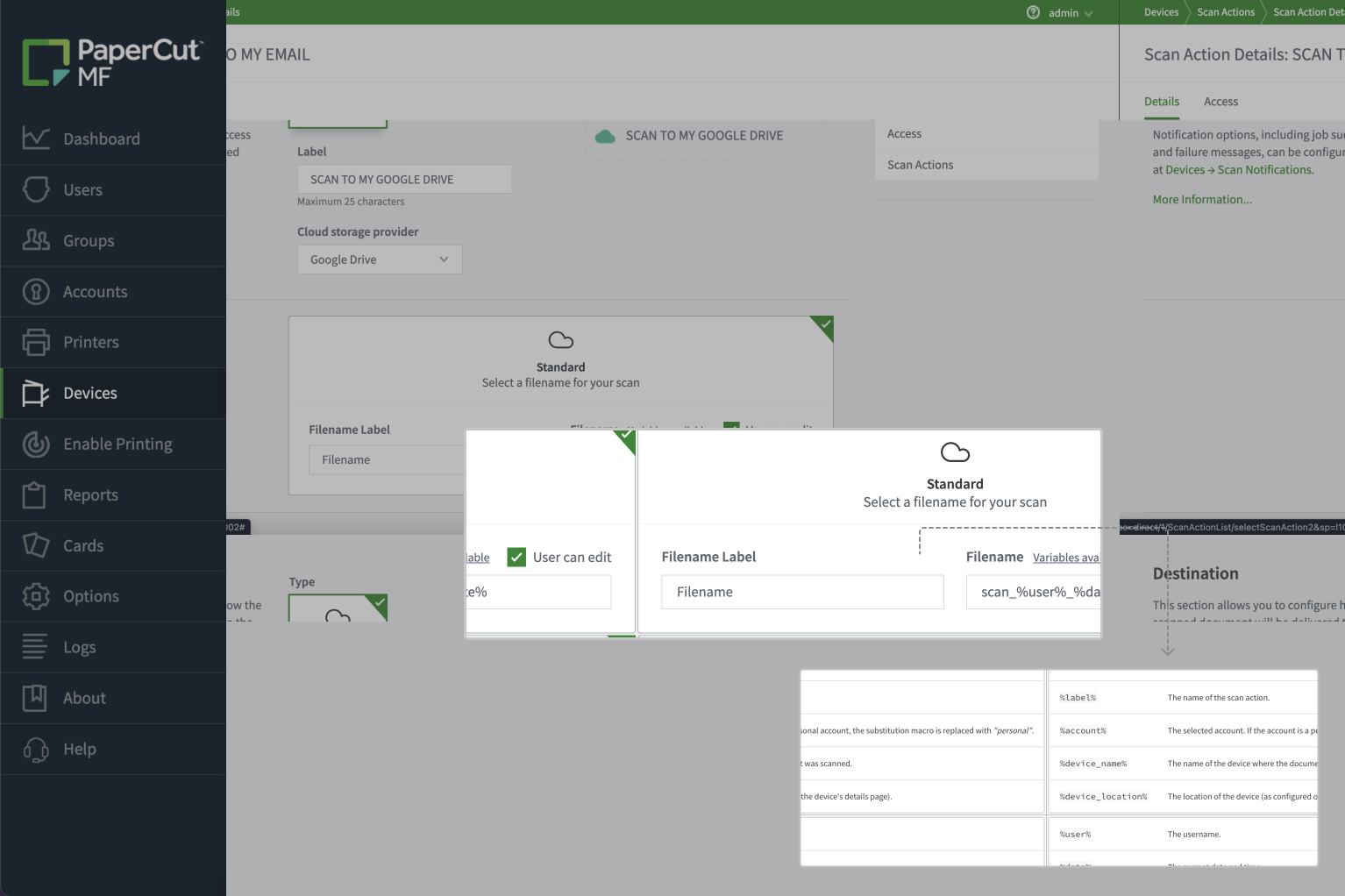
Avoid the chaos of documents named “document1” across your shared drives. Enforce a file naming standard for every scan action. This basic document management control allows you to automatically insert dynamic data, like the date, time, and username, ensuring auditability and easy file retrieval.

See our manual page Substitution variables/macros for more information.

An image from PaperCut MF showing how an admin can enforce a file naming standard for every scan action

Mandate lossless compression for compliance

For highly sensitive documents, such as those used by legal administrators, data integrity is paramount. Integrated Scanning allows you to enforce lossless compression for specific workflows where the possibility of error is unacceptable. You have total control over the compression level to meet strict compliance requirements.

Click through to our Scan compression best practice guide.

An image showing how the integrated scanning feature can allow the admin to enforce lossless compression for specific workflows where the possibility of error is unacceptable

Control document destinations for security

Stop worrying about untracked documents. Integrated Scanning makes every job visible and tracked in the Job Log, ensuring full auditability.

Further enhance security by limiting where documents can be sent; easily restrict users from scanning to external domains or unauthorized network locations. This gives you precise control over your documents’ final destinations.

For more information on the reports available with PaperCut MF see our manual page.

An image from PaperCut MF showing how the integrated scanning feature makes every job visible and tracked in the Job Log, ensuring full auditability.

Centralize scan-to-email security

Eliminate the administrative burden of configuring Simple Mail Transfer Protocol (SMTP) settings and security certificates on every MFD. PaperCut MF centralizes email management at the Application Server, allowing you to easily restrict which external domains users can scan to. This provides a single point of control for secure, tracked, and compliant email delivery.

Dive into our manual for practical applications of interactive scan destinations.

An image showing how PaperCut MF centralizes email management at the Application Server, allowing admins to easily restrict which external domains users can scan to.

Secure Scan-to-Fax

Fax is an essential tool in industries such as Healthcare. Send a scanned document to a fax number via your chosen fax provider.

PaperCut MF supports both basic faxing for convenience and a more secure, API-driven integration for advanced capabilities like phonebook lookup. Faxing is now a versatile part of your workflow.

For a full explanation, take a look at the Scan to Fax explained manual page.

An image showing how PaperCut MF supports both basic faxing for convenience and a more secure, API-driven integration for advanced capabilities like phonebook lookup.