Choose your language

Choose your login

Support

How can we help?

PaperCut's AI-generated content is continually improving, but it may still contain errors. Please verify as needed.

Lightbulb icon
Lightbulb icon

Here’s your answer

Sources:

* PaperCut is constantly working to improve the accuracy and quality of our AI-generated content. However, there may still be errors or inaccuracies, we appreciate your understanding and encourage verification when needed.

Lightbulb icon

Oops!

We currently don’t have an answer for this and our teams are working on resolving the issue. If you still need help,
User reading a resource

Popular resources

Conversation bubbles

Contact us

User Authentication

Managing secure access across a complex organization doesn't have to be a headache. PaperCut MF gives you flexible authentication and identification to match the way your organization already works, from multiple directories to modern sign-in.

Authenticate users with your existing directory

Connect directly to the user directories you already manage. There’s no need to create or manage a separate, duplicate set of users just for printing.

We use Kerberos for secure Active Directory authentication and support LDAP validation, so it just works.

To learn more, see the Manual page on authentication sources.

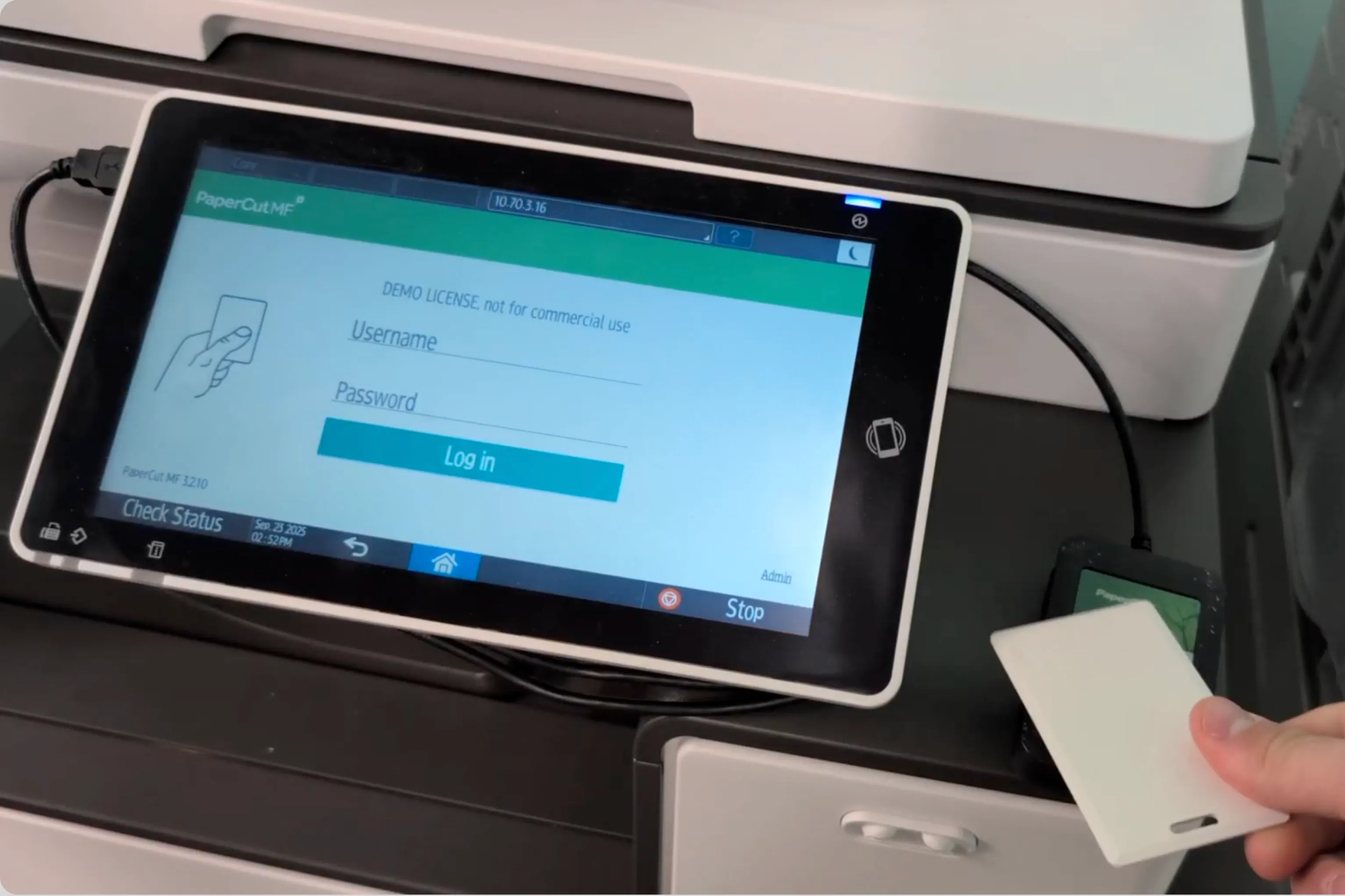
An image of the PaperCut MF login screen

Prime your printers for a "lift and shift"

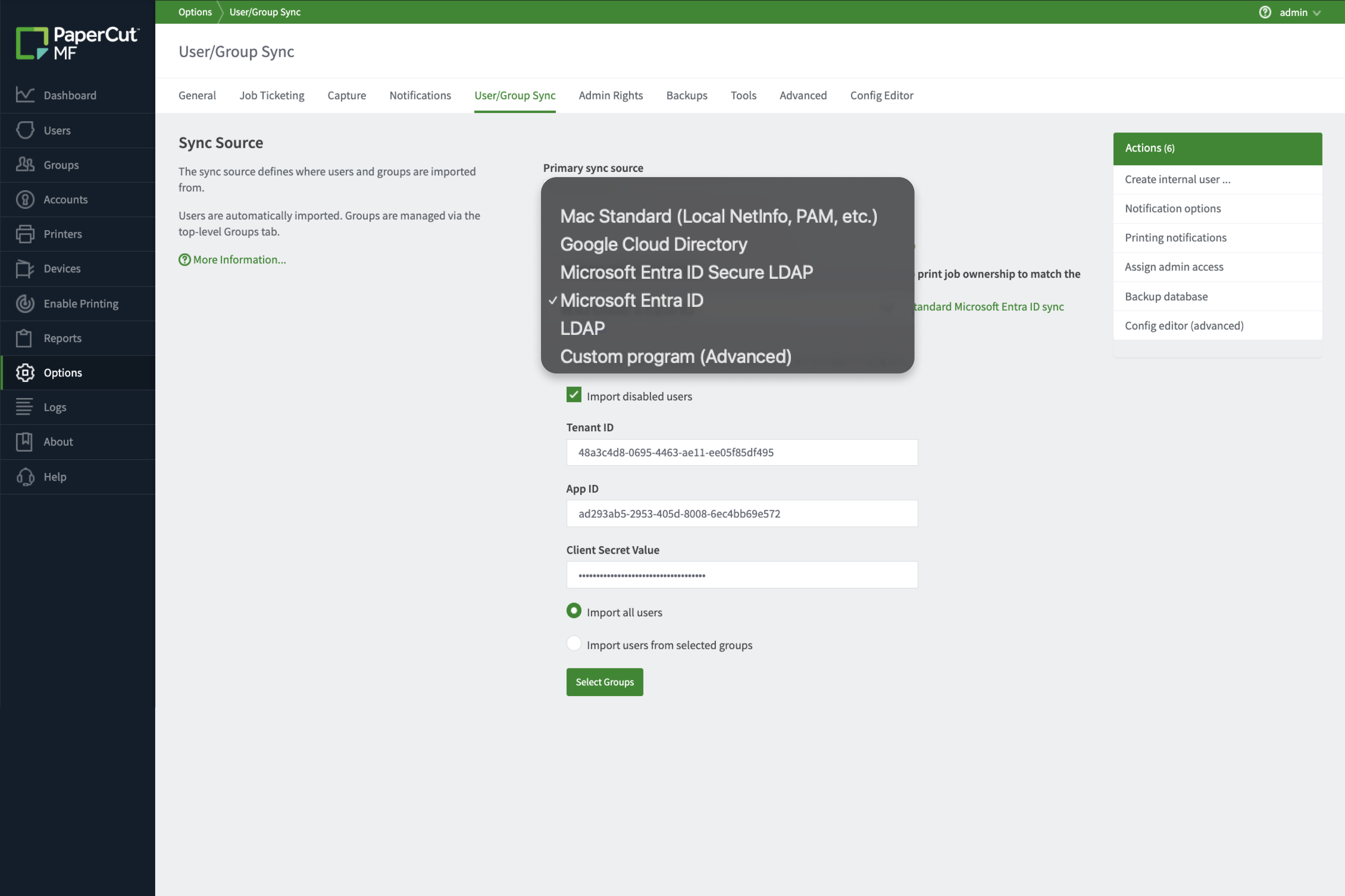
We know migrating to the cloud is a journey. PaperCut MF supports you with simple, staged migration without a hard cutover.

  • Run multiple user sources at once (like two AD domains after a merger).
  • Support internal users for simple guest access alongside your directory.
  • Provide seamless, invisible authentication for users printing from Windows, macOS, and Linux.

Explore all options in the Authentication methods chapter of our Manual.

An image showing the "User/Group Sync" configuration page in PaperCut MF, highlighting the "Sync Source" dropdown menu.

Add modern sign-in with Google or Microsoft

Give your users the simple “Sign in with Google” or “Sign in with Microsoft” experience they already know and trust for web portal access. Our OAuth connectors add a modern and secure layer to any user account, from any source.

For more information see our manual page all about SSO.

An image of the PaperCut MF options page showing configuration fields for Single Sign-on (SSO) with Google (upload client secret JSON file) and Single Sign-on with Microsoft (Tenant ID and App ID), alongside text promoting "Add modern sign-in with Google or Microsoft.

Offer fast, self-managing card access*

No more typing complex passwords on a touch screen while a queue forms behind you. Let users swipe their existing building access card for instant, secure login.

No existing system? Forget managing spreadsheets of card IDs. Empower your users to do the setup themselves—when they first swipe an unknown card, we simply ask them to log in once to claim it.

For more details, see our guide on Card/ID number self-association at the MFD here.