Choose your language

Choose your login

Support

How can we help?

PaperCut's AI-generated content is continually improving, but it may still contain errors. Please verify as needed.

Lightbulb icon
Lightbulb icon

Here’s your answer

Sources:

* PaperCut is constantly working to improve the accuracy and quality of our AI-generated content. However, there may still be errors or inaccuracies, we appreciate your understanding and encourage verification when needed.

Lightbulb icon

Oops!

We currently don’t have an answer for this and our teams are working on resolving the issue. If you still need help,
User reading a resource

Popular resources

Conversation bubbles

Contact us

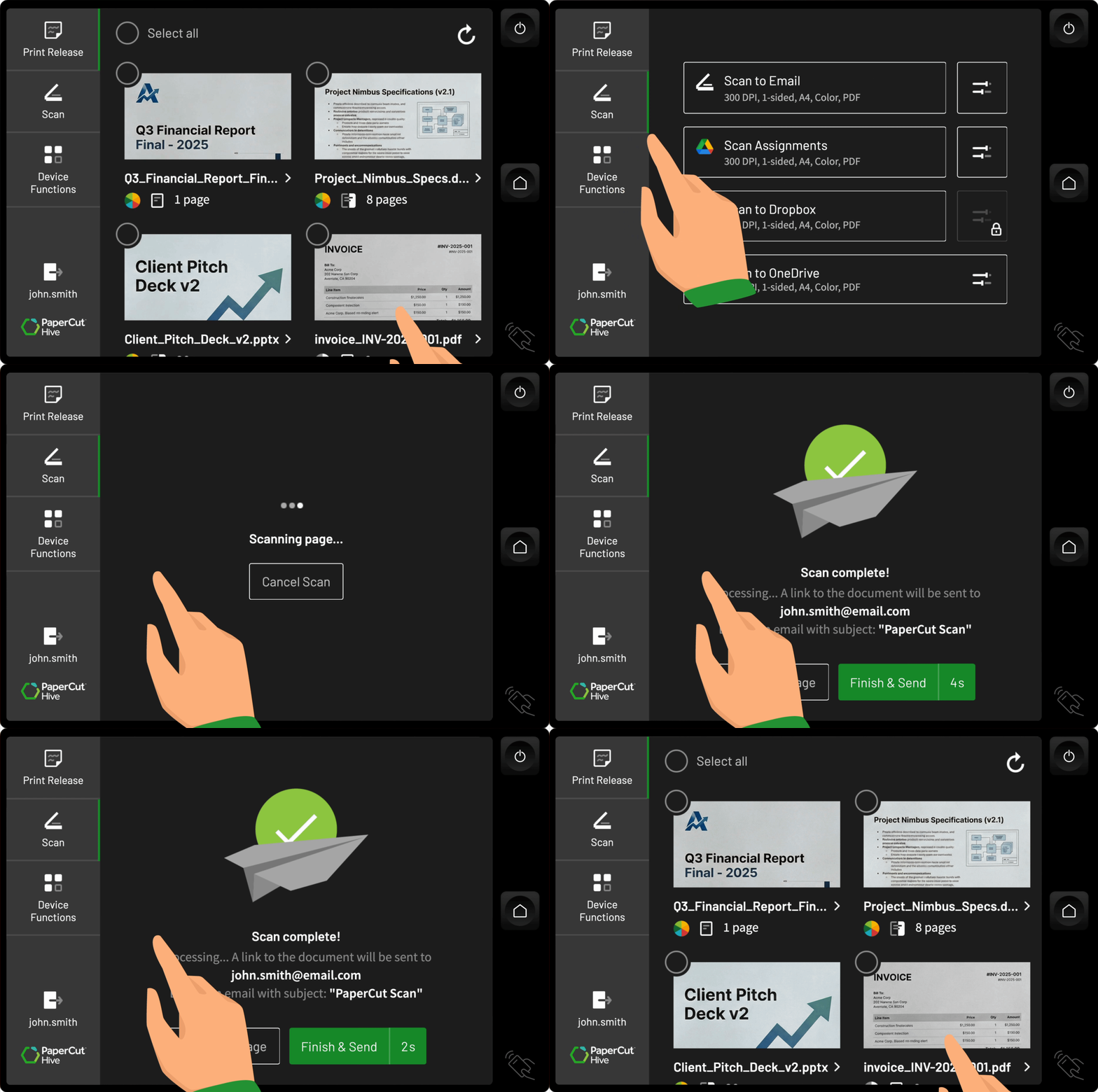
Scan instantly with minimal clicks

We eliminate complex menus and time wasted standing at the MFD. PaperCut Hive lets admins create Quick Scan profiles so users get their documents in the right format and to the right destination with predefined one-click Quick Scan actions, in minutes.

See our manual for the full overview of Integrated Scanning .
An illustration of paperCut Hive connecting with a range of operating systems and devices

Enjoy a unified experience across all MFDs

Improve productivity by providing a consistent user experience across all your multifunction devices.

PaperCut Hive provides a universal, standardized interface for every MFD brand in your fleet, eliminating confusion, retraining, and those troublesome support tickets.

To learn more check our manual for MFD compatibility .

Scan profiles that follow users anywhere

Users get immediate access to their personalized Quick Scan actions, no matter where they are. The right options appear immediately upon authentication at any multifunction printer in your network.

Admins link Quick Scan actions and destinations to users’ authenticated identity and choose which users see which actions.

Read in our manual about the benefits of Integrated Scanning .

Connect paper documents to your digital workspaces

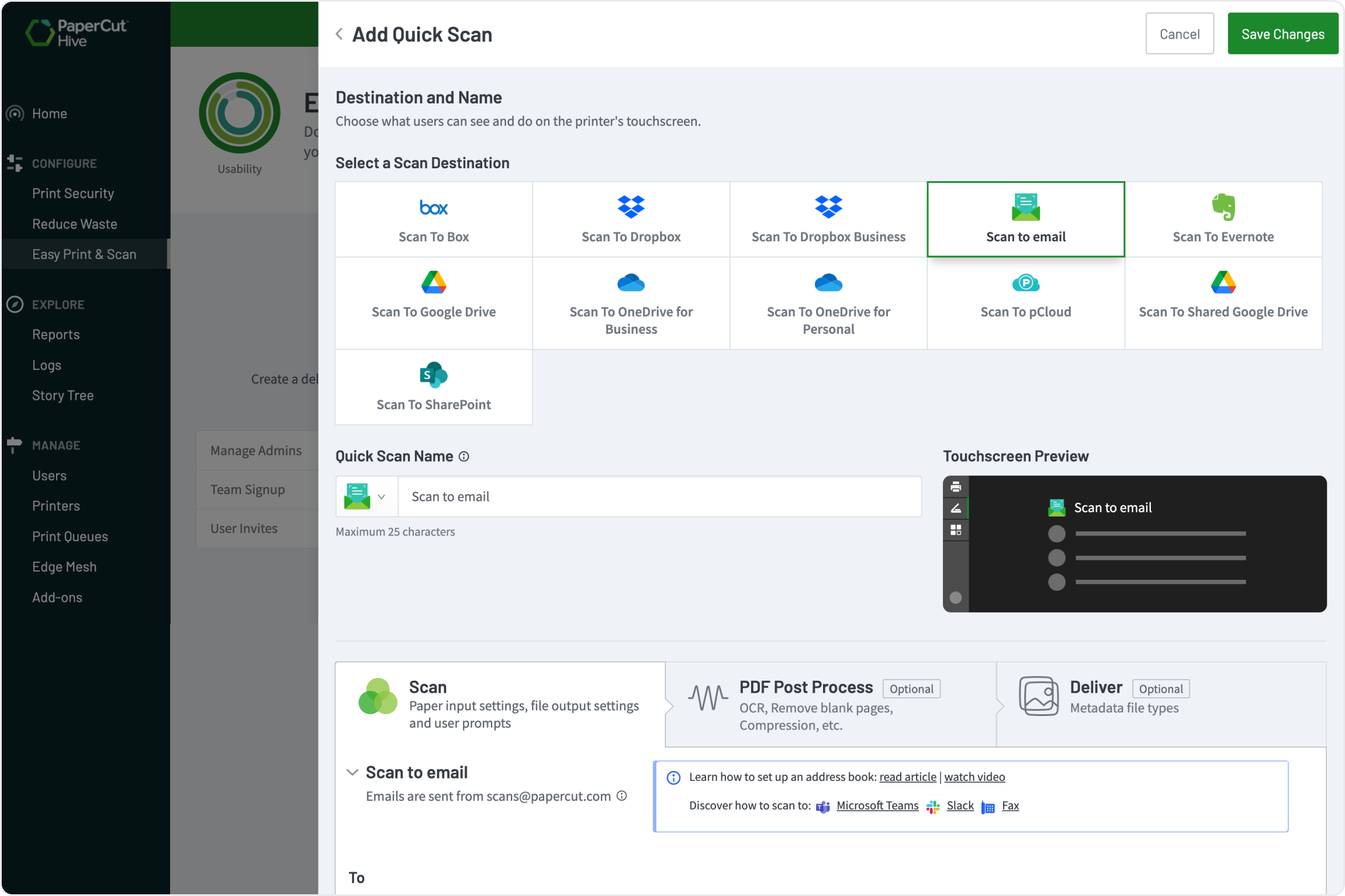
Reduce document onboarding friction by eliminating multi-step manual processes. Scan directly to shared folders on major cloud platforms and create workflows to scan into collaboration spaces.

  • Cloud Storage: Google Drive, Microsoft OneDrive, Microsoft SharePoint
  • Team Collaboration: Slack channels and Microsoft Teams channels

To learn how to set up a Slack & Teams workflow, read our Knowledge Base articles: Scan to Slack | Scan to Microsoft Teams.

A PapaerCut Hive image showing how you can scan direct to major cloud platforms’ shared folders and create workflows to scan to collaboration spaces.

Centralize scan deployment in the cloud

Achieve “set and forget” control. As an administrator, you define all Quick Scan actions and destinations from a single, cloud-based interface. There is no server setup; you create the workflow once, and Hive instantly pushes it out to your entire global fleet of MFDs, saving significant deployment time.

A comprehensive guide to setting up Integrated Scanning.

An image from PaperCut Hive showing how an administrator can define all Quick Scan actions and destinations from a single, cloud-based interface.

Configure for simplicity or advanced control

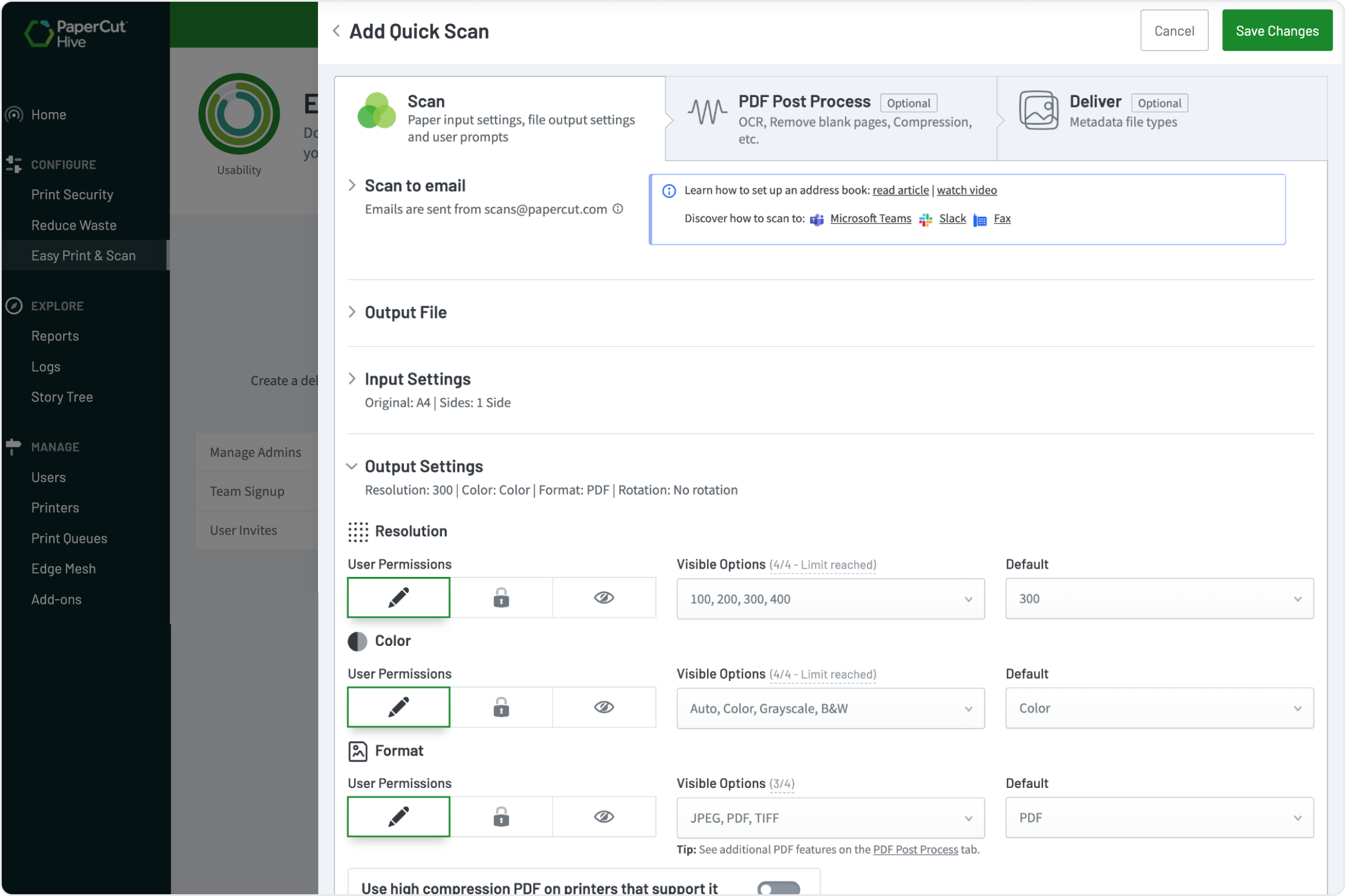
You don’t have to make users jump through hoops. Streamline scanning experiences so they can focus on what they do best.

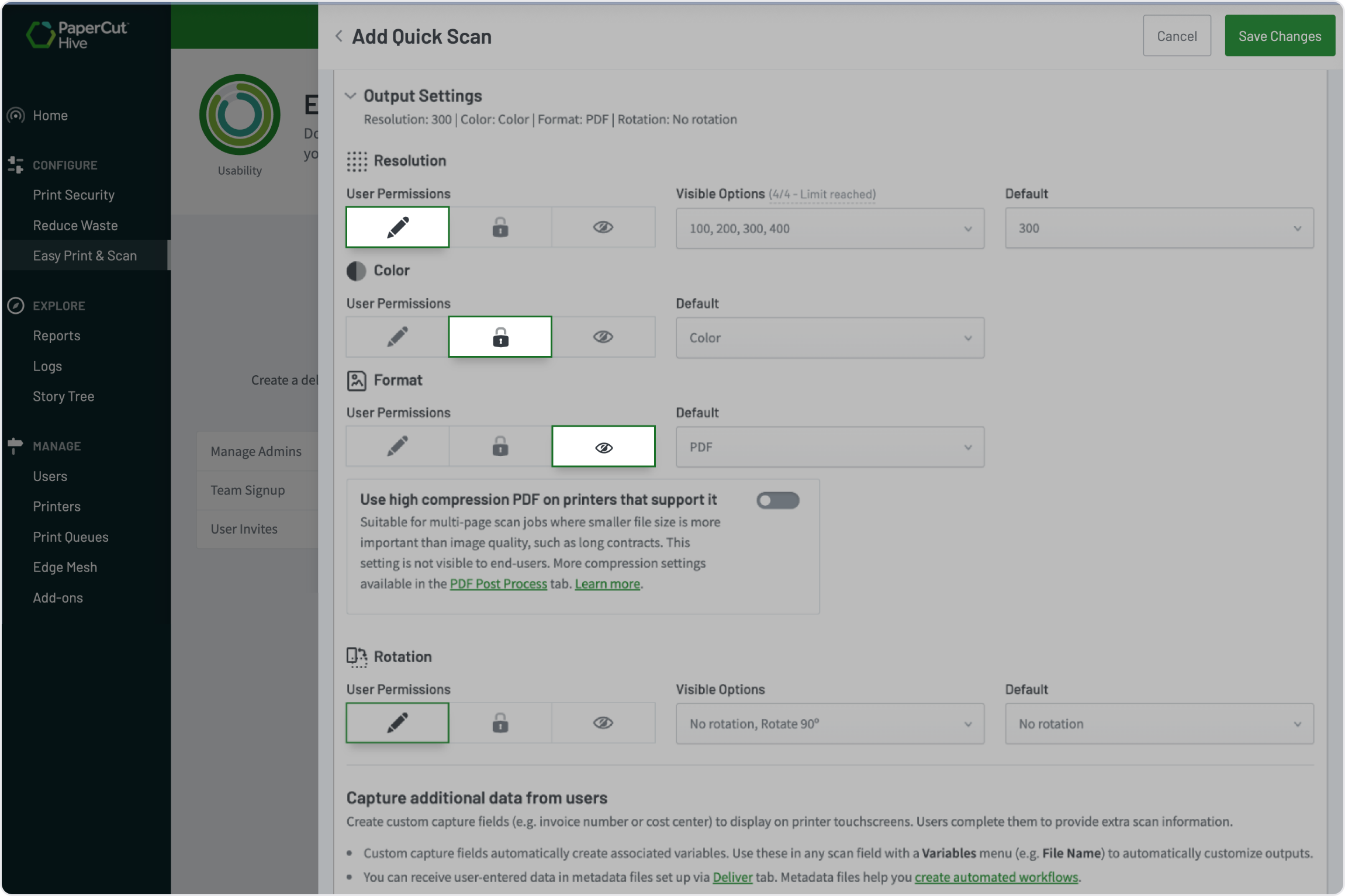
You have total control over what scan settings the user can and can’t change. Make the experience as simple as possible - a one-click scan with no user-editable settings - or give users freedom to modify settings for more complex jobs, when they know what they need.

See our manual for the full overview of Integrated Scanning .

An image from PaperCut Hive showing how an admin can control over what the user can and can’t change at the MFD.

Create searchable PDFs with the OCR Add-on

Turn your paper documents into immediately retrievable digital assets.

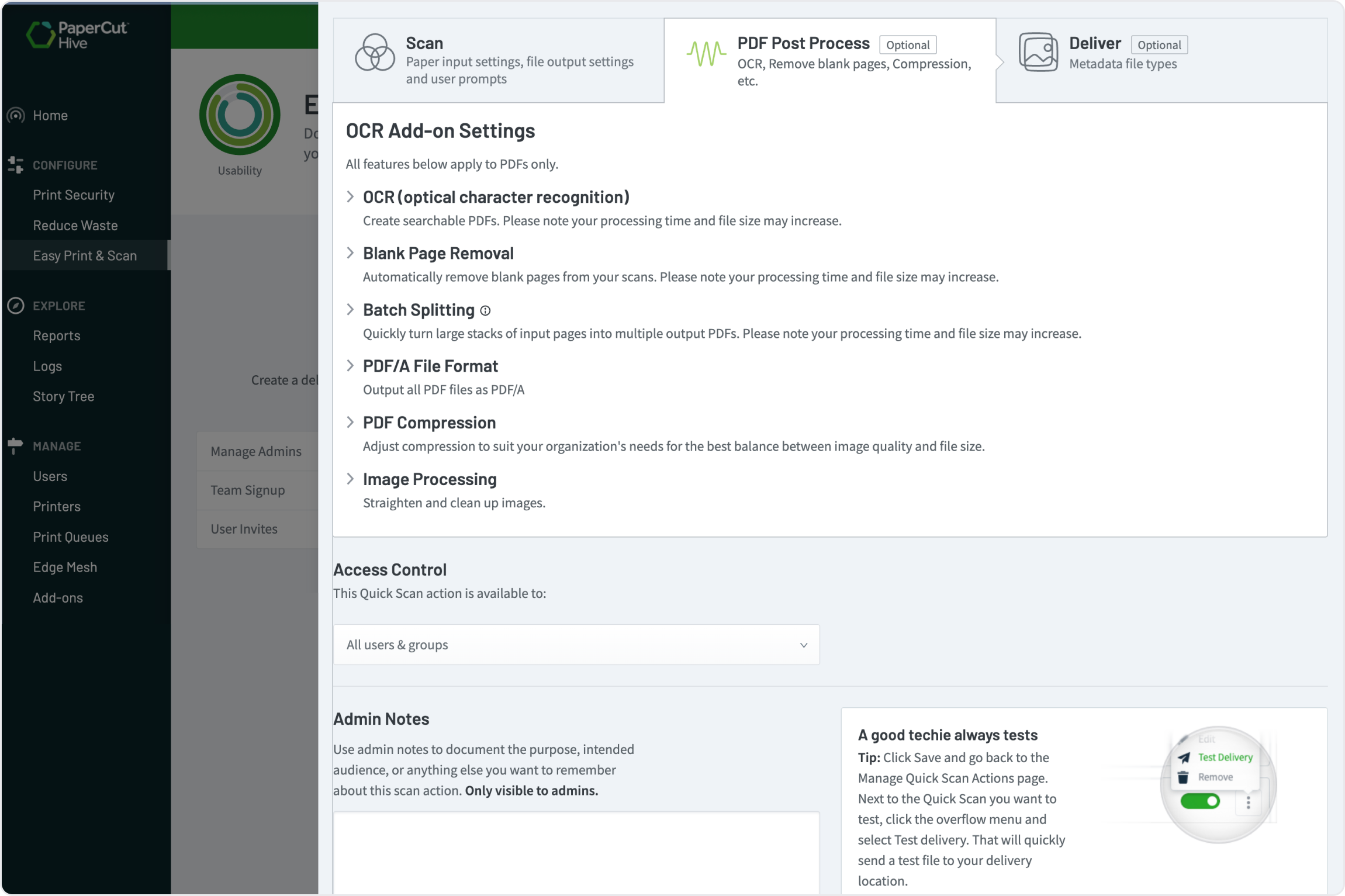
The Optional Character Recognition (OCR) add-on allows you to create fully searchable PDFs, making scanned documents retrievable alongside electronic files. Hive processes documents in the cloud for simple, scalable document transformation.

Check out our Manual to learn more about The effect of document processing features on scan file size

An image from PaperCut Hive showing how the Optional Character Recognition (OCR) add-on allows users to create fully searchable PDFs, making scanned documents retrievable alongside electronic files.

Customize the user experience with Capture Fields

Use Capture Fields to create customized prompts for required information on the MFD screen. Users can input details about the scanned document, such as client number, school subject, or supplier ID. Use this information to create dynamic file paths, file names, or companion metadata files to trigger automated digital workflows.

Learn more about the powerful tools for custom workflows see the Advanced Scan Actions feature page.


An illustration showing how an admin can use Capture Fields to create customized prompts for information on the MFD screen for the user to input details about the scanned document, such as client number, school subject, or supplier ID.

Control output quality and naming conventions

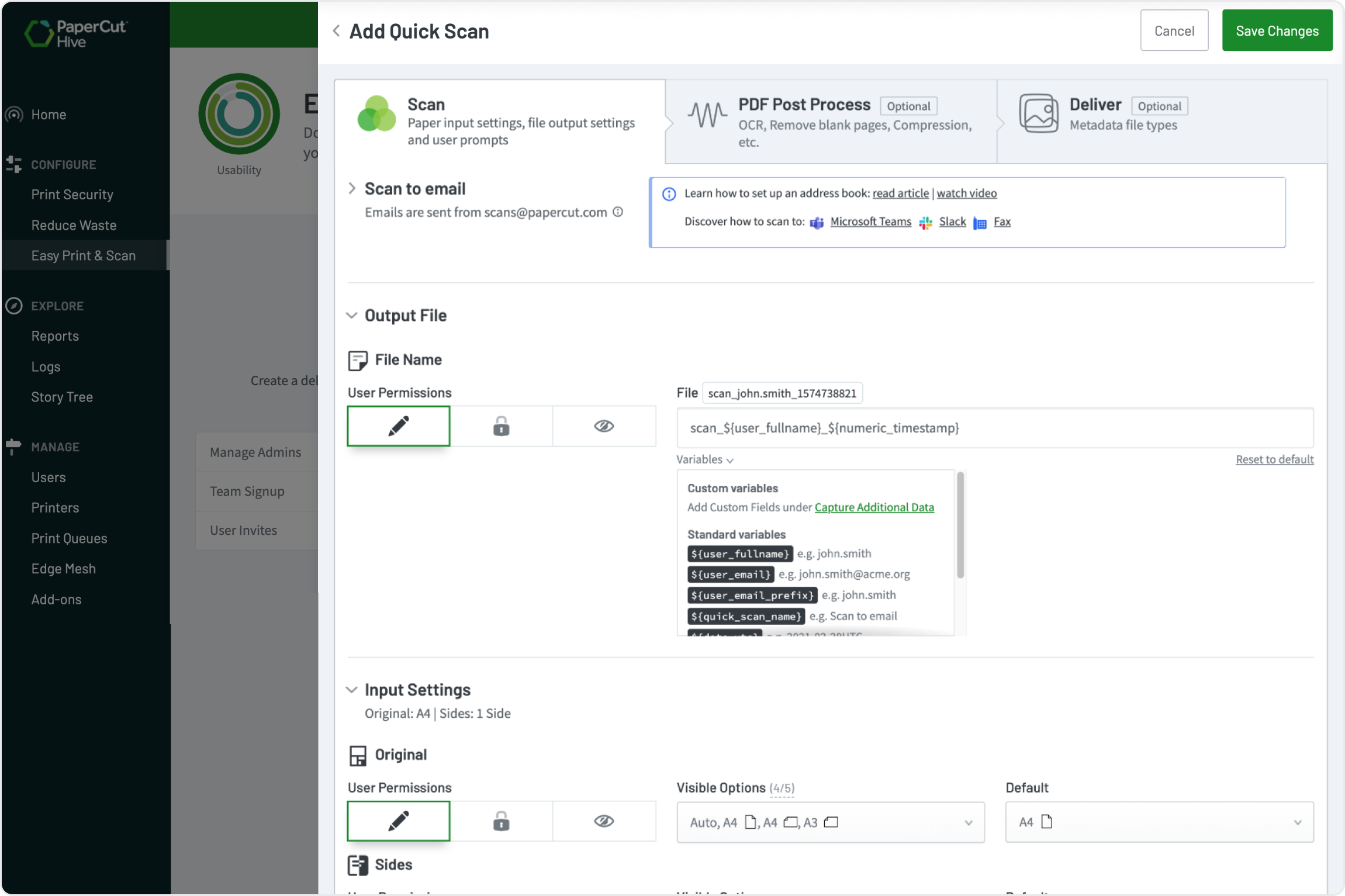
Ensure every scan meets your organizational standards. Administrators control mandatory settings like resolution and color mode, and can enforce a consistent file naming standard. Use dynamic data like the user’s name or a captured field value to automatically organize documents and ensure easy retrieval.


More information on file name conventions in the manual.

An image from PaperCut Hive showing how administrators control mandatory settings like resolution and color mode, and can enforce a consistent file naming standard.

Secure document destinations and auditing

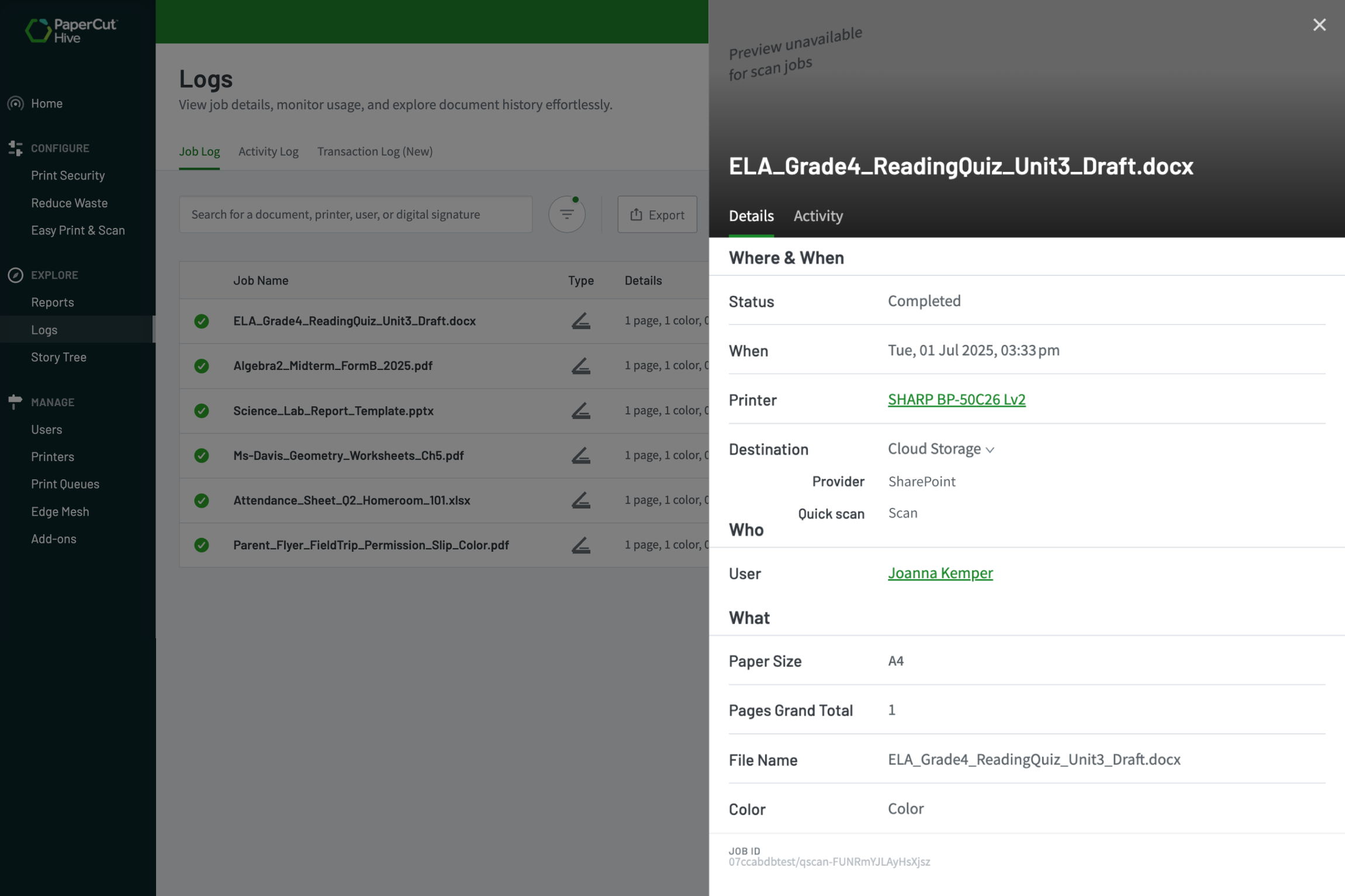
With Integrated Scanning, every job is visible and tracked in the Job Log.

You can enhance security by limiting where documents can be sent to with controlled destinations, including setting a list of allowed email domain destinations. Giving you full control and auditability over the entire scanning process.

Check out our knowledge base to learn How to collect PaperCut Pocket and PaperCut Hive logs


An image from PaperCut Hive showing how every job is visible and tracked in the Job Log.

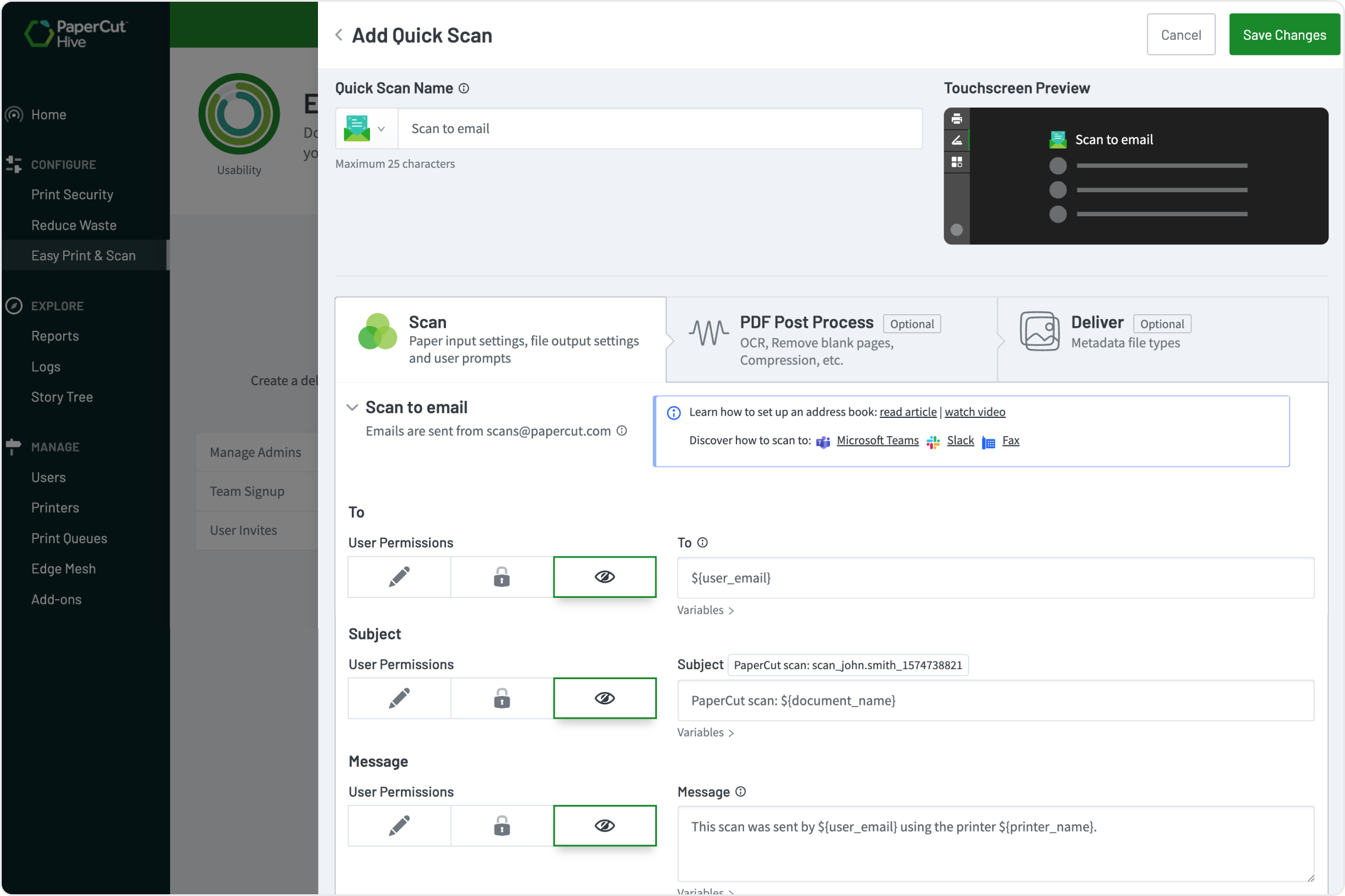
Centralize scan-to-email with zero SMTP setup

PaperCut Hive is cloud-native, meaning there is no SMTP configuration required, not on the MFD, and not in the Hive admin console interface. The email server is part of the cloud infrastructure.

This massively reduces reseller and IT administrative labor. You simply enable the email add-on and easily restrict external domains to ensure secure, compliant email delivery.

Check our this Scan to email address book video: set up and demo.


An image from PaperCut Hive showing how its cloud native and no SMTP configuration is required