


A scan without Optical Character Recognition (OCR) is essentially a digital “picture”, it looks like a document, but you can’t search it.
PaperCut Hive changes that by embedding a transparent layer of searchable text in multiple languages. This transforms static images into intelligent files, allowing users to find specific data instantly without the manual hunt.
Read more about OCR in our blog:
What is OCR? Optical Character Recognition and how it works
.
Unlock your data with smart OCR
Smarter scans, smaller files
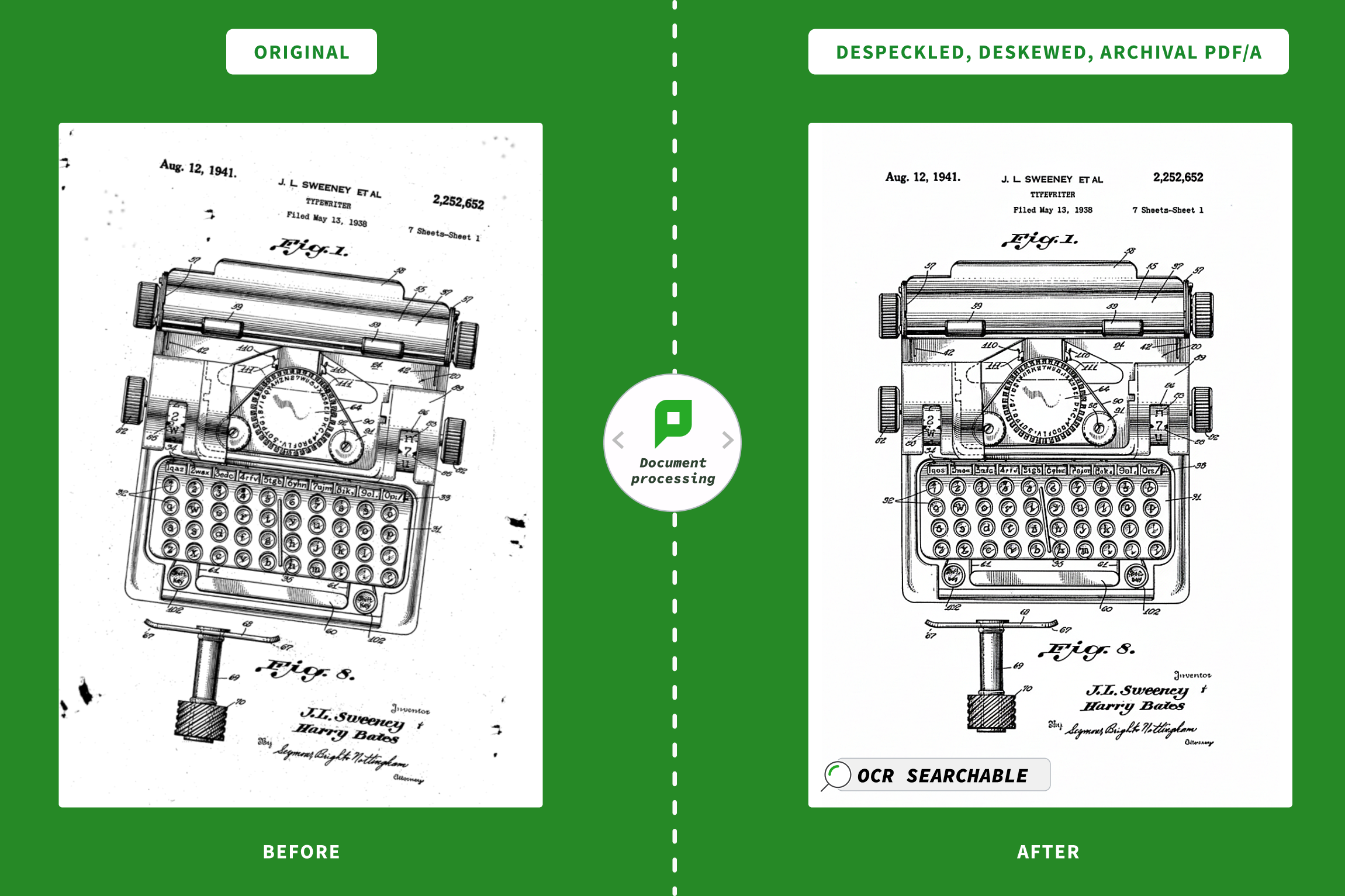
Clean up messy scans automatically.
- Straightens crooked images
- Despeckle pages to remove pixel noise
- Remove blank pages to save storage
- Apply smart compression to keep file sizes low.
You get high-quality documents that won’t clog up your email inbox and your archive storage.
Read more about Configure scan PDF compression in PaperCut Hive.
Cloud-powered off-device processing
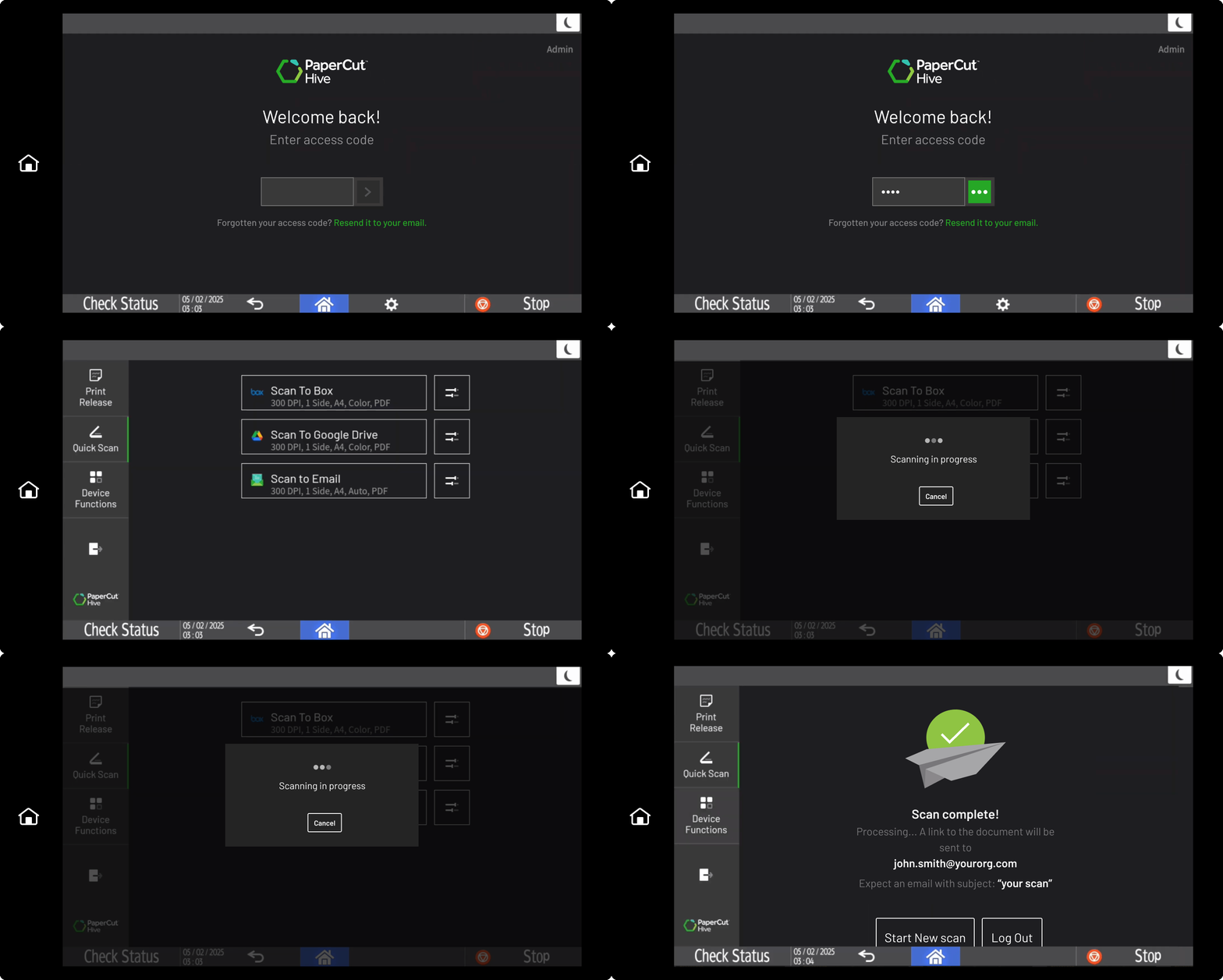
Don’t let the copier freeze up while it processes a big job.
We shift the heavy computational lifting from copiers to the cloud. This takes the load off the multi-function device (MFD), meaning your users can scan, log out, and grab a coffee while the next person jumps in immediately.
Read more about the OCR add on for PaperCut Hive .
Centrally set up scanning for your entire MFD fleet
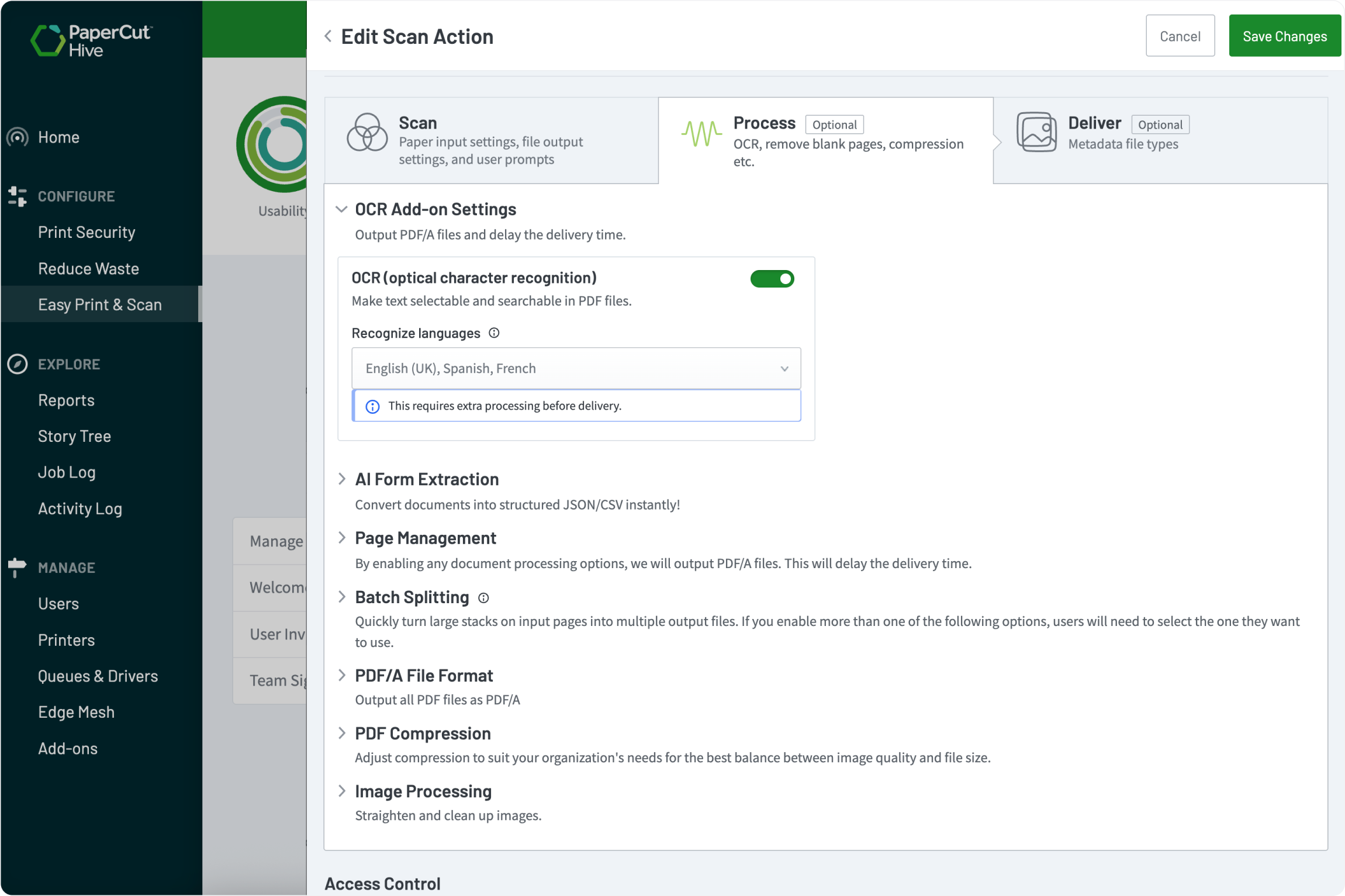
Forget visiting every device to tweak settings.
Manage compression and OCR configurations for your entire fleet from a single admin interface.
It works the same way on every MFD, regardless of the manufacturer, so you can push global changes to every one of your MFDs at once.
What to explore next

Enable printing in my organization

Track printing on all devices

Secure my printers

Manage the cost of printing

Manage my users

Customize my scan workflows
- Integrated scanning
- Advanced scan actions
-
Document processing
 you are here