Choose your language

Choose your login

Support

How can we help?

PaperCut's AI-generated content is continually improving, but it may still contain errors. Please verify as needed.

Lightbulb icon
Lightbulb icon

Here’s your answer

Sources:

* PaperCut is constantly working to improve the accuracy and quality of our AI-generated content. However, there may still be errors or inaccuracies, we appreciate your understanding and encourage verification when needed.

Lightbulb icon

Oops!

We currently don’t have an answer for this and our teams are working on resolving the issue. If you still need help,
User reading a resource

Popular resources

Conversation bubbles

Contact us

Global print driver

A brand-neutral Windows PostScript driver that works across your entire printer fleet. It handles the technical translation between different manufacturers, ensuring users get a seamless printing experience regardless of the hardware they use.

While OEMs have “universal” drivers that are compatible with printer models within their own brands, the PaperCut Global Print Driver is brand-independent and designed for maximum compatibility across your entire fleet.

Our driver produces standards-compliant PostScript that is understood by just about any printer. When coupled with PaperCut’s Find-Me Printing, the PaperCut server additionally “translates” each print job to conform to the destination brand’s specific language. This means your users get the same reliable results no matter the brand of printer they release their job at.

You can find more details on Global Print Driver (NG/MF) simplifies mixed-brand environments in our manual.


A laptop with a window open with a print dialog box showing the PaperCut printer, and an illustration shgowing that can be sent to any printer to be released by a person at the printer.

Support for the latest Windows ARM64 devices

Don’t let hardware modernization outpace your printer manufacturer’s driver updates.

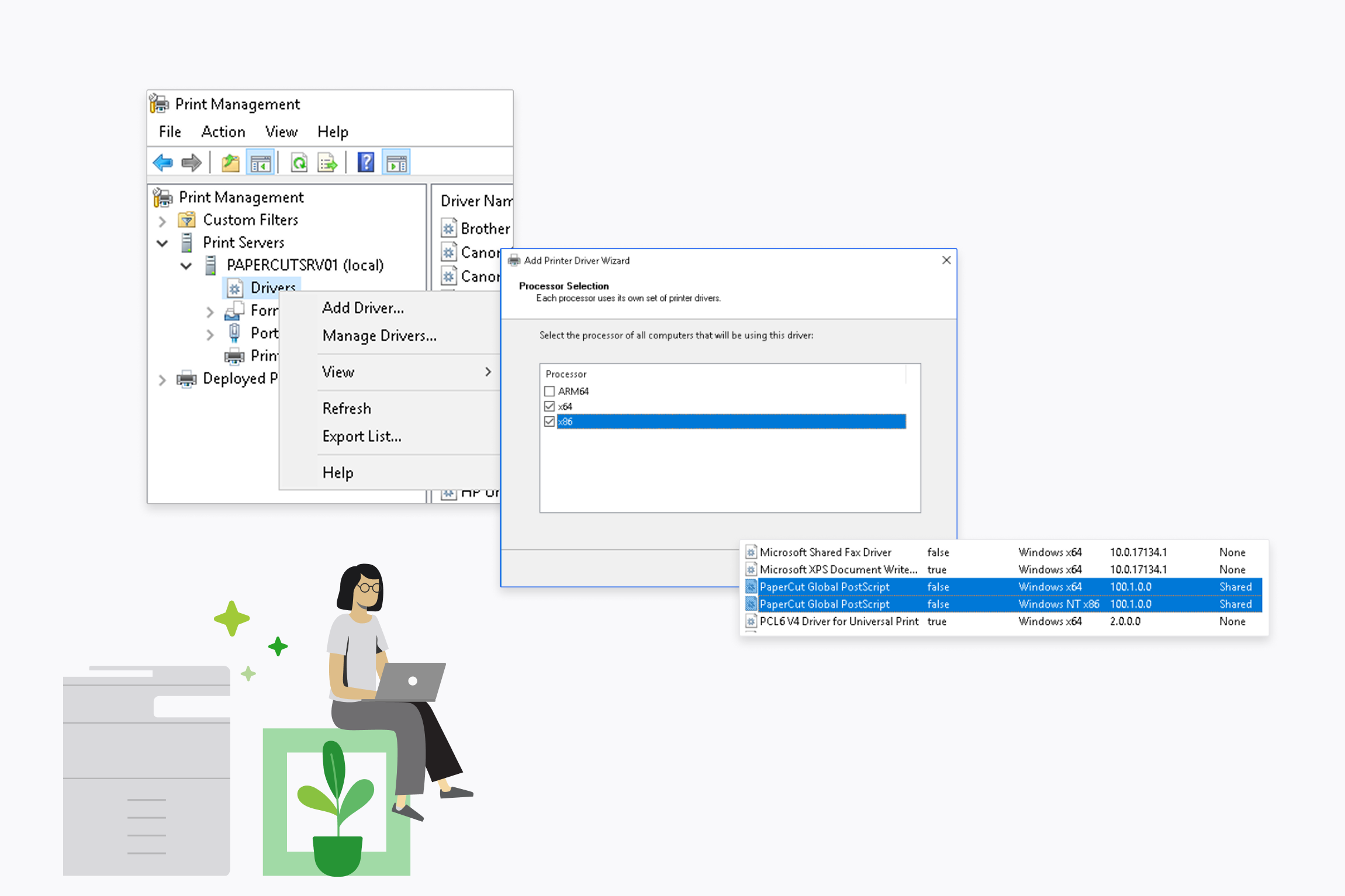
Our driver provides full cross-architecture support, meaning users on the latest ARM64 laptops (like the newest Surface Pro) get the same reliable experience as those on traditional x64 machines.

It’s the perfect way to future-proof your environment even if your printer vendor hasn’t released an ARM-compatible driver yet.

Dive into our guide on How to share ARM64 drivers from Windows print servers in the knowledge base.


Cross-architecture support for ARM64 & X64

Deliver essential printing functionality to every user

Give your users a consistent experience without the bloat of manufacturer-specific software.

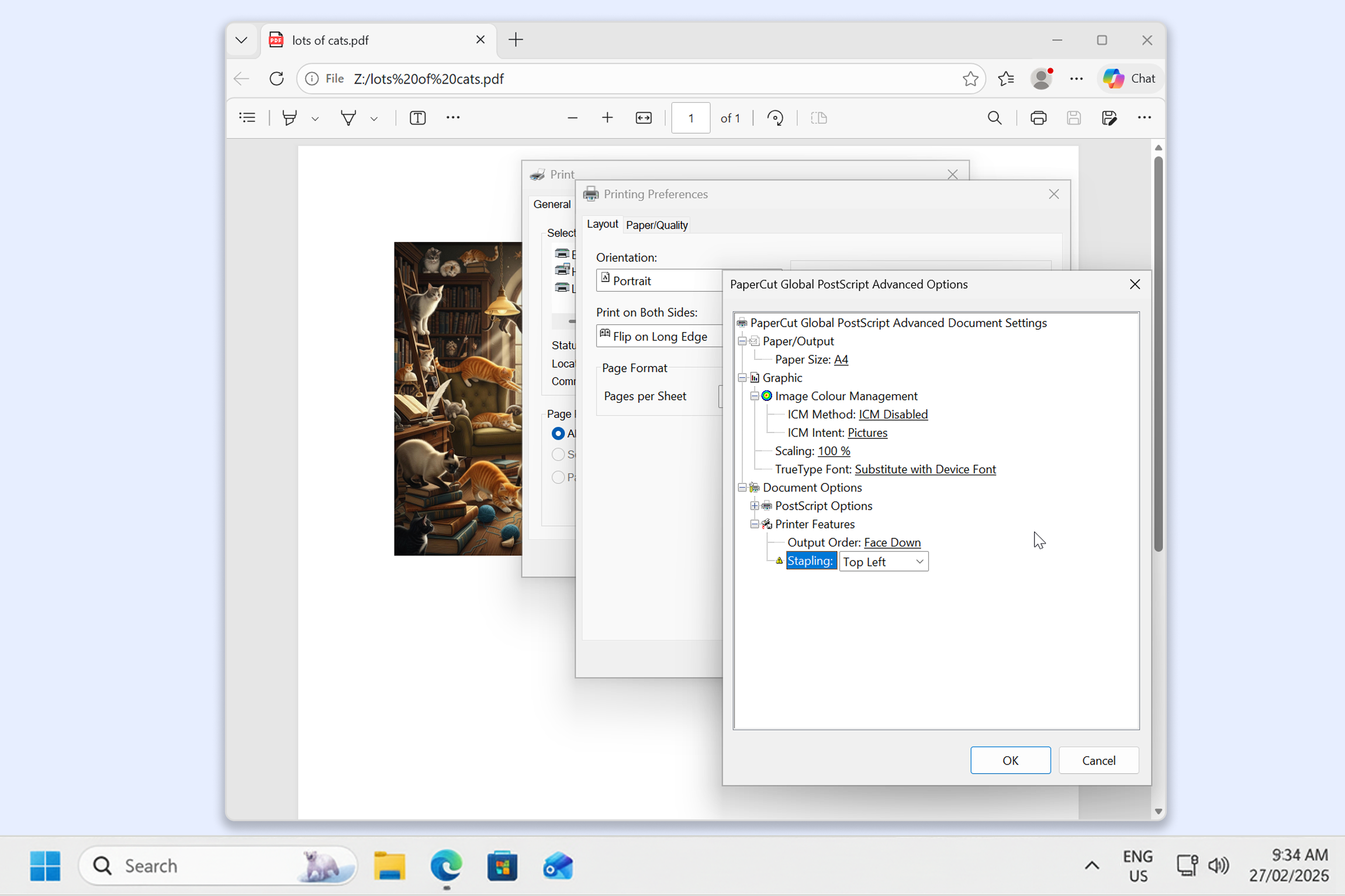
The PaperCut Global Print Driver delivers the core features users need every day—like color, duplex, tray selection, and even stapling—through a familiar interface that never changes. This consistency reduces decision fatigue for users and cuts down on “how do I do this?” support tickets.

Read more about supported finishing options and stapling in our Common Global Print Driver Questions (FAQ) or watch a video: Global Print Driver Overview (YouTube)


A print dialog box on a computer screen showing the Global Postscript Driver advanced option settings.

Pure PostScript. No bloat.

Keep your print servers lean with a driver that stays in its lane.

We don’t bundle any “helper” apps, productivity suites, or extra background processes that eat up server resources.

Because it’s a lightweight, signed driver, it can significantly reduce user log-on and startup times when deployed through Group Policy compared to deploying several bulky OEM drivers.

It’s our go-to driver for BYOD print enablement, serving as the foundation for PaperCut Mobility Print and our cloud-based solutions, PaperCut Hive and PaperCut Pocket. As a result, it’s frequently road-tested and proven across every major printer brand.

A computer screen with Print Management settings dialog box open, showing the PaperCut Postscript Global driver is two files.