Choose your language

Choose your login

Support

How can we help?

PaperCut's AI-generated content is continually improving, but it may still contain errors. Please verify as needed.

Lightbulb icon
Lightbulb icon

Here’s your answer

Sources:

* PaperCut is constantly working to improve the accuracy and quality of our AI-generated content. However, there may still be errors or inaccuracies, we appreciate your understanding and encourage verification when needed.

Lightbulb icon

Oops!

We currently don’t have an answer for this and our teams are working on resolving the issue. If you still need help,
User reading a resource

Popular resources

Conversation bubbles

Contact us

Print Queue Deployment & Driver Management

A smart, serverless way to get the right drivers to the right users without legacy infrastructure. Eliminate the print drivers and queues IT support ticket burden.

Deliver print queues automatically to any device

Stop wasting hours on manual printer installations. Say goodbye to complex group policies, print server maintenance, and the need for end-user admin rights. Deploy print queues silently in the background with zero user intervention required.

Whether you’re setting up a secure Find-Me Printing queue or deploying Direct IP queues for immediate local printing, PaperCut Hive ensures printers are waiting as soon as a user logs in.

Read more about the benefits of moving your printers to the cloud.
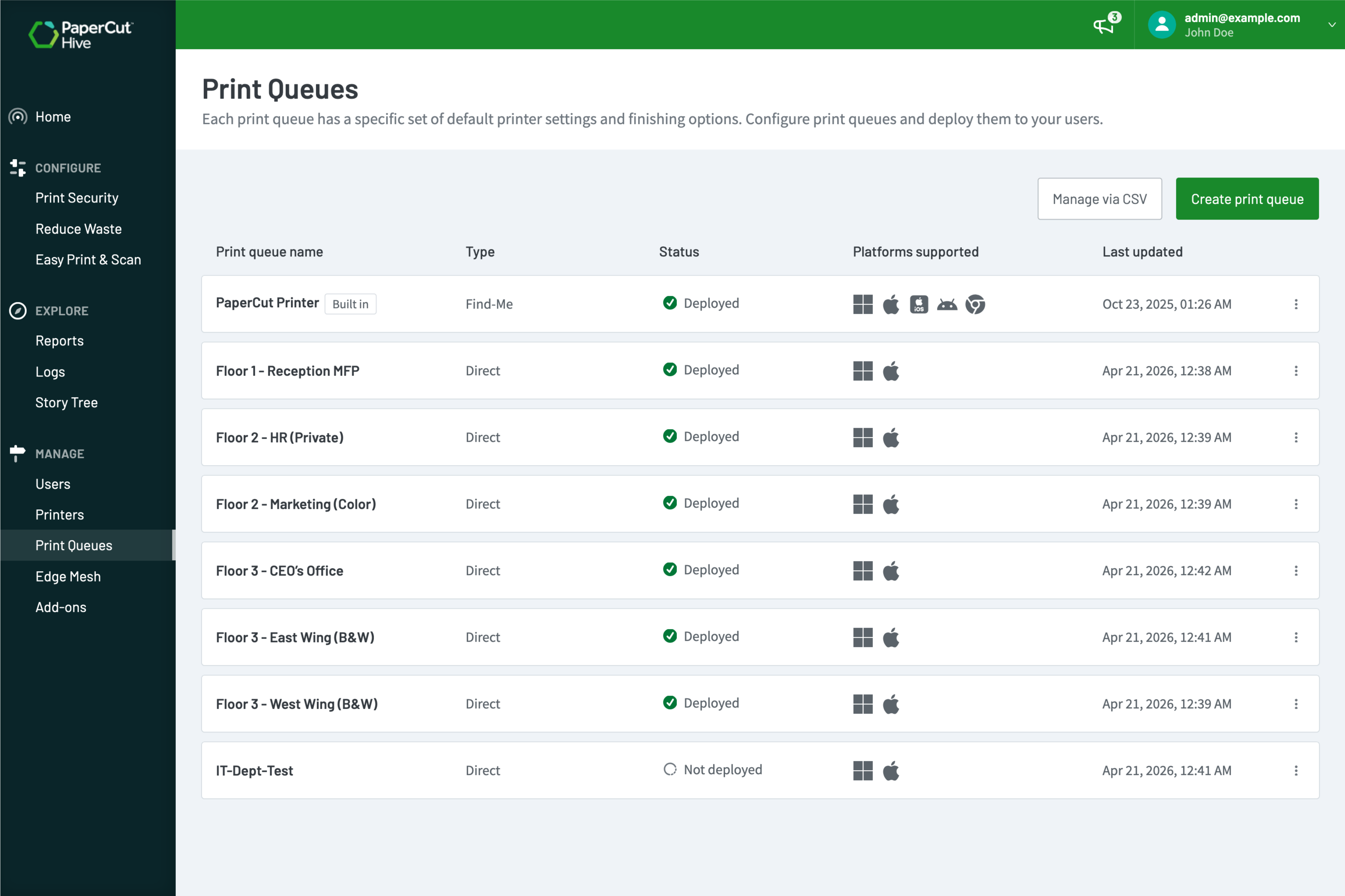
The PaperCut Hive admin console showing a list of successfully deployed queues

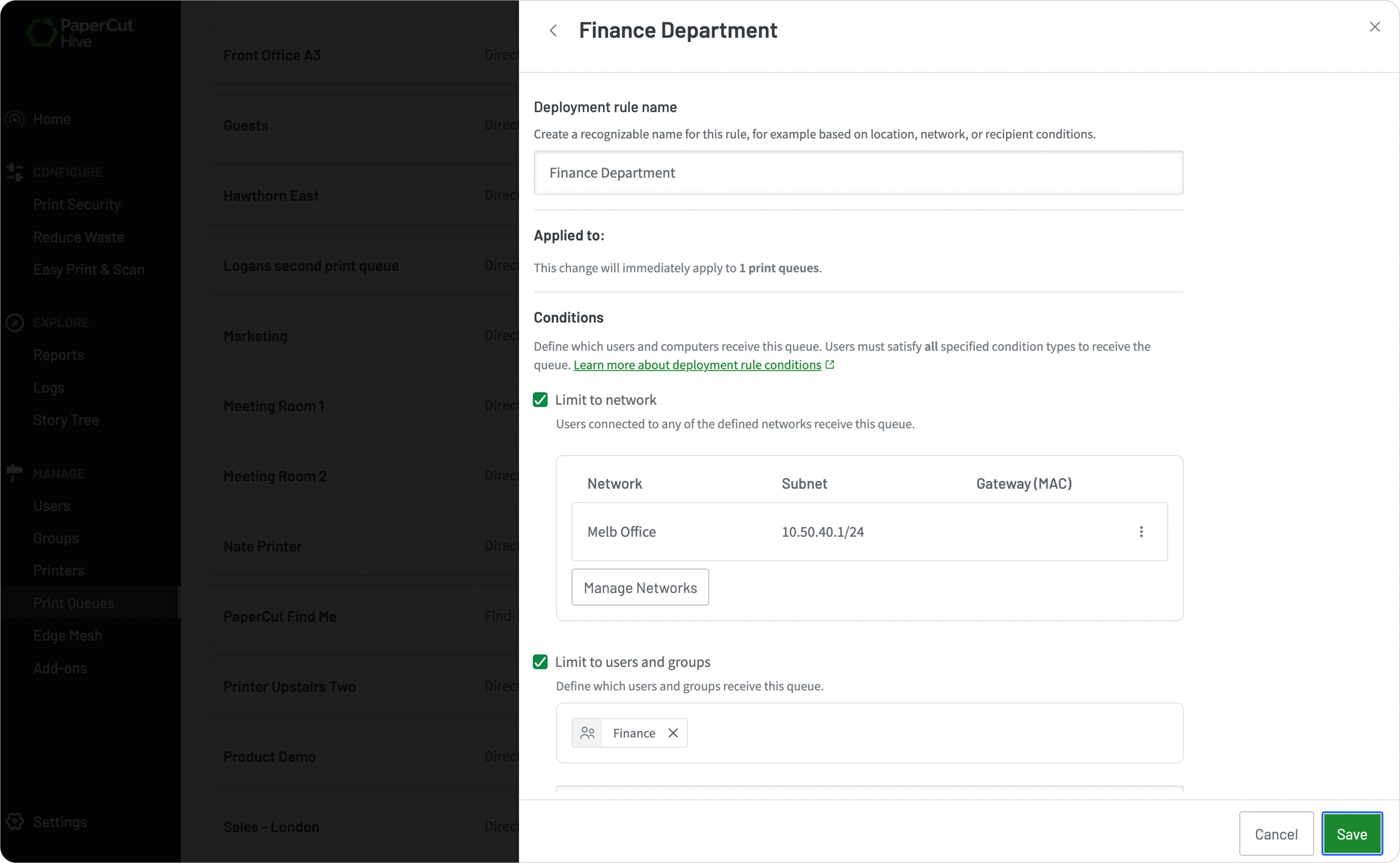
Target users by location, device, or network

Ensure your users always have access to the right printer, no matter where they are. Set granular rules to deploy print queues based on a user’s identity, their specific computer, or the office network they’ve joined.

With PaperCut Hive, you can choose whether to deploy the client to managed computers via your preferred MDM tool, such as Microsoft Intune, Jamf or Iru (Kandji). Alternatively, trigger an automated email for BYOD users that guides them through a couple of steps to install the client and get printing.

Dive into our guide for setting up deployment rules.

A screenshot showing the configuration of a deployment rule

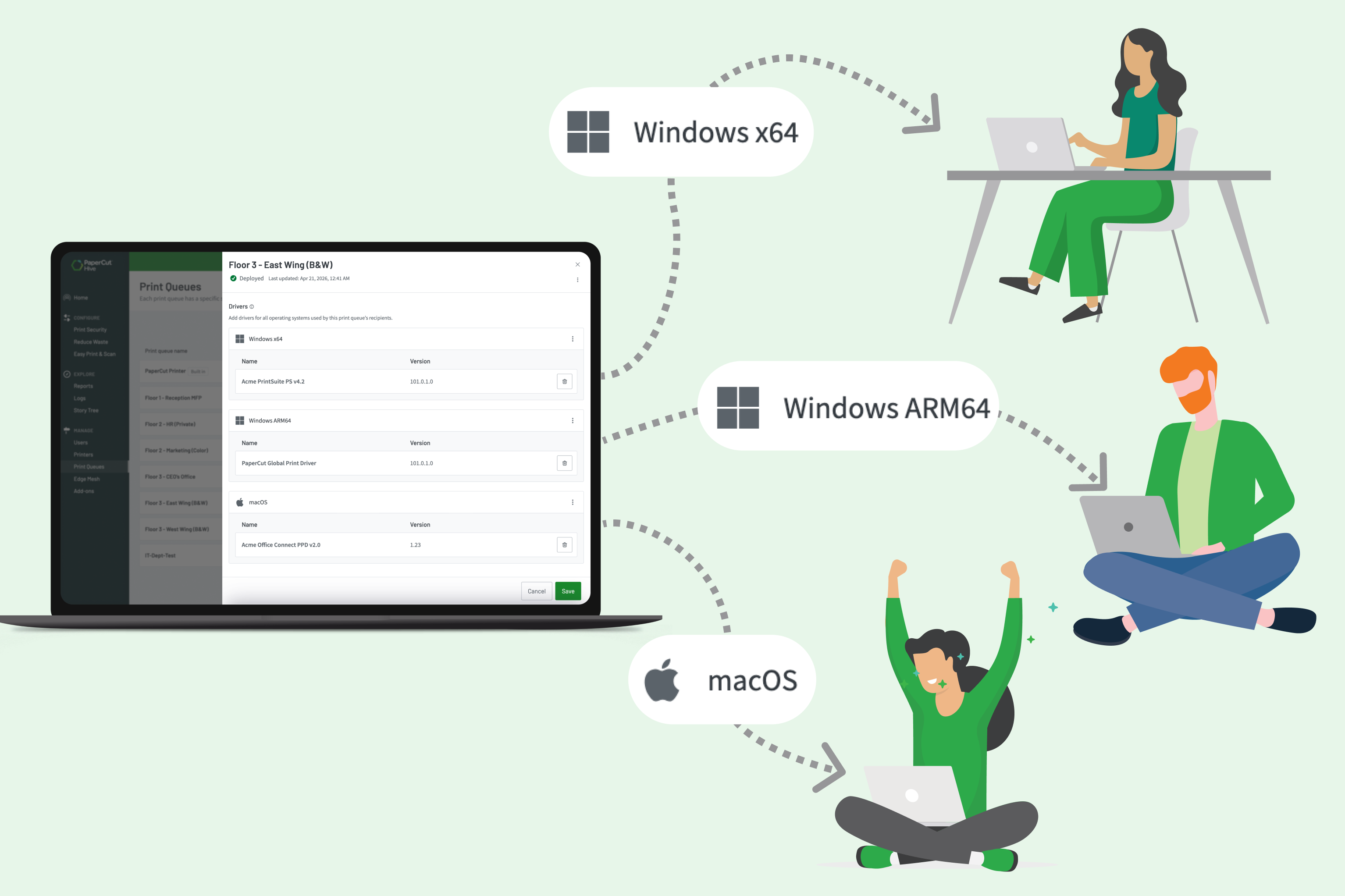
Manage drivers for Windows and macOS

Get a single-pane-of-glass solution for managing cloud print queues across Windows, macOS, and Snapdragon-powered ARM64 Windows Surface laptops. PaperCut Hive’s mixed fleet support lets you deploy full manufacturer drivers, ensuring users keep advanced finishing options (like stapling and hole punching) rather than relying on basic universal drivers.

Missing an ARM64 driver? The built-in PaperCut Global PostScript Driver has you covered.

Learn how to prepare and upload a manufacturer print driver.

The driver upload interface in the admin console showing the different supported platforms

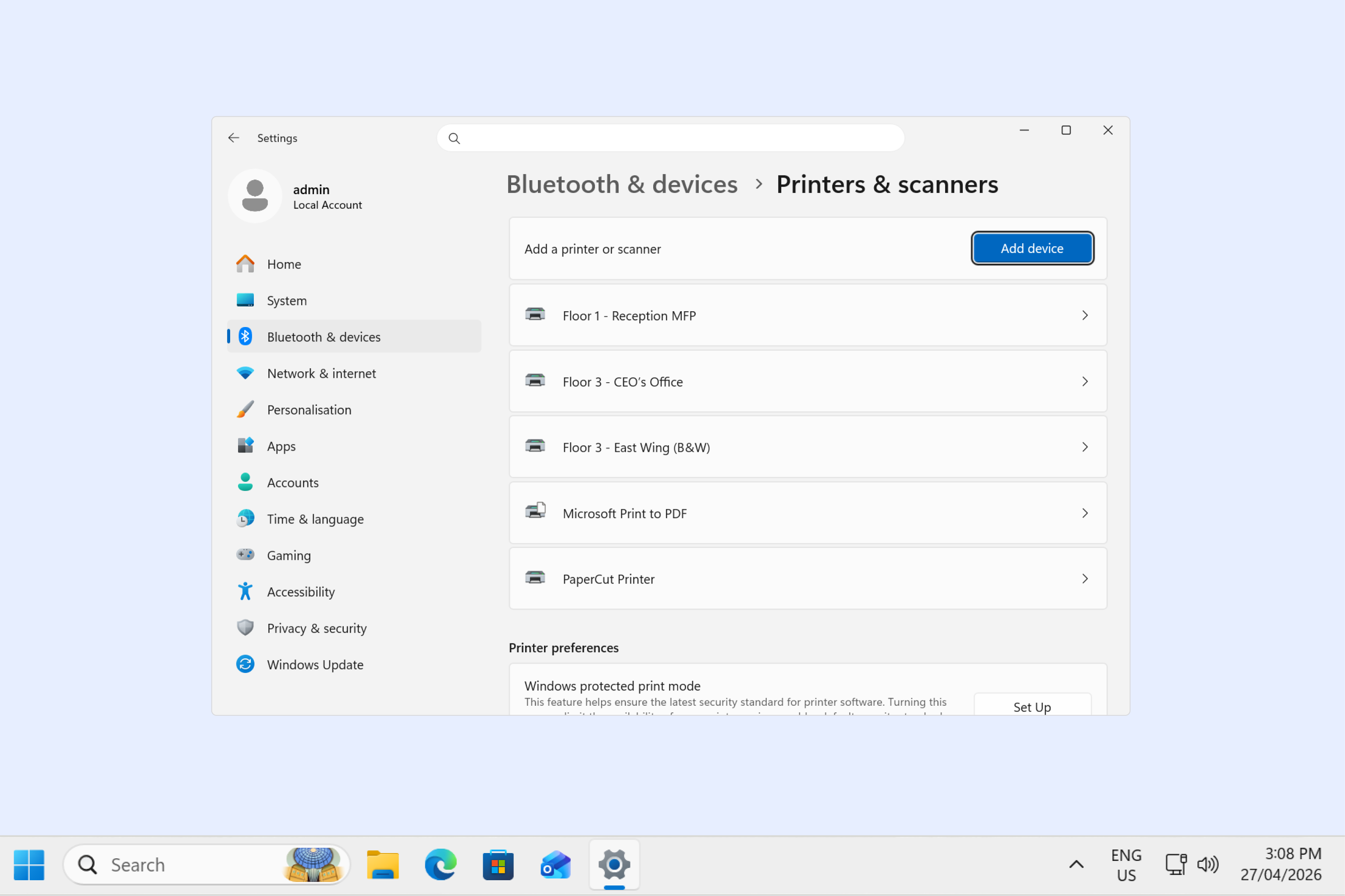
Deploy unlimited print queues with bespoke defaults

Set up specialized print queues for specific tasks without impacting your subscription cost. For example, deploy a dedicated black-and-white, double-sided queue for the student lab, or a high-quality color queue with stapling defaults for the marketing team.

PaperCut Hive lets you deploy unlimited print queues, enabling you to tailor the experience to every department’s unique workflow. Licensing is based on the number of printers, not print queues.

Click through to see how different organizations use Print Queue Deployment.

A Windows user’s “Printers & Scanners” list on their desktop showing multiple tailored PaperCut Hive queues

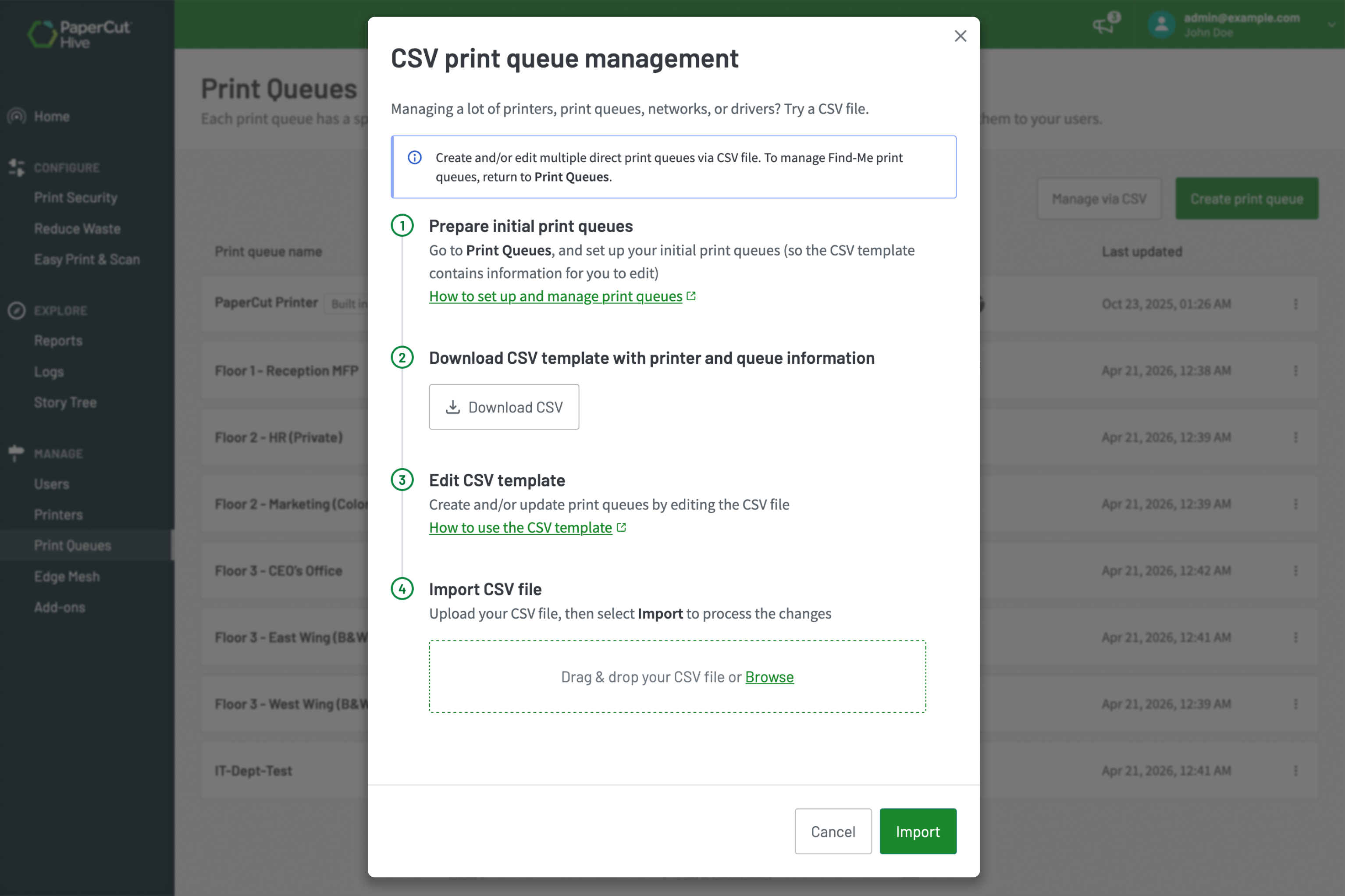
Bulk import print queues easily

Speed up your initial setup by bulk-importing your printer details. Whether you’re standing up a brand-new office or transitioning a handful of queues to a modern cloud print management system, importing a simple CSV file gets your environment up and running in minutes. It’s a quick, straightforward way to build your serverless print infrastructure.

Follow our step-by-step instructions for bulk creation of your print queues.

Pro-Tip: Use the CSV import template to quickly map out and standardize your print queue naming conventions before pushing them out to your users!

The print queue CSV upload modal