Choose your language

Choose your login

Support

How can we help?

PaperCut's AI-generated content is continually improving, but it may still contain errors. Please verify as needed.

Lightbulb icon
Lightbulb icon

Here’s your answer

Sources:

* PaperCut is constantly working to improve the accuracy and quality of our AI-generated content. However, there may still be errors or inaccuracies, we appreciate your understanding and encourage verification when needed.

Lightbulb icon

Oops!

We currently don’t have an answer for this and our teams are working on resolving the issue. If you still need help,
User reading a resource

Popular resources

Conversation bubbles

Contact us

Recharging balances

Secure credit management for your print system, allowing users to fund their accounts via payment gateways or manual top-ups so they can keep printing.

Fund accounts directly with real money

Give your end-users the power to manage their own print credit from anywhere. This self-service approach takes the workload off your Administrators.

By integrating with various payment gateways (like PayPal, Authorize.Net and more), users can top up their accounts instantly via the User Web Interface with real cash or card payments.

Administrators decide the predefined top-up amounts available for users to choose from.

See our knowledge base for a full guide on How to set up the Payment Gateway and the various gateways that you can adopt.
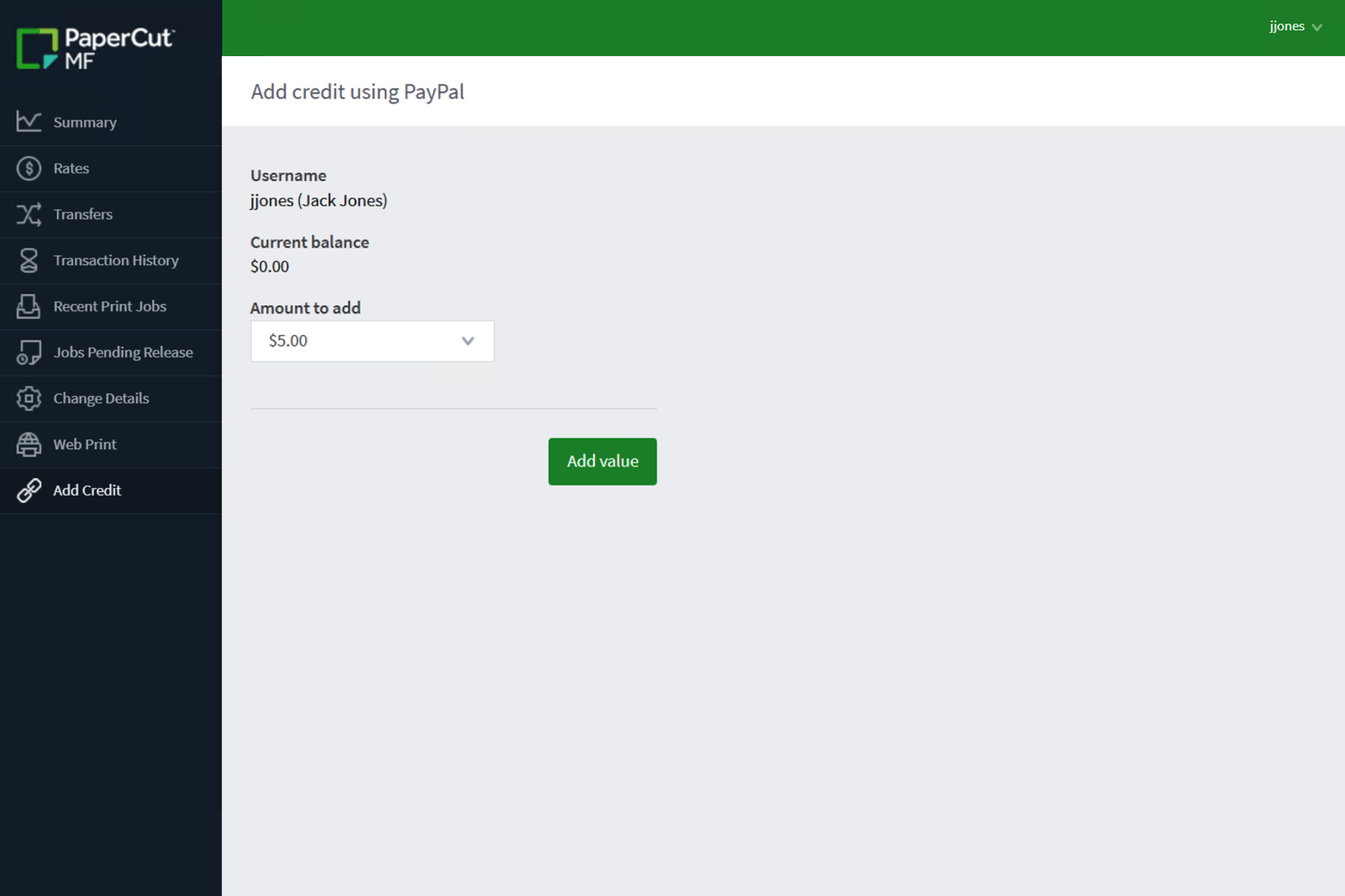
The MF dashboard giving end-users to manage their own print credit.

Bulk update user balances effortlessly

Need to reset everyone’s balance at the end of the year, or quickly add a bonus amount for a specific group?

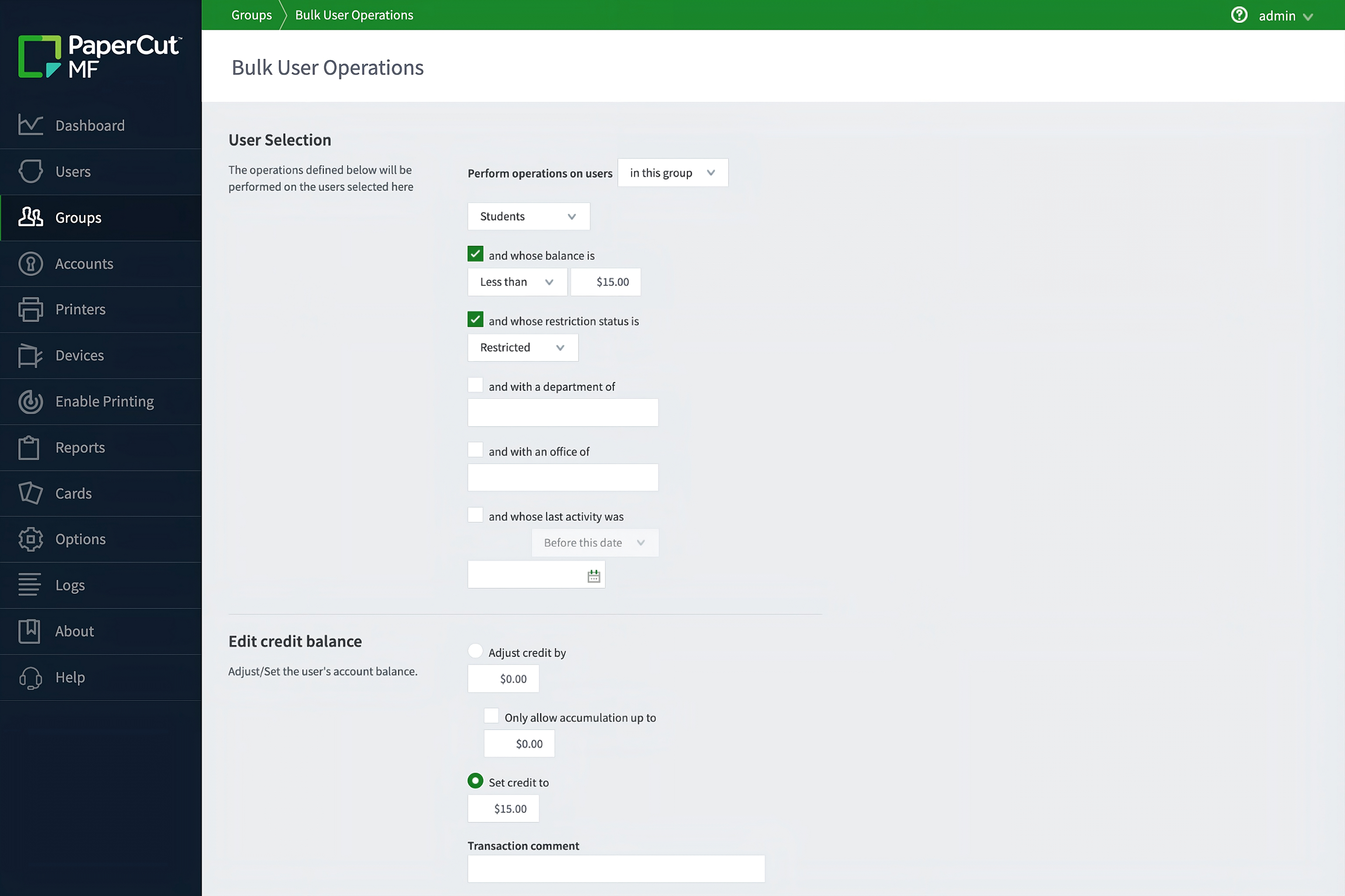
Administrators can select users by group, department, or last activity and adjust the credit balance for the entire group.

Administrators have full control; adjust credit by a specific amount, allow accumulation up to a set limit, or simply set the credit to a flat amount to quickly reset balances.

Check out the guide How to quickly add or remove credit from users in our knowledge base.


This image shows how a user can bulk edit balances.

Simplify credit management for staff

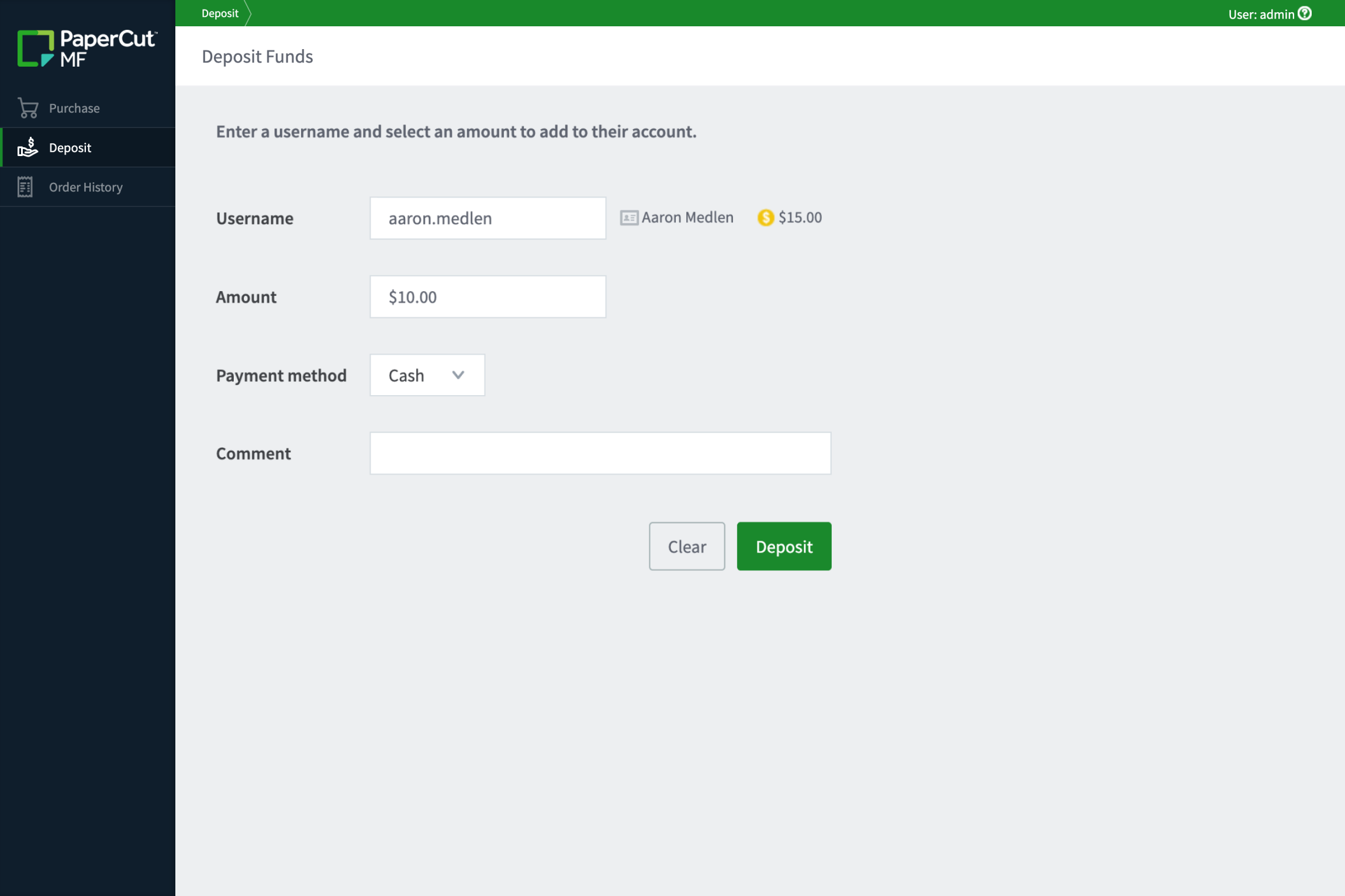
The Web Cashier is a simple web interface designed for organizations that need a person to handle real-money cash transactions, like a librarian or receptionist.

This person doesn’t need to be a full IT Administrator. They can quickly take cash from a user and manually adjust the user’s balance in the system, acting as a middleman for cash-to-credit conversion.

Learn more about how to Set-up web cashiers in our manual.

See how the web cashier feature within PaperCut MF enables organizations to quickly take cash from a user and manually adjust the balance in the system.

Automate quotas and recurring allowances

A balance can also be influenced by an automated quota, which is an allotment of credits that gets added to a user’s balance on a set schedule.

Use the quota scheduling option to set how often (daily, weekly, monthly, or custom) and how much credit is added or removed. This ensures predictable spending and encourages mindful printing.

Dive into detail and see the Quotas feature in action here .

Screenshot of PaperCut MF's Edit Log Details screen, used to correct a job's account from 'Personal' to 'Shared account: Reynolds & Peterson' for a printed document costing $23.45.