Choose your language

Choose your login

Support

How can we help?

PaperCut's AI-generated content is continually improving, but it may still contain errors. Please verify as needed.

Lightbulb icon
Lightbulb icon

Here’s your answer

Sources:

* PaperCut is constantly working to improve the accuracy and quality of our AI-generated content. However, there may still be errors or inaccuracies, we appreciate your understanding and encourage verification when needed.

Lightbulb icon

Oops!

We currently don’t have an answer for this and our teams are working on resolving the issue. If you still need help,
User reading a resource

Popular resources

Conversation bubbles

Contact us

Quotas

Predict and control print andcopy costs. Use this smart allowance system to allocate, track, and manage allowances, preventing costly surprises and encouraging positive printing habits.

Prevent print & copy cost surprises

Quotas work proactively, setting a clear cost ceiling on user printing and copying to prevent cost surprises. This ends unexpected monthly jumps in expenses, ensures predictable costs, and encourages users to be more accountable for the resources they consume.

You assign initial financial allowances to individual users and can set restrictions for any user. You can also control the user’s experience by choosing whether or not to display associated costs to them in the User Portal.

To learn more, see the manual page About quotas balances and restrictions.

An image of paperCut Hive user table highlighting the user balance and restricted columns

Granular cost profiles

Achieve accurate budget tracking by defining detailed costs based on job attributes. PaperCut Hive uses configurable cost profiles, enabling you to build and assign specific rates for print and copy jobs based on:

  • Color or monochrome output
  • Various page sizes
  • Duplex (double-sided) printing

Separate the cost per page between print jobs and copy jobs directly in the user interface, for precise control over both activities.

Read more about cost tracking here.

The PaperCut Hive cost profile editor showing how an admin can configure costs of print and copy jobs

Assign and Adjust User Printing Allowances

Manage user balances with precision. Set an initial default balance for all users. Use bulk actions to restrict users, ensuring their printing and photocopying stops when their balance reaches zero, or the optional overdraft limit. Make individual balance adjustments as needed.

Learn more about enabling copy restrictions in our knowledge base.


Automated quota scheduling

Eliminate manual overhead and automate funds deposits or balance resets. You can:

  • Set Frequency: Choose how often balances are modified(daily, weekly, monthly, yearly)
  • Define Amount: Specify the amount to add to each user’s balance or to reset it to
  • Apply Accumulation Ceiling: Optionally set a maximum balance users can accumulate

Learn how to create a quota schedule in our manual .

Real time balance visibility

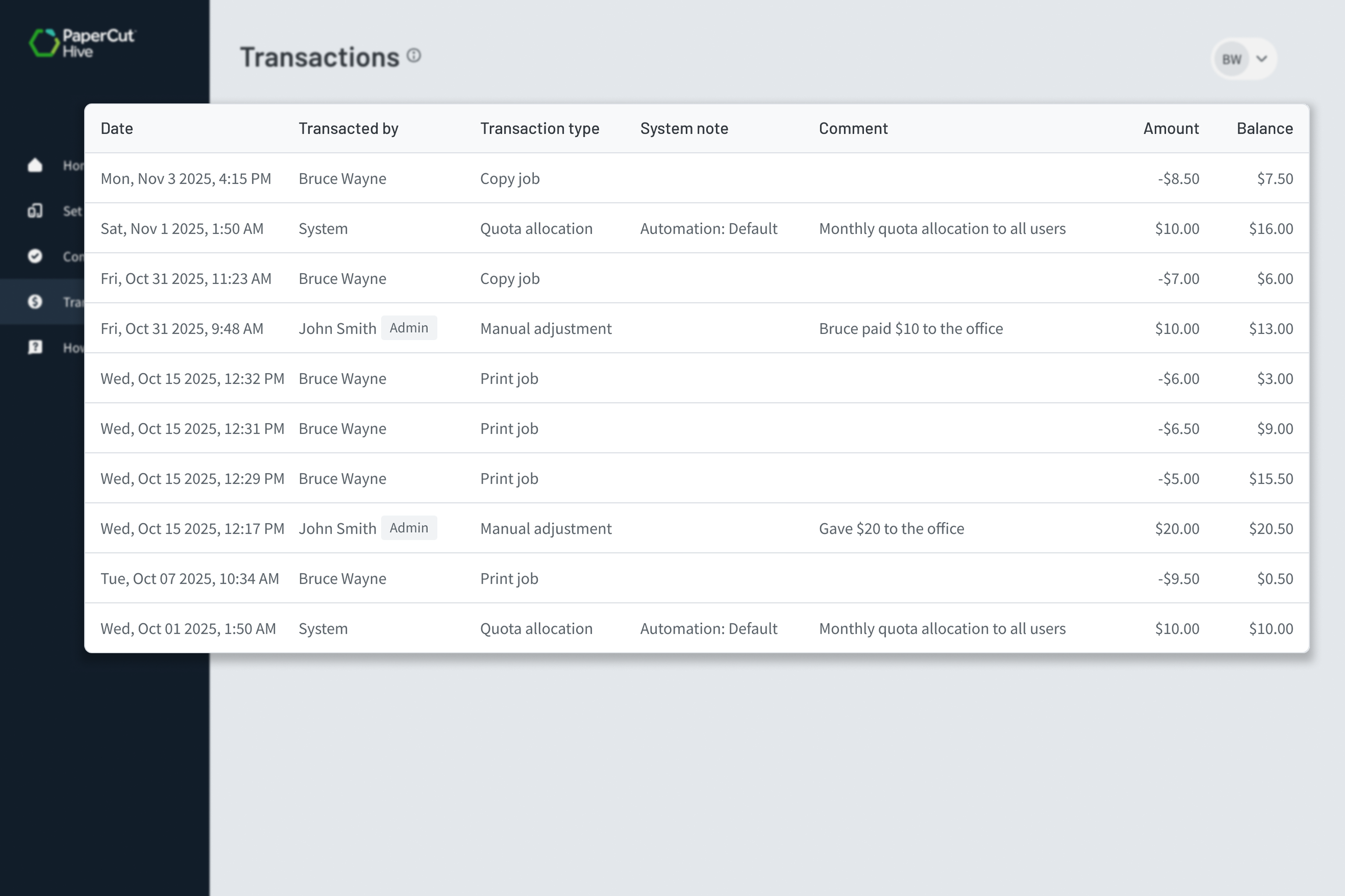
Hive provides full visibility to the user: They can check their current balance and transaction history in the User Portal anytime, anywhere. This transparency is a win for you, minimizing end-user frustration and cutting down balance inquiries directed to your team.

Learn more about viewing transaction logs in the user portal here.

The PaperCut Hive admin console, showing the setting to automatically delete uncollected print jobs after a specified time.tting to automatically delete

Notifications on the MFD and Mobile App

When users go to release a print job or start a copy job, they’ll see exactly how much credit they have and what the job will cost. If there isn’t enough balance, they’ll get a message on the MFD touchscreen or in the mobile app.

This real-time feedback keeps users informed, helps avoid surprises, and makes managing print credit simple.

To learn how to control which messages are shown to users, see this page in our manual .

The PaperCut Hive end user app and print app, showing the print release being denied due to the user having insufficient funds