Choose your language

Choose your login

Support

How can we help?

PaperCut's AI-generated content is continually improving, but it may still contain errors. Please verify as needed.

Lightbulb icon
Lightbulb icon

Here’s your answer

Sources:

* PaperCut is constantly working to improve the accuracy and quality of our AI-generated content. However, there may still be errors or inaccuracies, we appreciate your understanding and encourage verification when needed.

Lightbulb icon

Oops!

We currently don’t have an answer for this and our teams are working on resolving the issue. If you still need help,
User reading a resource

Popular resources

Conversation bubbles

Contact us

Document Processing

Make your scans work harder, so your users don't have to. Transform images into smart, searchable, and highly compressed digital documents that are easy to find and easy to store.

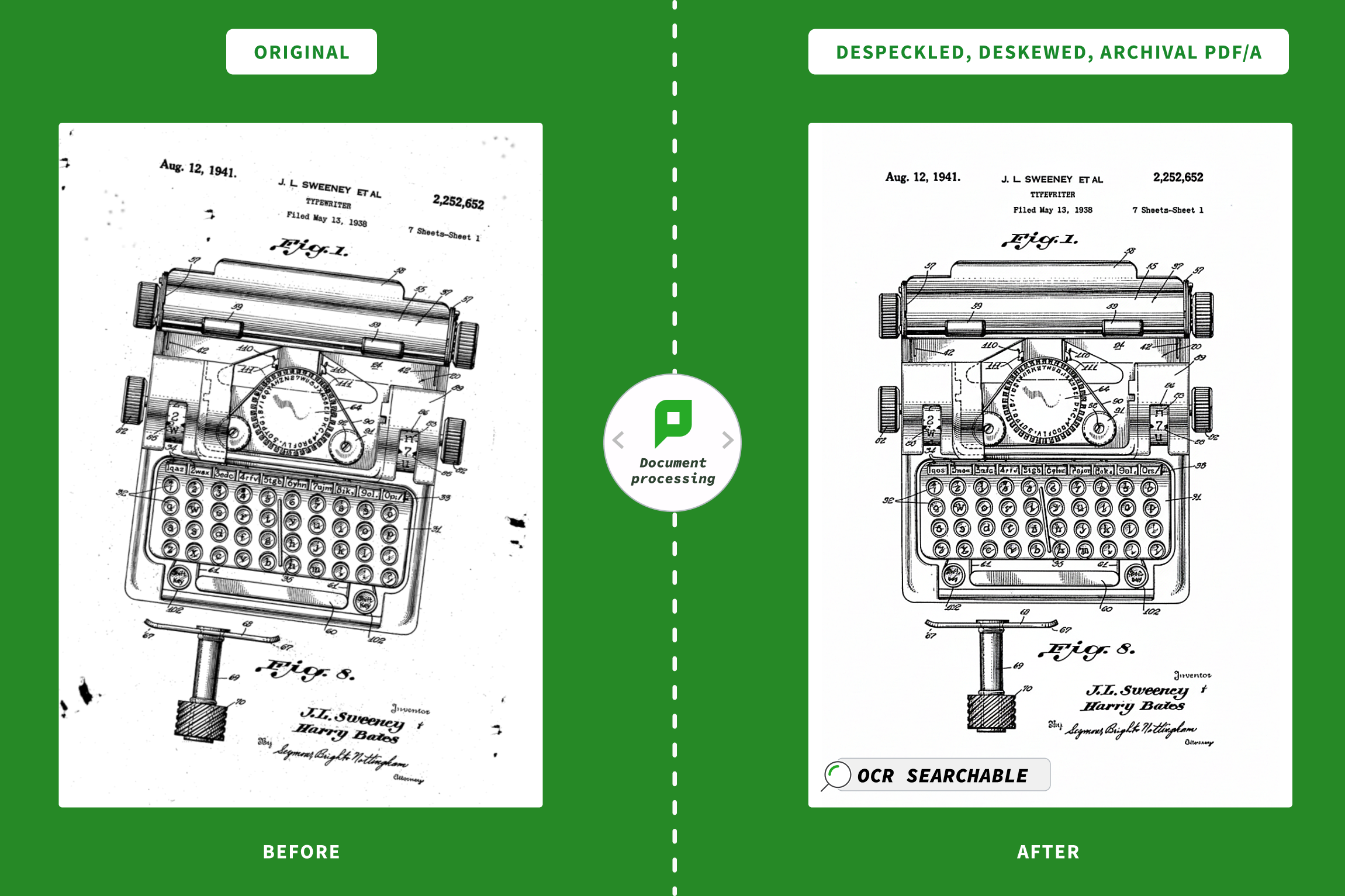
Turn static images into searchable text

Bring your PDFs to life.

Without Optical Character Recognition (OCR), a scan is just a flat photo of a document. PaperCut MF instantly converts those images into text-searchable digital assets. Now your users can find exactly what they need without scrolling through pages of pixels.

To learn more, see OCR and Document Processing in our manual.
A gif showing showing how you can bring pdfs to life with OCR.

Optimize your scanned files automatically

Clean up messy scans without lifting a finger.

  • Automatically straightens crooked images
  • Removes blank pages to save paper
  • Apply smart compression to keep file sizes low
  • And more!

You get high-quality documents that are friendly to your email server and your archive storage.

To learn more, see the Manual page on Scan compression and enhancement.

An image showing how PaperCut MF can cleanup messy scans to automatically deskew crooked images, remove blank pages to save paper and apply smart compression to keep file sizes low.

Spend less time at the copier

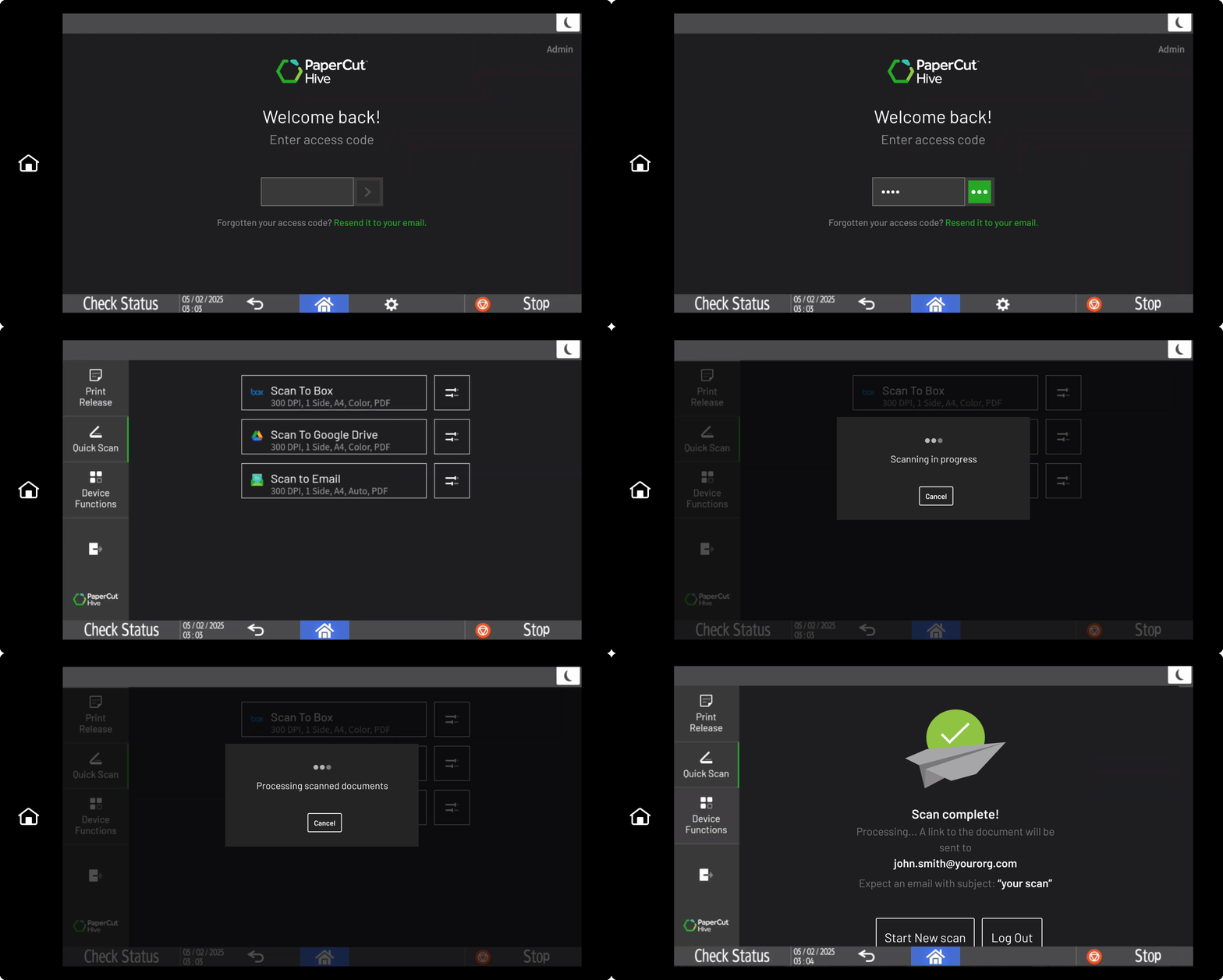
Don’t let the printer freeze up while it processes a big job.

We shift the heavy computational lifting to your on-premise server or the cloud. This takes the load off the device, meaning your users can scan, log out, and grab a coffee while the next person jumps in immediately.

To learn more, see the guide on Cloud Document Processing .

A gif of the PaperCut MF dashboard showing how users can scan.

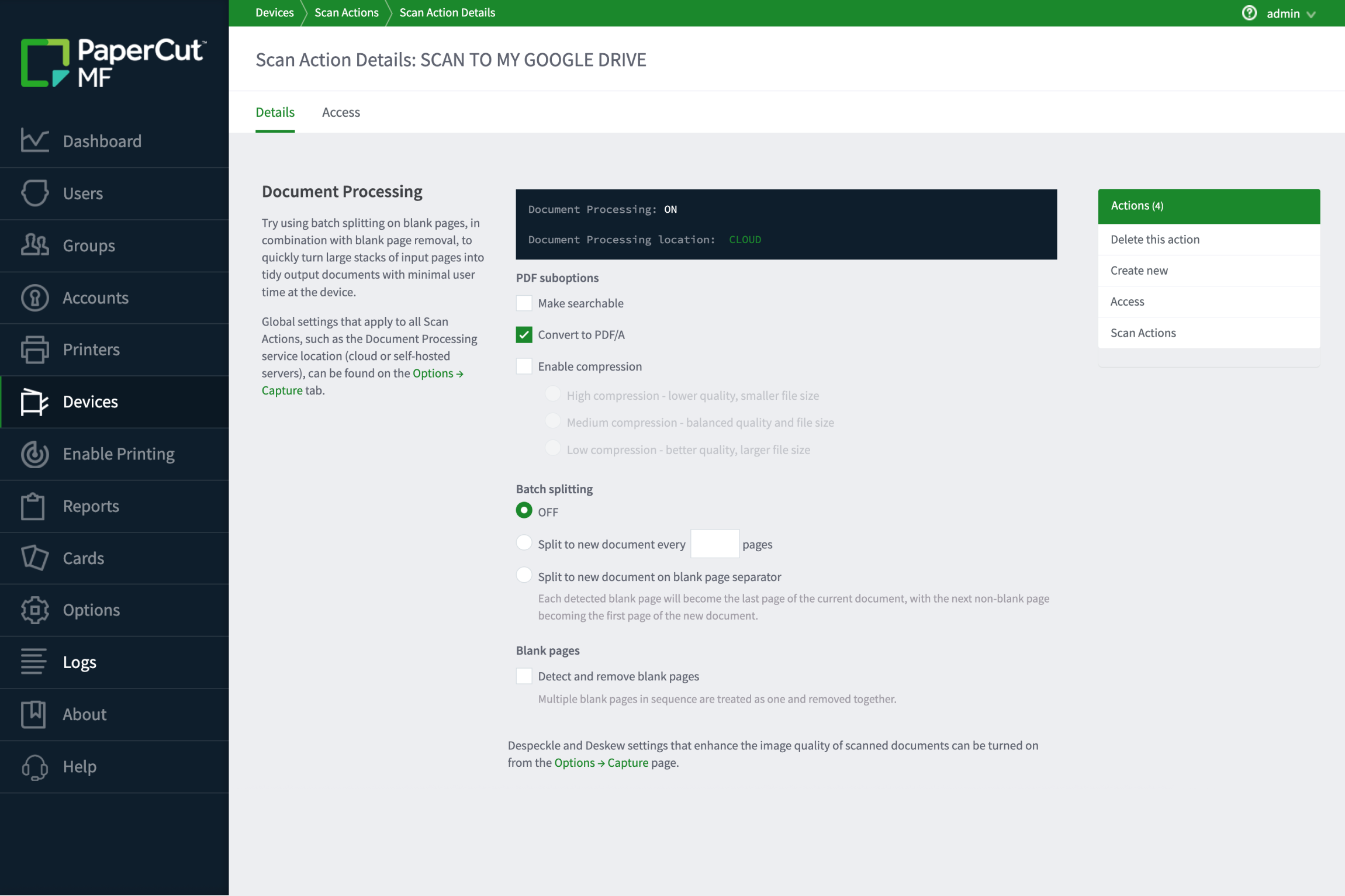
Configure youir whole MFD fleet instantly

Forget visiting every device to tweak settings. Manage compression and OCR configurations for your entire fleet from a single admin interface.

It works the same way on every MFD and scanner, regardless of the manufacturer, so you can push global changes to thousands of devices at once.

To learn more, see the Manual page on Centralized Scan Actions .

Easily manage compression and OCR configurations for your entire fleet from a single admin interface within PaperCut MF