Choose your language

Choose your login

Support

How can we help?

PaperCut's AI-generated content is continually improving, but it may still contain errors. Please verify as needed.

Lightbulb icon
Lightbulb icon

Here’s your answer

Sources:

* PaperCut is constantly working to improve the accuracy and quality of our AI-generated content. However, there may still be errors or inaccuracies, we appreciate your understanding and encourage verification when needed.

Lightbulb icon

Oops!

We currently don’t have an answer for this and our teams are working on resolving the issue. If you still need help,
User reading a resource

Popular resources

Conversation bubbles

Contact us

Charge jobs instantly where the work happens

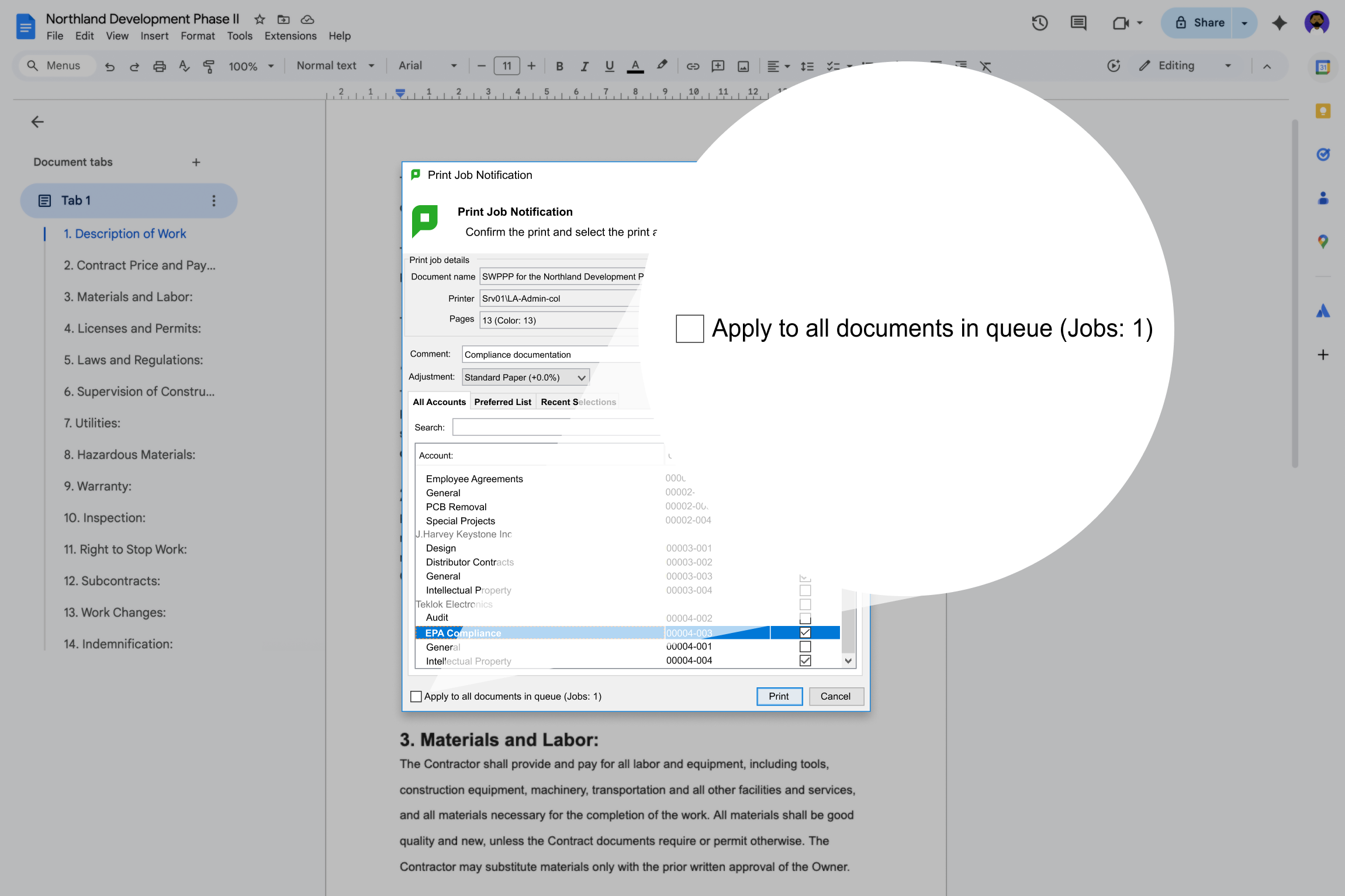
When your team is busy, the last thing they need is friction. When users print, copy, or scan, a pop-up appears on their computer or the MFD, prompting them to allocate the job’s cost with minimal detour.

This immediate allocation is crucial in busy environments like legal or architecture firms.

For a more detailed look, see the Manual page on account selection.

An image of a PaperCut MF job notification

Fast, single-click batch costing for big jobs

Users can allocate costs instantly on their computer for batch jobs, avoiding slow MFD entry. Users printing a batch of documents can even hold off on the pop-up and apply the charge at the tail end of that batch. With this batch feature, all jobs in the queue are charged to the same cost-center, but individual invoice entries for each job are preserved. This protects billing accuracy, and prevents administrative strain later.

For a more detailed look read our manual to learn how to apply to all documents in a queue.

An image illustrating PaperCut MF's ability to globally apply print settings to the entire document queue.

Keep your accounts fresh and accurate

To correctly allocate costs, you need client codes and project codes that are fresh and accurate. PaperCut MF provides flexible options to ensure your matter numbers or project codes are always up to date:

  • Use TSV Files: import all your account codes via a simple TSV (Tab-Delimited) file.
  • Sync Folders: synchronize and create an account for each folder in a cost center-managed file structure.
  • Integrate via APIs: tight, real-time integration with external practice management or project systems.

Dive into details with the synchronize shared accounts with external source manual page.

This is a screenshot of the PaperCut MF Tools page showing a list of third-party legal integrations, including Open Practice, TrialWorks, InfinityLaw, and Time Matters.

Manage and correct charges with ease

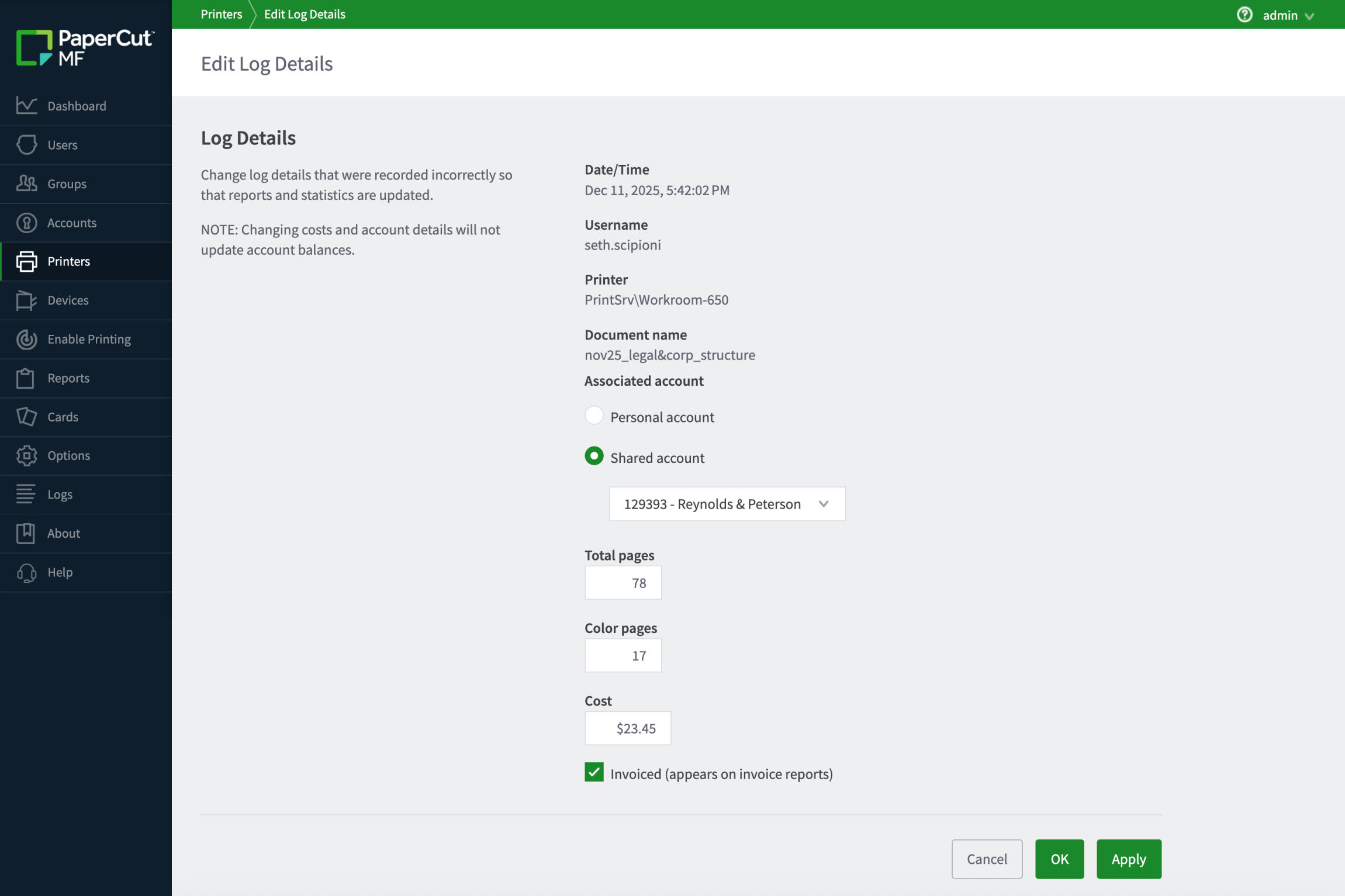
We all make mistakes. When a job is charged to the wrong client, don’t panic—just fix it. A few clicks in the job log is all it takes to correct the entry before an invoice ever goes out.

Learn more about more about print logging in the manual.

Screenshot of PaperCut MF's Edit Log Details screen, used to correct a job's account from 'Personal' to 'Shared account: Reynolds & Peterson' for a printed document costing $23.45.

Generate client-ready invoices and reports

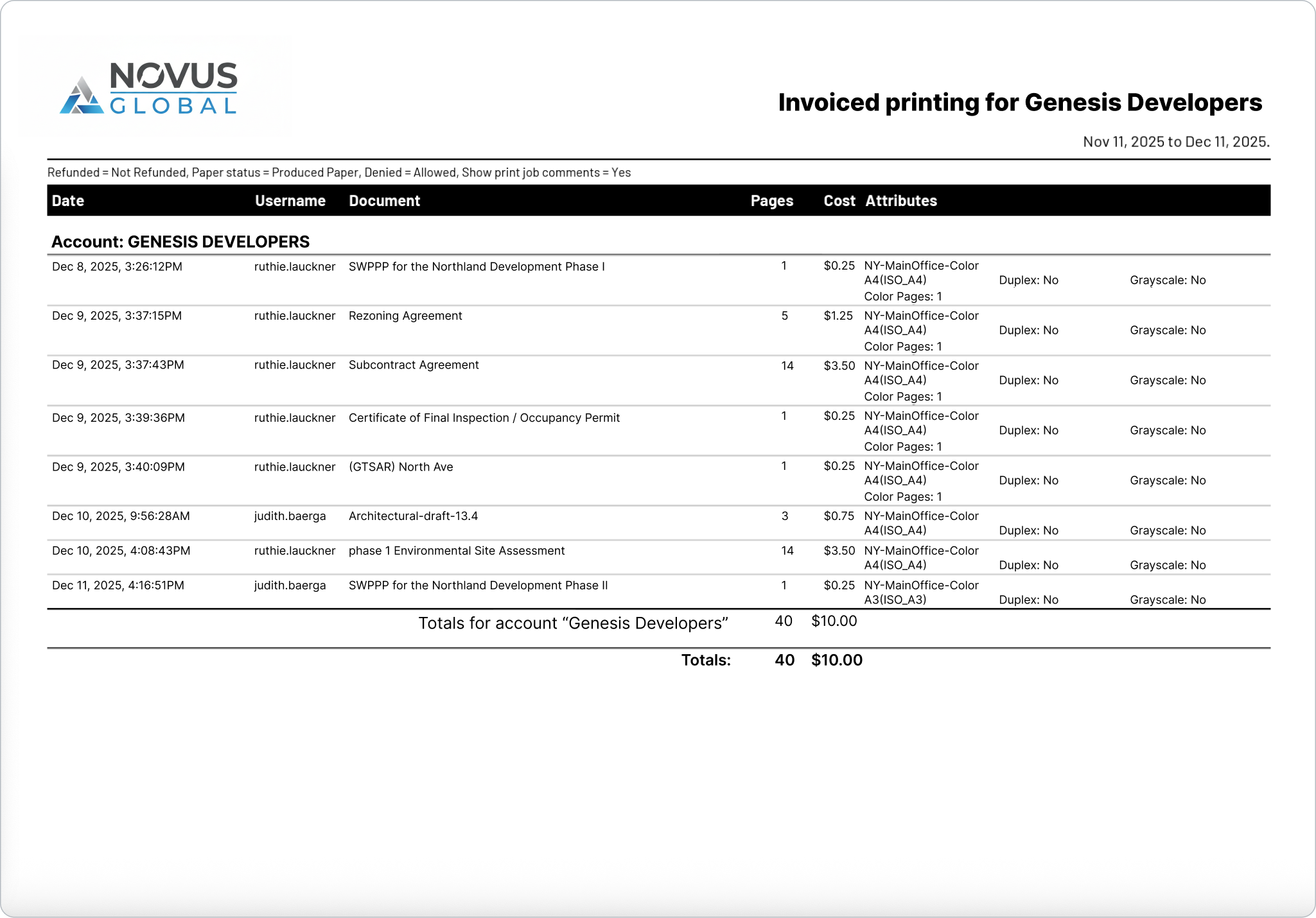
Stop spending days manually keying in print costs for chargeback. We make your life easier with reporting options;

  • Direct Invoicing: built-in invoicing reports formatted with space for your company’s logo that break costs into individual invoice pages.
  • Customization: If the standard reports don’t suit your clients, custom reports can be created.
  • Export transactions: to be imported into your external invoicing system.

For a more detailed look into reporting see our manual.

A client invoice report generated by Novus Global showing detailed print costs for Account: GENESIS DEVELOPERS, including cost per page, duplex status, and total charges.