Choose your language

Choose your login

Support

How can we help?

PaperCut's AI-generated content is continually improving, but it may still contain errors. Please verify as needed.

Lightbulb icon
Lightbulb icon

Here’s your answer

Sources:

* PaperCut is constantly working to improve the accuracy and quality of our AI-generated content. However, there may still be errors or inaccuracies, we appreciate your understanding and encourage verification when needed.

Lightbulb icon

Oops!

We currently don’t have an answer for this and our teams are working on resolving the issue. If you still need help,
User reading a resource

Popular resources

Conversation bubbles

Contact us

Watermarking and Digital Signatures

Accountability on every page. Options to embed key identifying information onto every printed page, to keep sensitive documents secure after printing.

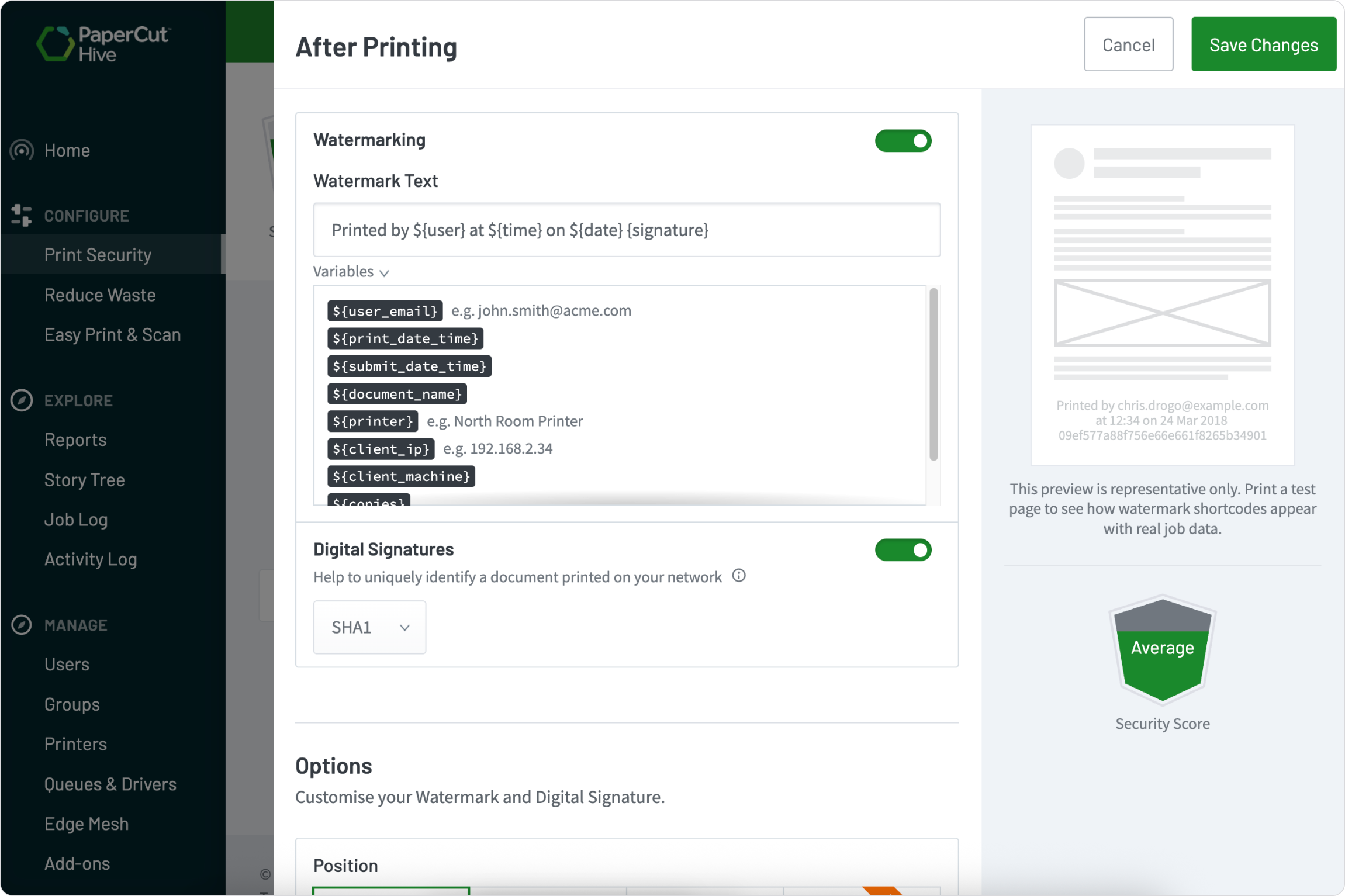
Customize visible watermarks with user and job details

A visible watermark quickly answers the question, “Whose document is this?”

With smart watermarks, you can automatically pull in details from each print job, this makes every page instantly identifiable. Add helpful information like:

  • The user’s email address
  • The print date and time
  • The document name
  • The printer name
  • The user’s IP address or machine name
  • Number of Pages and Copies
  • Stating data classification level

See our manual for more about watermarks and digital signatures.

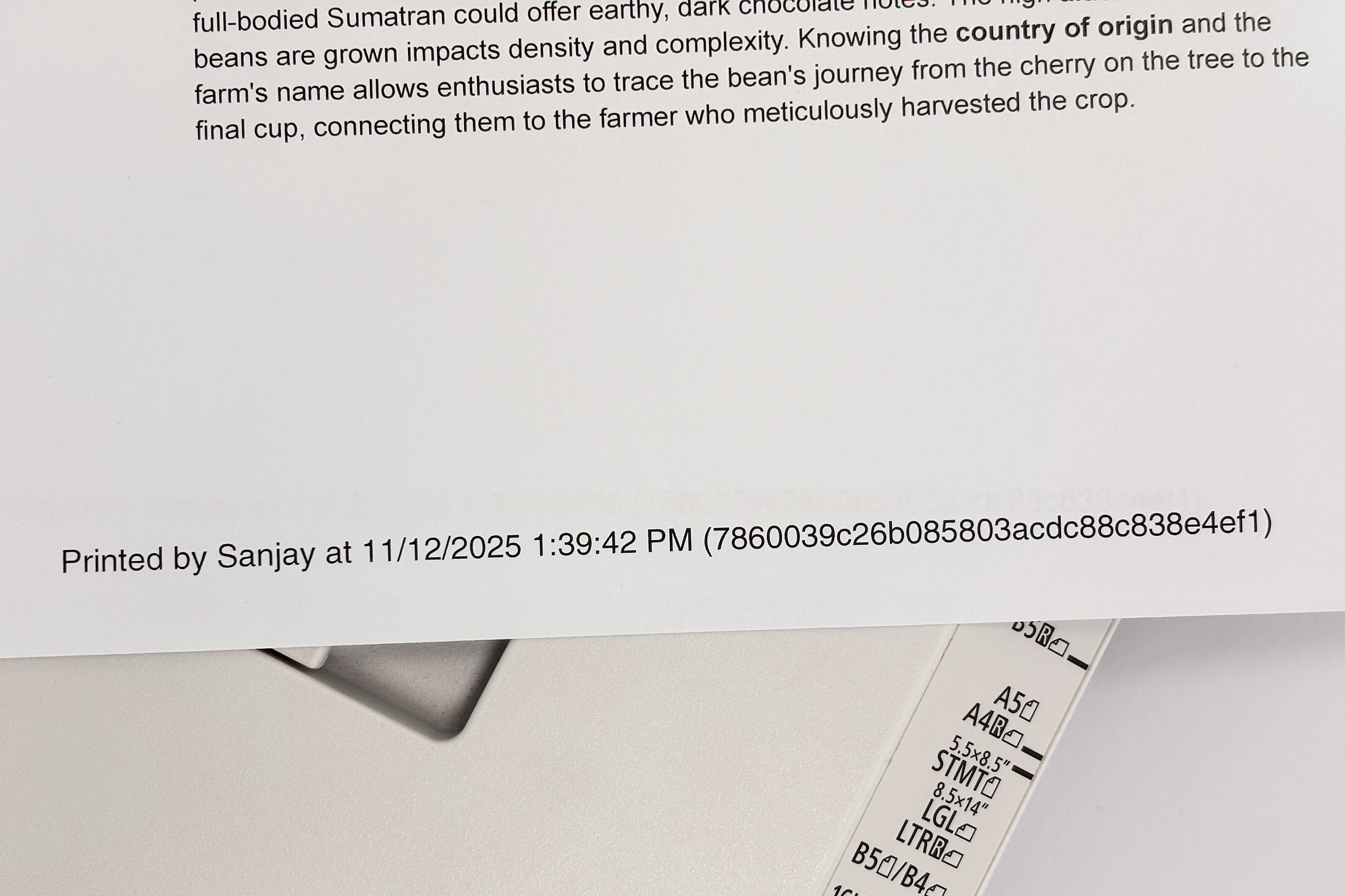
Trace any document back to its origin

When a document with a digital signature is found, your work is simple.

Just take the unique code from the printed page and enter it into the search bar in your Job Log. PaperCut Hive will instantly find the exact print job. You’ll see who printed the document, when it was printed, and from where.

Only an administrator can trace the signature, so user privacy is maintained while security is guaranteed.

Learn more about printing visibility reports and logs.

An illustration showing how one may easily trace a document back to its origin if it has a digital signature

Choose your document security level

Get started from a single, simple configuration page. You have the flexibility to decide which level of security is right for your organization.

  • Enable visible watermarks to display information directly on the page.
  • Use a unique digital signature for a more subtle, anonymous tracking method.
  • Or, use both at the same time for the ultimate in document security.

It’s all about giving you the control to match your specific security needs.

For configuration steps visit the manual.

A screenshot from PaperCut Hive showing how a user can configure security options for their organization

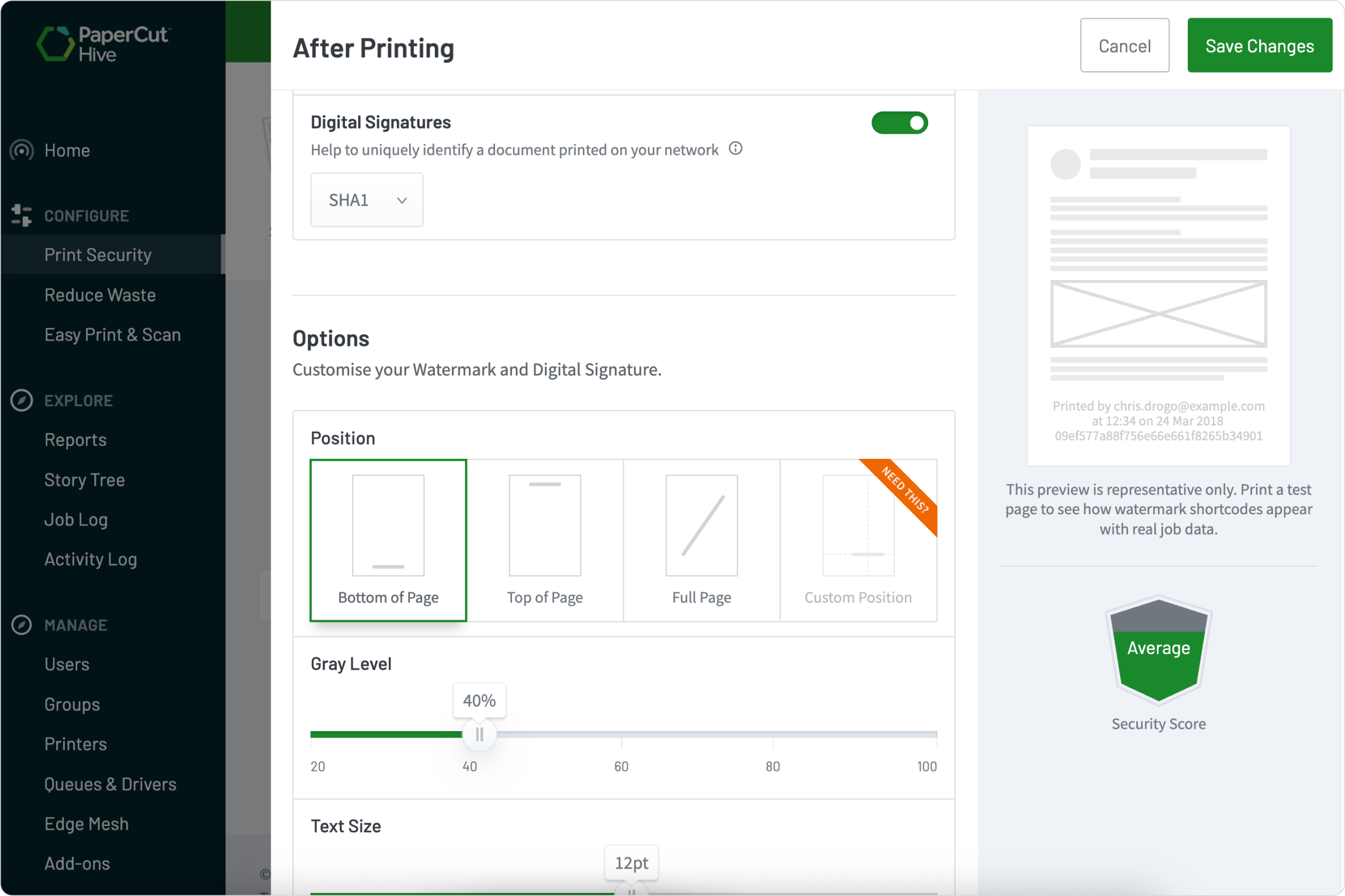
Add a unique, searchable digital signature

Sometimes you need to track a document’s origin without printing a user’s name on it. A digital signature is a unique code added to every single page that’s traceable only by an administrator.

This unique “fingerprint” is a subtle reminder to users that they are responsible for the documents they print. You can even choose the algorithm strength for the signature code. It’s a powerful and secure way to ensure accountability.

Detailed information on digital signatures in our manual

A screenshot from PaperCut Hive showing how a user can select their document security level and configure the level of security right for their organization