Choose your language

Choose your login

Support

How can we help?

PaperCut's AI-generated content is continually improving, but it may still contain errors. Please verify as needed.

Lightbulb icon
Lightbulb icon

Here’s your answer

Sources:

* PaperCut is constantly working to improve the accuracy and quality of our AI-generated content. However, there may still be errors or inaccuracies, we appreciate your understanding and encourage verification when needed.

Lightbulb icon

Oops!

We currently don’t have an answer for this and our teams are working on resolving the issue. If you still need help,
User reading a resource

Popular resources

Conversation bubbles

Contact us

Find-Me Printing & Secure Print Release

The hero of your print environment. Save money by eliminating waste, simplify printing for users and secure your documents with one easy to manage virtual print queue.

Your print job finds you, anywhere

Printer jammed or has a long queue? No problem. With Find-Me Printing, users just walk to the next available device to release their job.

It’s not only for your Multi Function Devices (MFD’s), there’s options for any print device using a variety of hardware and software methods.

For further information see our manual page on releasing a print job from a mobile device.

An illustration of a print job releasing their print job at any available printer of their choice

Keep private documents private

You have a clean desk policy for security, but what about your printers? Find-Me Printing ensures confidential documents are never left exposed.

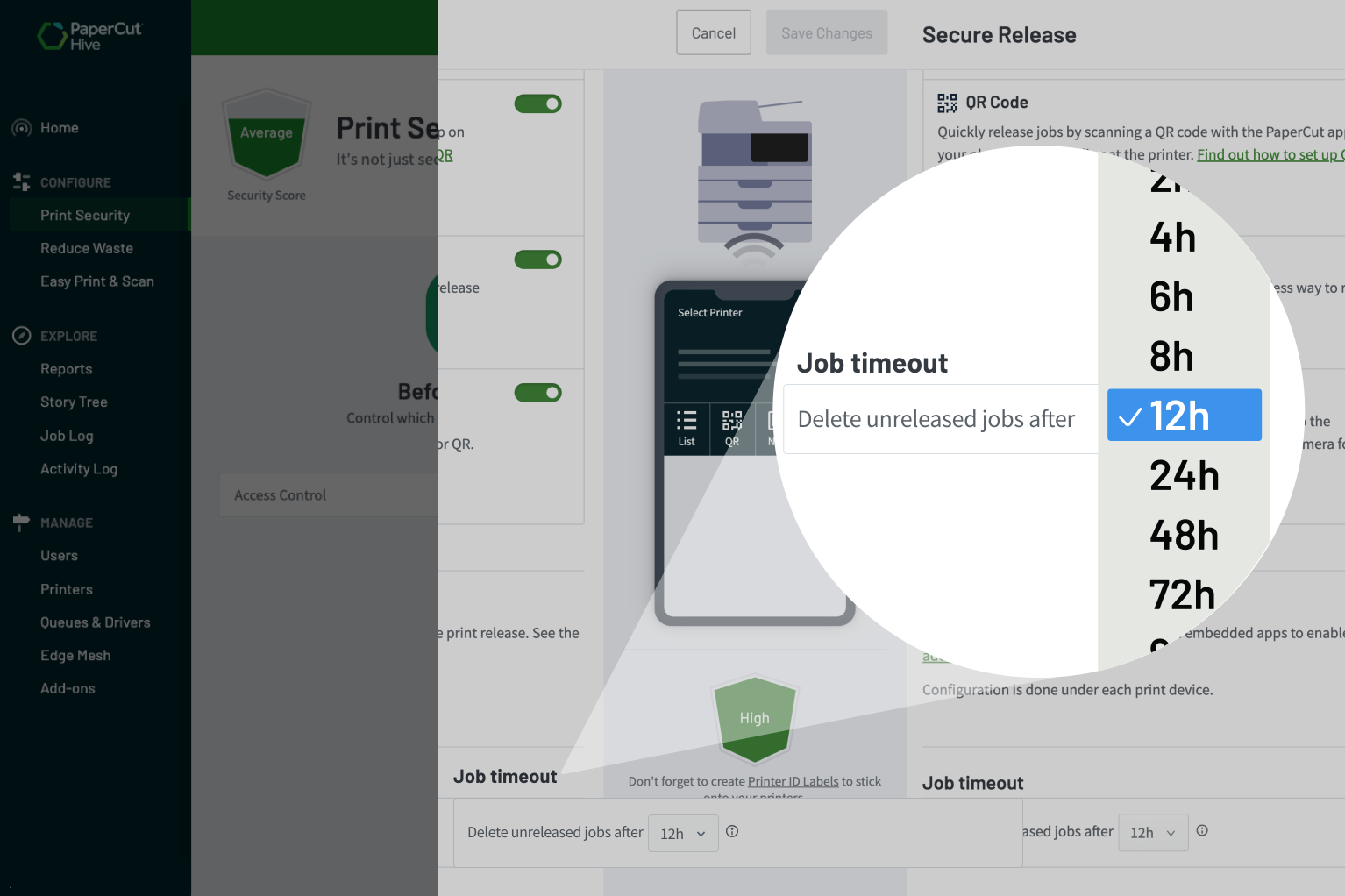
Jobs are held in a secure queue and only print when the user releases them at the device. Forgotten jobs are automatically deleted based on your configuration. This simple step helps you meet security requirements, like those in ISO 27001 (Annex A11.2.1).

Security is our top priority learn more about our security considerations.


A screenshot from the PaperCut Hive platform showing how the job timeout feature ensures confidential documents are held in a secure queue

End printer confusion with a single, simple queue

Users hate guessing from a long, confusing list of printer names. Find-Me Printing ends that frustration by replacing dozens of queues with just one.

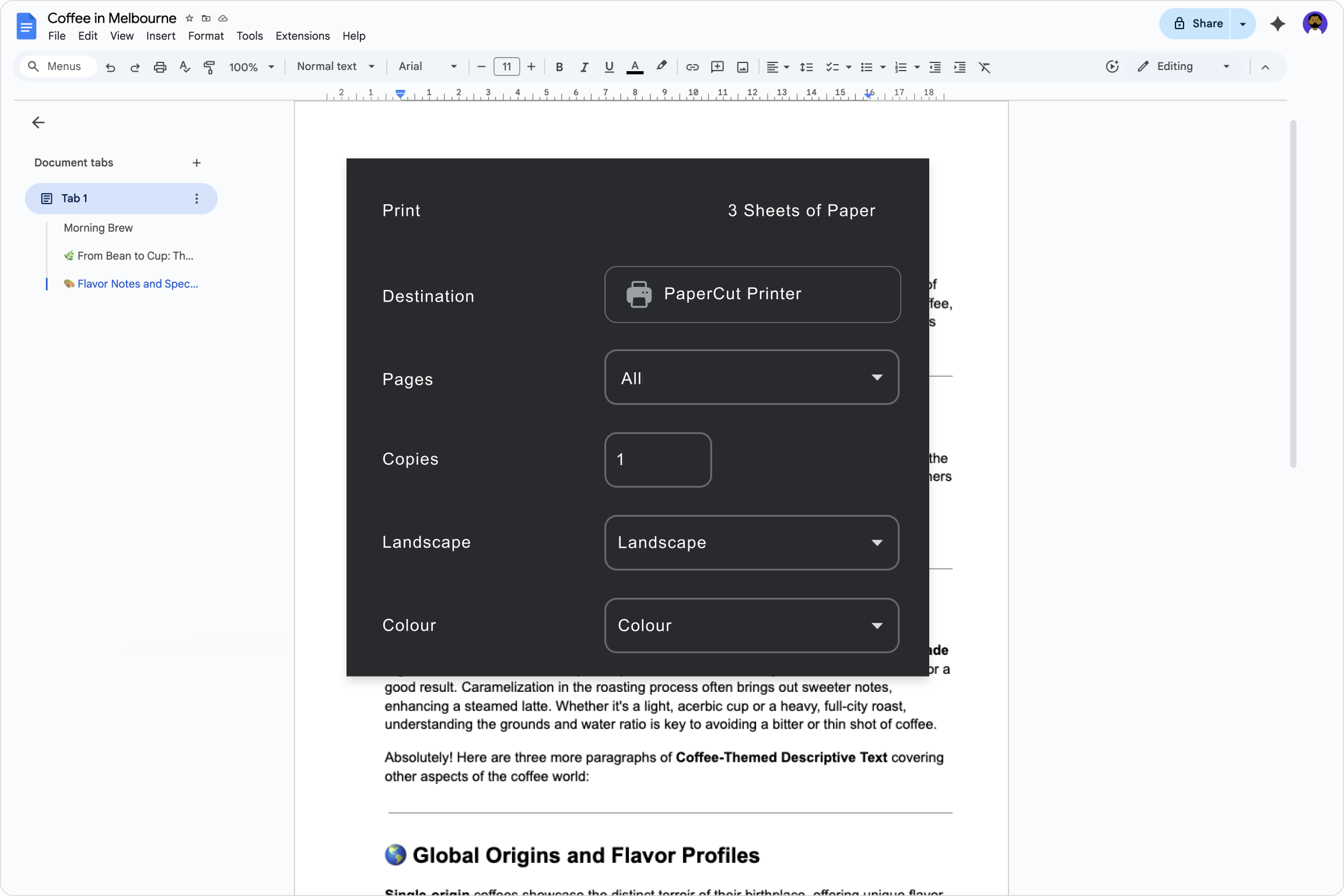
Your users simply print to the single “Find-Me” queue, no matter where they are. This makes your life easier and provides a consistent, simple experience for everyone.

For a full technical guide, see the Manual page on deploying print queues.

An image showing a native print dialog

Cut costs by stopping print waste

Just by turning on Find-Me Printing, you save money. On average, 12% of print jobs go uncollected, wasting paper, toner, and money.

Our savings report tracks every job that was automatically deleted without being released. This directly quantifies your savings and its positive impact on your budget and environmental footprint.

For more details on the types of reporting Hive offers see the manual page Reports and Insights.


A sample report from PaperCut Hive showing environmental statistics in an infographic

Flexible authentication, made simple*

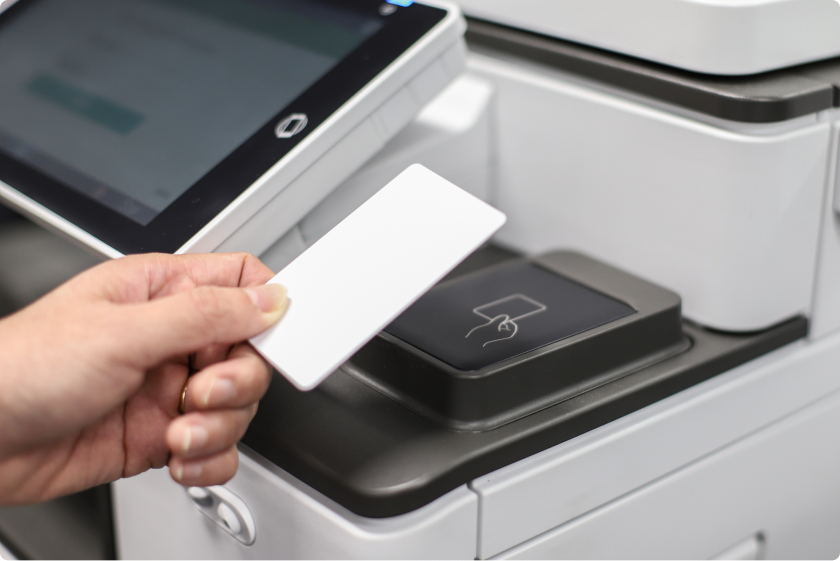
Provide a simple and familiar login experience for your users. To make deployment even easier, they can even register their own cards the first time they walk up to a device.

Authentication methods include:

  • The building access cards or fobs your staff already use (including RFID, Prox, Barcode, and Magstripe).
  • A simple PIN or mobile app release.
  • Biometric readers for fingerprint scanning.

Read more about all the authentication methods we support.

Embrace flexible printing from any device

PaperCut Hive is cloud native, so printing works anywhere.

From the coffee shop, home or on the move, users can print from any device (Windows, Mac, Chrome, iOS, and Android) anytime they have internet access.

Our client app also supports ARM-based devices like Apple Silicon and Snapdragon, ensuring a seamless experience on all modern hardware.

Take a dive into PaperCut Hive and Pocket system requirements.

An illustration showing users printing from any device and from anywhere with PaperCut Hive's cloud printing function

A consistent, simple screen across printer brands

Users hate having to learn how to operate a different interface for every MFD brand in the office.

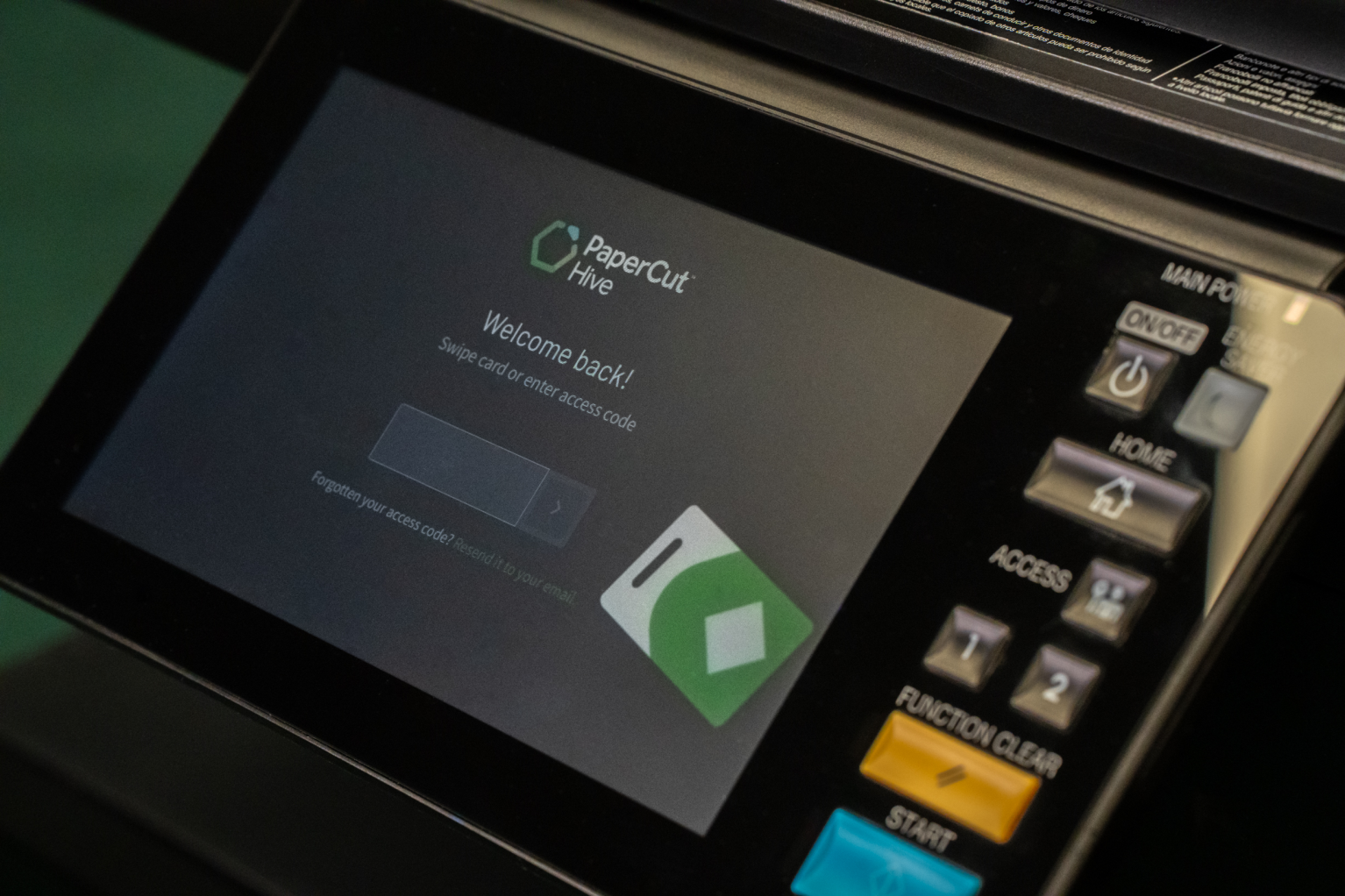
PaperCut Hive solves this with a unified, modern experience that looks and feels the same on different printing devices. This consistency ends user confusion and means fewer helpdesk calls for you.

From this one familiar screen, users get a final chance to make a smart printing choice, like deleting or changing settings before they release their print jobs.

Click through to understand Printers supported by PaperCut Hive & Pocket.

An image of the PaperCut Hive experience on a MFD user interface

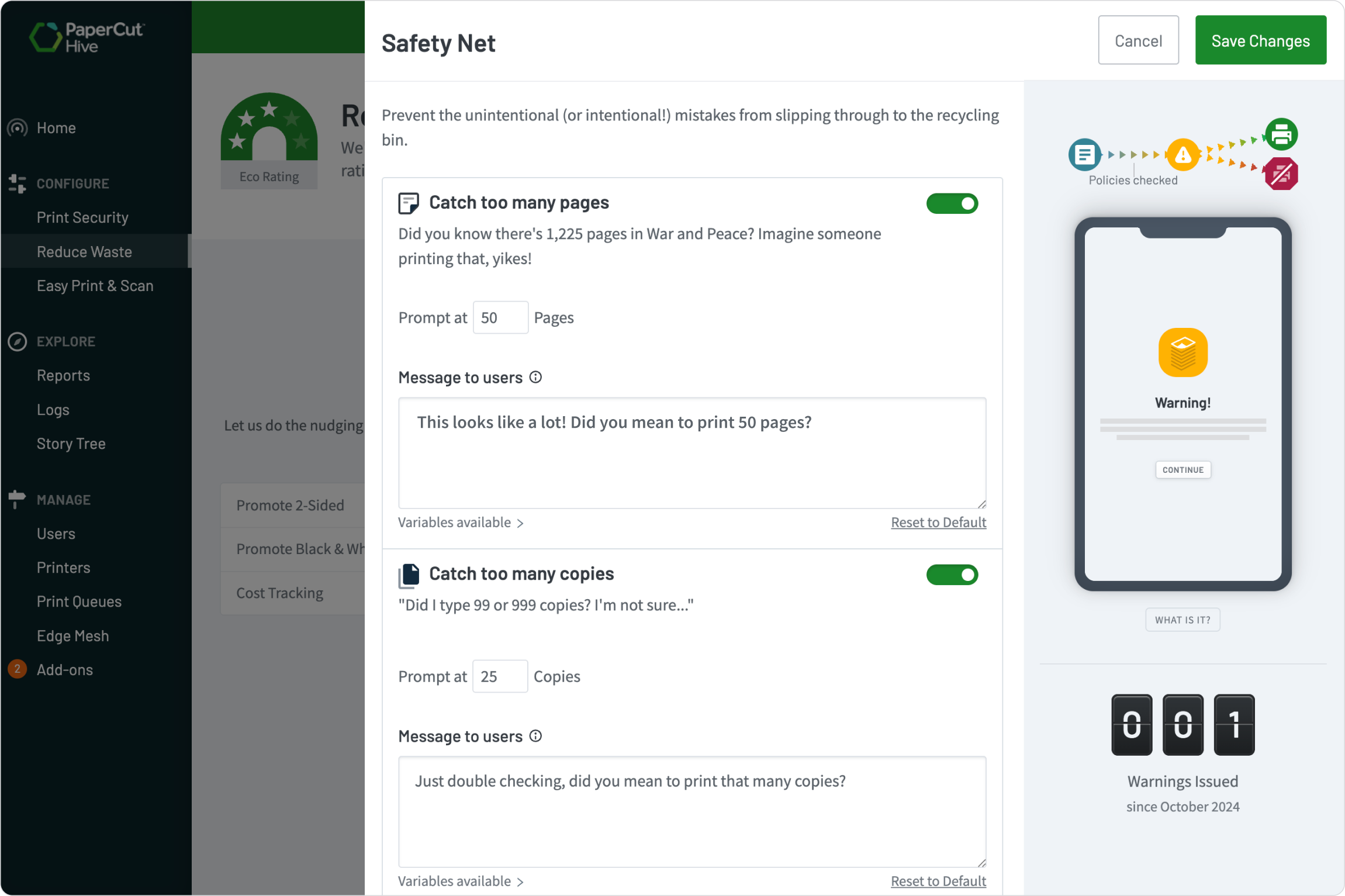
Prevent waste and printing mishaps

PaperCut Hive’s built-in Safety Net catches printing mishaps, giving users a last-minute checkpoint to prevent costly waste and encourage sustainable habits.

You can set up nudges to:

  • Reduce waste by suggesting users switch to 2-sided or black & white printing.
  • Flag sensitive documents by filtering jobs based on their name.
  • Prevent print mishaps by catching duplicate documents, jobs with high page or copy counts.

For a full guide on setting up these prompts, see the Manual page on cost-saving tips for printing.


A screenshot from PaperCut Hive showing the safety net feature

The best of both: simplicity and staples

That simple, single queue is perfect for most daily jobs, but you don’t have to sacrifice power.

For full control, you can still upload a specific manufacturer’s driver to your Find-Me queue. This gives your users all those advanced finishing options—like stapling and hole punching—or lets you set custom defaults.

You can follow our step-by-step guide in our manual preparing a printer driver.

An advanced print dialog from a Windows operating system