Choose your language

Choose your login

Support

How can we help?

PaperCut's AI-generated content is continually improving, but it may still contain errors. Please verify as needed.

Lightbulb icon
Lightbulb icon

Here’s your answer

Sources:

* PaperCut is constantly working to improve the accuracy and quality of our AI-generated content. However, there may still be errors or inaccuracies, we appreciate your understanding and encourage verification when needed.

Lightbulb icon

Oops!

We currently don’t have an answer for this and our teams are working on resolving the issue. If you still need help,
User reading a resource

Popular resources

Conversation bubbles

Contact us

Cross Platform Print Experience

PaperCut Hive simplifies print administration across different operating systems. Print from any device, zero fuss. Less admin for IT, easier printing for users.

Deliver a simple, consistent print experience on any device Give your users one simple way to print, no matter what they’re using.

The experience is familiar and easy whether they are on a Windows PC, a MacBook, a Chromebook, or their mobile phone. This consistency reduces confusion and helps everyone print with confidence.

Learn more about mobile printing in the PaperCut Hive Manual.


An illustration showing users on various devices that are compatible with Windows, macOS and ChromsOS

Flexible Print for Users

Give users “on the move” the right printers, automatically.

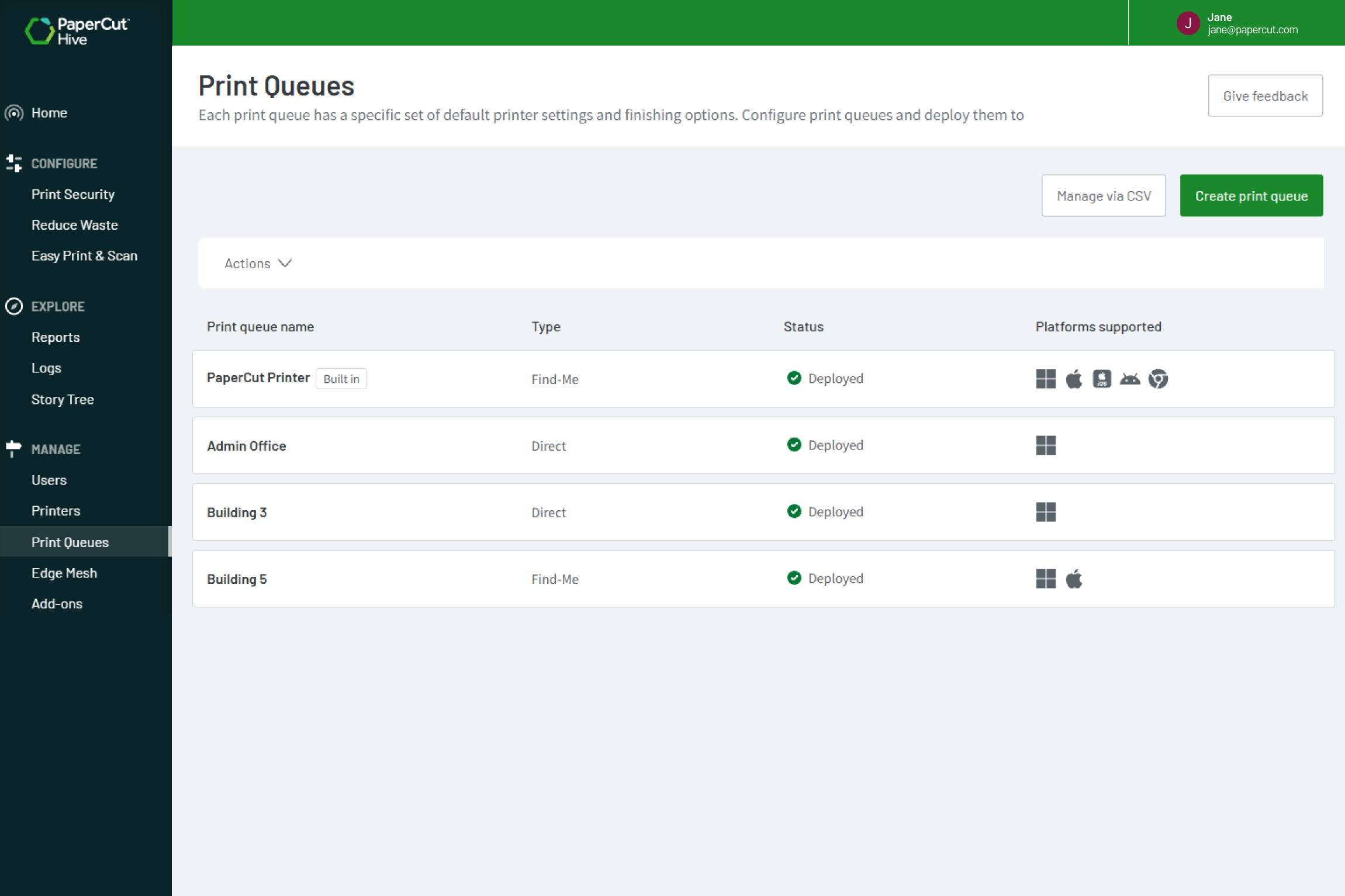
When your users move between offices or sites, the right printers will be deployed. PaperCut Hive’s Print Queue Deployment feature automatically adds the correct print queues for their current location. No more “I can’t find the printer” support tickets.

Learn more about setting up Print Queue Deployment in our online manual

An image showing print queues for users as they move between offices and sites

Versatile deployment options

Simplify setup with your existing admin tools.

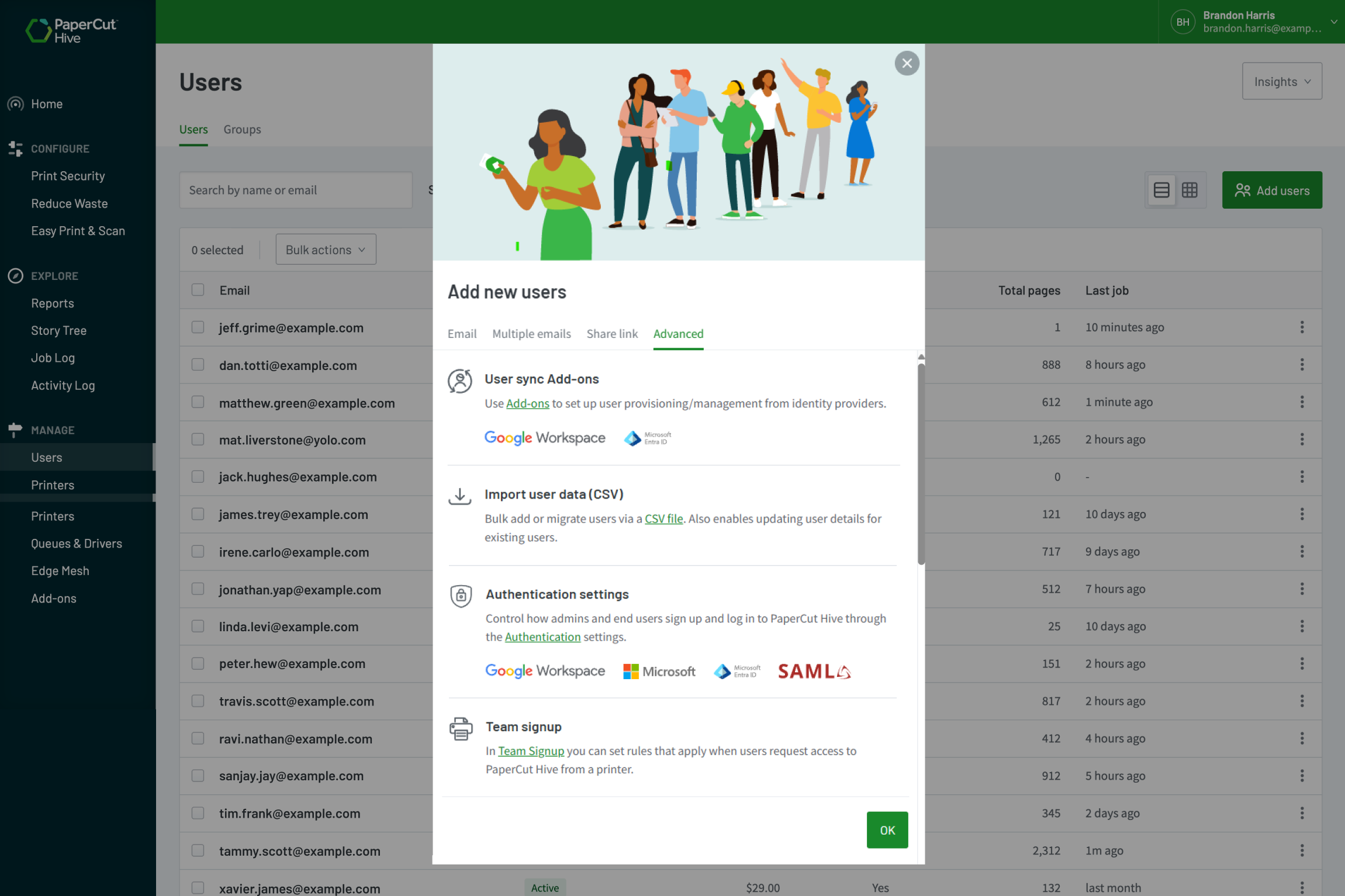
Get your users printing in minutes. Sync them from directory services you already use, like EntraID or Google Workspace. For a zero-touch experience, deploy the print client automatically with your MDM tools, such as InTune or JAMF. We handle the hard work for you.

To learn more, see the manual page on Managing users.

An image showing users can be simply and flexibly setup within minutes

Reliable and secure

Boost reliability with secure Find-Me Printing.

Free your users from that one broken printer. With secure Find-Me Printing, users can print to a single queue and release their job at any available printer. If one device is busy or out of toner, they just walk to the next one and release their job there.

To dive into the details check out the Find-Me Printing & Secure Print Release feature page.

An illustration of a print job releasing their print job at any available printer of their choice

Support your entire printer fleet, regardless of make or model

PaperCut Hive works with the printers you already have. You can manage your entire fleet from a single pane of glass, no matter how many different brands or models you support. This gives you the freedom to choose the right hardware for your business.

Check our list in the manual of Printers supported by PaperCut Hive and Pocket.

An image of the MFD brands supported by PaperCutHive