Choose your language

Choose your login

Support

How can we help?

PaperCut's AI-generated content is continually improving, but it may still contain errors. Please verify as needed.

Lightbulb icon
Lightbulb icon

Here’s your answer

Sources:

* PaperCut is constantly working to improve the accuracy and quality of our AI-generated content. However, there may still be errors or inaccuracies, we appreciate your understanding and encourage verification when needed.

Lightbulb icon

Oops!

We currently don’t have an answer for this and our teams are working on resolving the issue. If you still need help,
User reading a resource

Popular resources

Conversation bubbles

Contact us

Auditing, Logs and Reporting

Increase accountability, improve security, and make smarter print decisions. Gain visibility into user behaviour, investigate incidents faster, and deliver scheduled insights automatically.

Gain visibility that drives better printing behaviour

Simply making printing visible can change behaviour.

PaperCut Hive and Pocket Auditing, Logs & Reporting makes print activity observable, accountable, and actionable, helping organisations reduce waste, improve security, and make better decisions.

See our manual for a detailed overview of reporting in PaperCut Hive and Pocket .
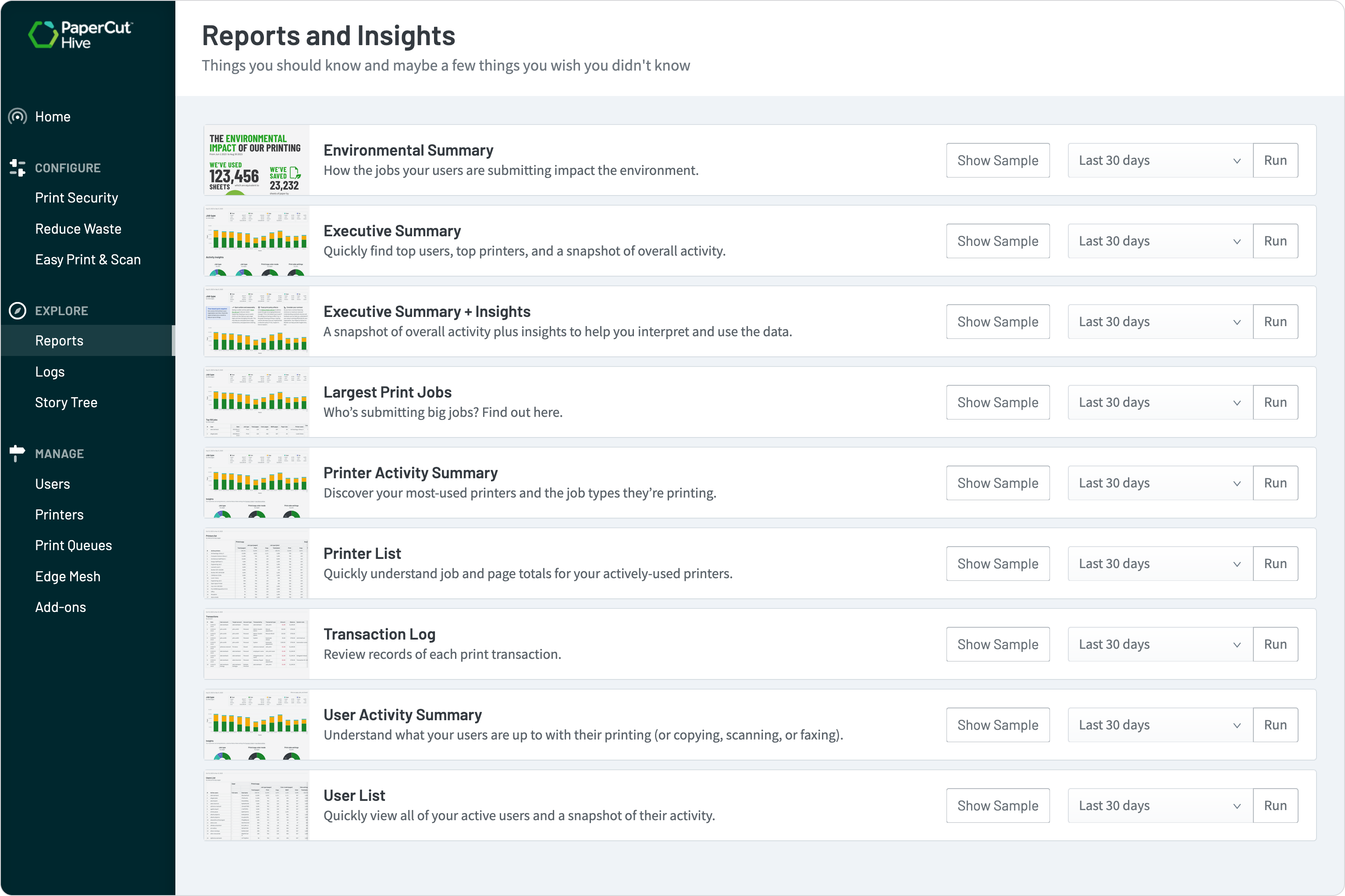
Screenshot of PaperCut hive showing availble reports

Understand print behaviour with user-level visibility

Devices can report page counts, but they don’t explain who printed, what they printed, or why volume changed.

Close that gap by capturing user-level activity and explain behaviour—not just numbers.

With PaperCut Hive, admins can:

  • See who printed what, when, and where
  • Identify unusual or unexpected printing patterns
  • Use visibility as a behavioural nudge—encouraging mindful printing

Learn more about the Printer Activity Summary reports and how they can help your organisation.


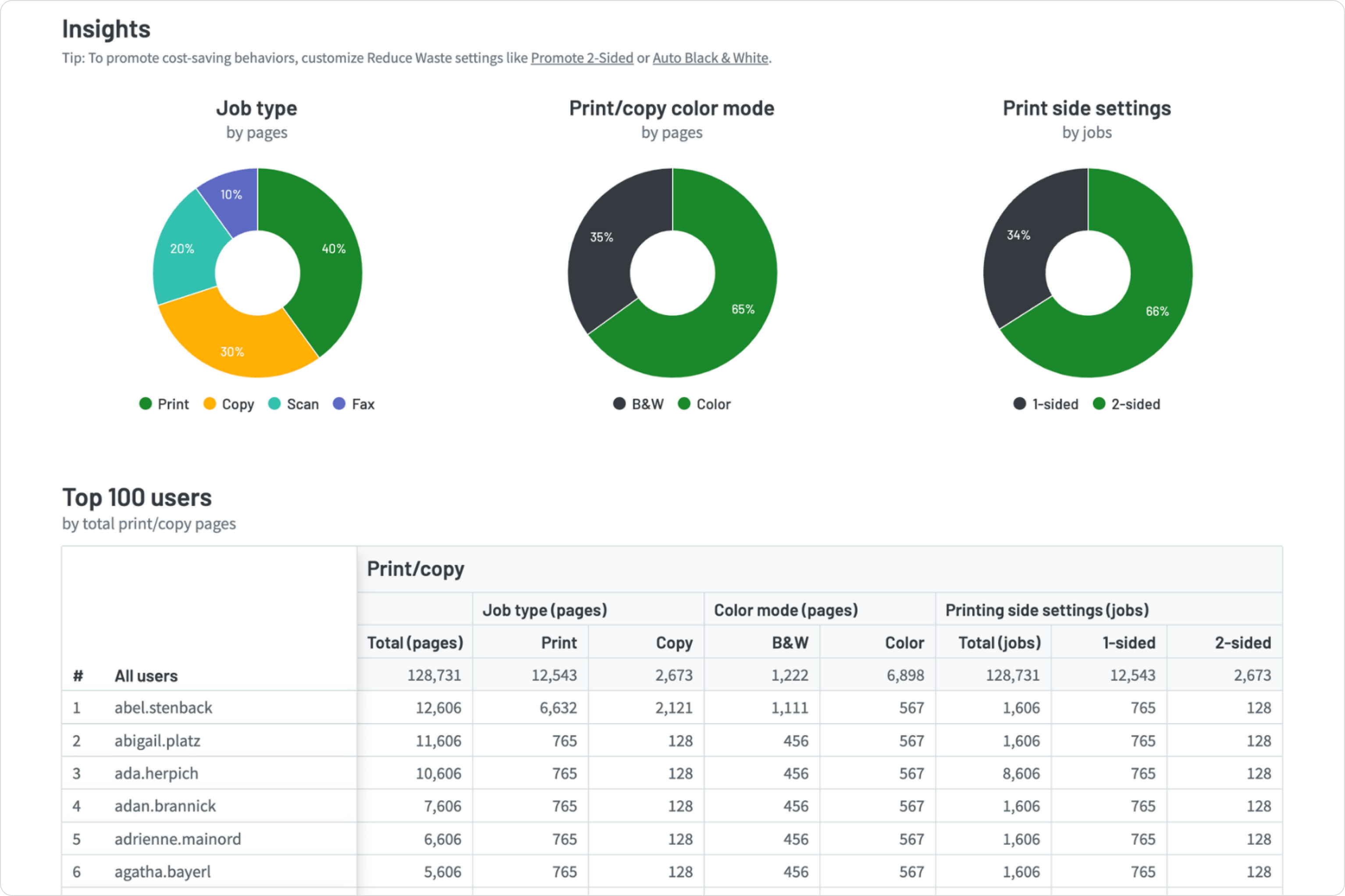
Example of the executive summary report

Logs that support fast investigation and accountability

When something goes wrong, logs provide clarity and allow Admins to investigate incidents quickly and confidently.

Logs are commonly used to:

  • Investigate confidential documents left on devices
  • Understand unexpected print volume or cost spikes
  • Review out-of-hours or unusual activity
  • Support internal reviews and compliance checks

Dive into details provided in PaperCut Hive and Pocket Logs here.

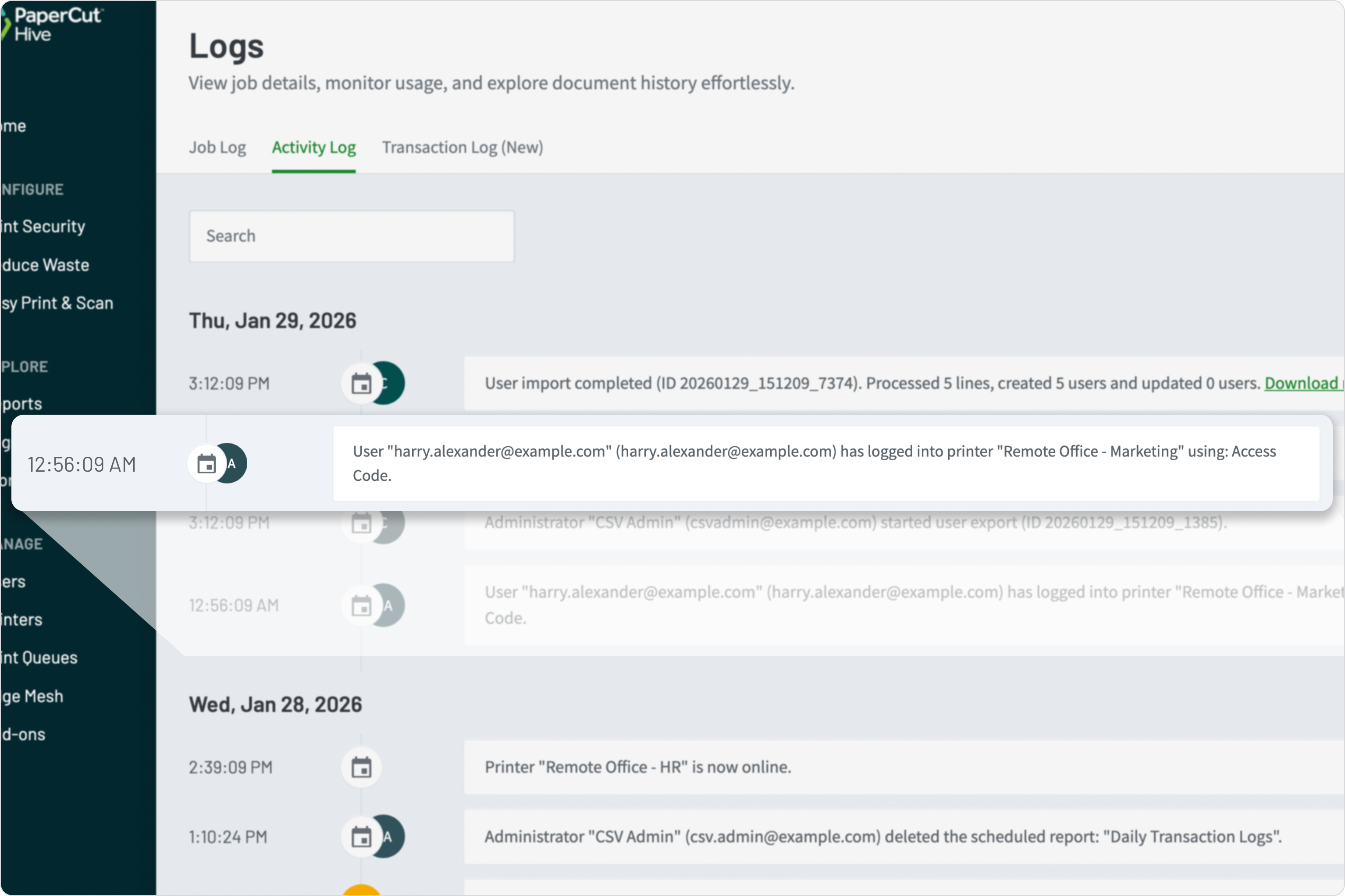
Highlighted activity log entry, showing printer usage at 1 am.

Reporting that turns data into decisions

Reports support organisations to make real decisions, move from “what’s happening?” to “we need to change X”

Admins can use reports to:

  • Analyse print usage by user, device, location, or time period
  • Identify colour vs mono trends and cost drivers
  • Support departmental or site-level reviews
  • Inform device consolidation and fleet planning
  • Track changes over time to validate policy or behaviour improvements

Learn how to Visualize your most important information in our manual.

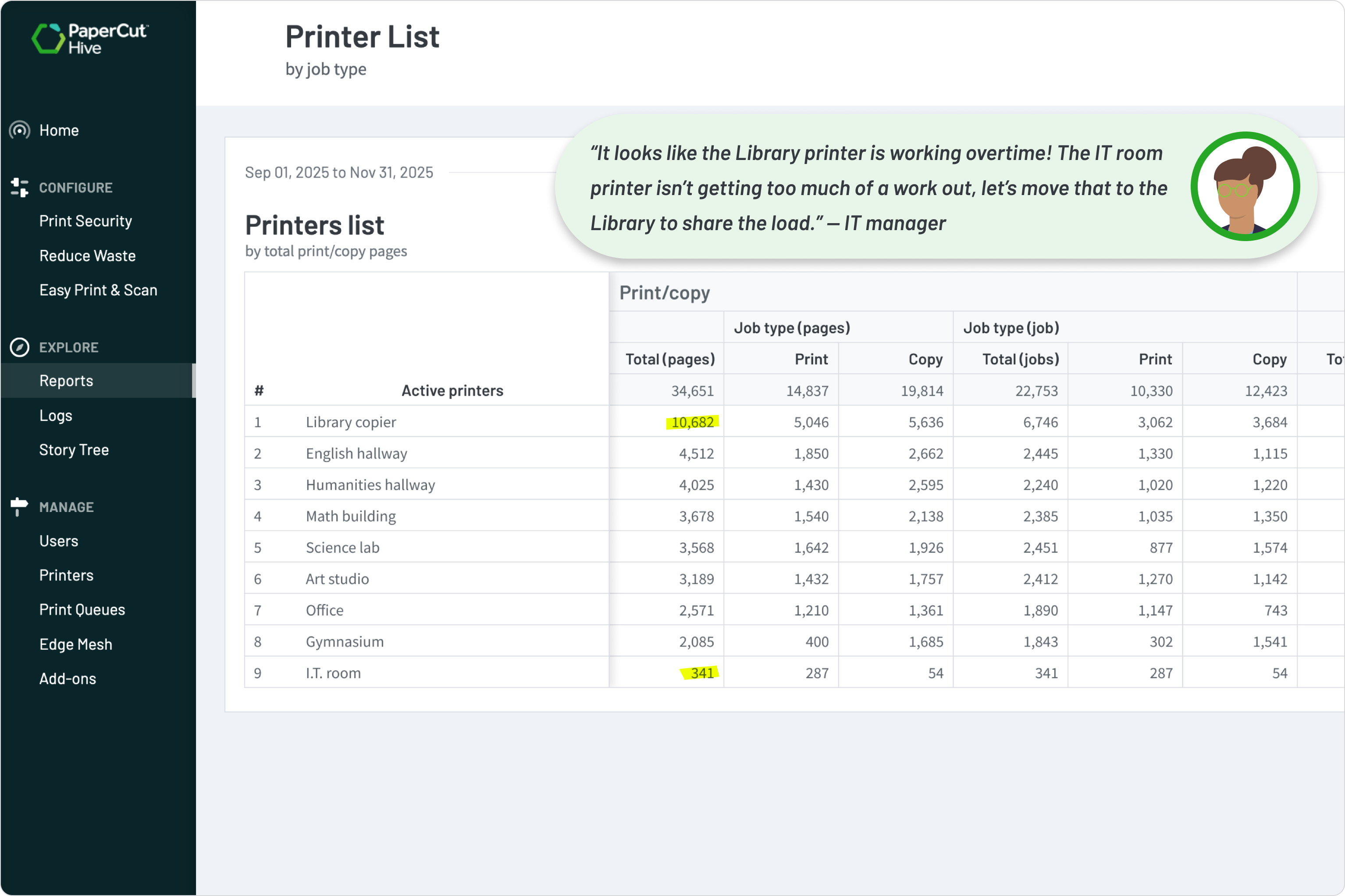
Printer usage report being used to help identify low and high usage printers.

Scheduled reports that reduce admin effort

Reports can be scheduled and delivered automatically, removing the need for repeated manual exports and making visibility continuous, not reactive.

With scheduled reports, admins can:

  • Set reporting frequency (daily, weekly, monthly)
  • Share timely insights with IT, finance, or leadership teams
  • Maintain consistent oversight without ongoing admin work
  • Spot changes early—before issues escalate

For more detailed information on Scheduling and sending reports see our manual.

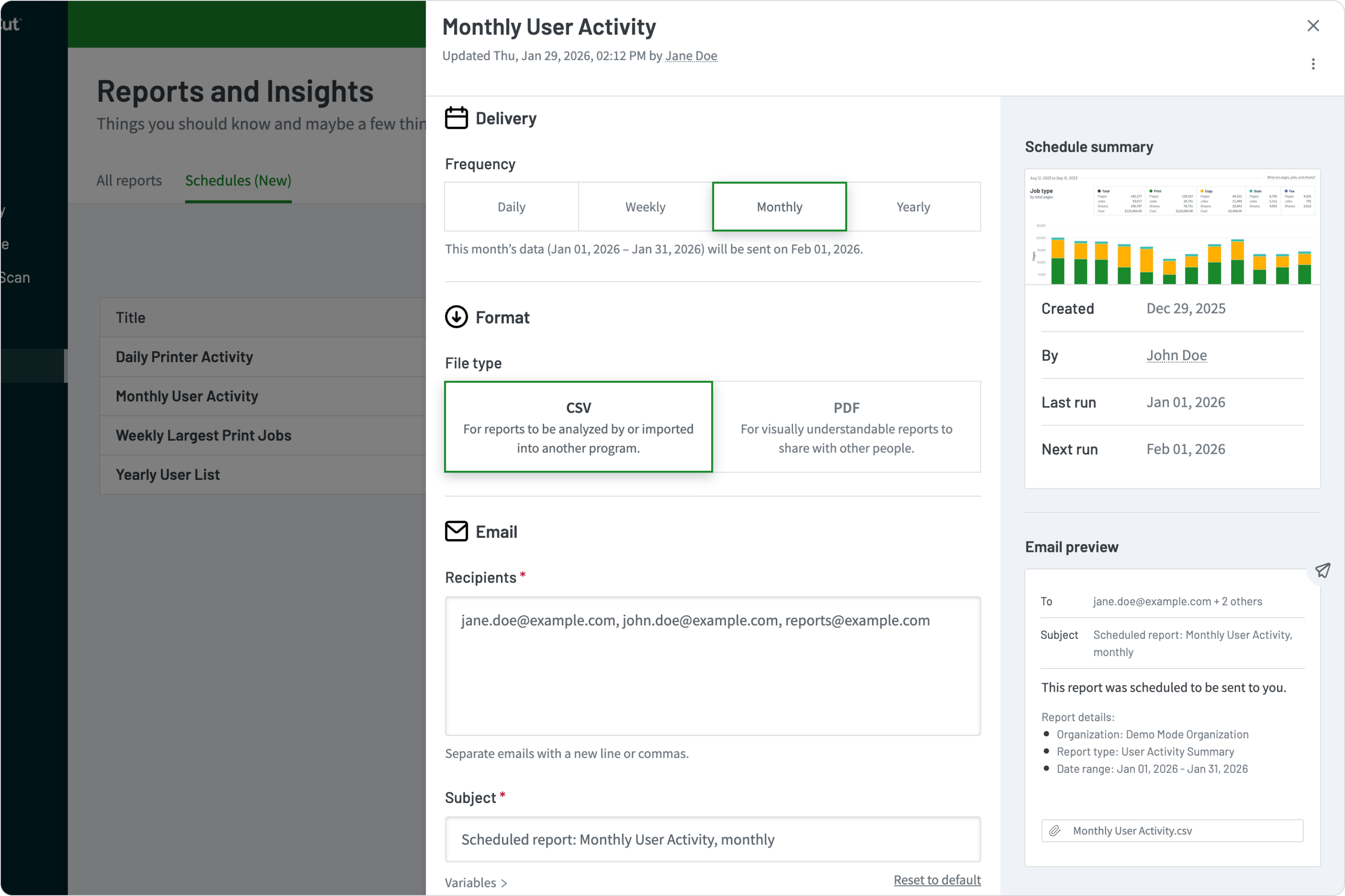
The user interface used to schedule reports to be emailed out to desired email addresses.

Environmental impact insights users can relate to

For education and sustainability-focused organisations, visibility becomes more powerful when it’s relatable.

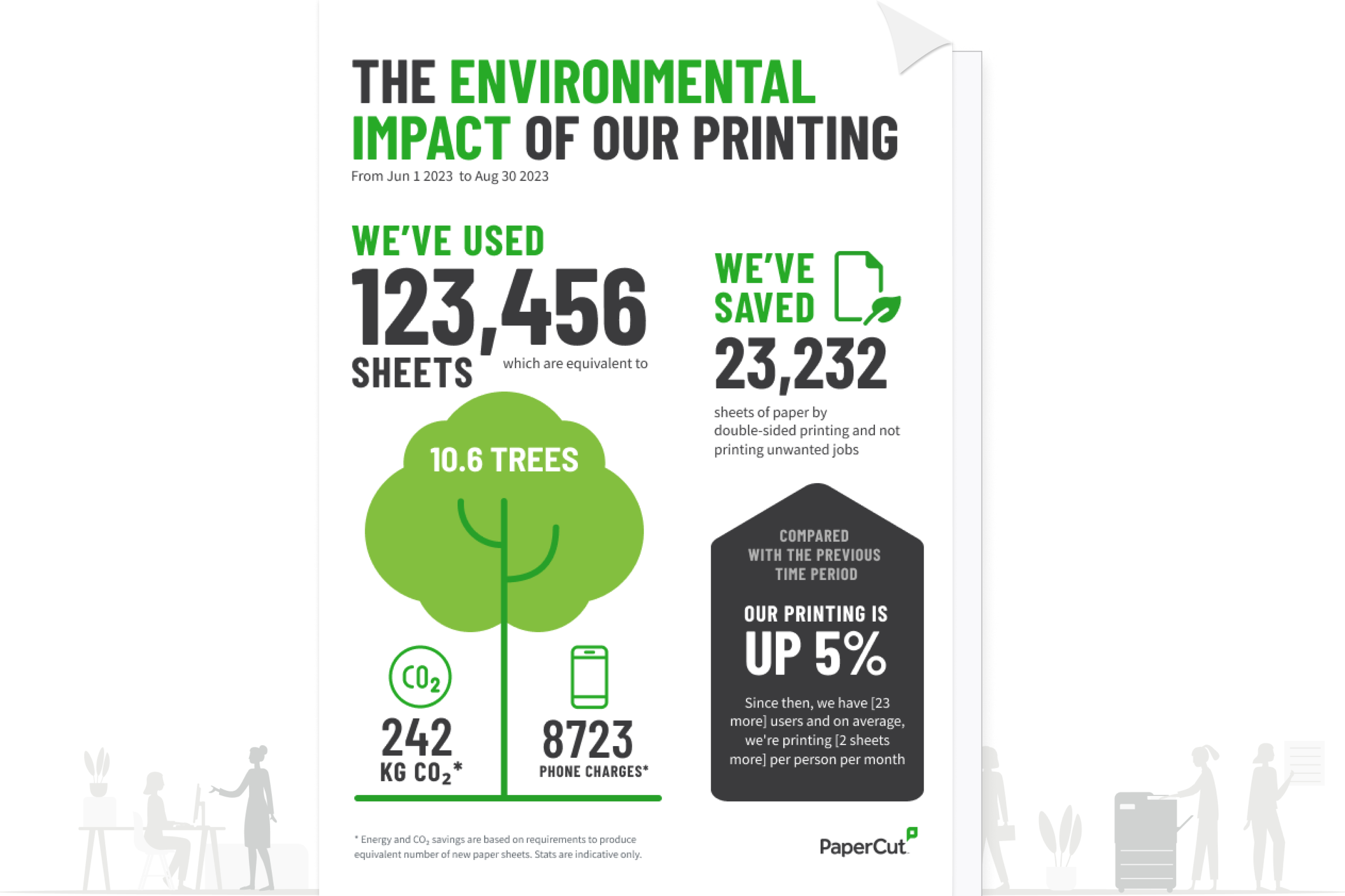
PaperCut Hive reporting can present print activity in real-world terms—helping users and leaders understand the environmental impact of printing and reinforcing positive behaviour change.

Take a look at our manual to understand the statistics used in our Environmental Summary Report .

Sample Environmental impact report summary