Choose your language

Choose your login

Support

How can we help?

PaperCut's AI-generated content is continually improving, but it may still contain errors. Please verify as needed.

Lightbulb icon
Lightbulb icon

Here’s your answer

Sources:

* PaperCut is constantly working to improve the accuracy and quality of our AI-generated content. However, there may still be errors or inaccuracies, we appreciate your understanding and encourage verification when needed.

Lightbulb icon

Oops!

We currently don’t have an answer for this and our teams are working on resolving the issue. If you still need help,
User reading a resource

Popular resources

Conversation bubbles

Contact us

Auditing, Logs and Reporting

Gain total oversight of your print environment with built-in reporting intelligence. Track every job, allocate costs accurately, and turn raw data into actionable insights for security and sustainability.

Complete visibility across your print environment

PaperCut MF Auditing, Logs & Reporting provide deep, mature visibility into printing, copying, and scanning activity—helping organisations reduce waste, protect sensitive information, and make informed decisions.

From everyday oversight to critical investigations, MF delivers reporting depth built up over decades of real customer needs.

See the manual for the full guide to accessing Reports in PaperCut MF and NG.
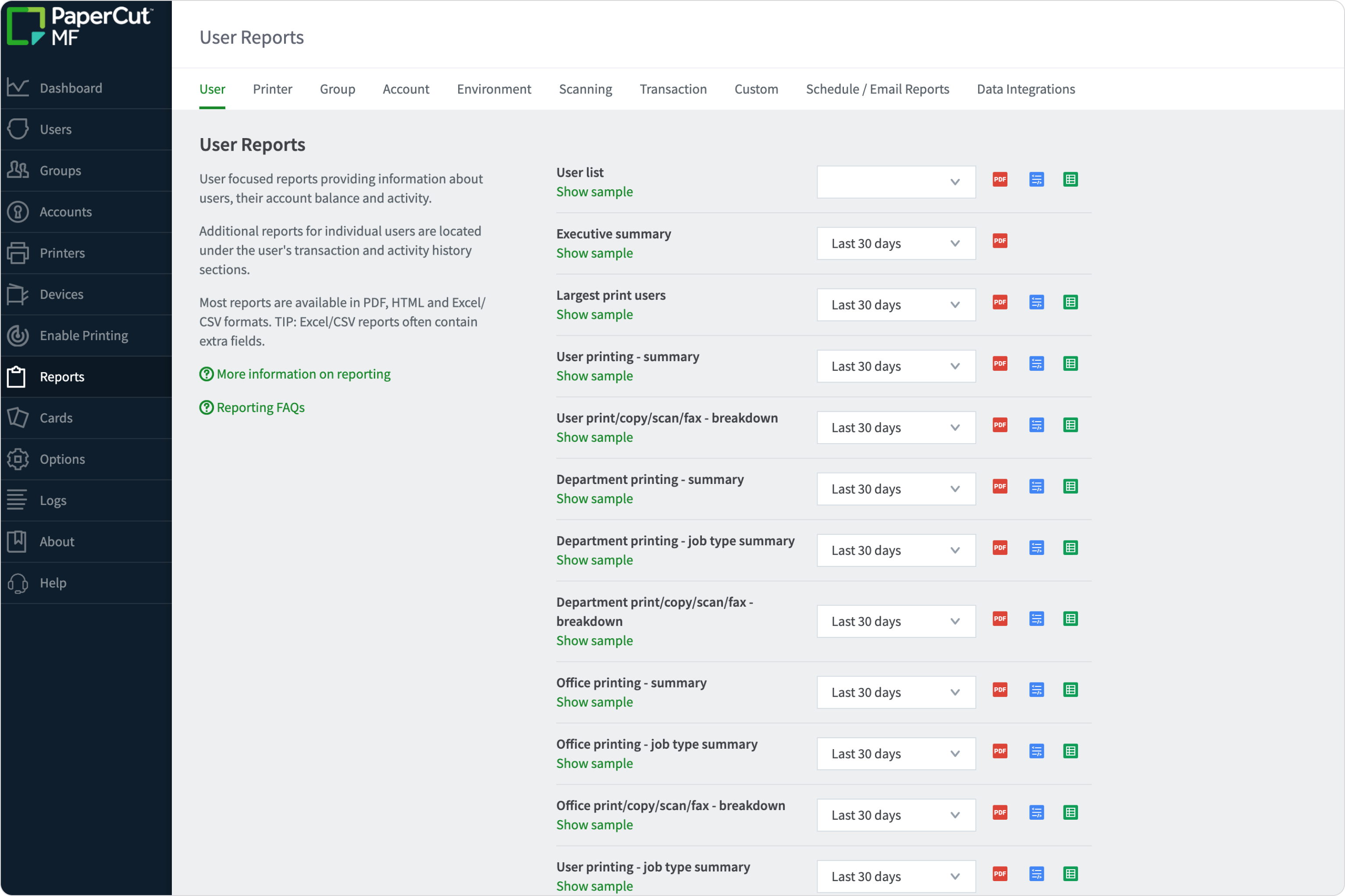
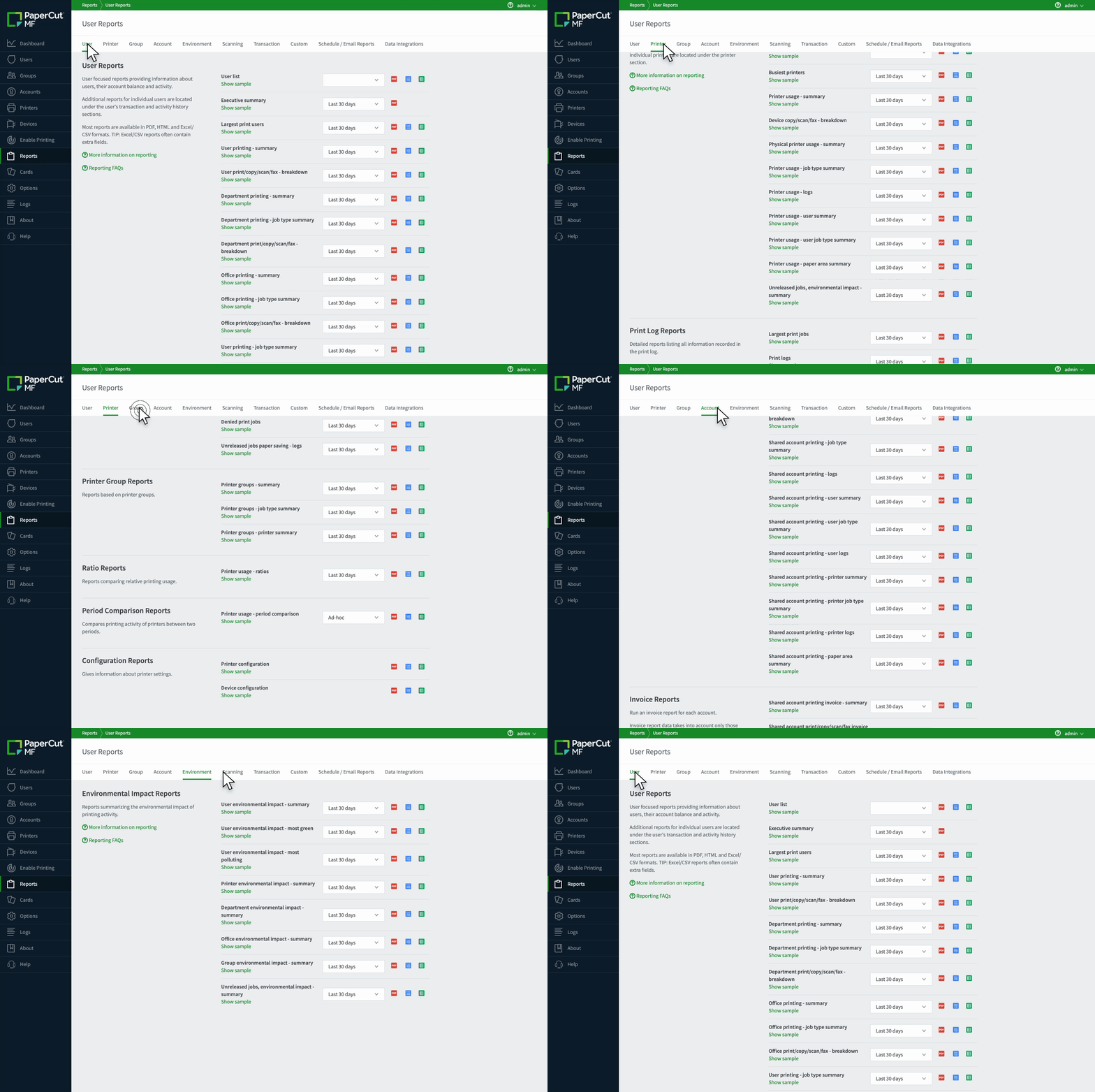
PaperCut MF user interface showing the list of available user reports.

Powerful reporting built from customer demand

The depths of reporting means most organisations never need to build custom reports—everything required is already available. PaperCut MF and NG includes:

  • 60+ built-in reports, developed directly from customer requests
  • Flexible filtering by user, group, device, account, and time period
  • Departmental, faculty, and cost-centre reporting
  • Job-level, summary, and trend-based views

For an overview of the built-in one-click Report types available, visit our manual.

Click through and scrolling of the different tabs in the report section to show the many different options available

Detailed logs for investigation and compliance

Comprehensive logs cover user actions, device activity, system events, and administrative changes.

Logs are commonly used to:

  • Investigate confidential document exposure
  • Identify unusual or unauthorised printing or validate user behaviour during disputes
  • Support financial and compliance audits
  • Explain the who and what behind the devices meter count.

For more possible uses of Print Log data see our manual.


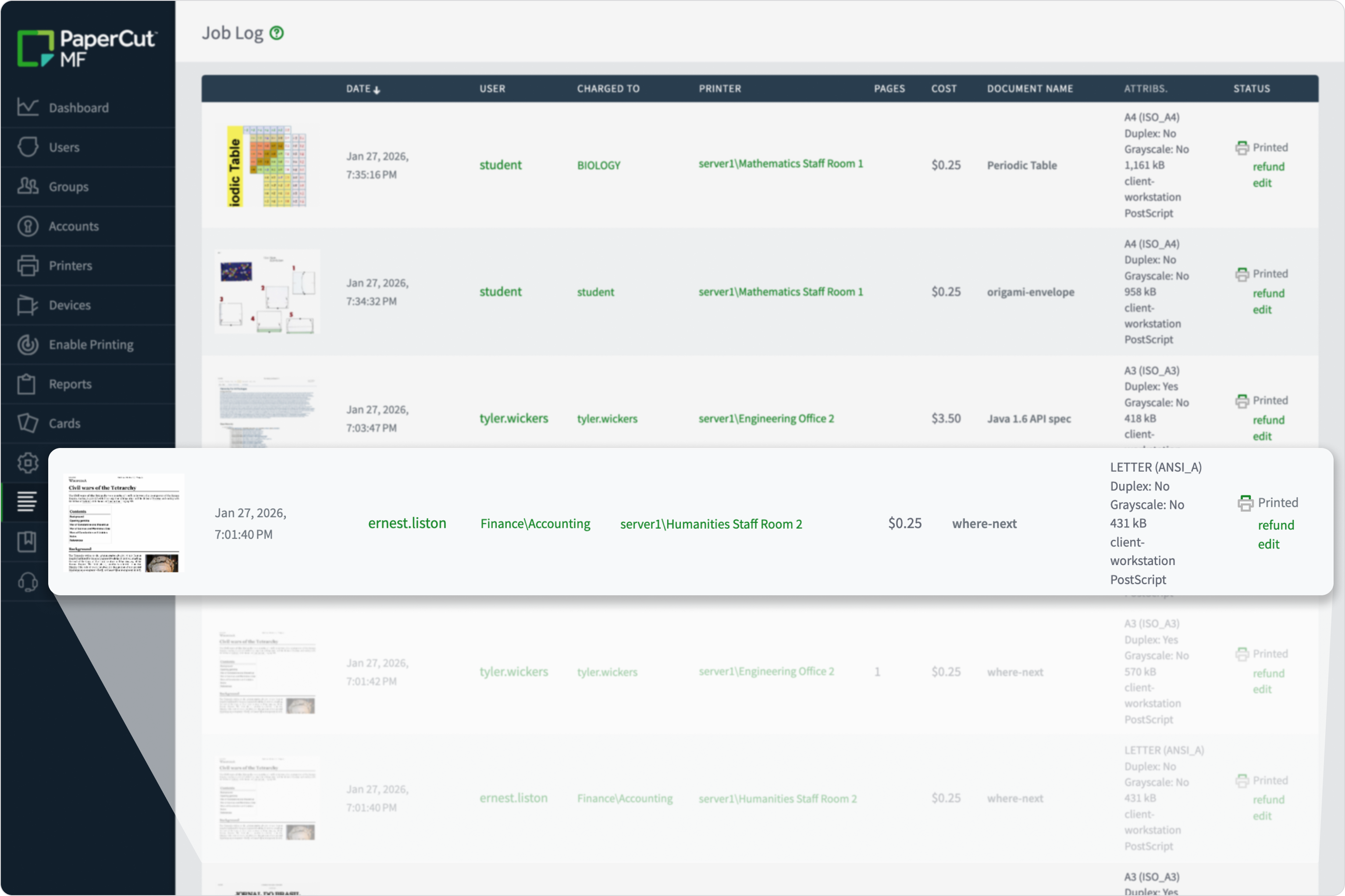
Job log, highlighting a job where the user chared to a shared account

Accountability for every change

PaperCut MF/NG audit logs provide a transparent history of system changes. By tracking the “who, what, and when” of every administrative action, you maintain a tamper-evident record of your print environment’s integrity.

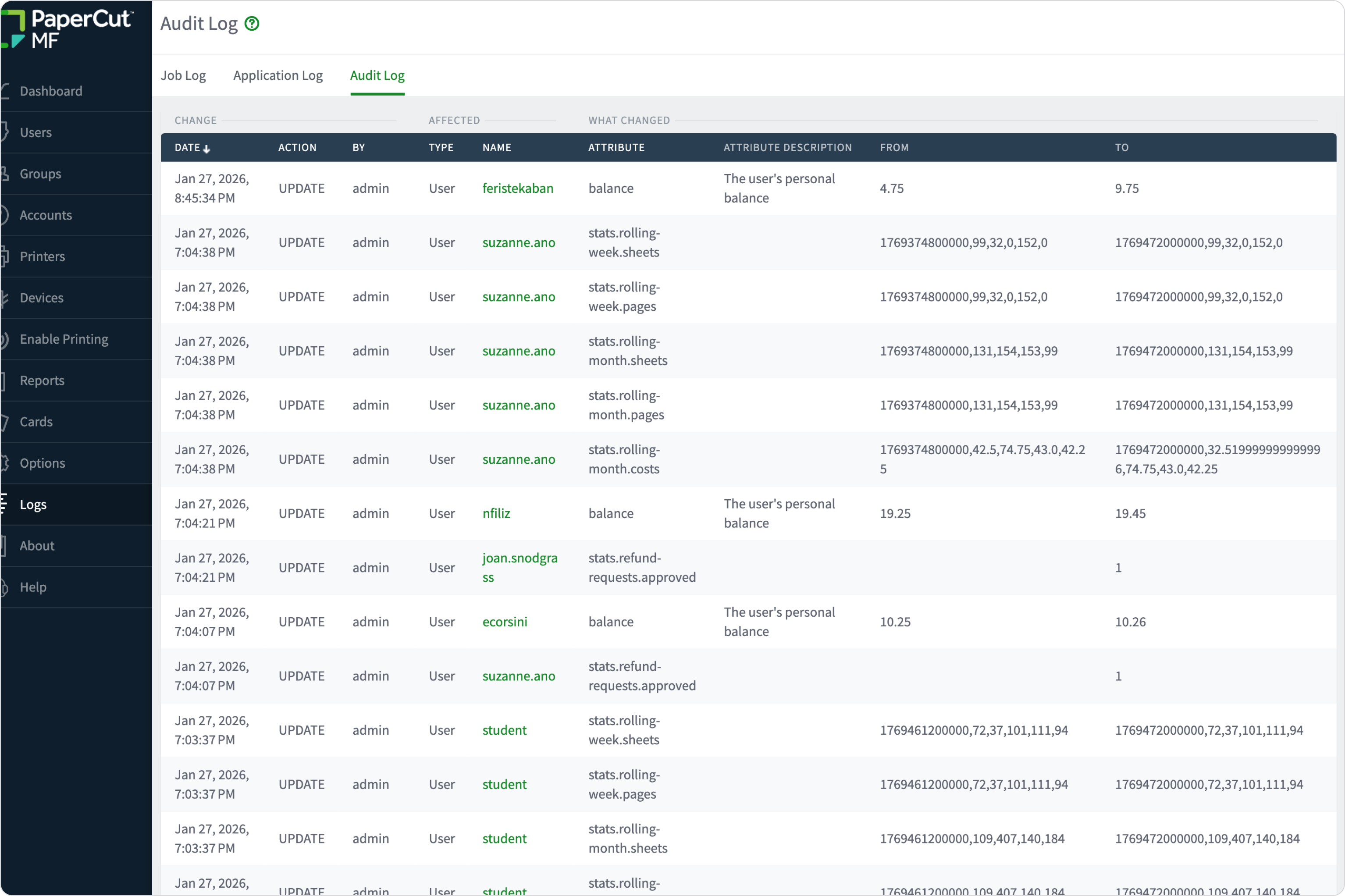
The audit log is detailed history of administrative changes made to users. It records modifications such as changes to user balances, shared account access, user properties (email, popup settings), card IDs, and PIN numbers. It also tracks which administrator made the change.

Read our manual for details on Audit logging configuration .

Automated insights with scheduled reporting

Automate your reporting workflow, ensuring the right people get the right data at the right time.

  • Schedule reports to run daily, weekly, or monthly.
  • Automatically send PDF or CSV reports to managers, finance teams, or department heads.
  • Send specific data (like departmental costs) only to the relevant budget owners.
  • Identify trends or spikes as they happen, rather than at the end of the quarter.

Read our guide to schedule and email reports here.

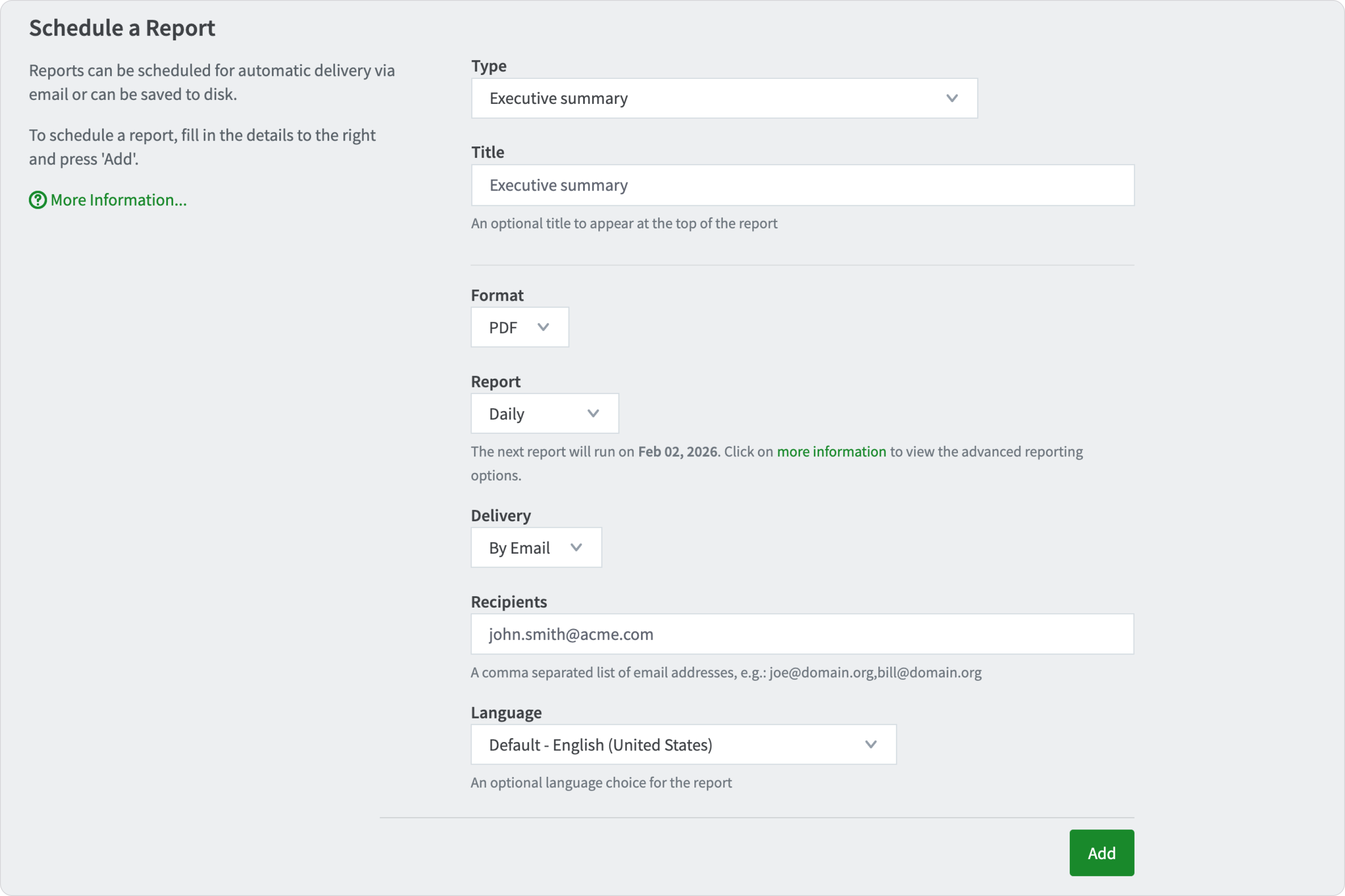
The user interface used to schedule a report to be delivered as a PDF via email.

Budgeting, forecasting & internal cost allocation

PaperCut MFand NG reporting helps finance and IT teams:

  • Allocate print costs to departments or cost centres
  • Support internal billing and chargeback
  • Forecast future print spend
  • Push cost ownership closer to decision-makers

In education, this enables faculty-level accountability. In corporate environments, it shifts print costs from central IT to individual departments.

Read more in our manual about how System administrators can Create custom reports in addition to the 60+ built-in reports.

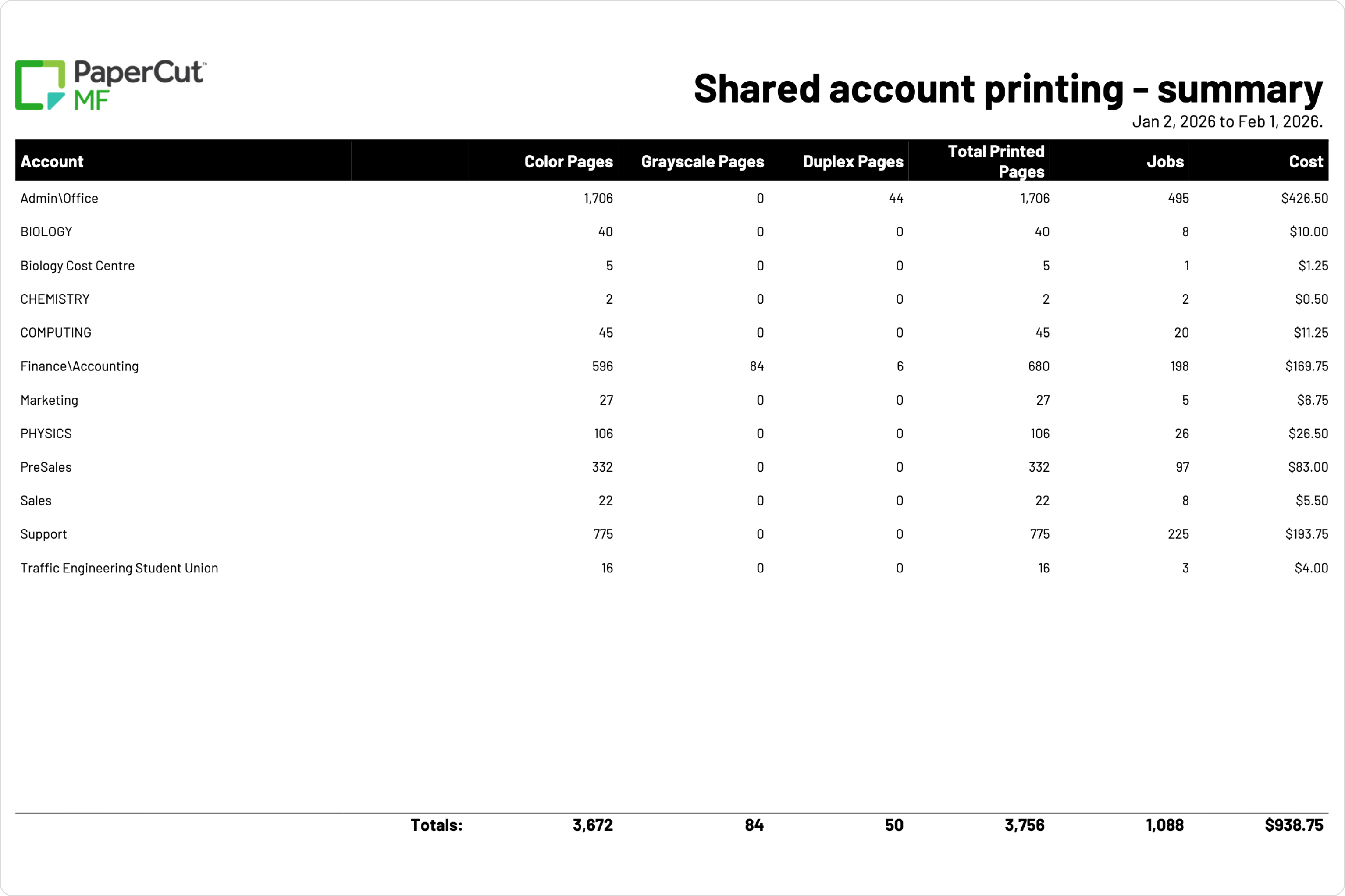
A sample of the shared account printing summary report showing print costs allocated via department.

Environmental reporting that drives behaviour change

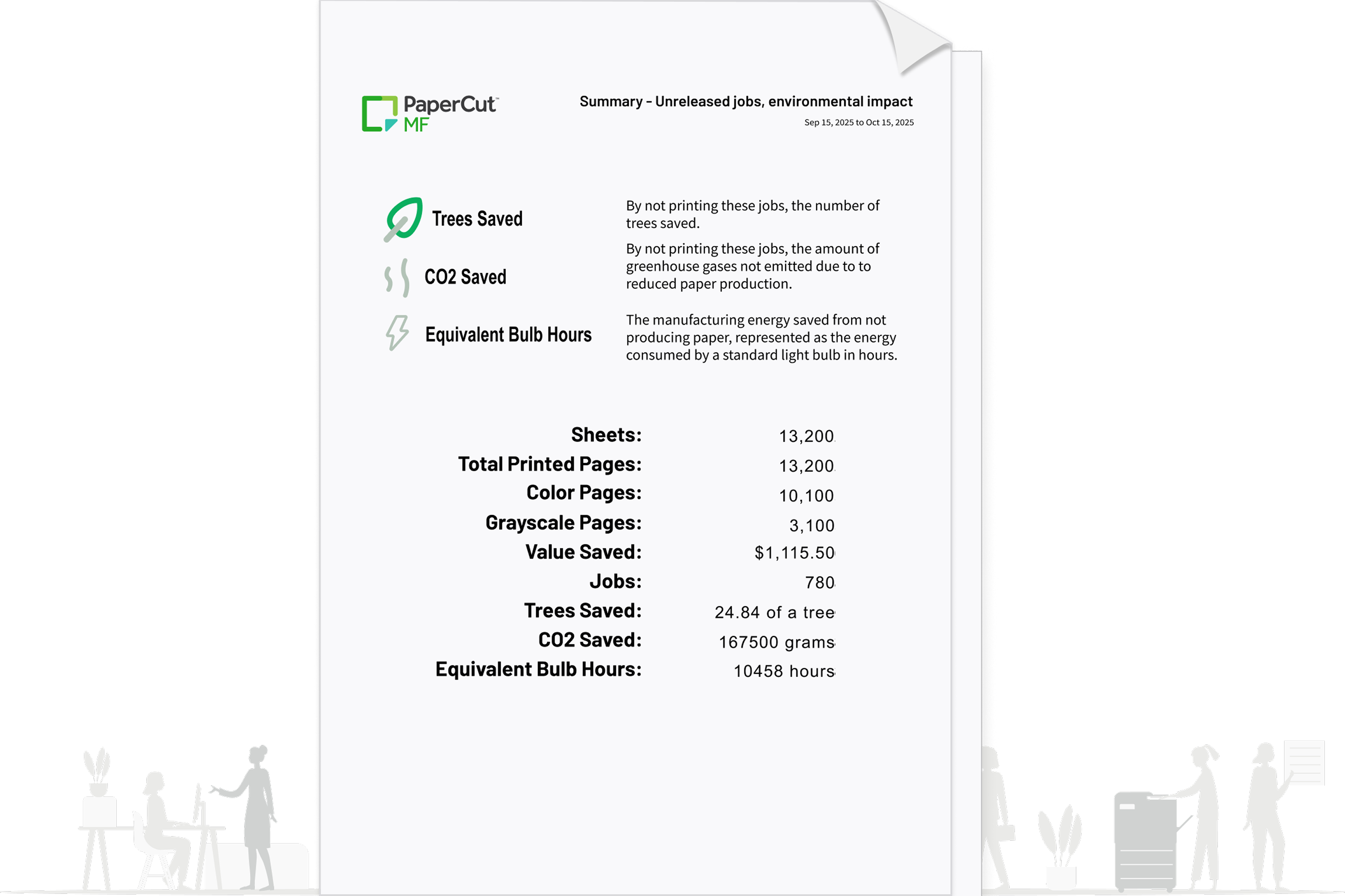
PaperCut MF includes environmental impact reporting that translates print activity into meaningful equivalents—such as trees, carbon, and energy usage.

These reports are frequently used to:

  • Support sustainability initiatives and environmental reporting requirements
  • Educate users on real-world impact
  • Reinforce positive printing behaviour

Visit this manual page for more details about Environmental Impact Reporting and options to customise reference values for your organisation.

a sample of the environmental impact summary report