Choose your language

Choose your login

Support

How can we help?

PaperCut's AI-generated content is continually improving, but it may still contain errors. Please verify as needed.

Lightbulb icon
Lightbulb icon

Here’s your answer

Sources:

* PaperCut is constantly working to improve the accuracy and quality of our AI-generated content. However, there may still be errors or inaccuracies, we appreciate your understanding and encourage verification when needed.

Lightbulb icon

Oops!

We currently don’t have an answer for this and our teams are working on resolving the issue. If you still need help,
User reading a resource

Popular resources

Conversation bubbles

Contact us

Advanced Scripting

Most print rules are rigid—you’re either allowed to print or you aren’t. Advanced Scripting transforms your print environment into a workflow engine that adapts to your organization's unique DNA.

Nudge users toward better habits while printing

Printing doesn’t have to be a “fire and forget” habit. Use interactive pop-ups to act as a consultant, helping users choose sustainable options like grayscale or duplex right when they’re about to print.

You can see how to create your first user prompt in our comprehensive manual.
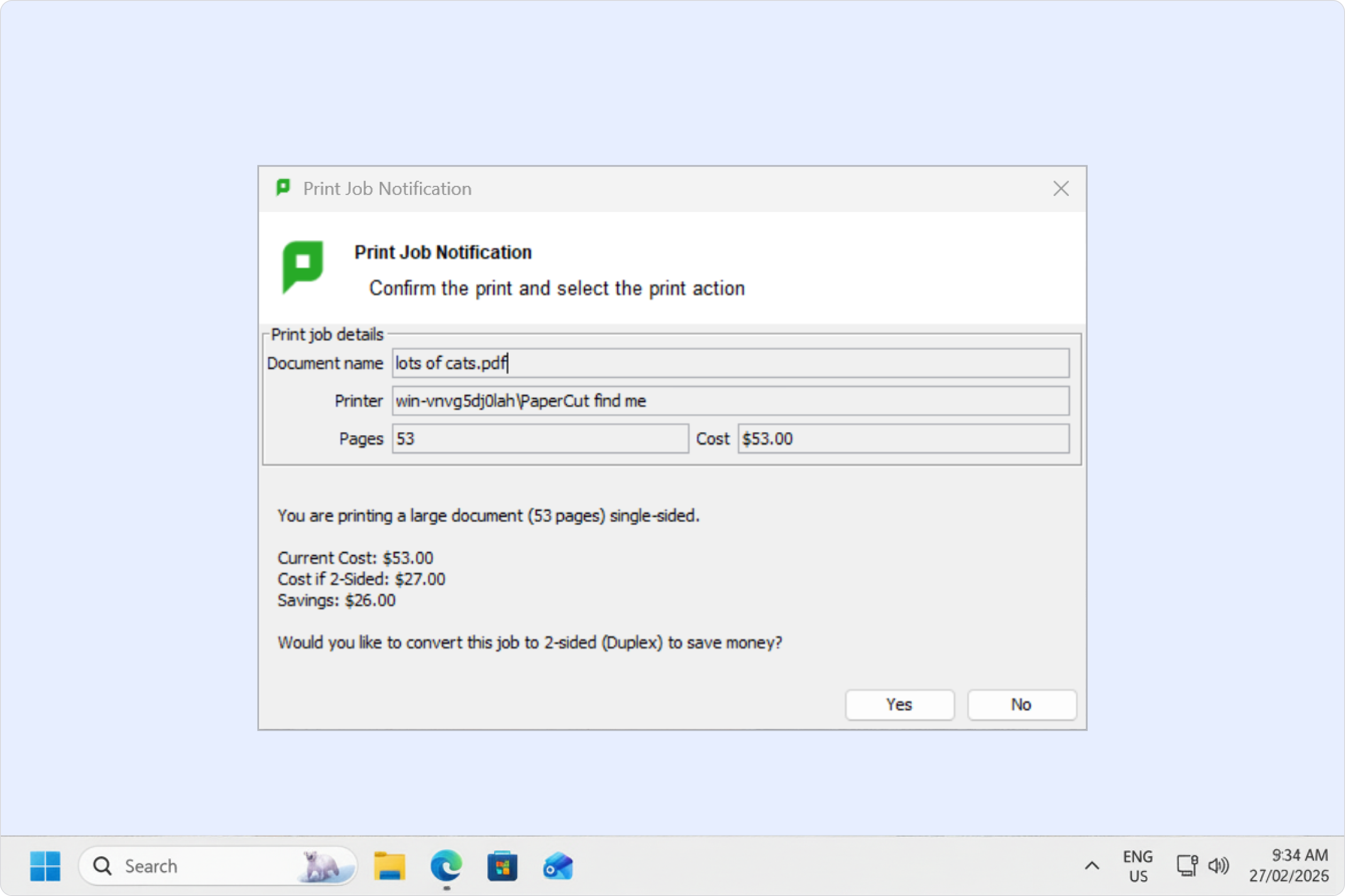
A PaperCut MF interactive script window showing a sustainability nudge to a user.

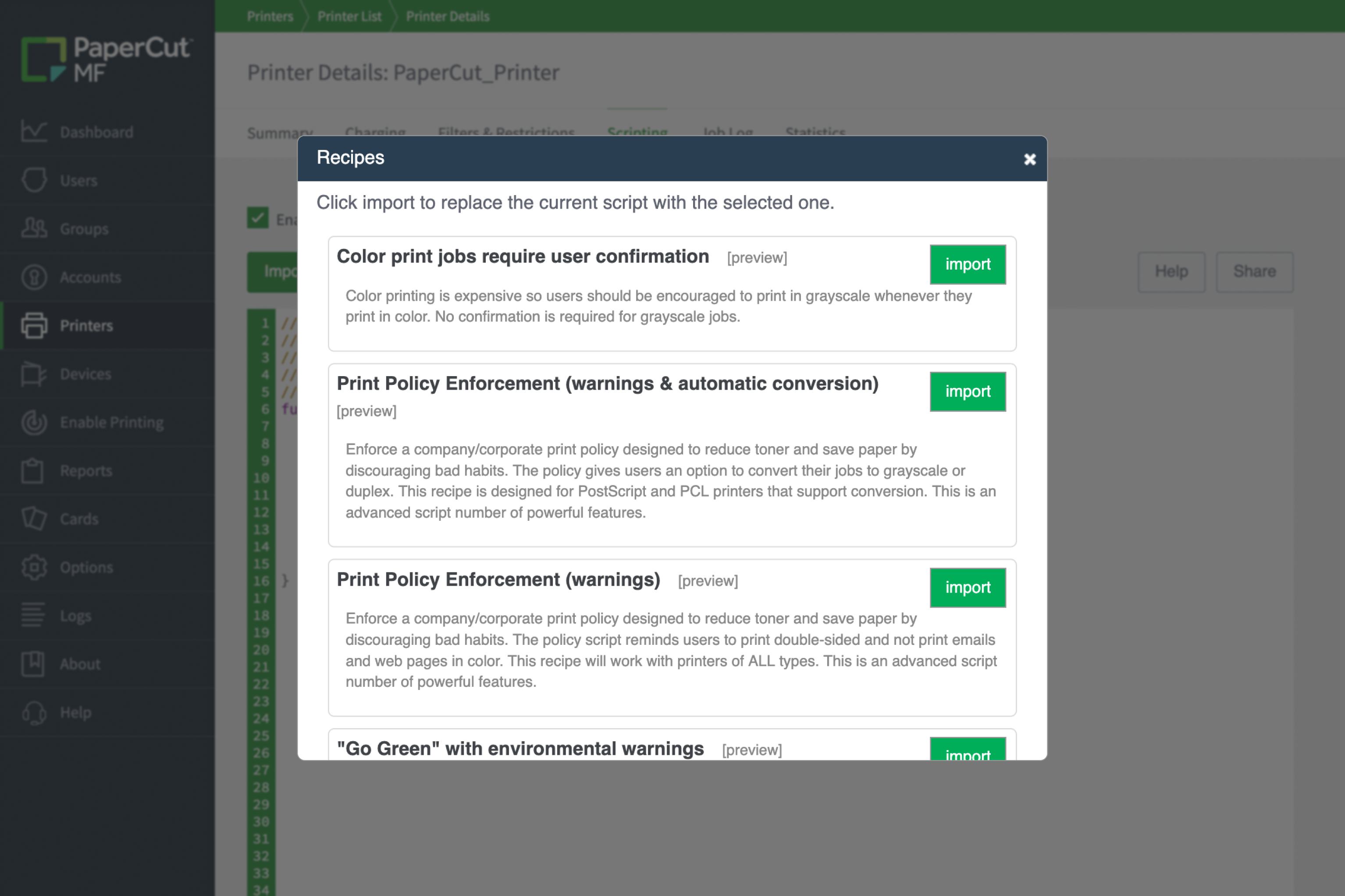
Deploy pre-defined recipes for instant results

You don’t need to be a software engineer to build complex logic. Browse a curated library of “off-the-shelf” recipes for common business requirements and import them with a single click. Discover the full range of one-click logic options in our script recipe library .

he PaperCut MF script recipe library window showing a list of pre-defined automation templates.

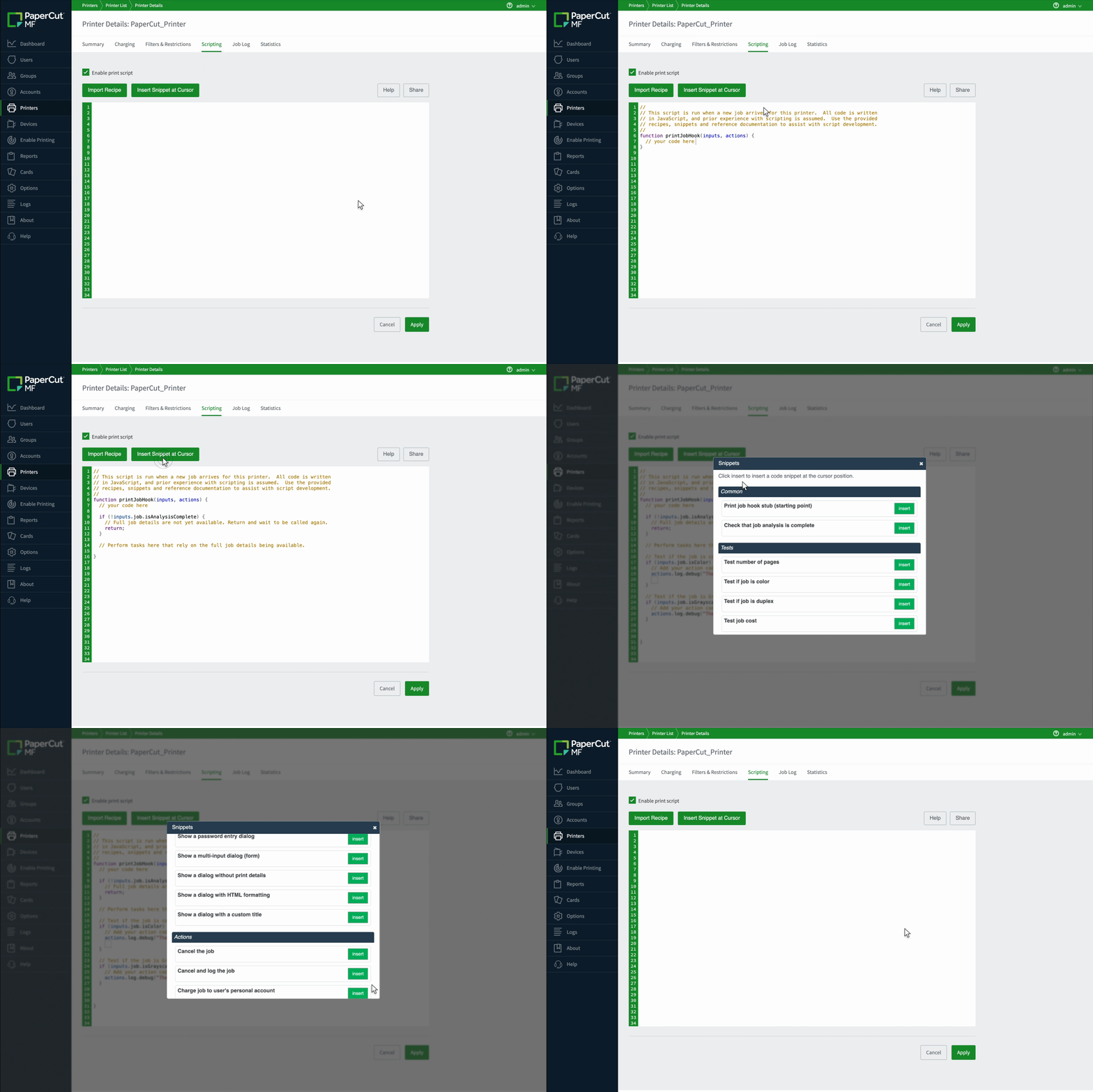
Assemble custom logic with modular code snippets

While recipes provide a complete solution, snippets are the modular building blocks used to customize them. Simply place your cursor anywhere in the script editor to insert specific fragments of functional code, like checking a user’s department or looking up a project code. Learn how to assemble your own logic using code snippets in our technical documentation.

The PaperCut MF script editor interface highlighting the popup menu where modular code snippets are inserted into an active script

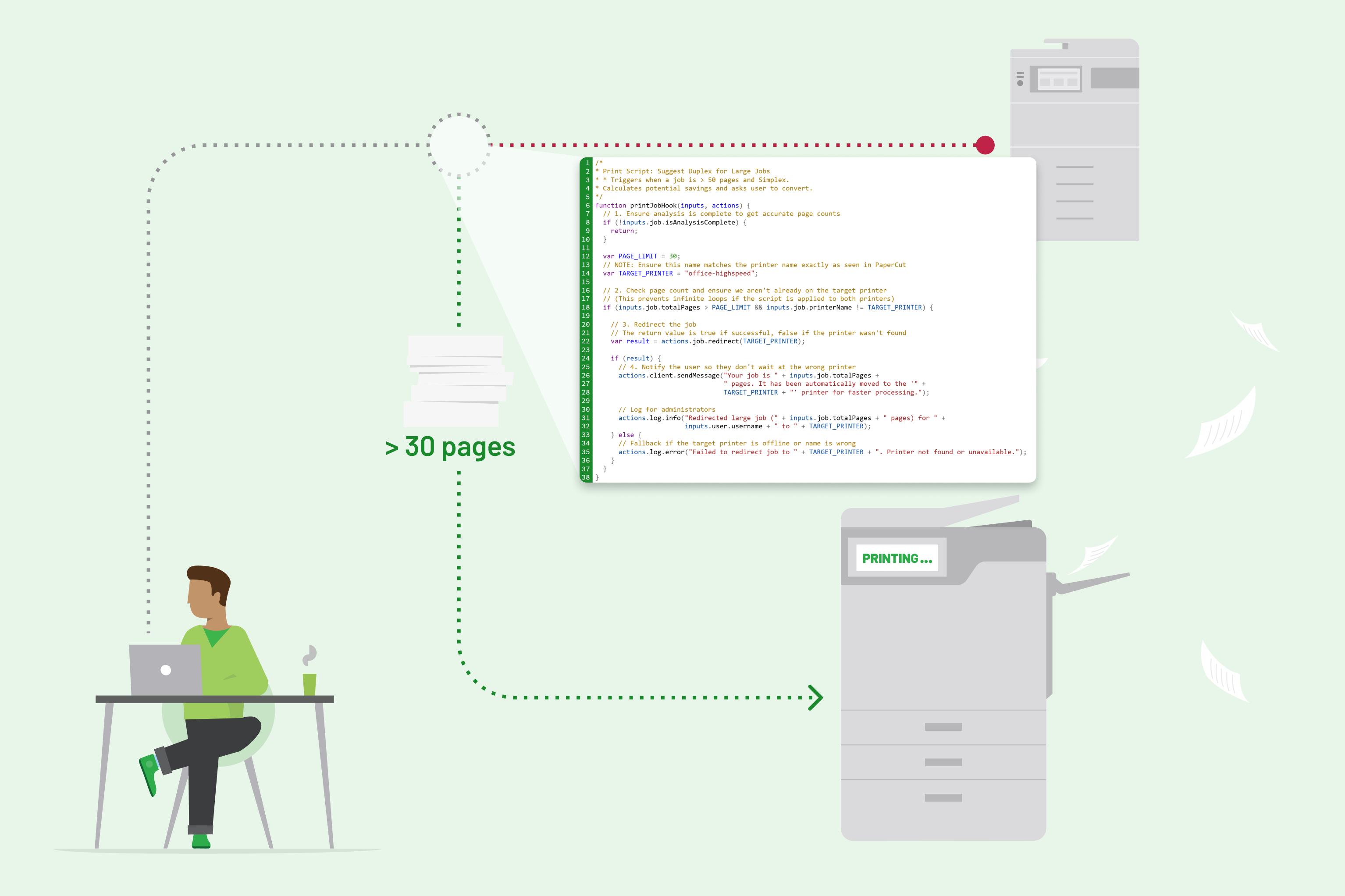
Optimize your fleet with automated job redirection

Keep your hardware running efficiently by automatically moving high-volume jobs to your most cost-effective devices. This 24/7 traffic controller ensures your printers are always used for what they do best without Administrators needing to lift a finger.

Learn more about optimizing printer load balancing in our technical blog.

A diagram illustrating a print job being automatically redirected to a high-volume printer via a script

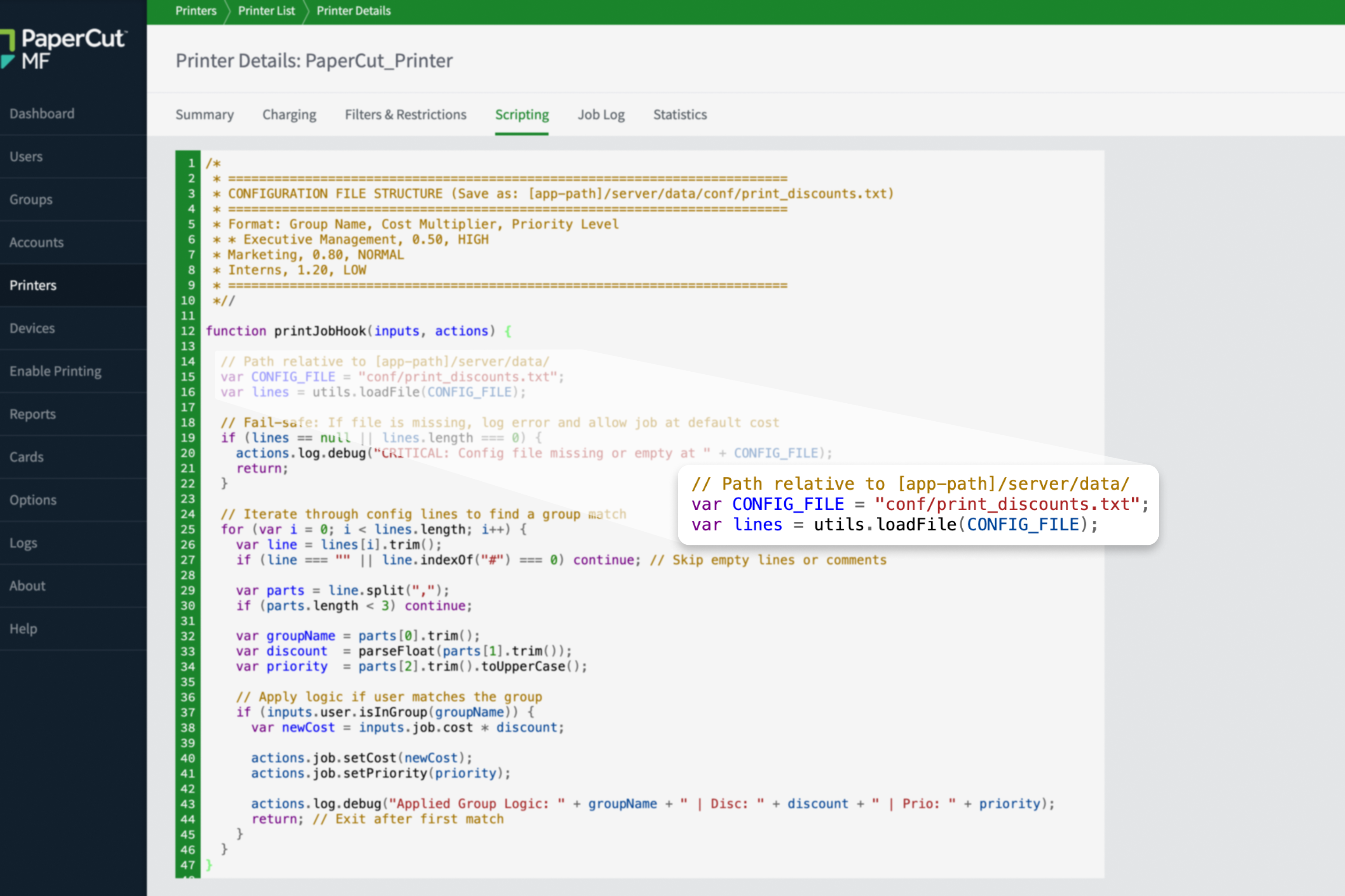
Build custom logic for your organization's unique DNA

Go beyond standard settings by using scripts to handle niche workflow hurdles or specific organizational policies. Whether you’re enforcing specialized budget checks or calculating costs based on unique document metadata, the logic adapts to your exact needs

Explore how to apply advanced logic to your print environment in our technical documentation.

The PaperCut MF script editor interface showing advanced logic that references a CSV file for print job validation.

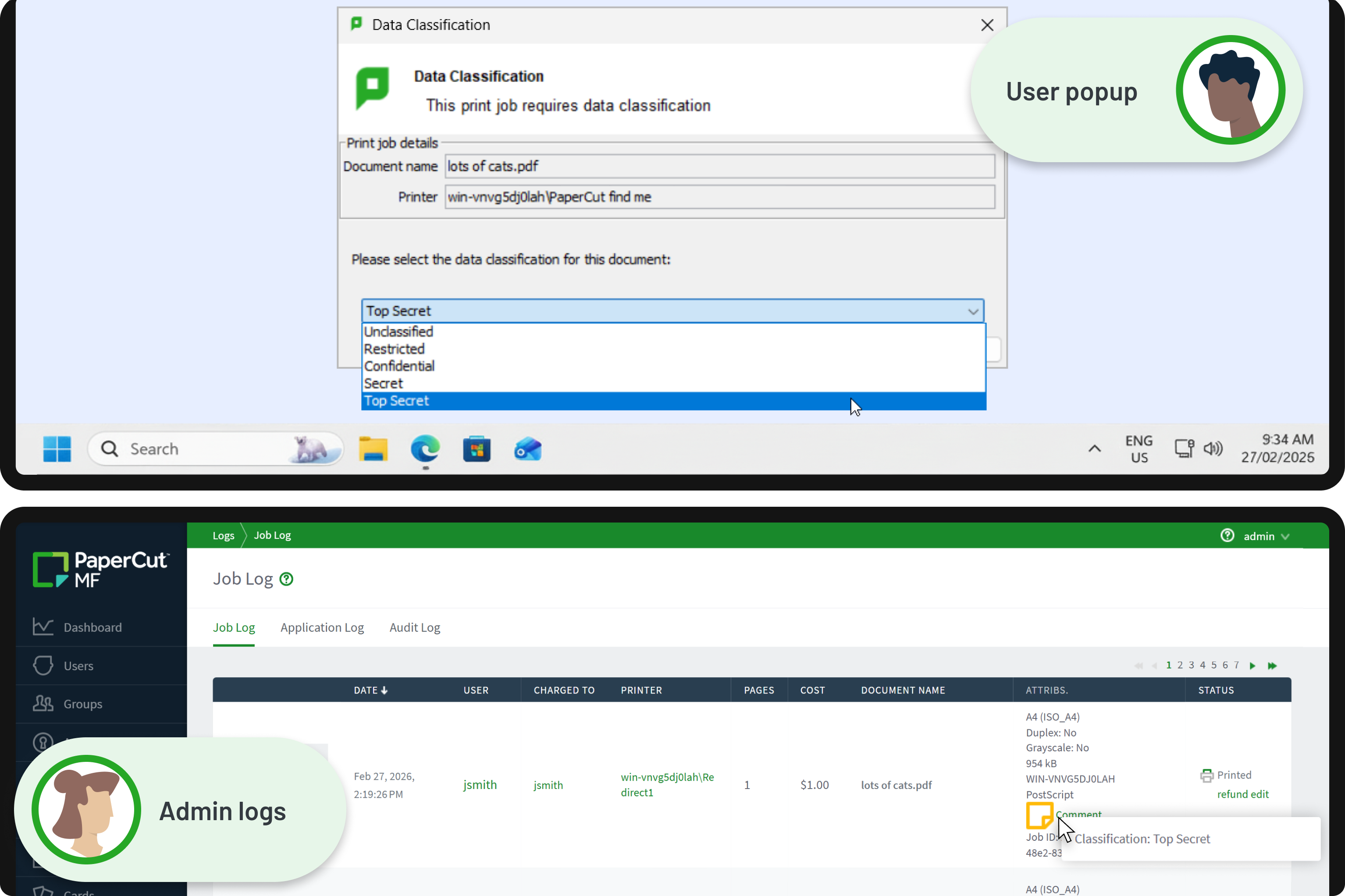
Secure sensitive data with intelligent governance

Move beyond blunt access controls by asking users to classify documents at the point of print. For restricted files, your scripts can automatically trigger archiving to ensure you meet strict compliance and data governance standards.

Dive into the full list of available script actions that can be tailored to your needs in our manual.

A custom PaperCut MF script window for document security classification.