


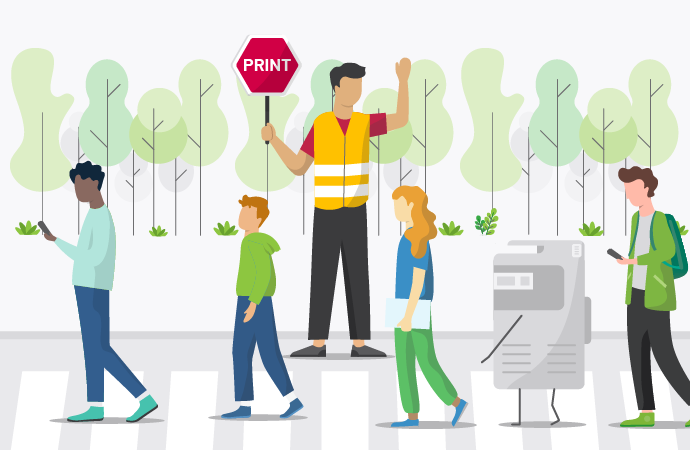
The best print management software helps schools do way more than shrink their printing costs (although it definitely saves money too). But how else can print management software help schools?
Print management gives school IT teams control over who prints what, protects sensitive student and staff information, supports bring-your-own-device (BYOD) printing, and reduces paper waste. Not too shabby. Solutions like PaperCut MF and PaperCut Hive help schools get on top of their print infrastructure, and make it work for them.
What kind of print management software do schools actually need?
The best print solutions for schools help them monitor, secure, and manage printing across classrooms, libraries, admin offices, and shared computer labs. Even across campuses. The right solution depends on your school’s size, infrastructure, device environment, and print policies.
Here are some approaches we see all the time:
- Server-based print management: Also known as on-premise printing. Software (like PaperCut MF) runs alongside a print server, providing centralized admin, reporting, access controls, and advanced print management features.
- Cloud-based print management: Full cloud deployment alongside a platform like PaperCut Hive, which uses distributed architecture to simplify printing (and remove the need for on-prem servers).
- Basic printer utilities: Some schools rely solely on manufacturer and built-in operating system tools, which leaves them exposed when it comes to centralized management, tracking, and print security.
- Print monitoring and cost-control tools: These focus on usage reporting, quotas, and restrictions, helping schools understand and manage their printer use.
For schools with complex requirements (which, let’s be frank, is nearly all schools) print management software can bring all these capabilities together in one, easy-to-manage dashboard.
How can print management software help schools?
1. Control printing costs and reduce waste
Without central oversight and laser-guided policy, print costs can quickly spiral across departments, year levels, and campuses, particularly when students and staff have unrestricted access to printers.
Print management tackles this in two ways. First, through implementing student printing allowances or department budgets it puts clearly defined guardrails on who can print what, how much, and when. Second, it helps schools track printing as it’s happening, so they can develop policies that reflect actual student usage.
Some nifty capabilities include:
- Print quotas and allocation limits for students or departments
- Print rules that default jobs to duplex, or black-and-white printing
- Reporting on print volumes, users, and devices
- Secure print release, to cut down on wasteful, abandoned jobs
These are just some of the controls on offer, but they really help schools make informed decisions about printer placement, purchasing and resource allocation.
2. Protect student and staff information
Schools handle a lot of sensitive information, from student assessments and health records, to staff documents and administrative paperwork. And leaving confidential student information sitting in a shared printer tray creates a real risk of unauthorized disclosure, potentially exposing schools to FERPA (US) or GDPR (Europe) compliance issues. Nobody wants that.
Secure print release helps reduce the unauthorized collection of documents by requiring students and teachers to authenticate at a printer before their print job is released. Users can authenticate with an ID card or PIN, with some printer and authentication configurations even allowing for biometric options.
3. Support BYOD and modern learning environments
For schools managing a mix of Chromebooks, Windows laptops, Macs, and mobile devices, compatibility is everything. Supporting all those at once creates a significant workload for IT teams (just ask your nearest sysadmin).
PaperCut MF uses Mobility Print to simplify printing from school-managed and personal devices, and Print Deploy to automate printer and driver deployment for supported managed environments.
PaperCut Hive alternatively supports cloud-managed printing with serverless architecture, helping schools simplify deployment.
BYOD is here to stay, but that doesn’t mean that chaos is inevitable. You just need the right tools to tame it.
4. Reduce IT admin
Printer drivers, queue configuration, software updates, and troubleshooting: they all suck up valuable IT time, particularly when a school has multiple buildings or you’re managing schools across an entire district.
Print management software centralizes all these critical admin tasks, from district-wide print policies to automated queue deployment, making it easier to manage users, printers, and policies consistently. One dashboard, one point of truth, and one print workflow for everyone.
5. Improve sustainability
Here’s another cool benefit: schools can reduce paper and toner consumption by making responsible printing the default.
When people print more consciously and less on autopilot, they tend to print less. Print management software supports sustainability through things like duplex defaults, color restrictions, print quotas, and print reporting (the best way to quickly spot unnecessary printing). Secure print release also makes sure that nothing gets printed and forgotten, because if the job isn’t released at the machine, it never even hits the paper tray.
PaperCut MF vs PaperCut Hive: Which is right for your school?
It’s hard to weigh up software solutions, sometimes even within the same vendor ecosystem. Both PaperCut Hive and PaperCut MF help schools manage printing, but they’re tailored to different infrastructure setups.
What you need | PaperCut MF | PaperCut Hive |
Architecture | Server-based with flexible hosting | Cloud-managed, serverless print management |
Infrastructure | Requires an application server | No traditional server required |
Centralized print management | Yes | Yes |
Usage tracking and reporting | Yes | Yes |
Secure print release | Supported | Supported |
Best suited for | Schools wanting extensive controls, integration and flexible hosting | Schools wanting to simplify print infrastructure |
Check out PaperCut’s solutions for K–12 schools to see how print management can support your school’s particular needs.
How should schools choose print management software?
Before you pick a solution (and sign a contract) school IT teams should:
- Audit the environment. Document all your printers, users, devices, existing servers, and current printing workflows.
- Define policies. Decide how student and staff printing should work, in an ideal world, including quotas, color access, and secure release.
- Check compatibility. Confirm support for the school’s existing devices, printers, authentication systems, and network.
- Pilot the solution. Test your new platform in the library, or a small computer lab, before rolling it out across the school.
- Review the results. Assess usability, administration effort, security, and printing behavior before expanding deployment. Your users are your best source of truth.
School printing FAQ’s
What’s the difference between print management software and managed print services?
Print management software helps schools monitor, secure, and control printing, with features like usage reporting, student quotas, and secure print release. Managed print services (MPS) are supplied by an external provider responsible for supplying and managing the upkeep of printers, consumables, or other aspects of the print environment. Schools can use print management software by itself, or as part of a managed print services arrangement.
What is the best print management software for schools?
The best solution is whatever helps your school achieve its print goals (while disrupting users and day-to-day school stuff as little as possible). For some schools, that will be a server-based platform, like PaperCut MF. For others, it’ll be a full cloud deployment alongside PaperCut Hive.
Can print management software support student BYOD?
Absolutely! In fact, that’s one of its best use cases. You just need to make sure that your software solution supports your existing device fleet. Check out our guide to mobile device management for more info.
Does print management software improve school security?
When it’s implemented correctly, 100%. Print management can help protect sensitive documents through secure print release, user authentication, access controls, and activity tracking. Solutions like PaperCut also support encrypted print workflows, but protection depends on the product chosen, the specific printer, and the wider network configuration. Of course, these controls should form part of your broader school cybersecurity strategy.
Explore PaperCut MF and PaperCut Hive to find the right approach for your school’s print environment.