Choose your language

Choose your login

Support

How can we help?

PaperCut's AI-generated content is continually improving, but it may still contain errors. Please verify as needed.

Lightbulb icon
Lightbulb icon

Here’s your answer

Sources:

* PaperCut is constantly working to improve the accuracy and quality of our AI-generated content. However, there may still be errors or inaccuracies, we appreciate your understanding and encourage verification when needed.

Lightbulb icon

Oops!

We currently don’t have an answer for this and our teams are working on resolving the issue. If you still need help,
User reading a resource

Popular resources

Conversation bubbles

Contact us

User web interface

Give your users a self-service printing kiosk that does the heavy lifting for your help desk. From driverless Web Print to real-time balance tracking, it turns complex printing into a simple, branded, and frictionless experience.

Manage balances and top up funds

Eliminate “where are my credits?” tickets by giving users total visibility and control over their personal print budget. This centralized financial hub allows users to manage their funds without needing to visit an office or call support, including:

  • Topping up funds instantly via integrated payment gateways
  • Reviewing a live, line-item transaction history for all print activity.
  • Checking real-time personal balances to avoid surprises at the printer.
  • Redeeming pre-paid “Top-up Cards” for quick credit increases.

Explore how to set up payment gateways or dive into the details of how users track their own transaction history in our guides.
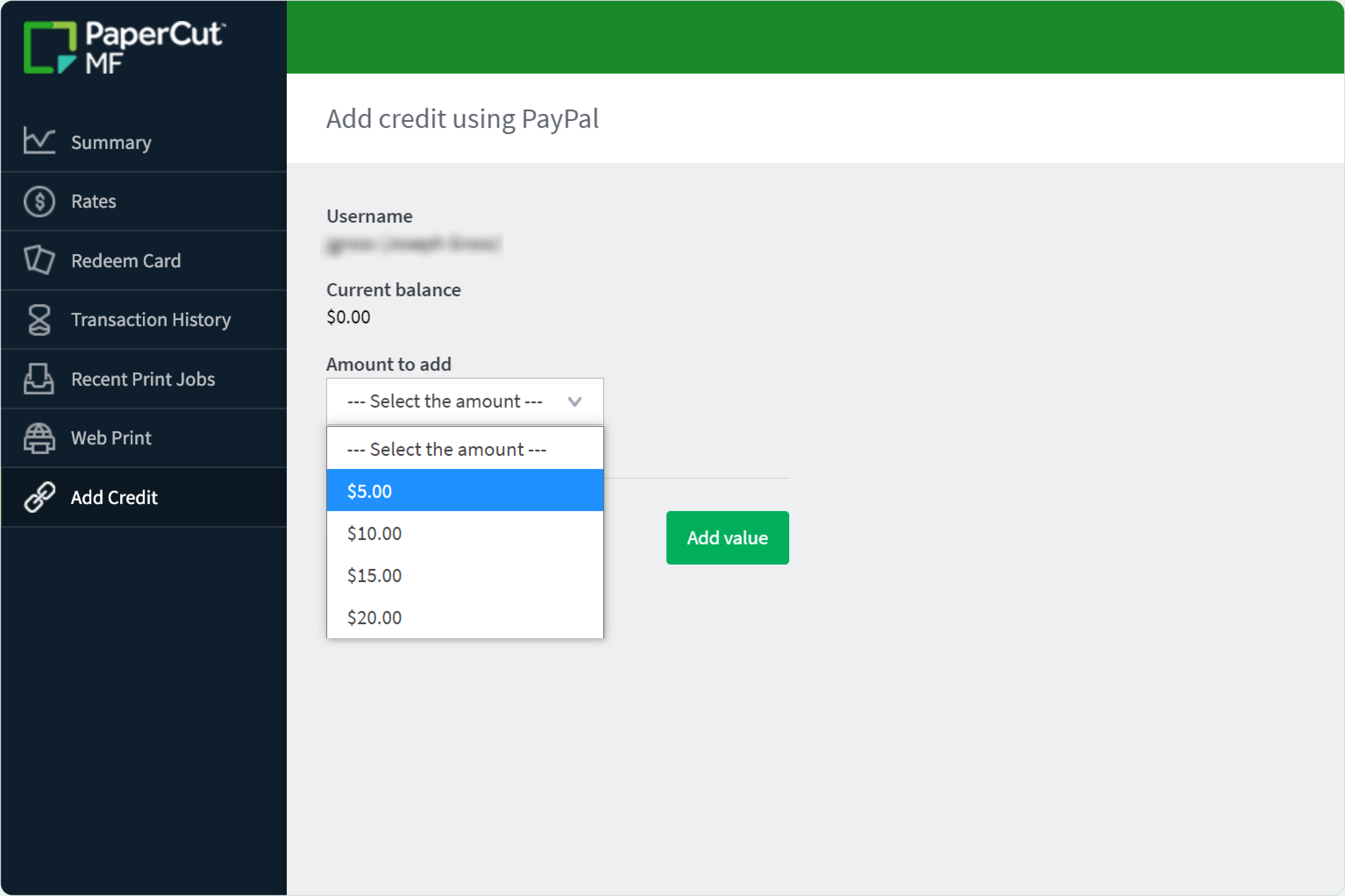
The PaperCut MF payment top-up screen

Automate refund requests with a simple workflow

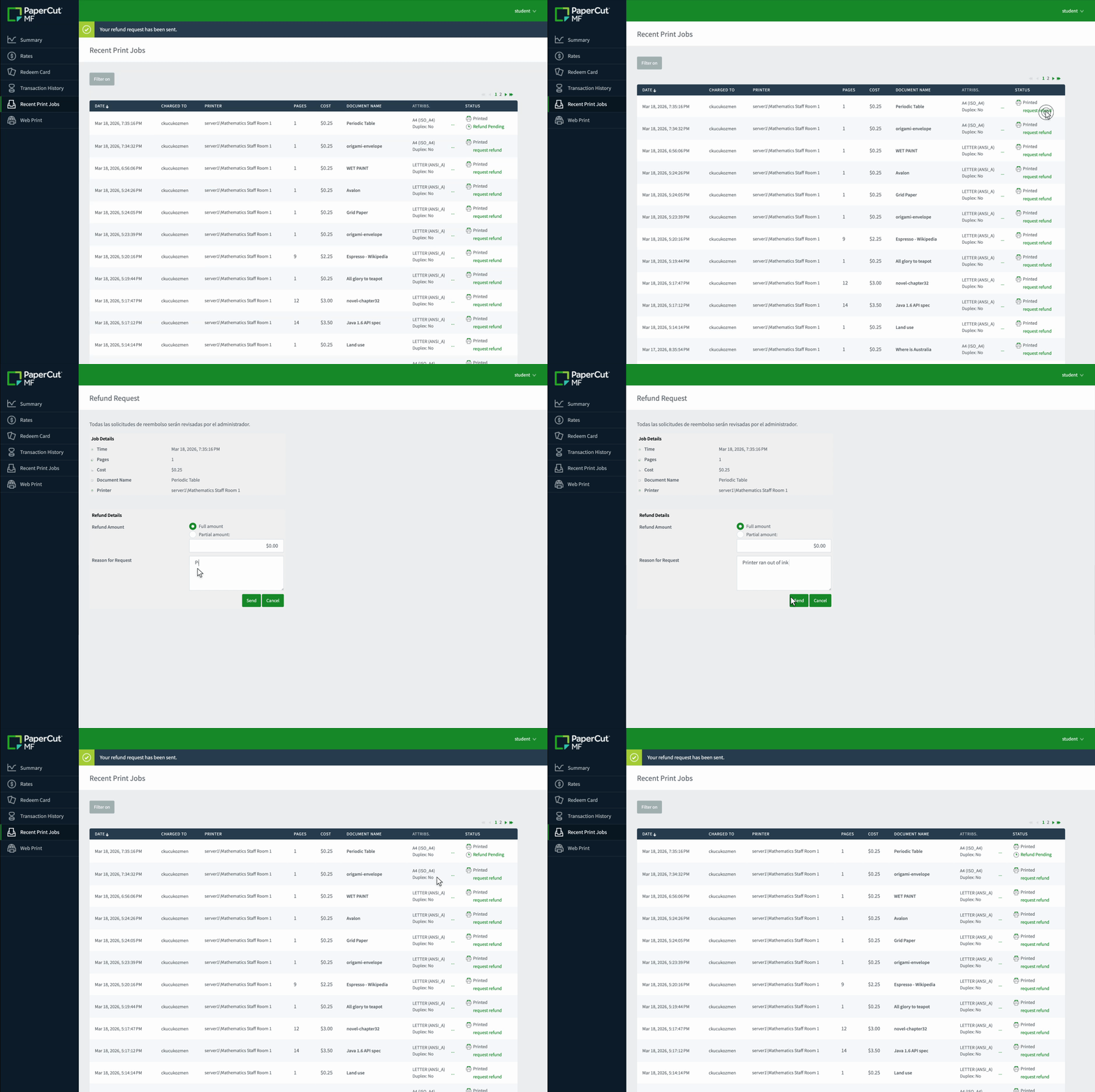
Turn the manual email back-and-forth of failed print jobs into a simple, button-click process that keeps everyone happy.

Users submit a request with a reason directly through the interface, allowing administrative staff to approve or deny it from the console in seconds.

See how you can configure and manage user refund requests in the manual.

The refund request workflow where a user can select a failed job and provide a reason for a credit return.

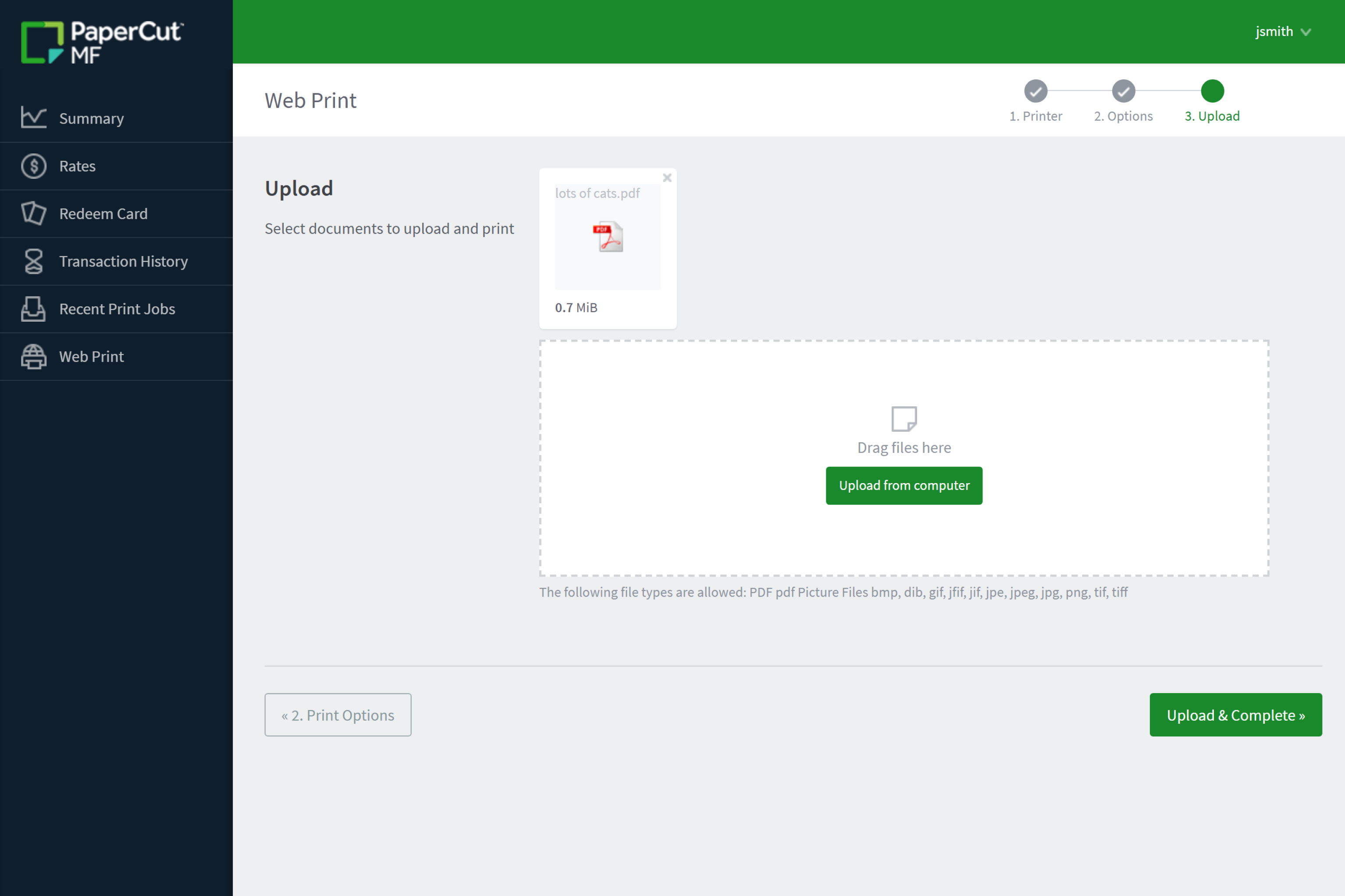
Launch driverless printing via Web Print

Enable students and staff to print from their own devices without the headache of deploying drivers or client software.

Users simply upload their documents to the web portal and head to the printer—it’s a reliable solution for guest printing and unmanaged BYOD environments.

Check out our guide on setting up Web Print for driverless printing in the manual.

The Web Print interface in PaperCut MF showing the simple document upload process for BYOD users.

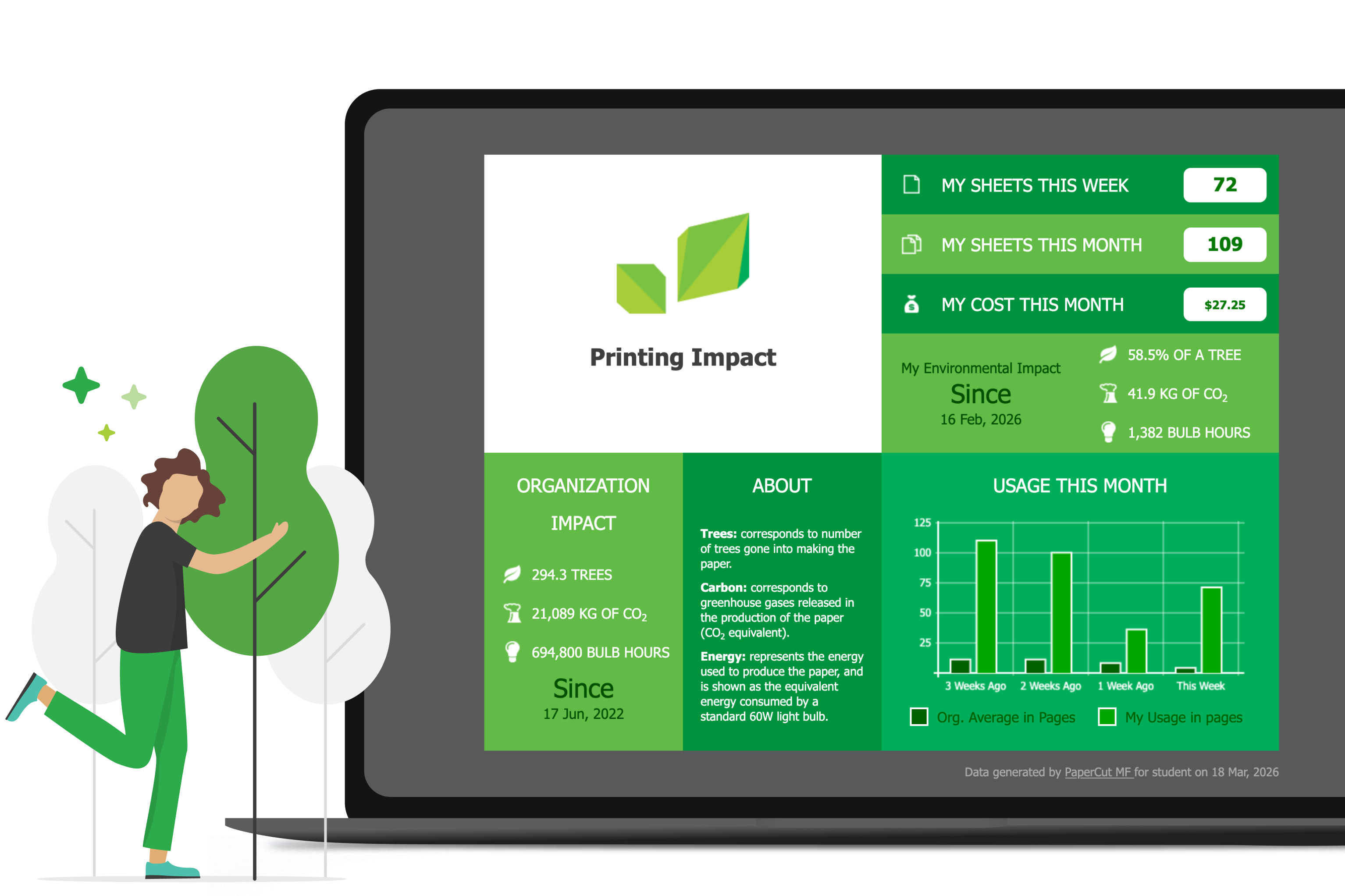
Change behavior with an environmental dashboard

Move the conversation from “printing limits” to “environmental responsibility” by showing users the human impact of their paper use. The dashboard translates raw data into relatable statistics to encourage your community to think twice before hitting print, including:

  • Number of trees used.
  • Amount of CO2 produced.
  • Equivalent energy consumption.

Read more about the environmental impact dashboard in our manual.

The PaperCut MF environmental dashboard showing a user's individual impact on trees and carbon emissions.

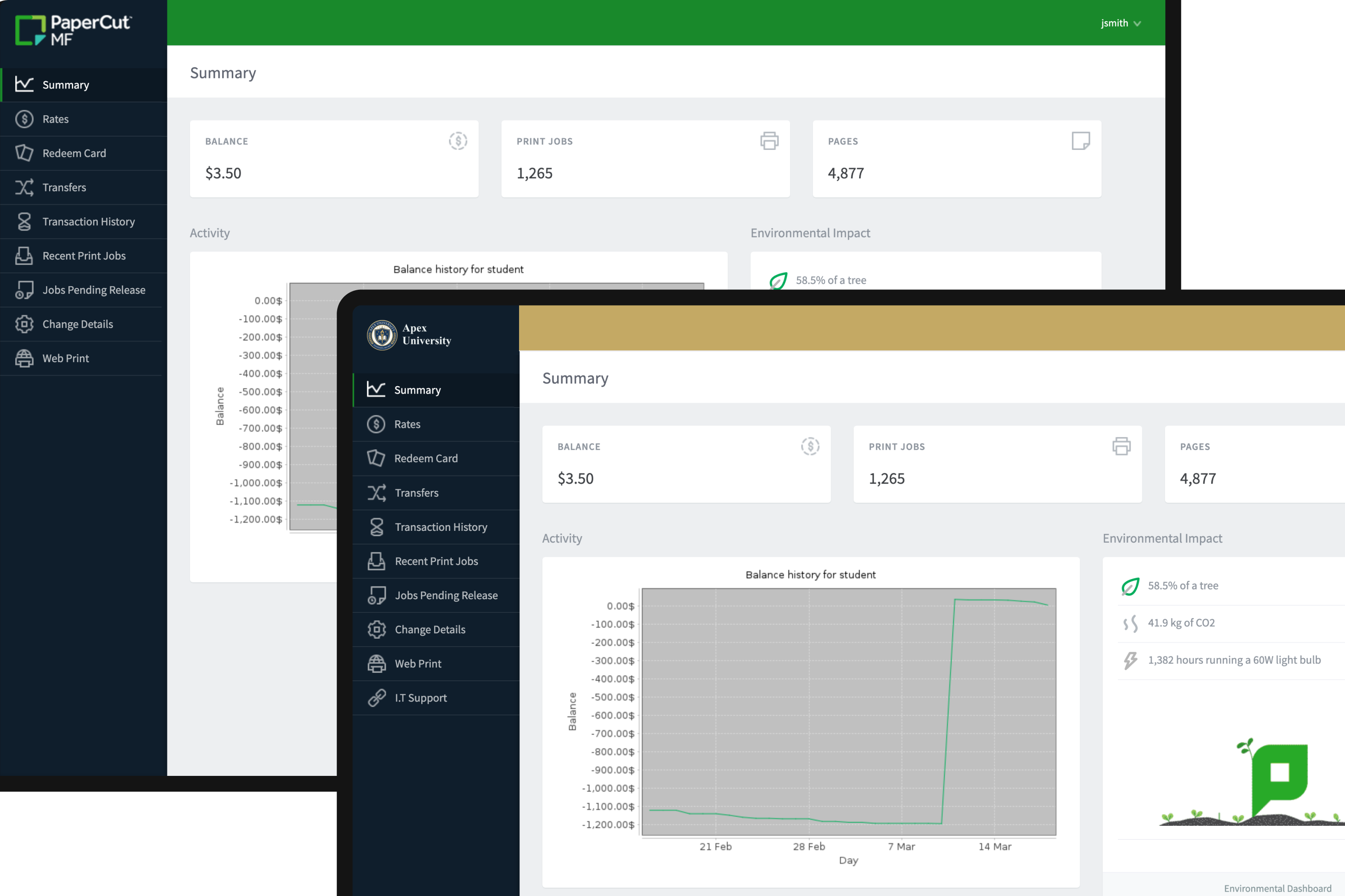
Brand your portal to match your organization

Your print portal should feel like it belongs to your team, not your software vendor. You can easily customize the user interface with your own logo, brand colors, and custom login background to provide a familiar experience. For deeper integration, you can also:

  • Apply custom CSS to modify fonts and styles.
  • Add helpful links to your internal support pages or FAQ.
  • Update instructional text to match your organization’s terminology.

Start making the interface your own by following our guide to advanced customization in the manual.

Comparison of the standard PaperCut MF user interface alongside a version customized with an organization's logo and brand colors.