Choose your language

Choose your login

Support

How can we help?

PaperCut's AI-generated content is continually improving, but it may still contain errors. Please verify as needed.

Lightbulb icon
Lightbulb icon

Here’s your answer

Sources:

* PaperCut is constantly working to improve the accuracy and quality of our AI-generated content. However, there may still be errors or inaccuracies, we appreciate your understanding and encourage verification when needed.

Lightbulb icon

Oops!

We currently don’t have an answer for this and our teams are working on resolving the issue. If you still need help,
User reading a resource

Popular resources

Conversation bubbles

Contact us

The User Portal

Stop being the middleman between your users and their printers. The User Portal empowers your team to handle the basics themselves, so you can focus on the big picture.

Less admin, more self-service

The User Portal is a self-service hub where users manage their printing independently. It serves as a central location for onboarding devices, retrieving secure access codes, and viewing recent activity.

This centralized access ensures users have everything they need to keep printing running smoothly.

Read our guide on the User Portal for all the details.
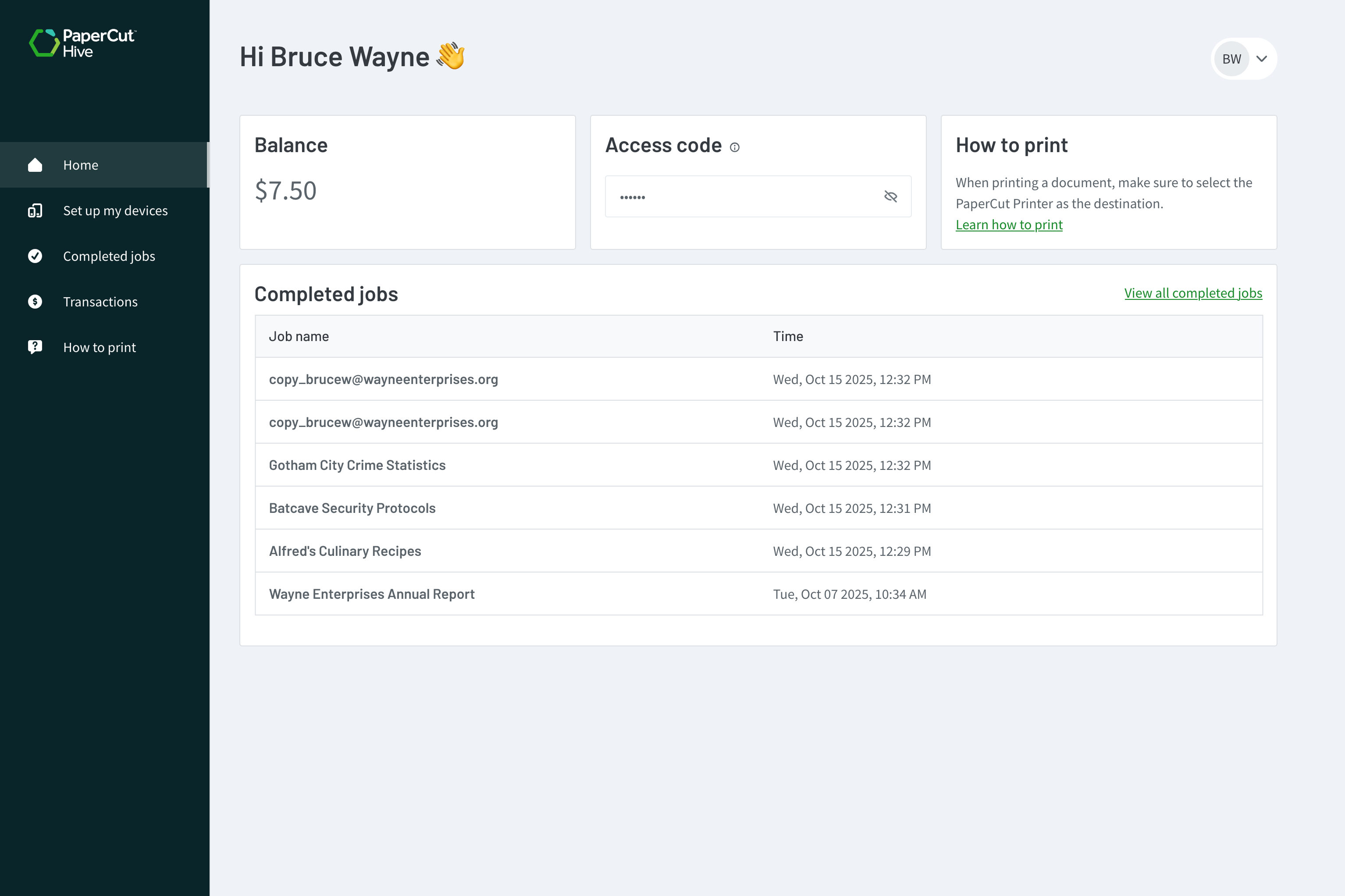
PaperCut Hive User Portal home page.

Tame the BYOD chaos with self-service onboarding

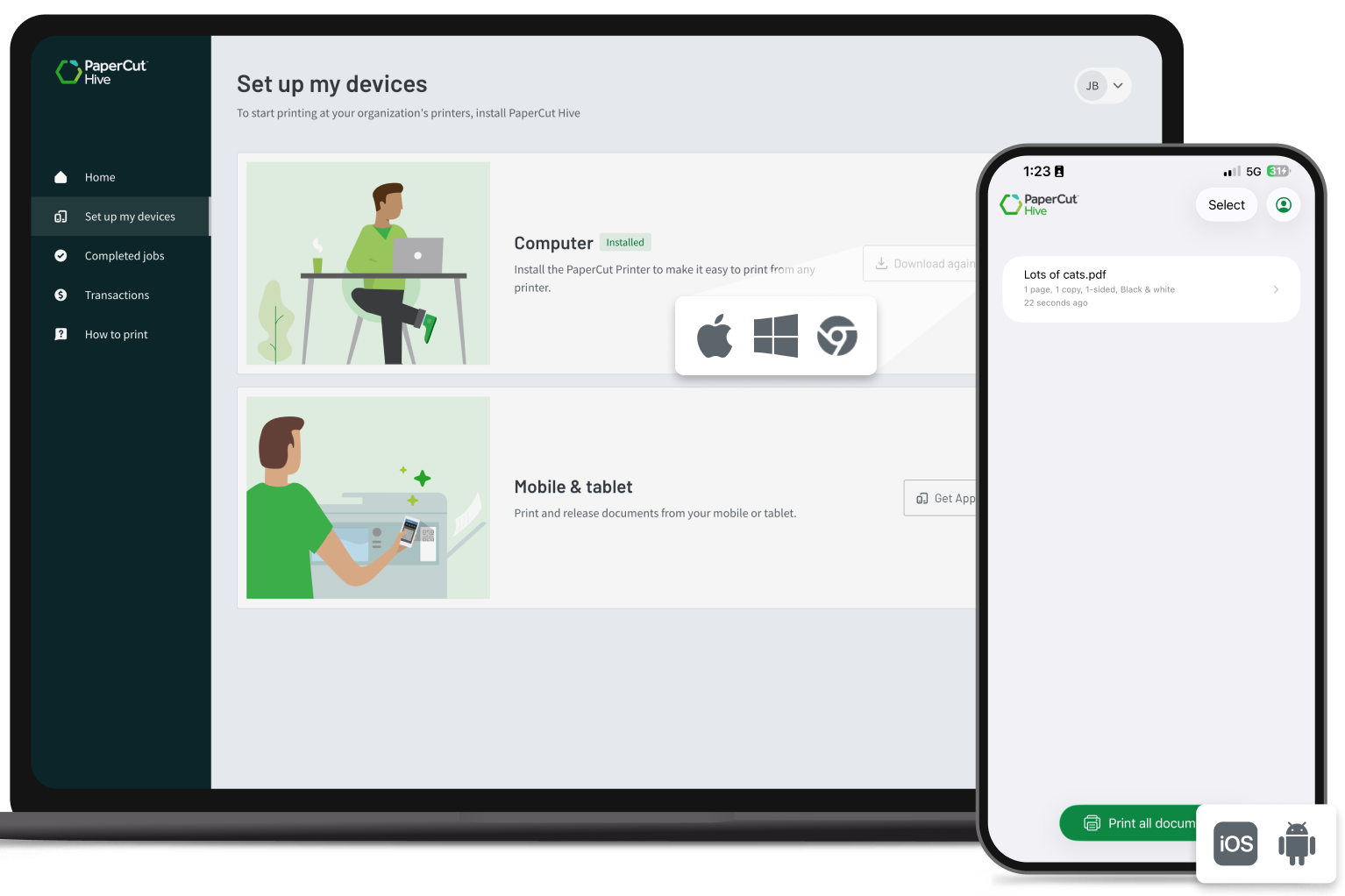
The User Portal gives your users one simple place to set up their own unmanaged or BYOD devices. It automatically determines whether they’re on Windows or macOS to serve the right download, while mobile users can scan a QR code to install and authenticate the mobile app.

By letting the portal handle the heavy lifting, you’ll have every device “print-ready” without IT ever having to touch the hardware.

Take a look at how users set up their own devices in the manual.


PaperCut Hive User Portal showing self-service device setup options for different operating systems.

Access codes: your key to the printer

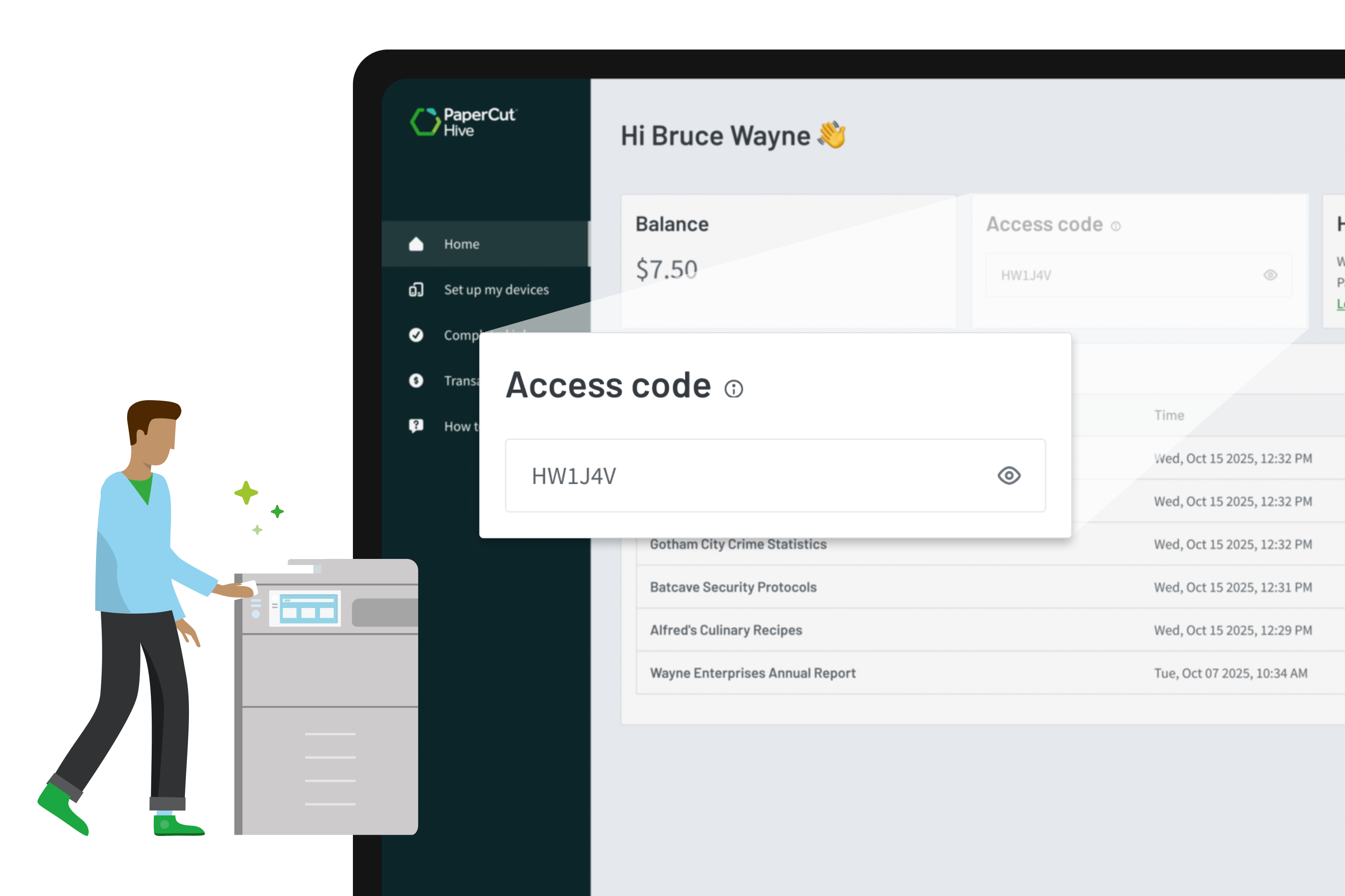
The User Portal is the quickest way for users to find their unique Access Code for printer logins or swipe card registration.

Whether your organization uses snappy 4-digit PINs or more complex 8-character strings, the portal ensures every employee always has the “key” to the MFD on any device, exactly when they need it.

Check out our guide on managing user access codes in the Help Center.

The access code section in the PaperCut Hive User Portal showing a user’s access code.

Activity and balance: on-demand visibility

Give your users instant insight into their own printing habits and account status.

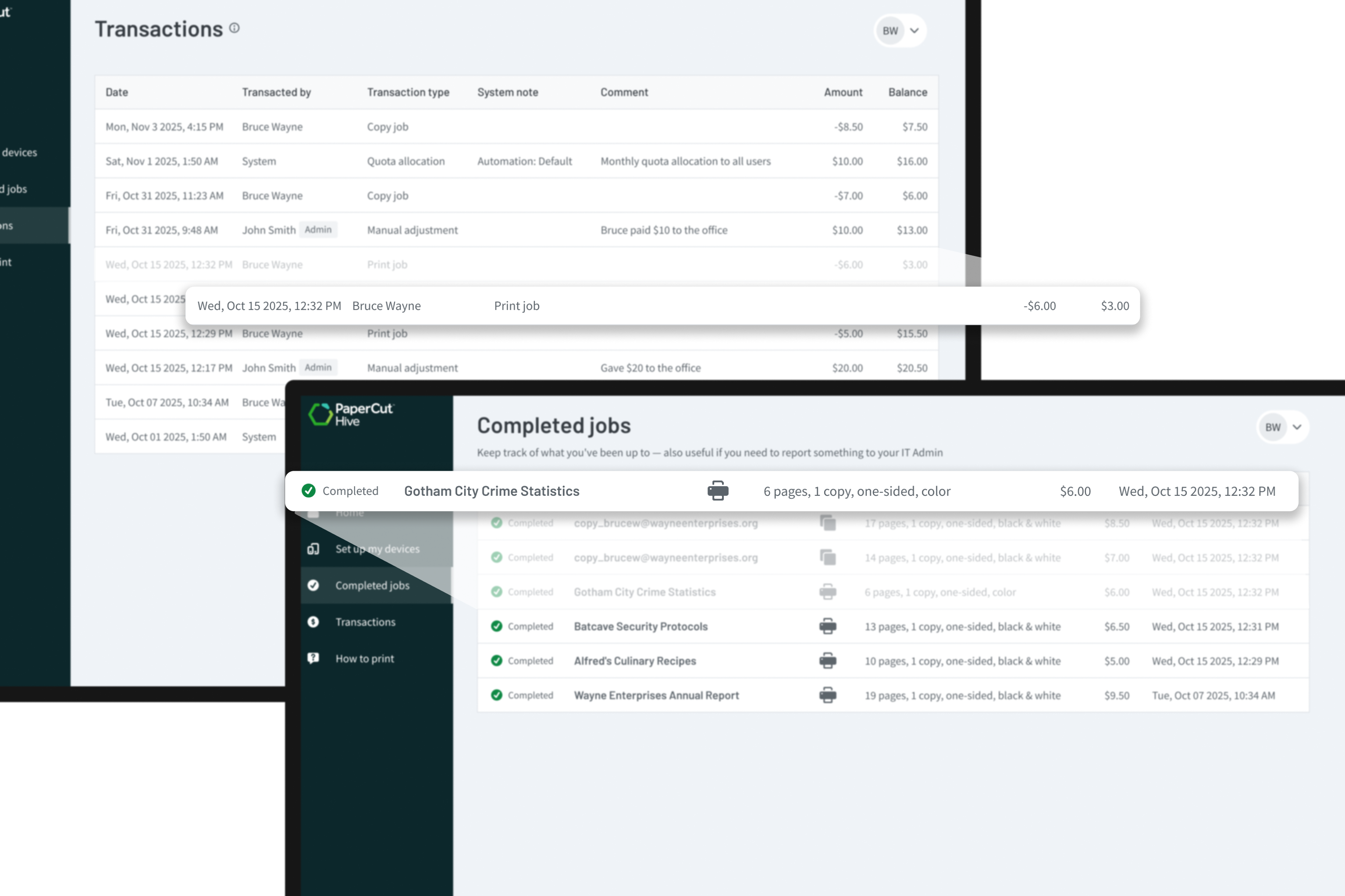
They can jump into the “Completed Jobs” tab to track their printing, copying, and scanning tasks from the last 90 days.

If you’re tracking costs, the portal also shows a live account balance and a full transaction log. Dive into the details of the Transactions feature in the manual.

User print activity and transaction log view within the PaperCut Hive User Portal.

Global accessibility: localized for every user

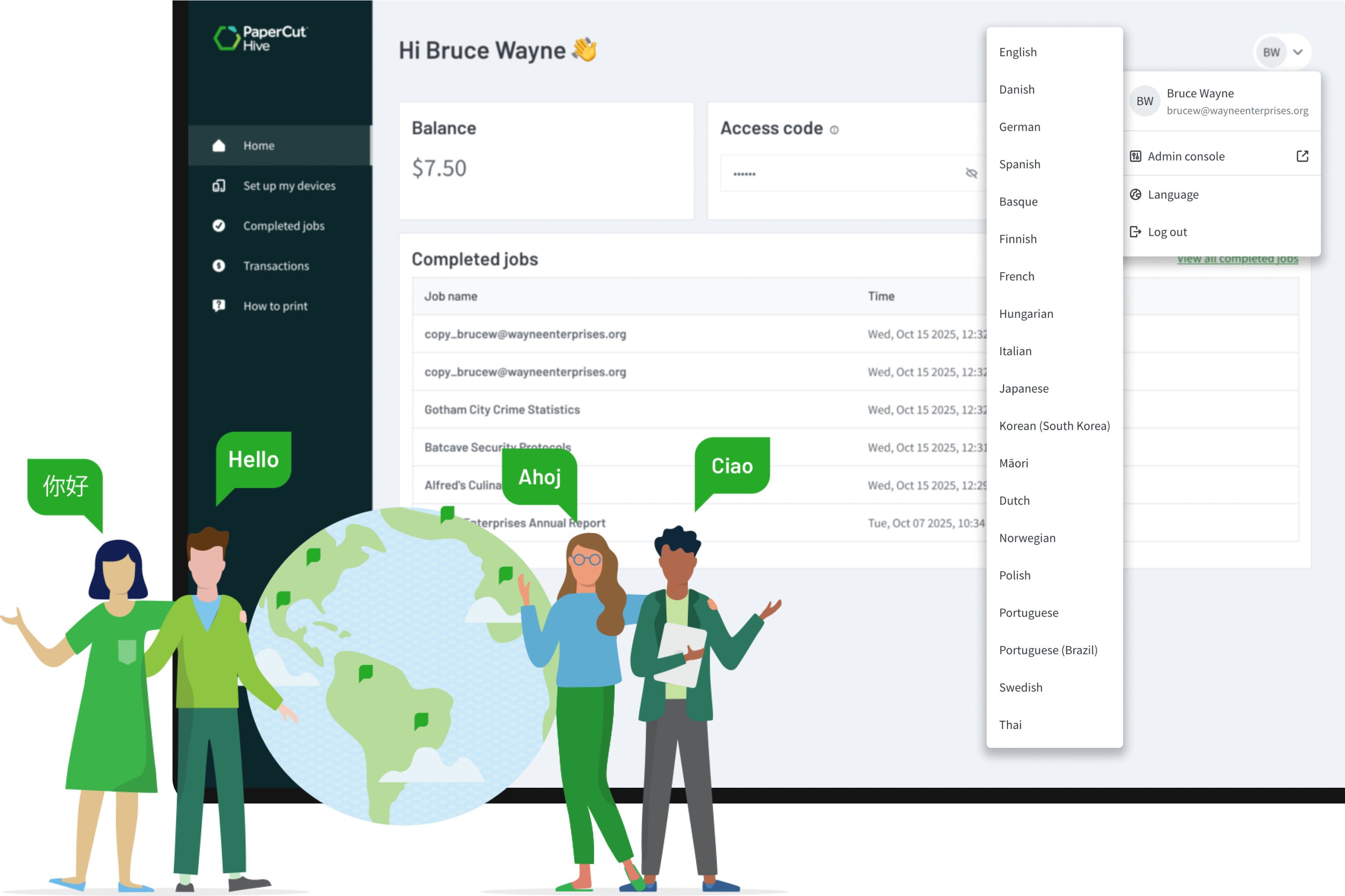
The User Portal is a bit of a polyglot—it automatically adapts to a user’s browser language so instructions are clear from the start.

Employees can also manually flip the switch to their preferred language in their profile settings for a truly localized experience.

It makes onboarding and management easy for your entire global workforce.

HOW? To change the language (translate the User Portal), select the drop down menu by the user’s initials, then select Language (or its translated equivalent) and select the language to display.

Language and localization settings within the PaperCut Hive User Portal.