


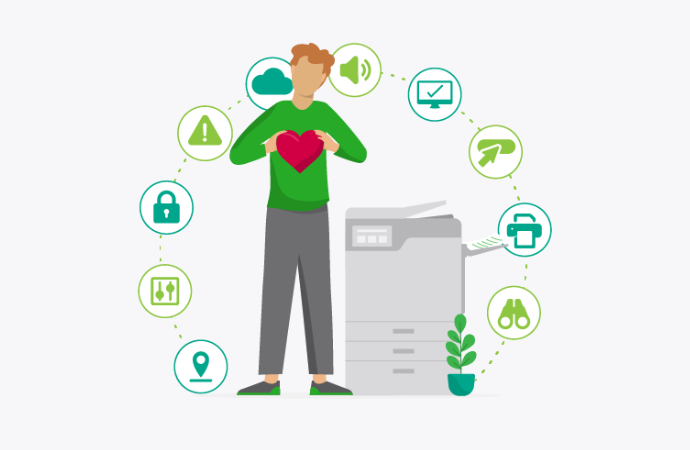
Ten tiny ways to make printing less annoying
Hot take: printing isn’t actually anyone’s favorite part of the day. We love it, of course, but we appreciate that not everyone’s a hardcore print nerd.
Maybe it’s because printing raises a surprising number of small but important questions. Which printer? Color or black-and-white? One-sided or duplex? Where do I tap my badge? Why can’t I find the button I need? Why does this printer name sound like one of Elon Musk’s children?
None of these are particularly annoying in isolation, but the small frustrations quickly add up. Here’s the good news, though: small problems mean small, big-value solutions that can really boost your user experience.
You don’t always need a major print infrastructure overhaul to make printing better. Small improvements to stuff like naming conventions, default settings, authentication, interfaces, and your physical setup can remove the everyday friction that magically turns print jobs into help-desk tickets.
Here are ten tiny ways to make printing a little less annoying.
1. Make printers easy to find
The big one. Printer discovery is important, but don’t overlook something even simpler: give printers names humans can actually understand. 3F-WEST-MFP-07 might make sense to an IT team, but ‘3rd Floor – West – Color’ is going to be way more useful to literally everyone else.
A consistent naming taxonomy helps users choose the right device every time. We’ve got some more printer naming tips over here, if you’re interested.
2. Design for the screen people actually have
Not everyone manages printing from a Death Star-like, multi-monitor setup. People release print jobs, authenticate, scan documents, and manage settings from phones and tablets too. Which is why your interfaces need to work on every device.
Responsive design, appropriate controls, and straightforward user flows are all essential ingredients of modern print design. It’s one of the perks of choosing a device-agnostic print management platform. All that mobile-native design stuff is done for you.
Here’s a good test: try completing the most common print tasks on your phone. If the experience feels clunky, you’ve found some friction worth fixing.
3. Don’t underestimate dark mode
Some people just like dark mode, man, what can we tell you? Dark mode won’t make a printer print faster, but it can make software feel more comfortable and familiar.
It’s the 2020s now, and people expect the applications they use to respect their preferred interface choices. And that includes dark mode. It’s why we added a dark theme to the PaperCut MF Embedded interface. Give the people what they want!
4. Remember my choices
Nobody wants to make the same decisions and choices over and over, every single time they print. If someone almost always prints double-sided, that should be easy to set as a default. Same goes for frequently used paper sizes, color preferences, finishing options, and commonly selected printers.
Sensible defaults reduce your users’ cognitive load. It means they only need to intervene and change stuff when they want something different.
5. Don’t make people speak printer
Users shouldn’t need to know what a print queue, driver, protocol, or device model is to print a document. That should all be handled in the backend.
Hot tip: use plain language wherever possible. Give printers recognizable names. Call actions what users expect them to be called. Avoid using technical terminology simply because that’s how the infrastructure describes it. Your users shouldn’t need a minor in print architecture to work out how to print a PDF.
6. Stop making people hunt for buttons
Consistency matters in printing, especially when people use different printers and multifunction devices across offices or locations.
If print release, scan, copy, and other common actions move dramatically between interfaces, users have to relearn the print experience every time. That’s the sort of thing that, in HR corporate speak, ticks people off.
You can’t always make every device identical, of course, but you can aim for familiar patterns and consistent terminology.
Head over here for more advice on device-agnostic workflows.
7. Make authentication feel proportionate
Security is important. No one’s denying that. It’s why we’ve written about print security extensively. Having said that, making the average user authenticate three times to release a printed meeting summary is overkill; not to mention a quick route to user burnout.
Badge or card authentication, SSO, and other authentication methods can make secure printing feel almost invisible, which is how it should be. Remember, the goal is to make the most secure path also the easiest path. That’s how you help avoid user workarounds and the security blind spots they create.
8. Design the physical experience, too
UX doesn’t stop at the screen. That’s something people often forget, especially when it comes to physical infrastructure, like printers.
Where is your printer located? Can someone easily tell which device they’ve selected? Is the display accessible? Is there clear signage? Would a QR code make connecting easier? Is there somewhere sensible to put a document while scanning? Do users have to walk miles and miles to print?
A beautifully designed interface can’t compensate for a printer that’s awkwardly positioned, or impossible to actually use.
9. Design for the moment something goes wrong
Every print environment has problems, or gremlins in the system. The important question is: what happens next? Good status information and useful error messages can turn a potential help-desk ticket into a problem the user solves themselves.
So instead of simply saying that something has failed, explain to the user what happened and give them some obvious next steps. In a well-designed system, a help desk ticket should always be seen as the option of last resort.
10. Please do sweat the small stuff
None of these changes is likely to transform your organization’s print environment on its own. But that’s kind of the point. Good UX tends to be the slow accumulation of lots of little decisions: better names, smarter defaults, clearer instructions, easier authentication, more consistent interfaces, and fewer unnecessary steps.
Tools like Print Deploy can help IT standardize and automate parts of the print experience behind the scenes, while user-facing improvements make the actual print environment easier to navigate for regular Joes.
Together, these details change how printing feels. And that’s the real measure of a good user experience. Not whether users are impressed by the technology, but whether they barely have to think about it.
Let’s all have a new, collective UX goal this year: Make Printing Less Annoying.
We can help with that:

Speak with Sales
Need a little help from a human? Speak with us, we don’t bite.
By filling out and submitting this form, you agree that you have read our Privacy Policy, and agree to PaperCut handling your data in accordance with its terms.
This site is protected by reCAPTCHA and the Google Privacy Policy and Terms of Service apply.

