


Ah yes, organizational change management. Everyone’s favorite topic. But bear with us, this stuff is actually important.
See, a print infrastructure transformation can look successful on paper and still completely fail in practice. We see it quite a lot.
Your architecture is sound, the security controls are in place, you’ve picked a shiny new vendor with great reviews, and the very expensive new devices have been deployed. Then someone discovers a critical driver config issue, and the whole thing falls apart.
Like most digital transformation projects, the problem is less about the tech and more about the sequence of decisions (or lack of decisions) around that tech.
Print is one of those technologies that sits at the intersection of everything – endpoints, devices, hardware, software, networks, security, procurement – and modernizing print means coordinating all those moving parts, along with the people who rely on printing every single day.
Not an easy job.
Start with the workflow, not the tech
Before storming toward a shiny new print architecture, take a minute to understand how your people actually use their printers.
Which devices are they printing on? Do they rely on stapling, hole punching, wide-format output, labels, or high-volume printing? Are they already using Find-Me printing, or will that change totally freak them out? Which apps and finishing functions are essential to their work?
These questions establish the requirements that every other team needs to work from, so you really can’t skip this step.
Think about it this way: a successful print test isn’t just an A4 page coming out of a printer. That’s just an output.
The real test is whether your users’ everyday workflow still works, at an acceptable speed, and with all their usual permissions. That means testing advanced finishing, and real applications and everyday user accounts to see if they actually work – rather than relying on an admin account to swoop in and fix everything.
Without this basic groundwork, organizations risk defining success around the infrastructure, rather than the experience that infrastructure is meant to support. If the experience sucks, people really don’t care how good your infrastructure is. They just want to print stuff.
Bring print into decisions before they’re locked in
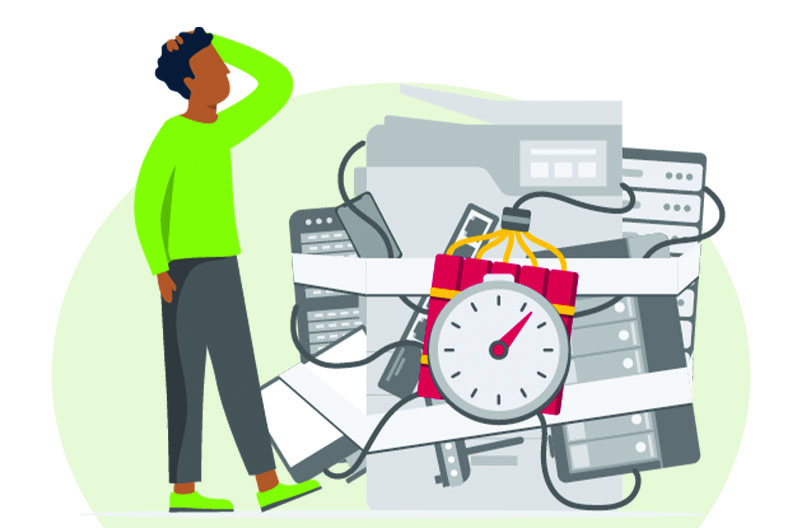
One of the easiest ways to turn print into an unexpected IT time bomb is to leave it until the end of a device rollout. Don’t do that.
Organizations buying a bunch of new ARM-based or Snapdragon-powered Windows PCs, for example, can discover too late that their existing drivers aren’t even compatible with ARM64, or that the available alternatives lack support for critical functionality on which users depend.
The same principle applies when purchasing Macs, replacing printers, or changing operating systems. Print compatibility should be a big part of the initial procurement decision, not a glitch to figure out after the contract is signed.
So before committing to a big change, ask yourself whether compatible drivers exist. Or, if you’re moving toward Windows Ready Print or Windows Protected Print Mode (WPP), whether a Print Support App (PSA) is available for your required device functions, and whether performance sits in an acceptable range.
The only way to do that, really, is to bring teams into the conversation early, and at the right time:
- Procurement: should get involved before endpoint or printer contracts are signed.
- Endpoint teams: bring them in before OS or hardware architecture changes get deployed.
- Security: should be engaged while the target architecture and controls are being defined.
- Infrastructure and network teams: definitely before server roles, traffic flows, or network segmentation change.
- Users: don’t forget your users! Bring them in during discovery, piloting, and validation, not just after launch.
The big lesson is to move print upstream in the decision-making process. Don’t leave it as an afterthought.
Agree on the security destination early
Things like WPP and zero-trust print security can fundamentally change different parts of your print environment. While WPP changes the Windows driver model, zero-trust principles can affect everything from authentication, access, network design, and encryption to how devices are trusted.
It’s why your security teams should help define the desired outcomes from the beginning. In other words, let your security teams help figure out what you’re actually trying to achieve, because you really don’t want to be discovering their requirements after you’ve already designed the architecture.
For example, is your priority reducing driver privileges? Or limiting network exposure? Or moving infrastructure to the cloud? Or some combination of all three? The answers will influence the architecture, the migration sequence, and the expectations for everyone involved.
Zero trust, in particular, is a long, hobbit-like journey – not an overnight switch. Specialist devices and legacy workflows may prevent an immediate, complete transition, but that doesn’t mean stop - it just means you need to agree on the gaps and establish a realistic path forward.
The same thinking applies to WPP. Testing compatibility and understanding dependencies now can be way more valuable than forcing adoption before the wider environment is ready.
The zillion-dollar governance question is this: what event would make us move to the next stage?
Pilot with real users, then sequence the change
There’s a reason every organizational change manual suggests a pilot program: they work. (They also limit the blast radius when something inevitably behaves differently in production.)
A small pilot can expose problems that technical validation misses, provided (and this is important) that it includes the right people. Choose your pilot participants from multiple departments, including IT and security, as well as people who represent everyday printing and high-dependency workflows.
Test real devices, real applications, normal permissions, and the finishing functions people actually use all the time. You want your pilot to be as realistic and comprehensive as possible.
Once you’ve done that, you can use what you learn to sequence the actual rollout.
Roll ‘em out
Okay, rollout time. Where possible, try and avoid introducing new laptops, print queues, authentication methods, user interfaces, and printer hardware in one huge, seismic cutover. Each change adds another dependency, another source of failure, and another thing users have to adjust to.
Stack them all together and troubleshooting gets ugly very quickly. You’re left wondering, was it the laptop? The queue? Authentication? The new driver model? The printer? Good luck.
Instead, prepare the underlying infrastructure first. Establish compatible queues, validate security controls, and confirm network connectivity before moving any users across. Tools that automatically redeploy compatible queues (hello, Print Deploy in PaperCut MF and yoohoo, Print Queue Deployment in PaperCut Hive) or preserve familiar workflows can reduce the amount of change people experience.
Remember, people tend to hesitate when they don’t understand, and chances are they won’t initially understand a lot of what you’re doing (or even why you’re doing it in the first place). So where possible, change the infrastructure beneath people before you shake up the experience in front of them.
Make coexistence part of the plan
Not every printer will move at the same pace. That’s just the way it goes. Older devices, specialist hardware, and workflows that depend on proprietary drivers will all probably need to stay on traditional architecture for a while.
That coexistence isn’t ideal, but it’s not failure either. Think of it more as a necessary-yet-awkward transition state, like puberty. The important bits are to establish clear ownership and documented exceptions, so everyone knows which machines are switching over, as well as the staggered schedule for the migration.
This gives IT teams the wiggle room to move towards standards-based printing and stronger security, without squeezing every device through the same narrow pathway, all at the same time.
Modernization is a sequence, not a switch
The most successful print projects won’t necessarily be the ones that adopt new technology fastest. In fact, this is one case where speed is rarely a virtue – it usually just means you’ve skipped some important steps.
The successful transitions will be the ones that coordinated their decisions early, validated real workflows, and gave everyone – staff, management, users and IT – enough time to prepare.
If you only take one thing away from this article, let it be this: don’t make print a procurement afterthought. Build it into the decision-making process from the start. Future you (and future users) will be grateful.
