


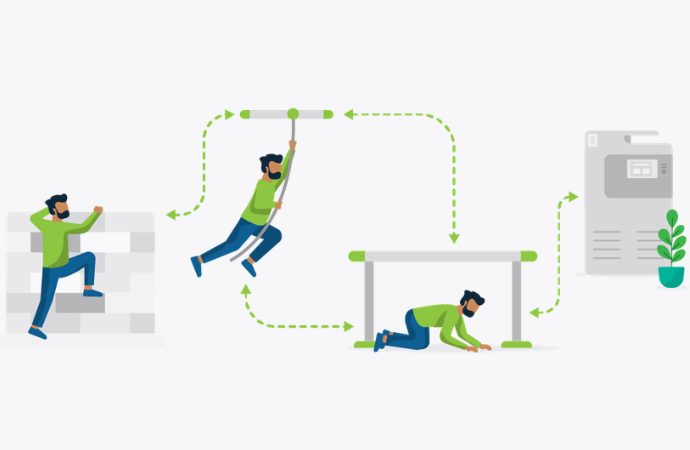
It’s a truth universally acknowledged that users will always find a workaround. And the reason for this might not be obvious at first. It’s not necessarily that your system architecture is bad, it’s that, simply put, it’s not simple enough. The system works technically, but for the average user there are just too many steps between Point A and Point B. So what do 99% of people do? They invent a shortcut.
And the funny thing is, those user-made shortcuts are often more helpful (and even elegant) than we realize. Because they reveal a fundamental principle, which is that good design is (almost always) less design. So instead of seeing user workarounds as a pain, or a bug, maybe we should see them as what they are: a diagnostic tool.
The problem with ‘shadow workflows’
In many organisations, especially schools and enterprises with huge, unwieldy print environments, these workarounds or ‘shadow workflows’ become normalized over time. You’ve no doubt seen it before: a workaround that begins as a temporary fix quietly becomes part of the everyday process.
This is inconvenient and inefficient, but shadow workflows are also symptoms of deeper operational issues: fragmented infrastructure, inconsistent authentication, unclear printer naming conventions, unreliable mobility printing, or weirdly complicated security controls.
And while each workaround seems minor in isolation, together they tend to create hidden costs across productivity, support, security and user experience.
Why workarounds exist in the first place
Workarounds exist because users don’t really care about elegance. They just want to get things done.
Most users are willing to follow a process if it feels intuitive and reliable, but the moment a system becomes confusing or inconsistent – or let’s be frank, mildly inconvenient – people naturally look for alternatives.
Print environments are particularly vulnerable to this sort of stuff because they sit at the intersection of multiple systems: devices, networks, identity management, permissions, drivers, operating systems and user behavior. Which means that even small inconsistencies can create friction as they ripple through the system.
Think about it. A staff member connects to a printer differently at home than in the office. A student can authenticate successfully on one device but not another. A mobile print workflow works on laptops but fails on tablets. A print queue is named differently across campuses.
None of these issues seem catastrophic on their own, but collectively they erode trust in the environment. One tiny pebble at a time. And once users lose confidence in the ‘official’ process, they start building their own.
Simplicity is your new security strategy
This is why we’re focused on reducing friction, rather than adding layers of elegant, breathtaking complexity.
A well-designed print environment should feel almost invisible to the user. Authentication should be consistent across devices. Printer naming conventions should be clear and predictable. Mobility printing should work regardless of your operating system or endpoint. Secure release workflows should require minimal effort.
The goal is convenience, simplicity and (ultimately) adoption. Buy-in. You want people to want to use your system, as you’ve designed it.
The easier a workflow is to follow, the more likely users are to follow it. This is particularly important for hybrid and BYOD environments, where users move between locations, networks and devices throughout the day. Systems that rely on rigid assumptions about how or where users work are way more likely to generate workaround behavior.
The answer?
Modern print management platforms help reduce this complexity by centralizing policies and standardizing user experiences across the environment. That’s pretty much the secret sauce. So that any user’s experience, across any device or printer, is consistent and friction-less. That’s the goal.
This reduces confusion, improves reliability and decreases reliance on shadow workflows and weird user shortcuts. And it applies just the same to authentication as it does to secure print release, driver deployment and mobility printing. The fewer points of friction users actually encounter, the less likely they are to invent alternative processes.
But here’s the good bit: reducing friction does not mean sacrificing control. In fact, if you do it right, you should have more control over your print environment than ever before.
In most cases, we find that simplification actually improves governance. Because when users consistently follow approved workflows, organizations gain better visibility into print behavior. Which, in turn, equals stronger policy enforcement.
Questions worth asking
For organizations evaluating their print environment, the presence of shadow workflows is a useful diagnostic signal. If users are routinely bypassing the same process repeatedly, it’s a sign that that process hasn’t been optimized (yet).
Start by asking some simple questions:
- Which workflows cause the most confusion?
- Which devices tend to generate the most support tickets?
- Where do users rely on undocumented shortcuts?
- Which processes break most often in hybrid or mobile scenarios?
The answers often reveal opportunities to simplify your print environment.
Because ultimately, the goal of print management isn’t to force users into rigid systems whether they like it or not. It’s to create workflows reliable enough, and simple enough, and consistent enough, that users no longer feel the need to work around them.

