Choose your language

Choose your login

Support

How can we help?

PaperCut's AI-generated content is continually improving, but it may still contain errors. Please verify as needed.

Lightbulb icon
Lightbulb icon

Here’s your answer

Sources:

* PaperCut is constantly working to improve the accuracy and quality of our AI-generated content. However, there may still be errors or inaccuracies, we appreciate your understanding and encourage verification when needed.

Lightbulb icon

Oops!

We currently don’t have an answer for this and our teams are working on resolving the issue. If you still need help,
User reading a resource

Popular resources

Conversation bubbles

Contact us

latest features

What’s new in PaperCut MF 26.0?

PaperCut MF - 26.0

Introducing PaperCut MF 26.0: Enterprise-grade identity meets next-generation compatibility

We’re excited to announce PaperCut MF version 26.0! This release delivers a powerful mix of identity, security, and device compatibility.

From native SAML 2.0 single sign-on to ARM64 support for Print Deploy, this release is all about streamlining access, expanding infrastructure, and printing securely. Discover our modernized embedded experiences and behind-the-scenes enhancements designed to harden your print environment while keeping your users productive.

MODERN AUTHENTICATION

Unified Authentication: log in once, access everything

Eliminate login fatigue with Centralized Authentication. Instead of multiple logins across the User Client, Print Deploy, and Web Interfaces, users now authenticate just once for a seamless session across the entire platform.

Security Sheild
One login across all components
A modernized central hub ensures users log in just once and stay logged in across all PaperCut MF components, from web portals to user clients.
magnifying glass
Familiar experience
The new central login looks identical to the web interface your users already know. Once signed in, the system automatically drops them back exactly where they need to be.
Modern User Client login
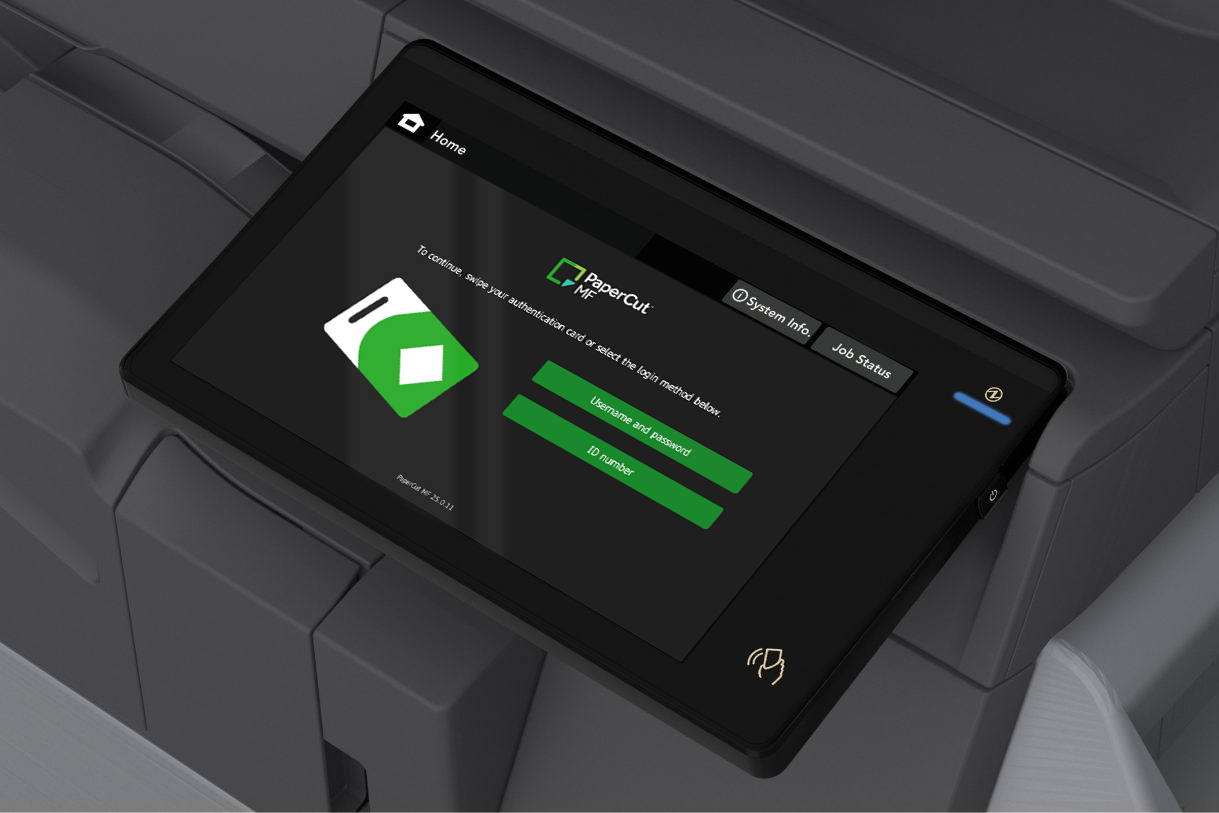
The User Client moves away from the old native login box to a quick browser-based prompt that handles credentials securely.
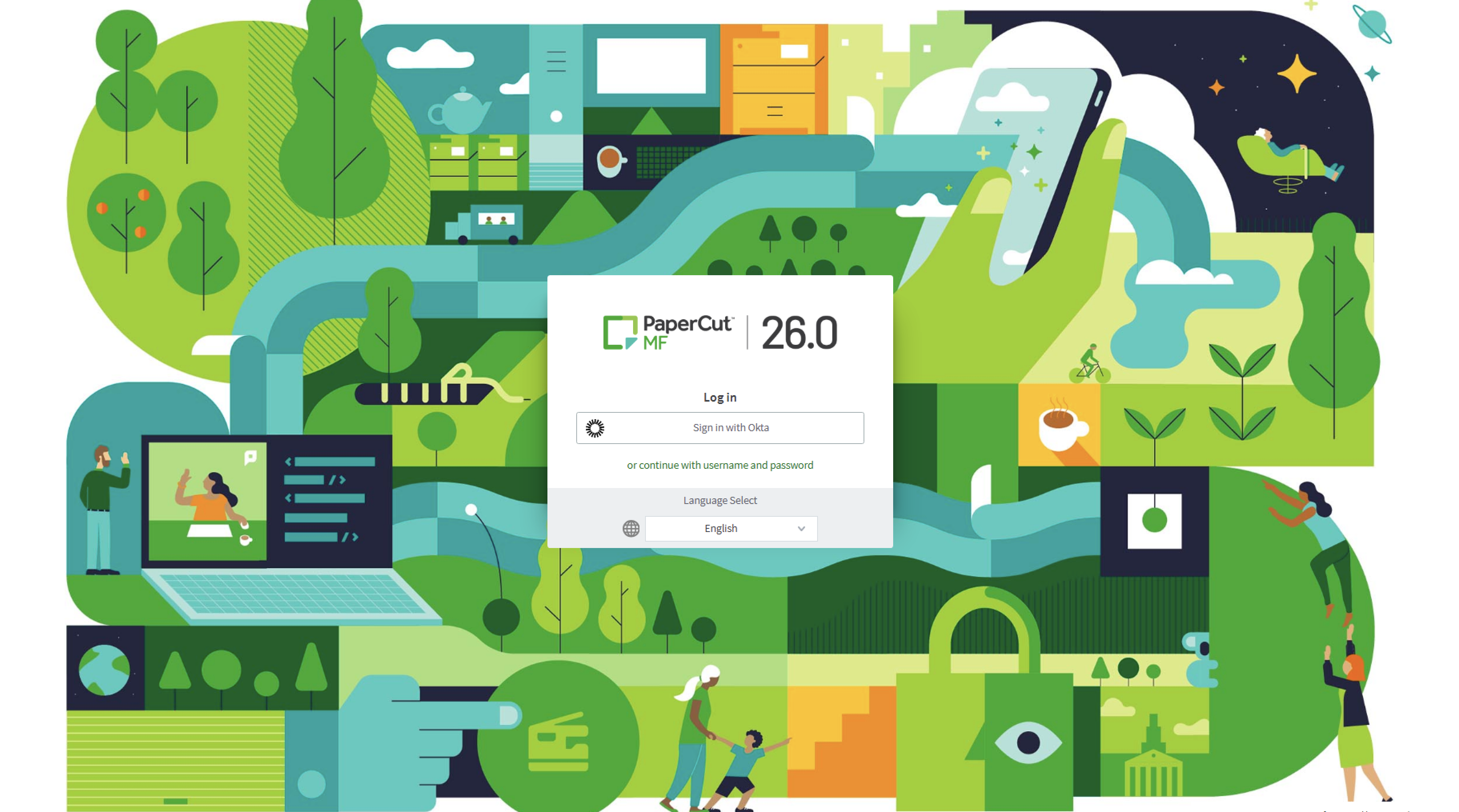
PaperCut MF login screen

MODERN AUTHENTICATION

SAML 2.0 Support: connect to your existing Identity Provider

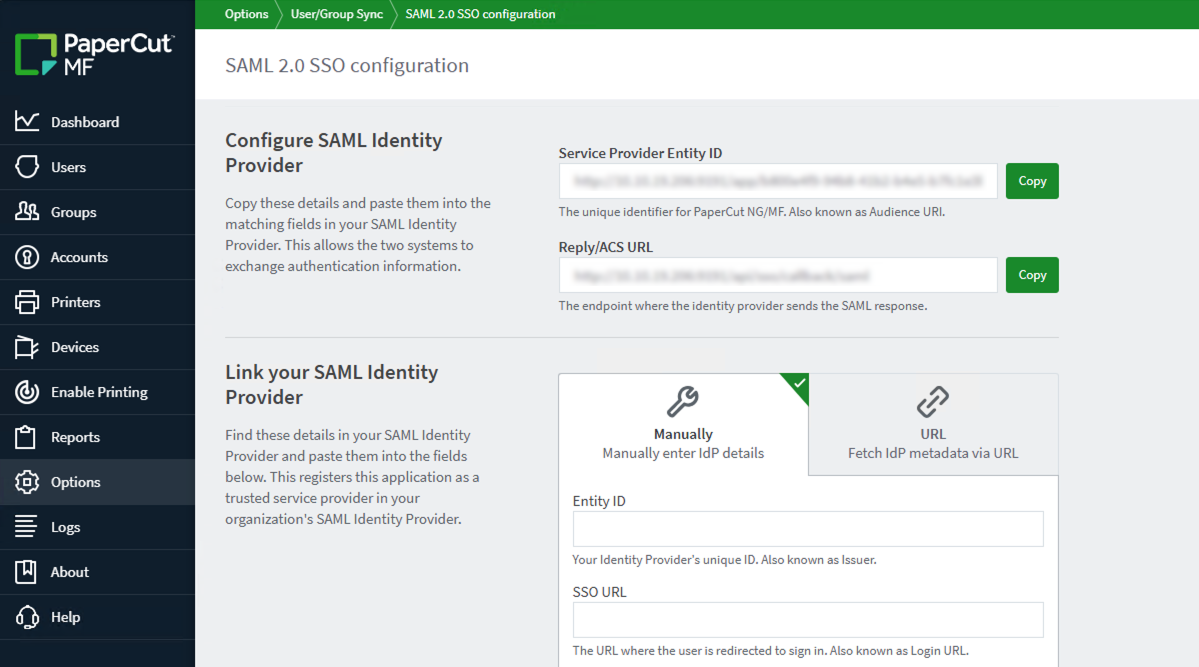
PaperCut MF now supports SAML 2.0 federation, allowing you to authenticate users via your existing corporate Identity Provider (IdP). This ensures secure, seamless access while aligning print management with your broader enterprise identity infrastructure.

Security Sheild
Enforce security workflows
Connect PaperCut to your Identity Provider to maintain unified security standards, ensuring your MFA and conditional access policies are consistently enforced against every login.
magnifying glass
Broad IdP support
We’ve expanded our SSO capabilities to support any SAML 2.0 compliant Identity Provider, seamlessly integrating with platforms like Okta, Microsoft Entra ID, PingFederate, and JumpCloud.
Seamless redirect flow
When a login is requested, users get a familiar redirect to their external IdP for authentication and are automatically routed back to PaperCut exactly where they left off.
PaperCut MF login screen

MODERN LAPTOP REVOLUTION

ARM64 support in Print Deploy

The shift to faster, battery-efficient ARM64 laptops (like Copilot+ PCs and Snapdragon-powered Surface Pros) is exciting for users, but it often creates a headache for your team when traditional x64 printer drivers fail to connect. Print Deploy is now an architecture-aware deployment engine. It automatically detects the device's CPU and delivers the correct driver, ensuring users can print from any laptop—whether it's x64 or ARM64.

Microprocessor icon
Smart architecture detection
Print Deploy automatically identifies whether a user’s laptop is running a traditional Intel/AMD processor or a new ARM64 chip, seamlessly delivering the correct driver behind the scenes.
One computer with arrows to three people icon
The "One Queue" standard
House all your drivers in a single configured printer queue. You no longer need to double your administrative workload by setting up separate, redundant print zones just to support your newest devices.
Unlocked padlock
Close the ARM64 driver gap
Don’t wait for native manufacturer drivers. The PaperCut Global Print Driver instantly steps in so your users can print on day one.
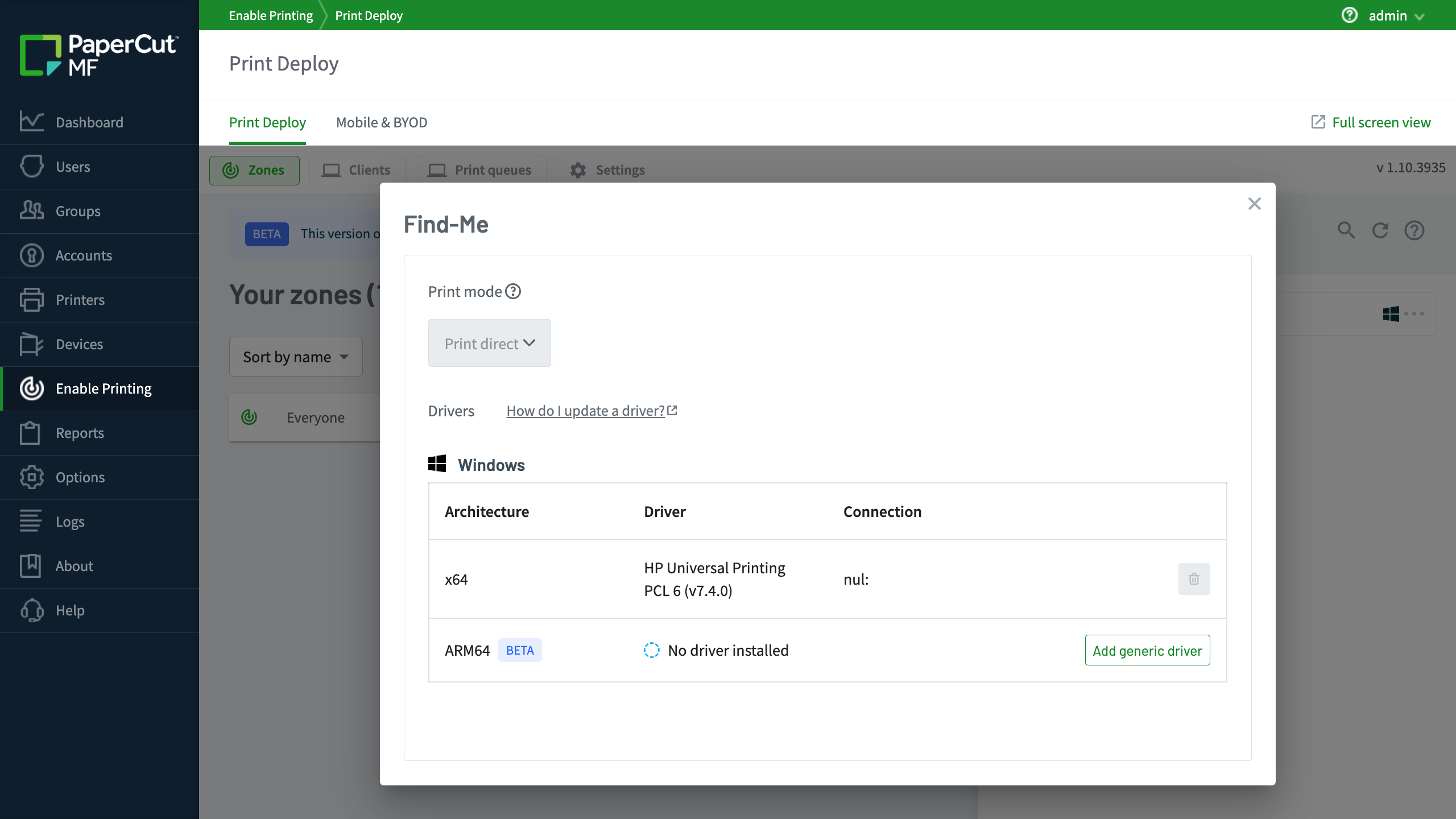
PaperCut MF admin console showing the configuration of a print queue and the three driver options.

DEVICE INTEGRATION

New Ricoh Embedded App

The all-new Ricoh embedded application (Ricoh SmartSDK-V2) has been completely rebuilt. It delivers the full PaperCut MF experience to your latest Ricoh devices with a modern, intuitive interface that matches your other embedded apps, ensuring a familiar experience across your entire mixed fleet.

Dashboard Speedometer
Faster, intuitive experience
Logins are quicker, screens load faster, and everyday interactions feel smooth so users can print, copy, or scan without delays. It also fully supports the new dark mode for a modern look.
Cursor clicking
Simplified 'one-click' deployment
One-click installation simplifies setup, significantly reducing deployment time. It also features auto-certificate acceptance, removing the need to manage certificates manually on the device.
Refresh icon with cog
Effortless upgrades and management
Devices running the legacy application can be upgraded to the new app from within the PaperCut MF admin interface.
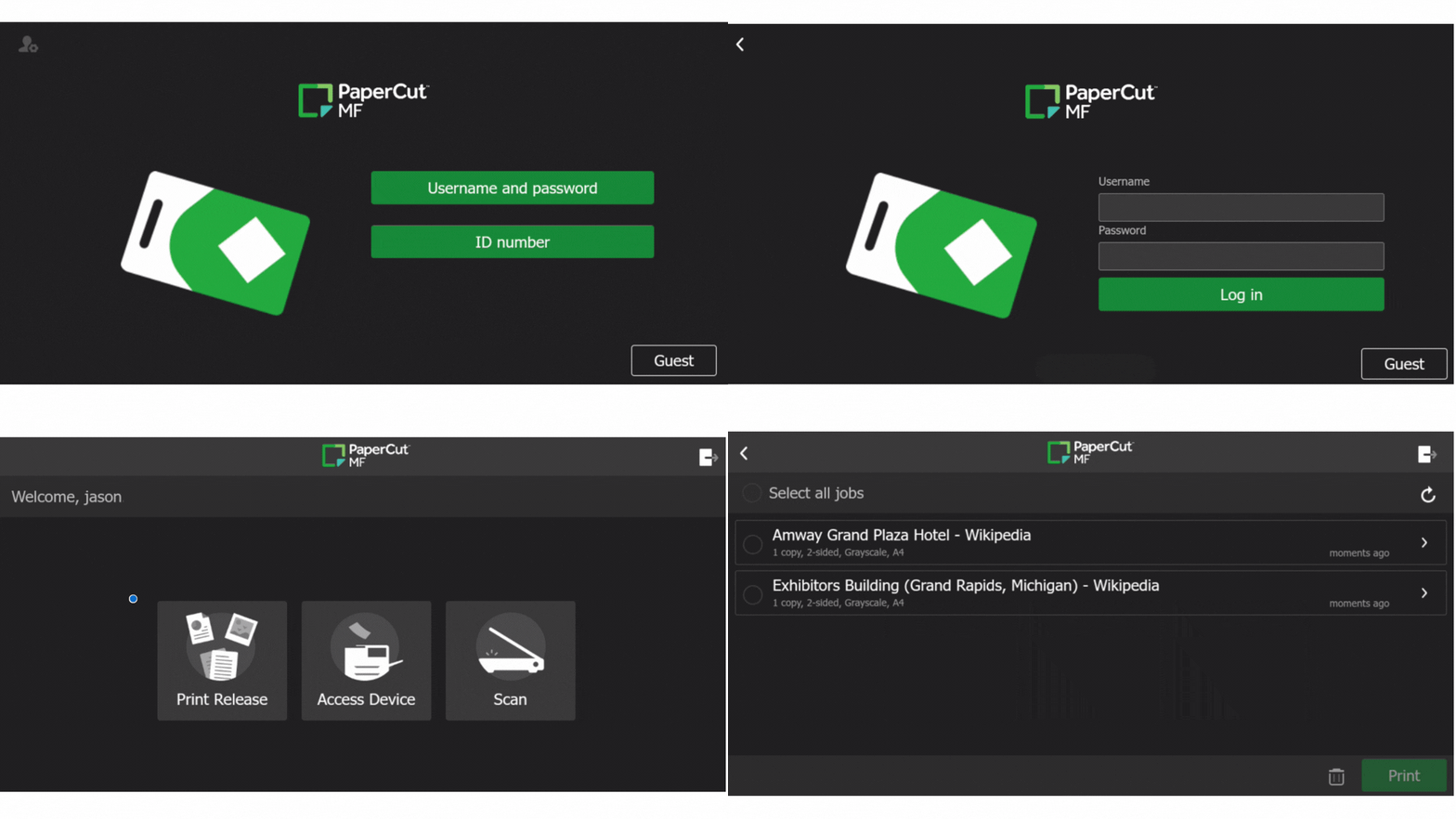
A GIF image showing the different screens of the new Ricoh embedded

MODERNIZED EXPERIENCE

Embedded App Modern UI (dark mode)

This visual update introduces a dark mode for the PaperCut MF Embedded interface on select platforms. It provides a fresh aesthetic choice that aligns with modern office hardware and user preferences without changing any features or workflows.

Eye with refresh symbol
It's a skin, not a redesign
This is a design refresh only, no core workflows or buttons change. Users don’t need to be re-trained on how to print, copy, or scan.
Toggle switches
Simple, low-risk deployments
Switching between themes is handled via a simple system-wide configuration and does not require a device restart.
MFD with infinity symbol
No upgrade surprises
Existing customers upgrading to v26.0 will keep their classic UI automatically. Nothing changes unless the you actively chooses to opt-in.
Sharp MFD with the PaperCut MF dark mode embedded installed

INFRASTRUCTURE MANAGEMENT

Proactive security and service alignment

PaperCut MF 26.0 introduces automated enhancements to protect your infrastructure and ensure seamless service. From disabling unmaintainable legacy hardware to programmatically aligning cloud services with your Maintenance & Support (M&S) status, this release keeps your print environment secure, predictable, and error-free.

Security sheild
Security-by-default
Automatically harden your environment against known vulnerabilities. Unmaintainable End-of-Life (EOL) devices that no longer receive manufacturer security updates are disabled upon upgrade.
Tools
Predictable user experience
Cloud features like Scan to Cloud and OCR require active M&S. If your status lapses, these features are automatically hidden from the device screen to prevent user confusion and broken workflows.
 Document with padlock
Operational continuity
Experiencing hardware or procurement delays? Manually re-enable EOL devices via an audited path, or ask your PaperCut partner for a temporary license to restore cloud services while renewing M&S.
MFD illustration with Sharp logo

Tell me more!

More details can be found in the Release Notes for PaperCut MF 26.0

If you just want to buy PaperCut MF, click here to find out how!

background image

Your next 26.0 move

More information? 26.0 in your hands yesterday? No matter what you’re after, we’ve got you covered.

Fill out the form next door to get the ball rolling.

Illustration of cartoon plants and birds in a colourful garden setting

This site is protected by reCAPTCHA and the Google Privacy Policy and Terms of Service apply.