



Print Rooms are pretty great at printing, but how they handle the admin side of things is where they can fall down — and where Print Room picks them back up.
By tracking and managing all activity, Print Room does away with pesky administrative problems. No more easily lost email and paper forms; no more charging and quoting across multiple departments; no more frustration.
Say goodbye to slip-ups and slow-downs, and hello to a happier printing populace.
Little bit of fine print: may require additional licensing.
SIMPLE FOR USERS
User engagement = skyrocketed
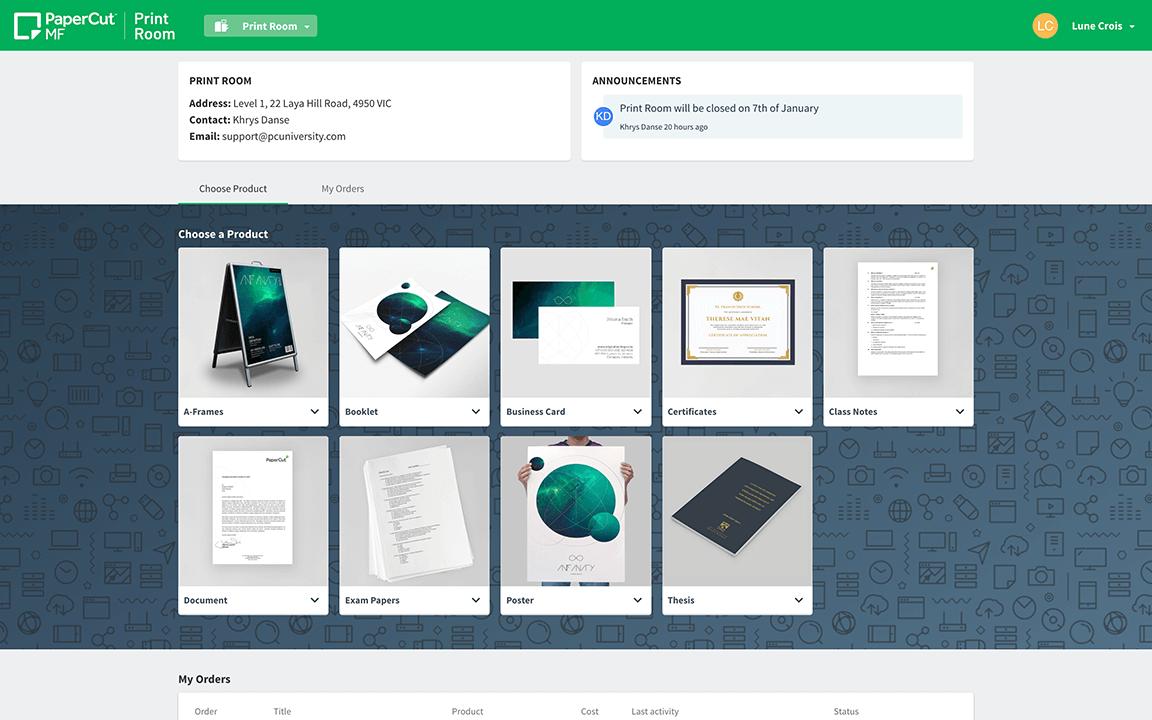
Allow your users to submit jobs confidently with step-by-step instructions, easy Print Room discovery, and a storefront experience to rival the best print shops.

Step 1

Step 2

Step 3
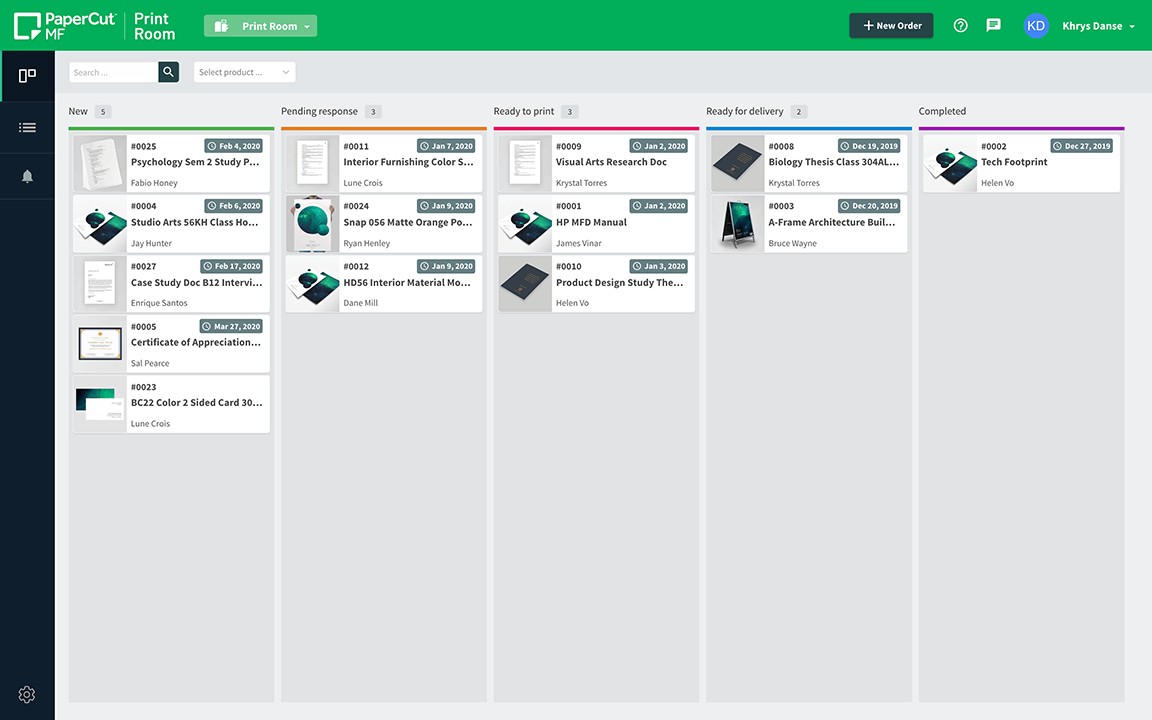
A DREAM FOR OPERATORS
Efficiency = supercharged
Help operators stay on top of their day by removing manual spreadsheet based job tracking and charging.

Keep on top of orders

View job details

Direct charging
Let's dive deep...
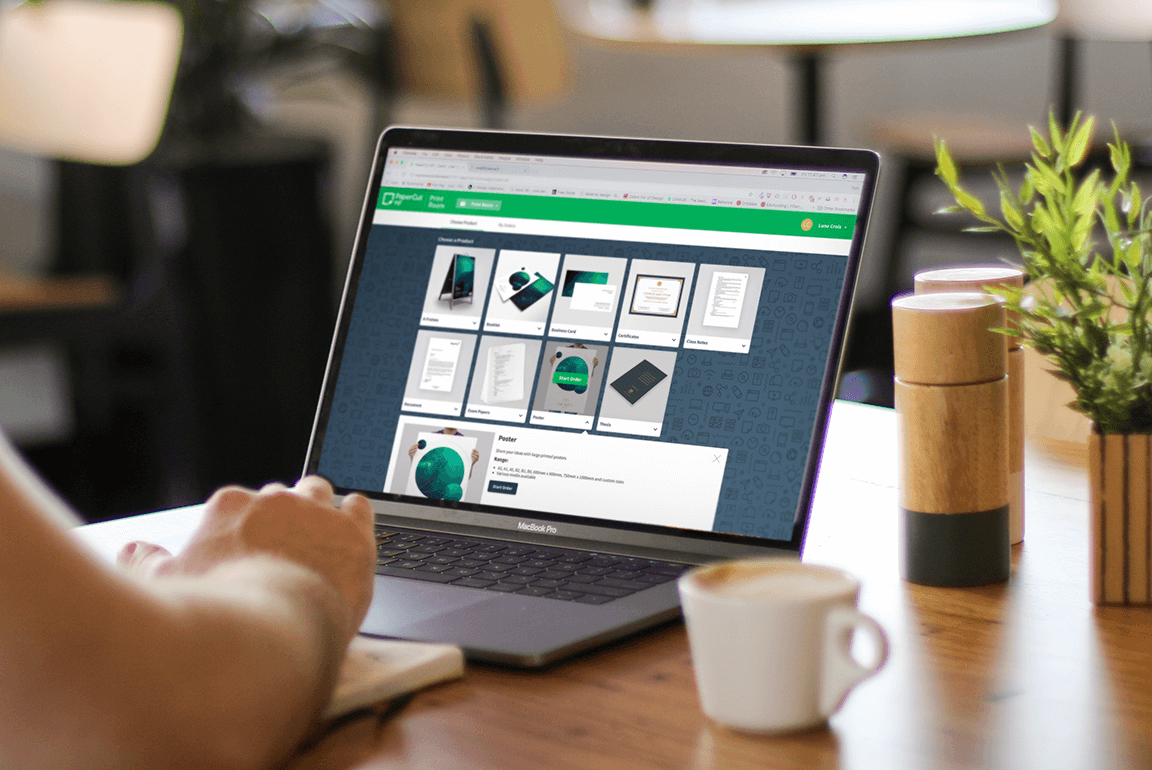
One easy storefront
Are you tired of those illegible handwritten order forms? Print Room is a single place that makes it easy for you to offer exactly the products your Print Room can print.
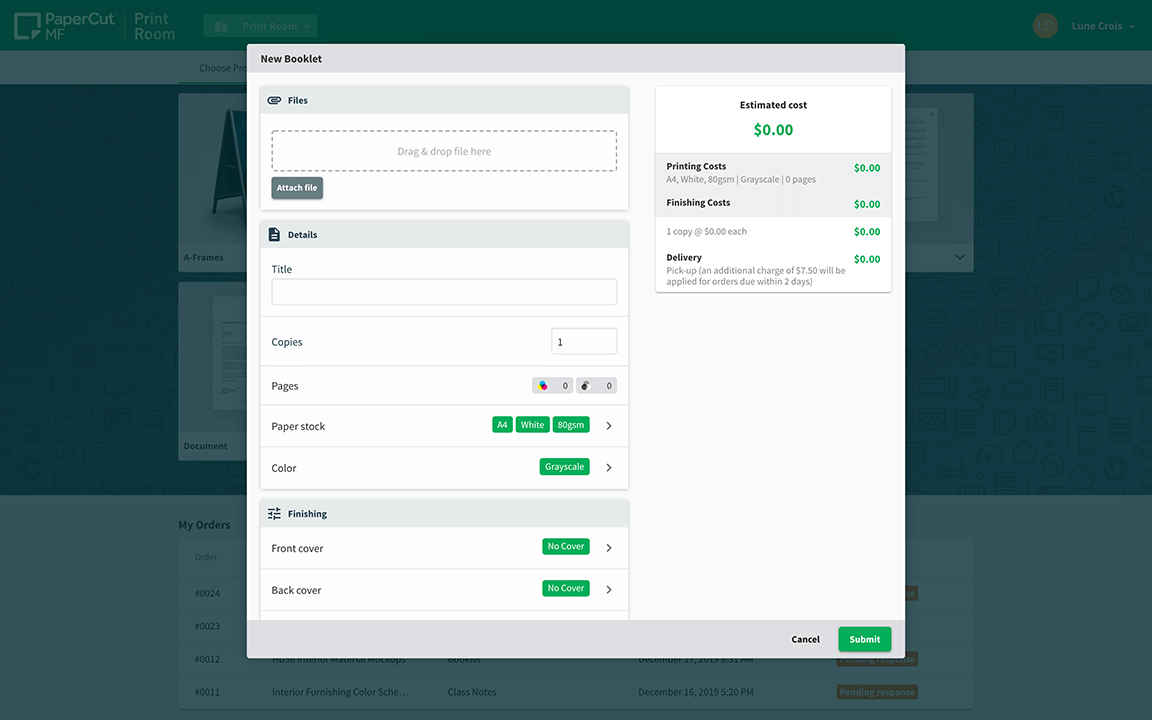
All the options you offer and only the options you offer
With manual processes it is much too easy for users to order something that just cannot be made. Make sure this doesn’t happen again!
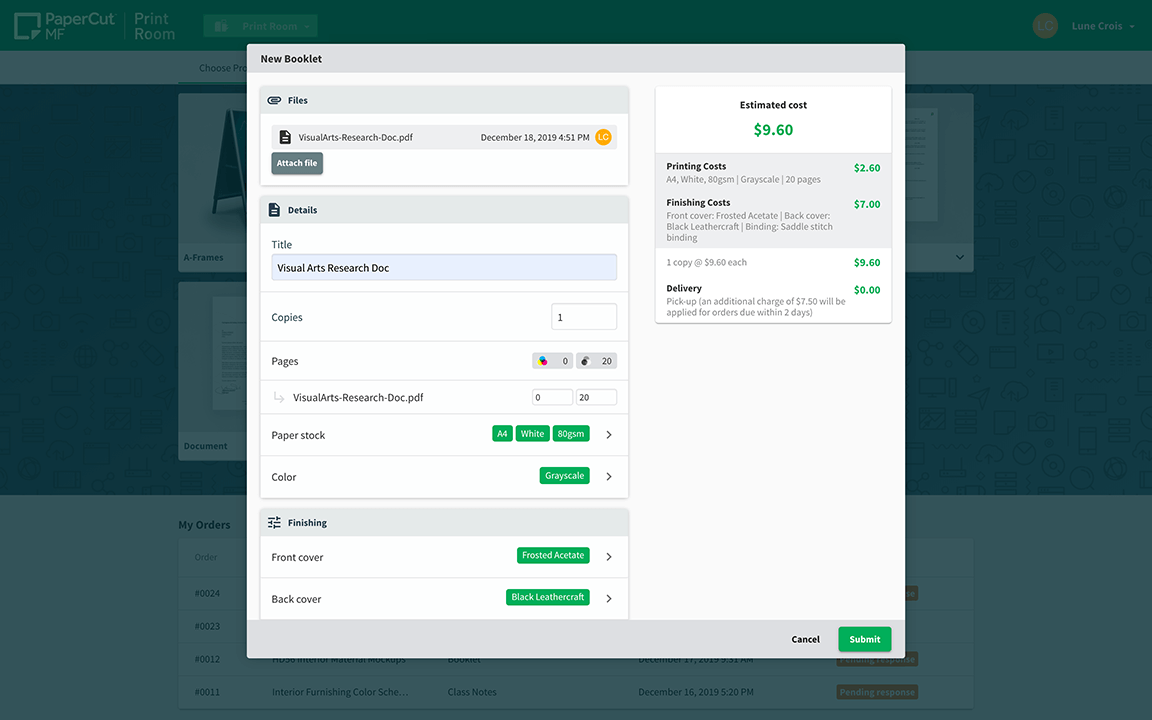
Promote responsible printing in the Print Room
Users can see the cost of their order change as they configure, which encourages responsible printing behavior.
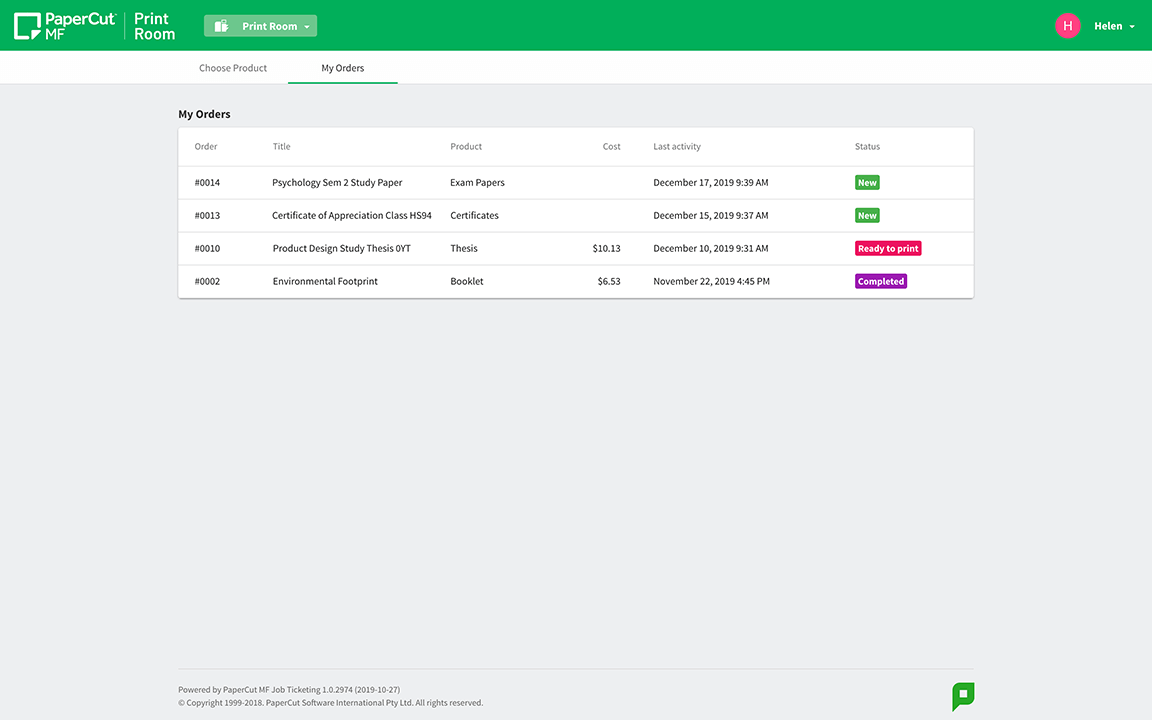
Real time progress updates
Just like users expect from any online store, your Print Room can now offer live progress updates in a secure area.
All Print Room orders in one place
Coordinate jobs with a powerful and straightforward workflow tool, inspired by the way that we track our work here at PaperCut!
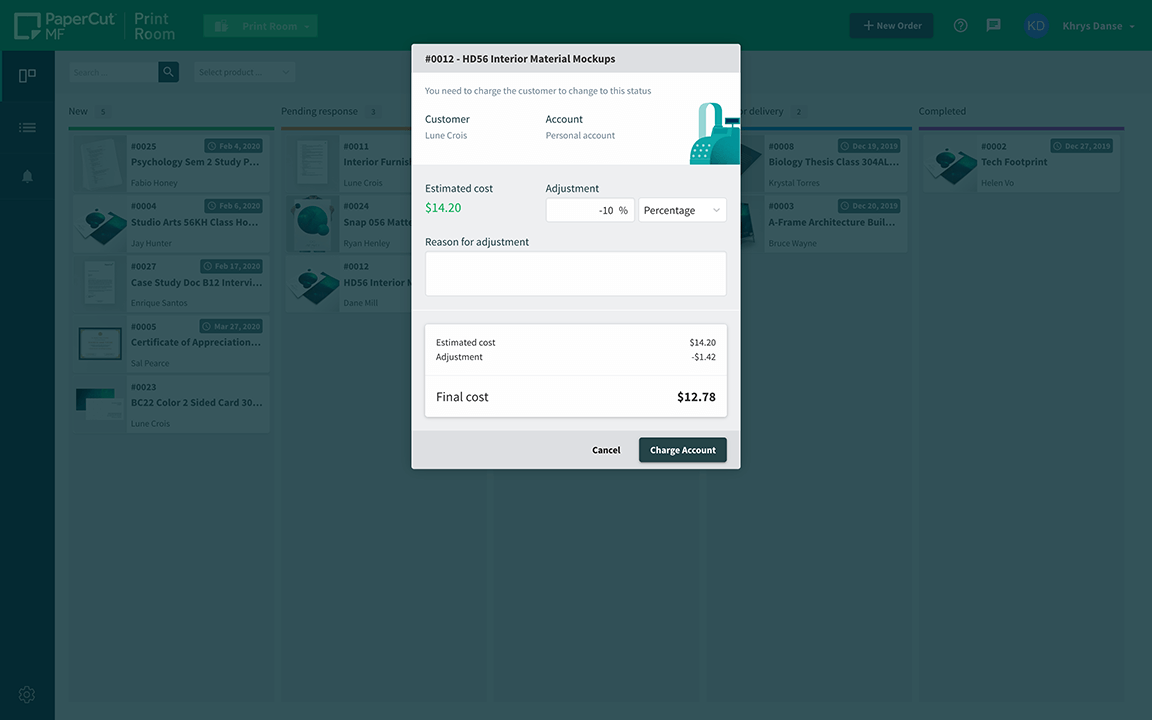
Charge Print Room charging like any other printing
Enjoy error-free costing and timely reporting thanks to fully automated charging, quoting, and account reconciliation, all integrated into your existing PaperCut system.
Well done! You've got this far
Now let's go deep into the details...




Want to get going?
One of our customer care team will get in touch to work out the best way to get PaperCut's Print Room software into your organization.

This site is protected by reCAPTCHA and the Google Privacy Policy and Terms of Service apply.