Choose your language

Choose your login

Support

How can we help?

PaperCut's AI-generated content is continually improving, but it may still contain errors. Please verify as needed.

Lightbulb icon
Lightbulb icon

Here’s your answer

Sources:

* PaperCut is constantly working to improve the accuracy and quality of our AI-generated content. However, there may still be errors or inaccuracies, we appreciate your understanding and encourage verification when needed.

Lightbulb icon

Oops!

We currently don’t have an answer for this and our teams are working on resolving the issue. If you still need help,
User reading a resource

Popular resources

Conversation bubbles

Contact us

High school|

PaperCut brings centralized, automated print management to Decatur Public Schools

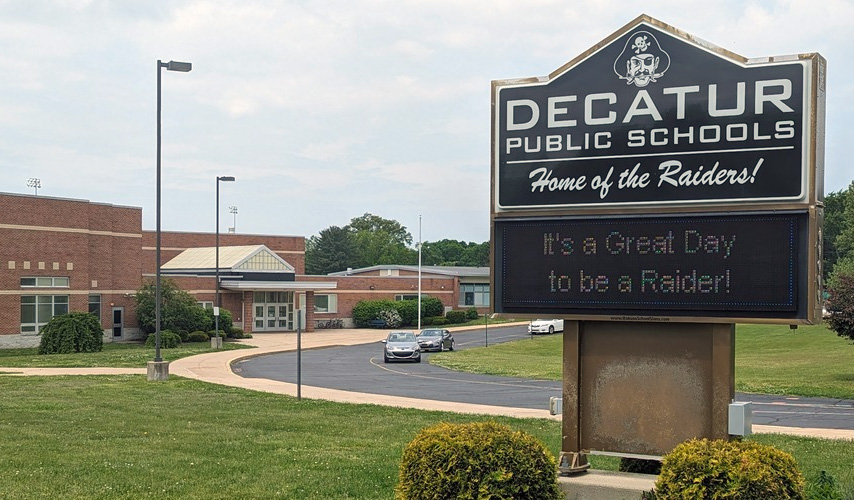
Decatur Public Schools sign

Cutting to the chase

Problem

Manual printer installations across a fractured server infrastructure


Solution

Centralized, automated print management using PaperCut Print Deploy


Outcome

Automated printer access and a condensed server footprint

Decatur Public Schools is a 1:1 school district serving approximately 7,000 to 8,000 students. To support their educational efforts, every student in the district is equipped with an iPad, while teachers utilize both a MacBook and an iPad.

And while the school enjoys a lot of success with its 1:1 approach to technology, the same couldn’t be said for how printing worked. In fact, according to Senior Analyst Dylan Ackley, their previous approach to print management was incredibly manual and inefficient.


I work with a lot of different vendors in my position, and there’s only like three of them that I can name that I just, I love working with. They’re great. And PaperCut would be one of them."

- Dylan Ackley,

Senior Analyst, Decatur Public Schools

Problem

Manual printer installations across a fractured server infrastructure

Before adopting PaperCut, managing accounts and printers at Decatur Public Schools required extensive manual effort. Accounts were created manually in their on-premise Active Directory without automated syncing to their Google and Outlook systems.

According to senior analyst Dylan Ackley, the district’s technicians were tasked with “hand installing printers” across the entire MacBook fleet. Every single building relied on its own individual app server to host its printers, creating a pressing issue with the lack of storage on their virtual servers.

Solution

Centralized, automated print management using PaperCut Print Deploy

Prompted by a district leader who had previous success with the software, Decatur Public Schools implemented PaperCut to automate workflows and condense their servers down to a single location.

The district completely overhauled its approach by using HR data to automate account syncing. This allowed the IT team to push printers out directly to all devices, effectively bridging “the gap between our windows computers and our Mac computers” according to Dylan.

Outcome

Automated printer access and a condensed server footprint

With PaperCut in place, Decatur Public Schools successfully centralized its printer repository. Instead of relying on separate servers for every building, printers are now automatically divvied out based on a user’s Active Directory account.

One of the most significant benefits is that new teachers can immediately add their building’s printers on their MacBooks. As Dylan notes, they “do not wait for a technician to come out and hand install it. This is probably one of the… biggest benefits that we’ve received from it".

While Dylan acknowledges the district hasn’t fully utilized PaperCut’s reporting functionality yet, they recently set up automated monthly paper and ink usage reports for a school principal. Moving forward, he plans to propose leveraging these reporting features more broadly with the central administration so the district can use PaperCut “to its fullest extent”.