


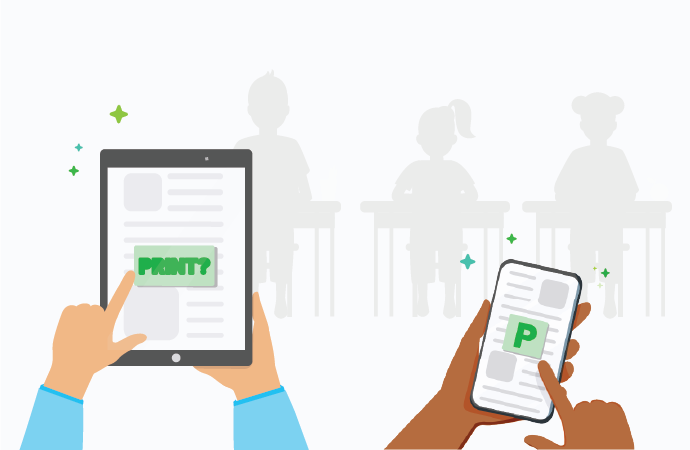
Technology is shifting quickly in the classroom, but many schools are struggling with out-of-date hardware. While some districts have huge budgets for new gear, others can’t afford to provide a laptop for every student.
This is where Bring Your Own Device (BYOD) comes into play.
With BYOD, or Bring-Your-Own-Device, students work on their own laptops or tablets, which are generally more cutting-edge than school computers. BYOD as a concept has already taken over workplaces, and now BYOD in schools is a growing trend.
In this guide, we’ll explore the advantages of BYOD in education and how it impacts student engagement. We’ll also look at how it simplifies life for IT teams and helps K-12 schools save vital funds.
Boosting student engagement and focus
Studies have shown that using technology often increases learner engagement and boosts overall performance. It’s much easier for a student to focus when they’re using a device they already understand. They don’t have to waste time looking for buttons or settings on unfamiliar school equipment.
Since they’re already attached to their devices outside of school, BYOD turns their personal tech into a powerful learning tool. Students can take their lesson material home easily and organize all their work on a single platform. This seamless transition can encourage them to carry on learning well after the bell rings.
Flexible teaching for better learning
Speaking of apps, BYOD gives teachers more creative ways to teach the curriculum material, and can even help them better assess students’ work and track their progress towards academic goals. Teachers also have greater flexibility to meet different learning needs.
Access to the internet means students can find unlimited information and even engage with experts from their desks. This helps them apply what they’ve learned to real-life scenarios, and hones their skills in collecting and interpreting digital data, which is vital for higher education prep.
Simplified digital collaboration
Teamwork is the key to effective learning in any modern classroom. BYOD makes collaboration easier because it’s much faster to share ideas and files digitally – students don’t need to be in the same room to work on a project together.
Using tools like Google Drive or Dropbox, they can collaborate on documents from their own separate devices. Teachers can also share assignments and visual material that students can access 24/7. To make this work, schools often need robust cloud print solutions to handle the diverse range of devices.
Lowering the burden on IT managers
BYOD doesn’t just help students; it’s a huge win for sysadmins and IT managers too.
Stop playing “whack-a-mole” trying to stop students from using personal phones on school grounds – when you grant official permission, you’ll reduce the security risks associated with unauthorized workarounds.
A clear school print policy helps define which operating systems you’ll support on your network, and since the students own the hardware, your team won’t spend hours maintaining or updating individual laptops. This frees up your IT support time for higher-value technical tasks.
Saving school budgets for what matters
Let’s face it: computer labs are incredibly expensive to build and maintain.
Technology moves so fast that hardware often needs replacing every few years. BYOD allows schools to save money they would otherwise spend on buying hundreds of computers.
But the important thing is that these cost savings allows schools to concentrate funding in other areas where they are most needed.
As a bonus, schools show that they’re ahead of the curve in terms of technology and foster a positive image in the community – with a reputation for innovation attracting new students.
Teaching digital discipline and “netiquette”
While some worry about distractions, BYOD gives teachers a chance to teach “techiquette” in a controlled environment. Students will use portable devices throughout their entire careers – it’s important to prepare them for the workforce by setting clear guidelines for professional use.
You can restrict device use to learning and deploy device management software to block inappropriate content. This helps students learn how to manage their digital lives responsibly, a vital skill they’ll take with them long after they graduate.
Does your school need BYOD printing?
Managing print jobs from hundreds of different student devices can be tricky without the right software. You’ll need a way to ensure every student can print regardless of their operating system.
This is where a dedicated print enablement tool becomes essential for your network.
Want to simplify your school’s printing?
Speak with our team to see how PaperCut Mobility Print can make BYOD printing effortless for your staff and students.

