



Most organizations know that they have a printer, and it gets used, but they don’t know the intricacies of each page printed, which means print costs can often be a sneaky surprise (and expense!).
To be across the who, what, when, and how much of printing, you need print management software with reporting capabilities to monitor and analyze in-depth print data and gain insights into printing costs and usage patterns.
Why print reporting matters
Printing costs can be expensive. Between setup costs, paper, ink, toner, maintenance, and other running costs, having knowledge of usage patterns allows your business to make informed decisions.
We’re not saying that sysadmins need to spend hours collating all the information for the bigwigs, though.
Print management software like PaperCut offers automated print reporting, allowing regular reports to be put in front of the right people quickly and easily, allowing them to make decisions on things like costing, print policy, and office planning.
Without print reporting, your print environment is essentially blindfolded. Effective print reporting gives you visibility and control where it matters most:
Cost control:
Use print reporting to track printing costs and identify areas where you can reduce costs.
Resource management:
Get a full view of printing resource usage, such as different types of ink and different sizes of paper.
Security and compliance:
Identify any unauthorized printing to prevent data breaches and protect sensitive information.
Print reporting can also provide advanced features helping your organization comply with regulations and policies related to printing, like GDPR and HIPAA.
By monitoring printing activities and analyzing print data, you can identify inefficient, risky, or wasteful printing practices and take action to protect and optimize your business.
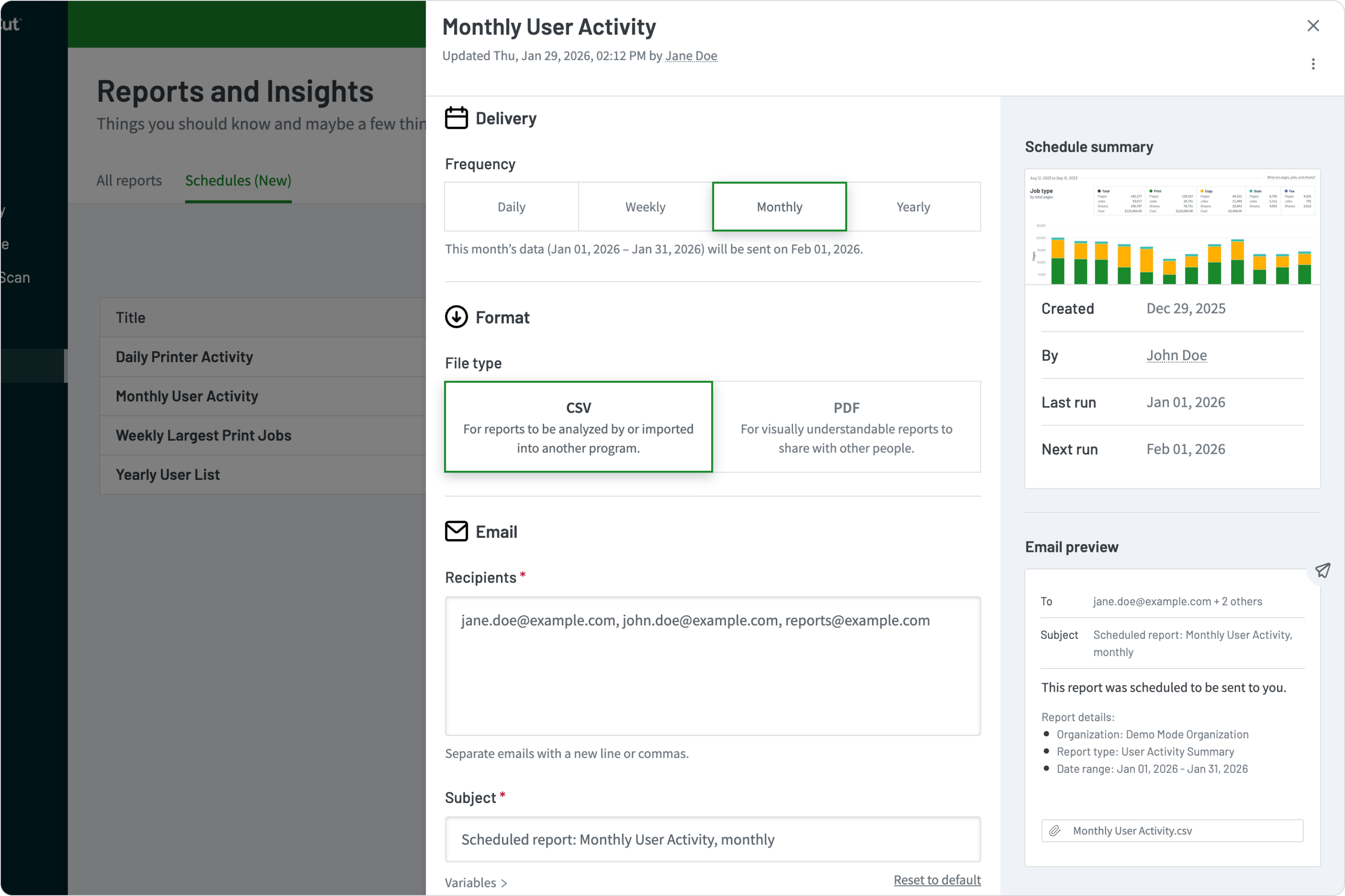
A preview of the PaperCut MF Scheduled Reporting feature
How to get started with print reporting
Print reporting is the bedrock of print management software, and your first step in print reporting is choosing the right print management solution.
Once you’ve chosen a print management solution, the next step is to install and configure the software. This involves setting up user accounts, configuring printers, and setting up printing rules or policies.
This setup is key to making an impact on your bottom line – think about the savings that could be caused by simple changes like limiting color printing, or enforcing double-sided printing as standard.
Generating reports
Once your shiny new print management software is installed and configured, you can begin monitoring printing activities. The software will track printing activities, such as the number of pages printed, the printer used, and the user who printed the document.
PaperCut allows you to collate all your available data into easy-to-read, actionable reports, highlighting user behavior, device usage, group and shared account print volumes, and print consumable costs.
With these insights into printing activities and behaviors, organization decision makers are easily able to manage and control workplace printing, rather than just flinching when the bills for ink, toner, and paper reams arrive.
Full visibility over printing
Print reporting provides full visibility of your print environment, with end-to-end transparency helping thousands of businesses tackle uncontrolled printing.
By monitoring printing activities and analyzing print data, you can gain insights into printing costs and usage patterns, and take action to control costs, optimize resource usage, and improve security and compliance.
Chat to our expert team to learn more about PaperCut products and how our print reporting functionality lets your organization take back control of your printing.

Speak with Sales
Need a little help from a human? Speak with us, we don’t bite.
By filling out and submitting this form, you agree that you have read our Privacy Policy, and agree to PaperCut handling your data in accordance with its terms.
This site is protected by reCAPTCHA and the Google Privacy Policy and Terms of Service apply.

