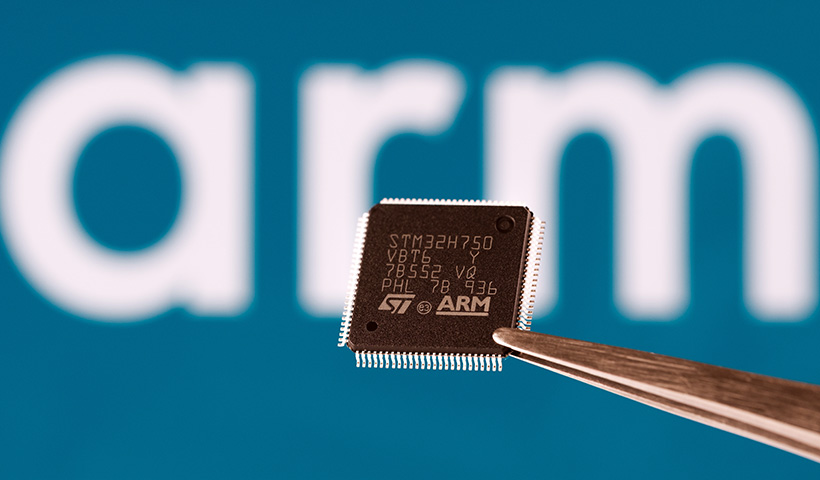
In the last year or so, I’ve been watching one of the quieter (but potentially seismic) shifts in enterprise hardware: the rise of ARM-based Windows PCs. Many organizations will adopt these devices soon, and in significant numbers, drawn by their performance, better battery life and AI-plug-and-play functionality.
At the same time, Microsoft has ended support for Windows 10, which is driving workplaces to consider their hardware options.
But there’s a critical piece of this transformation that gets overlooked: the print environment. Is it even prepared for the ARM race? Let’s find out.
First, a history lesson
Traditionally there were two key players in the Windows computer market: Intel and AMD. If you bought a Windows computer, it would be powered by one of those two chips. And if you purchased a Mac, that would have an Intel chip in it too.
Then, a few years ago, Apple decided ARM computer chips are actually way better for battery life, better for performance, and don’t use as much power. So in 2020, after experiencing success with their AMD-powered mobile devices, Apple brought in their M-Series ARM-based chips to their laptop line-up, which have been very successful.
And while we’ve heard rumblings of printing being a problem on ARM-equipped devices, it’s never really been a big deal. Until now.
The ARM-PC wave: IT’s fork in the road
The march of ARM architecture beyond mobile devices into the mainstream PC world is now well underway. This means that the much-hyped performance and efficiency gains are definitely real, and many organizations are responding. Analyst forecasts suggest that AI-PC shipments (many linked to ARM architectures) will represent 43 % of all new PC shipments in 2025. Given that massive shift, it’s logical for sysadmins to ask: “If I’m migrating my users to ARM-based PCs, is my print infrastructure aligned? Is my printing going to break?”
Windows suggests that ARM-based PCs support most printers, and that peripherals will still work if the “drivers they depend on are built into Windows 11”. But it’s not quite as simple as that.
Here’s the tricky reality that many organizations are facing at the moment: with Windows 10 being mothballed, PC-based organizations (or at least those that care about things like regular security updates) are being pushed into Windows 11, which (unless you already have TPM 2.0) means a whole new PC fleet. And these customers are being forced to make the choice: Intel or ARM.
If they choose ARM, any kernel-level function on their computer fleet has to be built specifically for ARM. That’s things like VPNs, antivirus software, and (more importantly) print drivers. So if you’ve got a system in place that gets your print queues out to your Windows Intel-based computers, that system might not be compatible with ARM. It might require specific queues and solutions to get your machines to work. Then add in the complexity that many manufacturers don’t even offer print drivers for ARM (yet).
What if you’re not ARM’d and ready?
So what are the implications if your print environment isn’t ready for these ARM-based devices? Well, it varies, but to start with, you can expect any of the following:
User experience degradation
A seamless print experience helps users focus on their work. If printing becomes flaky or inconsistent on ARM devices, the user experience obviously suffers.
Doubled management overhead
IT teams might be forced to manage and deploy two separate print queues for every printer, one with an ARM64 driver and one with an x64 driver. This immediately doubles their workload and creates more opportunities for accidental misconfiguration.
Operational inefficiency
Each support call or workaround for printing from an ARM machine adds cost. Multiply that across thousands of clients and you have a meaningful, significant operational burden.
Platform misalignment
If you’re migrating PC hardware to ARM for modernization, power efficiency and AI-ready estate, but print is still treated as legacy (on-prem servers, architecture-specific drivers, manual provisioning and so on) then you have one part of the stack working differently. That’s never a good thing, It introduces unnecessary complexity, not to mention potential risk.
Future-proofing risk
With ARM architecture expected to take increasing market share, if your print infrastructure is locked into legacy x86-centric tooling or drivers, you risk being reactive rather than proactive when the next hardware refresh arrives.
A global solution: PaperCut Hive
Luckily, there’s a solution that solves these cross-architecture printing challenges: Print Queue Deployment, a feature in PaperCut Hive.
Instead of forcing IT to manage separate, architecture-specific queues (as we warned about earlier), Print Queue Deployment lets you add multiple drivers to a single print queue. Whether you configure a direct print queue or a secure hold-and-release queue, you can attach both the x64 and ARM64 drivers to it. When a user needs to print, our client intelligently detects their device’s architecture and automatically delivers the correct driver for that queue.
And because this is deployment, you can control who gets that queue in the first place. You can set smart policies to automatically deploy queues to the right users based on who they are, their device, or even their network location, which is perfect for multi-site environments.
This gives you flexibility: you can use PaperCut’s global driver or a specific manufacturer driver if one is available. The result is seamless driver delivery without clunky scripts or manual IT work.
This has two flow-on benefits. The first is that organizations can freely migrate their fleets to ARM-based devices without having to worry about compromised print functionality. The second is that businesses can be more efficient with their spend. Say you currently only have 10 ARM laptops in your fleet of 250. There’s no need to run multiple solutions side by side, or invest in costly third-party workarounds: PaperCut Hive can handle the lot.
This powerful, cross-architecture support isn’t limited to PaperCut Hive. If you’re running our flagship solution, PaperCut MF, the same options are available with Print Deploy. This means existing customers don’t need to switch solutions; you get the exact same benefit of adding both x64 and ARM64 drivers to your print queues and deploying them intelligently.
Whether you’re all-in on cloud with PaperCut Hive or managing your environment with PaperCut MF, the message is the same: if you’re considering an ARM rollout, you can officially tick printing off your list of blockers. The solution to align your modernization goals if ready today.
This is a paradigm shift, not a hardware refresh
The shift to ARM-based PCs is not just a hardware refresh. It’s part of a broader enterprise move to performance, energy efficiency and AI-ready devices. But if your print environment treats printing as an afterthought, you’ll start to see the tech gap widen sooner than you expect.
By recognizing that ARM devices introduce architectural considerations into things like driver management, queue deployment and print client compatibility, you can avoid the support issues and misalignment that frequently follow hardware projects.
Getting print ready means treating ARM with the same modernization mindset: architecture-agnostic driver management, cloud-centric print queue provisioning, and support for mixed device estates. If you position print this way, your organization isn’t just ready for ARM. It’s ready for anything.