How often does the Toner Level update?
THE PAGE APPLIES TO:




PaperCut makes sure to routinely query a printer or copier to determine its toner levels. The frequency of this can be modified to a degree.
A toner level update is requested:
- When a print job completes, if the last update has not been performed in
minimum-check-period. - When a copy job completes, if the last update has not been performed in
minimum-check-period. - Overnight (during the “daily maintenance tasks”)
- When manually requesting it via the printer’s page in the admin interface
- When a print queue is first created / set up
However, it is skipped if:
- Toner checks are globally disabled
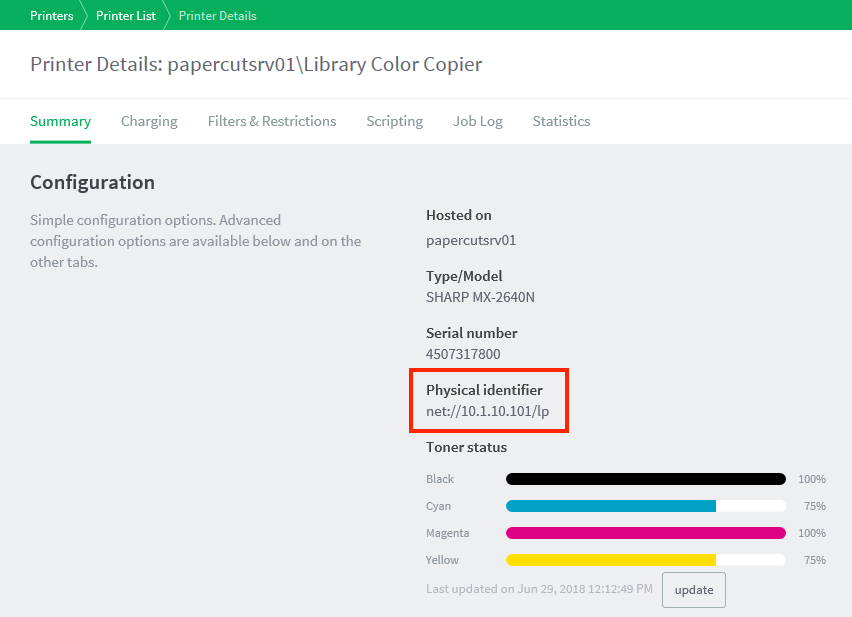
- The device’s network address (“physical identifier”) is not known
- If toner was checked recently (controlled by the advanced config option
toner.minimum-check-period-mins)
The default value for toner.minimum-check-period-mins is 240 minutes (4 hours).
In summary, while devices are in use the toner levels are updated every 4 hours. If a device has not been used for at least 4 hours its toner levels will be updated either overnight or when it is next used.
How much bandwidth does an update use?
PaperCut uses SNMP to poll the print device, this is a very well known and well documented protocol. You can expect a query and response to only take a few KiloBytes (KB) of bandwidth every few hours. It’s what we like to call a drop in the ocean!
When are low toner notifications sent?
By default, the low toner notification message is sent each weekday at 10:30am.
If you would prefer to only be notified when new printers run low in toner, set the notify.toner-level.only-send-if-new to Y in the Config Editor. Steps to edit a config key is listed here.
More information is available in the manual here.
Some more ways on diagnosing SNMP issues is given in the KB article here
Categories: Reference Articles , Print Queues
Last updated March 15, 2024
Comments