Print cost control with charging and quotas
Cost-cutting is everywhere nowadays. Sometimes it’s done well, and sometimes it ends up harming productivity. The best type of cost-cutting is the type that people don’t notice, and that doesn’t reduce service value.
Print management can be one of those magic wands where you can slash costs without hurting anyone’s productivity (or even sometimes make it better). Not only that, you might get some surprise cost savings. It all starts by asking a question: “Do I really need to print that email in color?” or “Want to print that double-sided instead?”
Stop wasting paper!
When we think of saving waste and money, it’s the obvious actions that take center stage — like printing in black and white and double-sided. Both are better for the environment and less expensive.
But there are other not-so-obvious savings — for example, the thousands of print jobs that were not printed because no one released them, or the savings in software licenses because PaperCut’s application provides both printing and scanning functionality.
Let’s explore more of the obvious and not-so-obvious savings you can make with PaperCut.
Savings ideas
Obvious savings
Changing user behavior for the better.
| Saving | Solution | Product |
|---|---|---|
| Reduce the amount of color printing in favor of grayscale (black & white) printing | Set filters and rules to encourage or force grayscale selection. | PaperCut MF PaperCut NG PaperCut Hive PaperCut Pocket |
| Print double-sided where possible | Set filters and rules to encourage or force double-sided printing. | PaperCut MF PaperCut NG PaperCut Hive PaperCut Pocket |
| Reduce cost per page by sending jobs to the cheapest device | Use print scripting in PaperCut MF (pre-written recipes provided). | PaperCut MF PaperCut NG |
| Stop students from printing excessively | Apply a student print quota or print budgets, which will influence behavior. | PaperCut MF PaperCut NG |
| Recover printing costs from clients (printing chargeback) | Allocate jobs to an account so you can bill back printing to your clients | PaperCut MF PaperCut NG |
| Reduced paper and toner consumable costs | Do the above and well, it just happens. | PaperCut MF PaperCut NG PaperCut Hive PaperCut Pocket |
Not-so-obvious savings
Big wins behind the scenes.
| Saving | Solution | Product |
|---|---|---|
| Avoid proliferation of printers around the office. | Find-Me printing. One device safely and conveniently serves many users. | PaperCut MF PaperCut Hive PaperCut Pocket |
| Extended fleet life | Update your print management software to keep old MFDs useful | PaperCut MF |
| Reduced paper waste due to no uncollected jobs at the printer | Implement Hold and Release queues. | PaperCut MF PaperCut Hive PaperCut Pocket |
| Time cut to set up drivers, along with fewer support tickets. | Set up a single Find-Me queue with a universal driver. Use Print Deploy to roll it out to users. | PaperCut MF |
| Central product, rationalized software (no buying OCR add-ons) | Use Cloud OCR with PaperCut embedded software on your device. | PaperCut MF |
| Easy guest and contractor printing setup frees up IT staff hours for more valuable work | Use Email to Print or PaperCut Mobility Print. (See BYOD discover page) | PaperCut MF PaperCut NG Mobility Print |
We hope we’ve given you a taste of how print and copier cost savings can be obtained, but there is lots more to share. Hold tight as we dive deeper - and look at the special opportunities available to two different sets of users - in Education and Business.
Special comments for Education

One particular area that benefits from cost savings is Education. By implementing print quotas or print charging, the old adage “if you give a student something for free, they will use it” becomes a thing of the past.
We have found that many of our educational customers have reduced their printing costs by up to 75%. So it’s worth drilling into these features a little bit more.
- In K12s, print quotas are really powerful as they teach students responsibility and the value of money. It’s amazing how quickly students adopt black and white printing when they are restricted to a quota.
- Most educational organizations implement a “use it or lose it” quota policy. This prevents a banking up of funds and large print volumes at the end of the year.
- Higher education organizations will often implement a pay-for-print environment on its own or in combination with print quotas. Students usually pay for printing using an online payment gateway such as PayPal.
Getting creative: Interesting ideas that our education customers have adopted over the years.
- Library fines: This is a fun one. We have had several organizations encourage book returns by having the system deduct print quota for every day that the book is late. This is a nice user behavior hack to encourage users to return books on time.
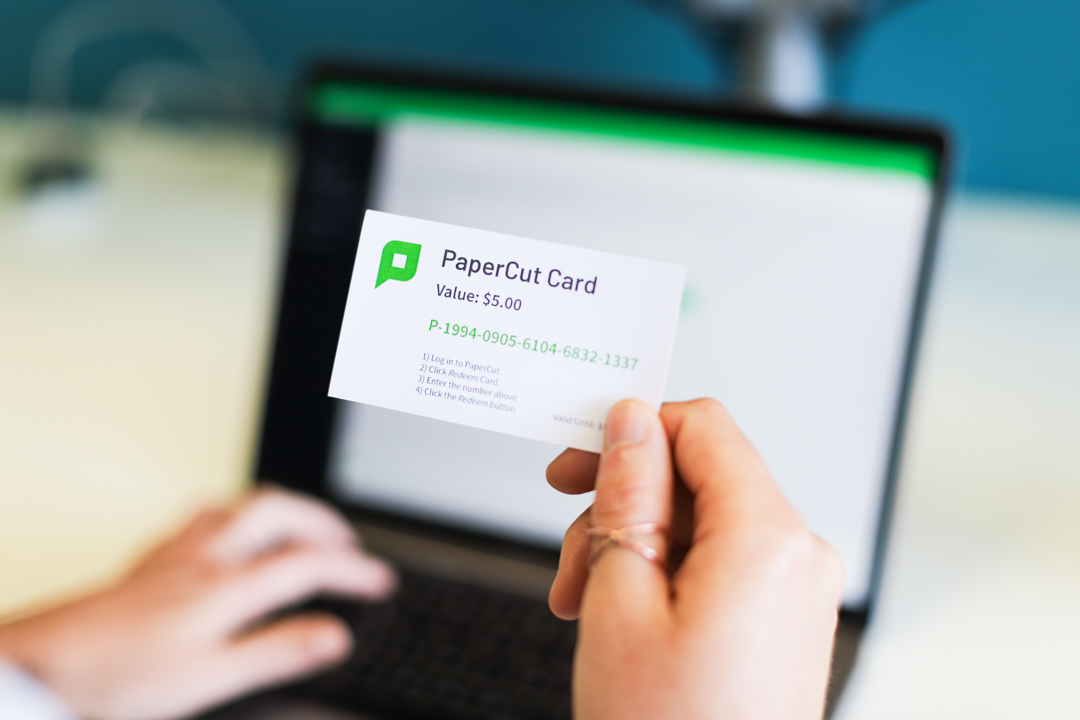
- Printing top-up cards: These are cards with a pre-paid value similar to iTunes cards. We knew a school that had a no junk food policy, so they loaded up the vending machines with print top-up cards instead of junk foods. IT was happy; the students weren’t.
- Allowing students to transfer: Students can be empowered with an optional setting to allow them to transfer printing credits to other students. This is great for group projects to control their printing costs, but watch out for the black market.
Special comments for Business

Businesses of all types can all benefit from print cost savings. Here are a few ways that businesses can save costs:
- Law firms or professional organizations often bill clients the cost of prints for projects. This is done with an advanced popup client that allows you to choose the account. Reports are then available to either bill back costs to clients or simply get visibility of the printing for clients or projects.
- Large businesses and government organizations often have a print room. Systems can be set up to intercept large jobs and propose that they are printed using the print room facilities, saving costs and time.
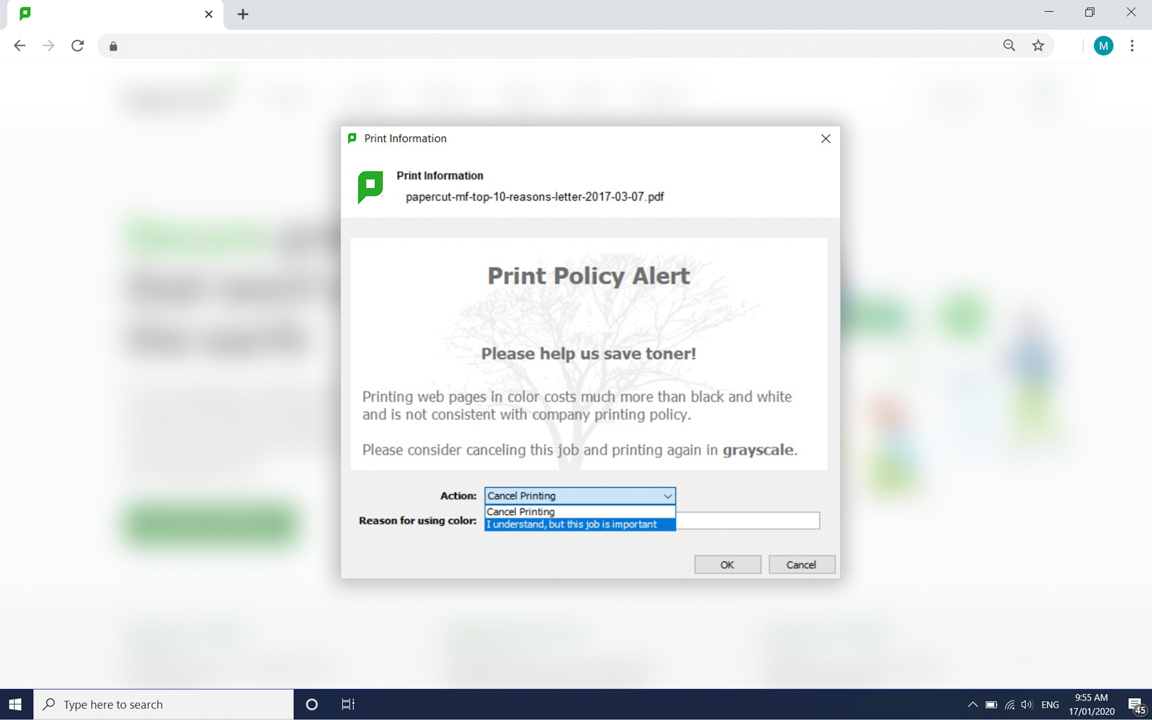
- Use print policies to enforce behavior change such as strongly discouraging the printing of emails.
- Implement Find-Me printing to allow the safe sharing of a single MFD per floor rather than a proliferation of small printers around the organization. Managed MFDs typically have a reduced print cost per page.
Getting creative: Interesting ideas that our business customers have adopted over the years.
- Empower employees on how to spend all the money saved. Printing budgets were compared one year to another, and the entire year of savings was spent on the IT systems of their choice. This helped smooth the transition on an aggressive IT policy.
- A large business combined the environmental impact message with cost savings, both internally in the staff newsletters and externally in the shareholders’ prospectus, to create a win-win message for the business and the environment. (And make the IT department look like heroes.)
- Mix your cost-saving message with an environmental message. The WWF has a great office printing environmental impact guide.
Real world examples
There are hundreds of topics that have to do with the conflicting requirements of trying to save costs. We have taken the best practices from some key industries to give you examples of how people are using it all 'out in the wild.'

Education
From humble beginnings in education institutions around Melbourne Australia, PaperCut has grown up to see all the weird and wacky trends within our beloved printing industry.
Schools have gone from fleet consolidation right through to payment gateways where students can transfer funds electronically into their PaperCut print balance once printing wallet has been exhausted.
Before these services were offered, schools had to incur the cost of printing and often locked down the printing needs to staff and students in case of misuse.
Check out our case study from RJ Gravel who found one student printed more than an entire elementary school in his district.

Healthcare
Hospitals are always looking to optimize IT spend so that money can be used for care instead of printing. As much as we love print output software, nothing compares with improving other systems to increase patient health outcomes.
A large medical institution looked at PaperCut functionality after a training student used a shared workstation to print tens of thousands of pages.
Had the organization run PaperCut and additionally run the included pop up client for authentication, this print job could have been stopped or altered.
Along with the enormous unmanaged cost involved here, situations like this could have compliance concerns if not properly managed.
PaperCut is made to help organizations like hospitals save time and money by automatically deleting jobs that aren’t released, sending large print jobs to more efficient and cost-effective managed printing hardware, and consolidating functions like scanning into one useful application — PaperCut.

Large Enterprise
This 100+ grocery chain implemented PaperCut to assist with concerns such as compliance with secure print release, reporting of usage and allocate to department. This organization uses their annual report to highlight to investors the savings in cost and positive environmental impact made by PaperCut print management solution.
IT administrators are happy because time and money spent on managing printing fleets and associated costs can now be allocated to other more pressing projects.

Small Business

Goverment / Local Council
Features in more detail
The following content explains a number of the features referenced in the examples above.
Hold/release, with Find-Me Printing
Remember the olden days when your recycling bins next to the printers were full of brand new, once-accidentally-printed-on paper? If those days are still with you, hold/release queues will help keep the bins empty.
Most waste paper comes from people leaving print jobs on the printer. It’s fair enough — people are busy, they get distracted, they don’t need their print out anymore — so after they’ve sent the job to the printer, it never gets picked up.
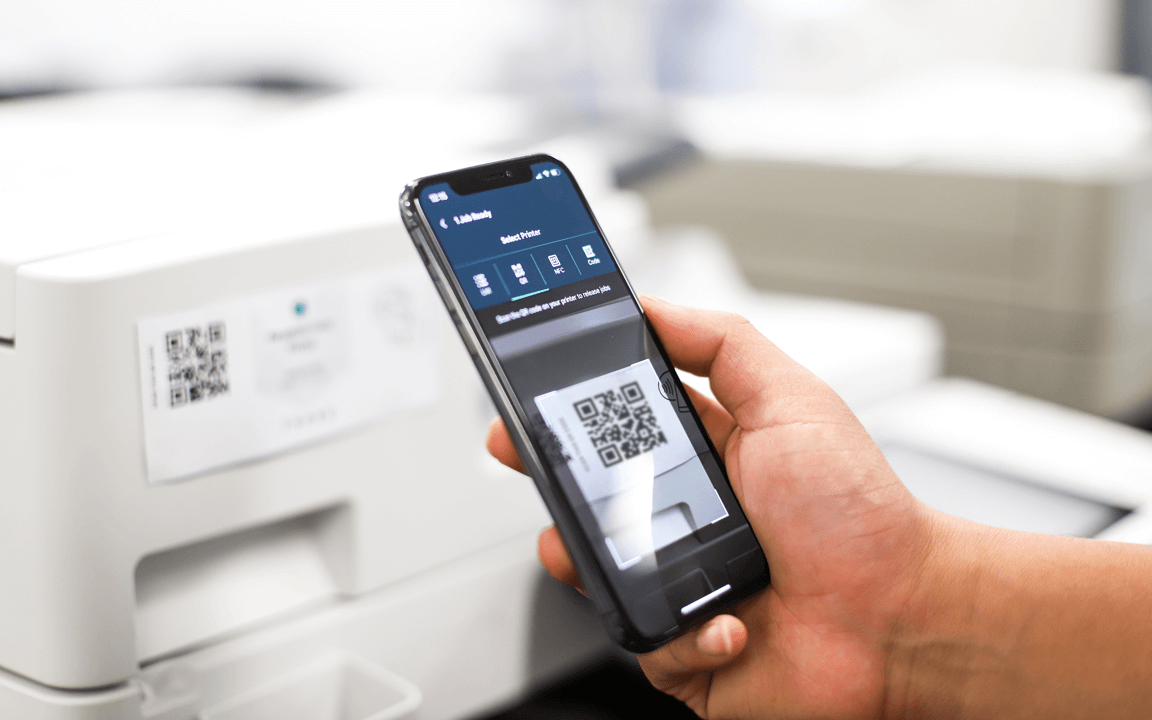
Hold/release queues allow you to print the job as usual, but then instead of the job coming straight out of the printer, it’s held in a queue instead of being immediately printed. When the user is ready to collect the job, they walk up to the MFD or printer and they release their print job.
Couple this idea with a Find-Me queue, where you can print to a single print queue then walk up to any device to release your print job. Big queue at the library printer? Someone spill tea into the reception printer? Doesn’t matter — grab your printout from the one down the hallway.
If you didn’t need that print job after all, no problem — it’ll time out after a while in the hold/release queue, and will never get the chance to ruin another tree’s day. We’ve heard great stories of cost savings due to paper reductions. Someone would go to release their ’email print’, find that they’d accidentally printed a 200-page email thread, and cancel the job to save themselves from stuffing 199 pages into the embarrassment-inducing recycle bin.
Everyone wins — the organization saves a bunch of money, the user loves the experience because it’s even more convenient, and we’re not even talking about the security wins!
Print chargeback
Projects, clients, accounts, matters, departments… whatever you want to call them, there’s a way to charge printing to them. We call them shared accounts, but the meaning is the same. No longer do you have to rely on guesswork and intuition to think “Huh, we did seem to do a lot of printing for the Art department this month.”
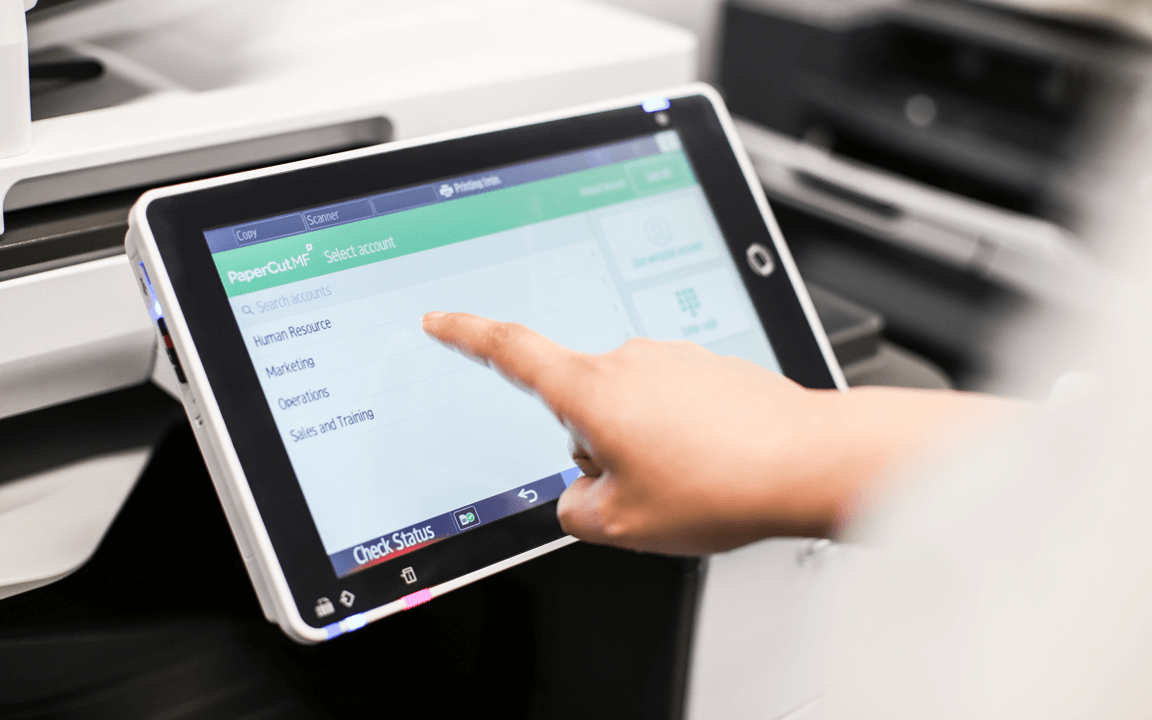
With shared accounts, you can allocate printing costs to ’things’. If we take projects as an example, you can set up Project Venues, and if you have Mario, Claire, and Sam all working on that project, they can charge the print jobs to that project. Maybe you have people who work on multiple projects at once? They’ll be able to select an account or project either when they first print the job, or later at the MFD.
Not only does this mean that you can see where these costs are going, it also means you can pass those costs on to clients, customers, or individual departments where appropriate. More ownership of the true cost of printing by each department suddenly means that it’s not just an invisible cost that central IT taks care of.
Contrary to popular belief, the IT department doesn’t have a USB currency printer!
Print budget reports
Collecting all this information is one thing, actually being able to make use of the print data is a entirely different animal. Luckily, PaperCut has a large selection of pre-built printing reports. You’ll be able to quickly see where costs are mounting. There are reports to help you identify the most used printers (is it that one by the lunchroom?) or to help you pin that 351-page print job on ‘Jamie from accounting’.
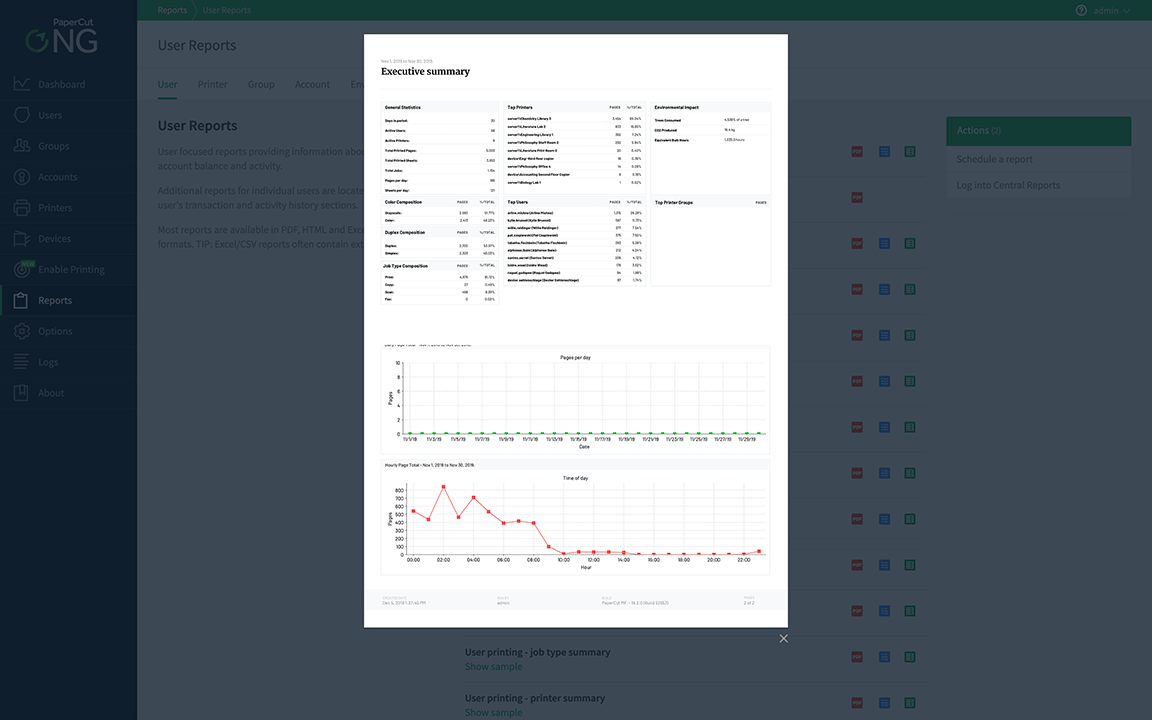
There’s a full set of reports to fit most people’s needs — whether it’s the finance department needing a shared account report, or the department head wanting to see what printing budget they’ve spent so far. If you want to bill your clients for the printing that you’ve done for them, you can run an invoice style report too, showing the cost breakdown and total costs.
Sometimes you want to break apart from the pack and do your own thing — and that’s fine! If the pre-built reports aren’t quite hitting the mark, you can always go a step further and create a custom report that matches what you’re after.
Just remember to set a reminder in your calendar to run the report each month, and then send it to whoever needs it… No! Just kidding! With report scheduling, you can have the report automatically run, emailed, or stored wherever you need. Set it up once, and you don’t have to think about it again!
Print quotas
This can be a divisive subject since everyone generally prefers having stuff for free. However, with small changes you can start to make some big savings. Just by having a reasonable limit on printing, and the balance window showing users as they print, gives users more visibility to the cost of printing, even if they don’t actually have to pay for it!
The knowledge that what they’re about to print costs $23.40 can be a real eye-opener — people will start to ask “Maybe I should print this double-sided after all?”
A lot of customers have seen the cost benefits and implemented print quotas — applying a limit to printing that’s often automatically assigned each week, month, budget-cycle, or semester. It makes a lot of sense. You’d be surprised if you turned up to coffee shop, and they said that you could have as many cappuccinos as you want. In the same way, print quotas allow your users to make decisions on what they’re printing — “Is it worth it?”… “Do I really need it?”… “Do I really need color for this?”
You can set quota allocations (budgets) up automatically so that you don’t need to manage the system too much, and users can check their balance either in the client software or in the accessible web interface.
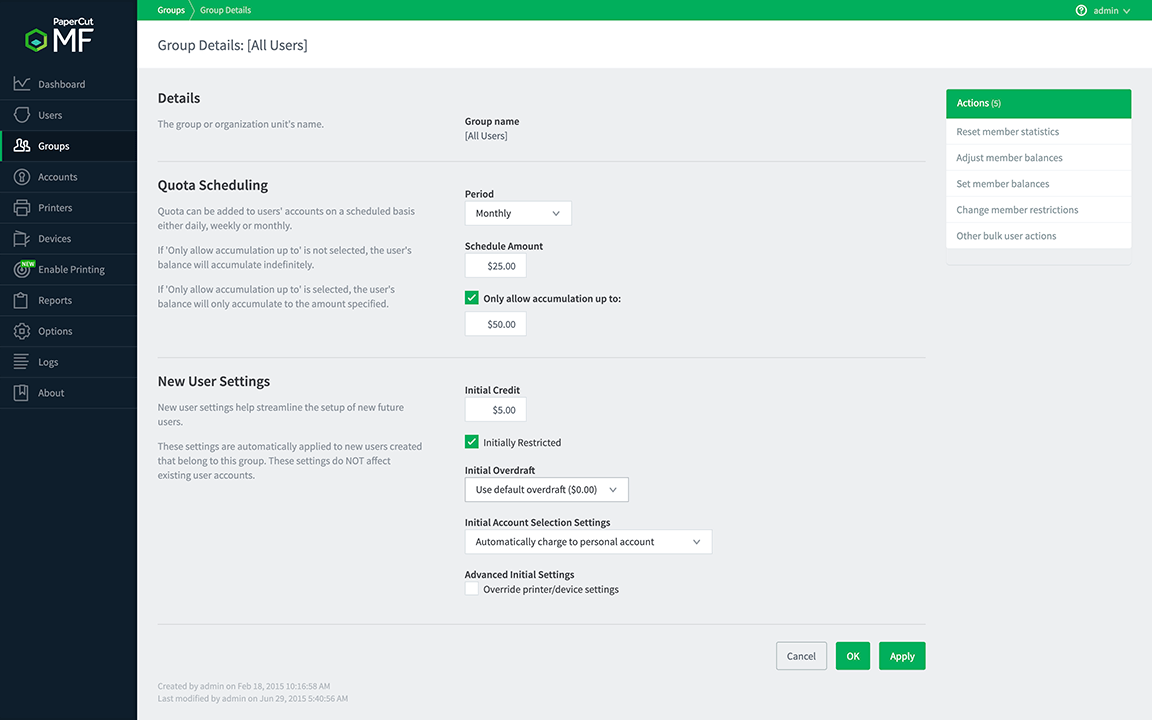
We definitely prefer to use a ‘currency’ of some kind when allocating quotas, even if it isn’t ‘real’ money. We’ve had some customers ask about, for example, having two sets of quotas to allow someone to print 20 color pages per week and 50 grayscale pages per week. However, what they found was that if someone ran out of their grayscale allowance, they’d immediately start printing in color because they had color allowance left, even if they didn’t need to print in color. What a waste!
Duplex and grayscale behavior nudging
Wouldn’t it be nice if you were picking up milk at the supermarket and someone piped up and said “Hey, you know if you buy this other one, it’s 10% cheaper, and it doesn’t contain as many additives?” You’d end up saving a bunch of money for not much more effort — and you’d feel good about it!
With PaperCut, you can use print scripting to nudge your users to save costs. Don’t get scared off by the ’s’ word. There’s a bunch of recipes included for the often-used ideas — like if someone prints a job that’s over 10 single-sided pages, it can pop up a warning to ask ‘would you like to convert this job to duplex and save $1.00 as a result?’
In the same way, you can nudge people to use grayscale where appropriate — maybe you want to suggest converting to grayscale for printing emails to start with.
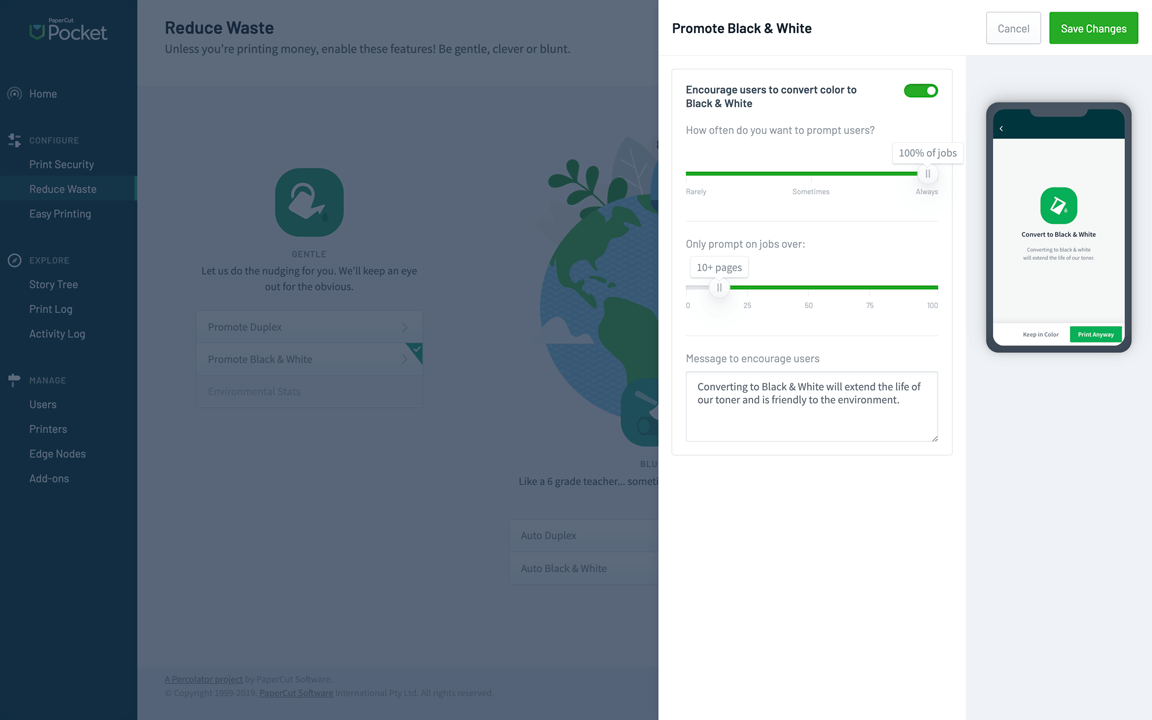
If you want to enforce rather than nudge (hey, we won’t judge — sometimes people just don’t take the hint!), you can always use the filters and restrictions section to force duplex conversions and automatically convert jobs to grayscale — even if it’s only for certain users.
Print scripts
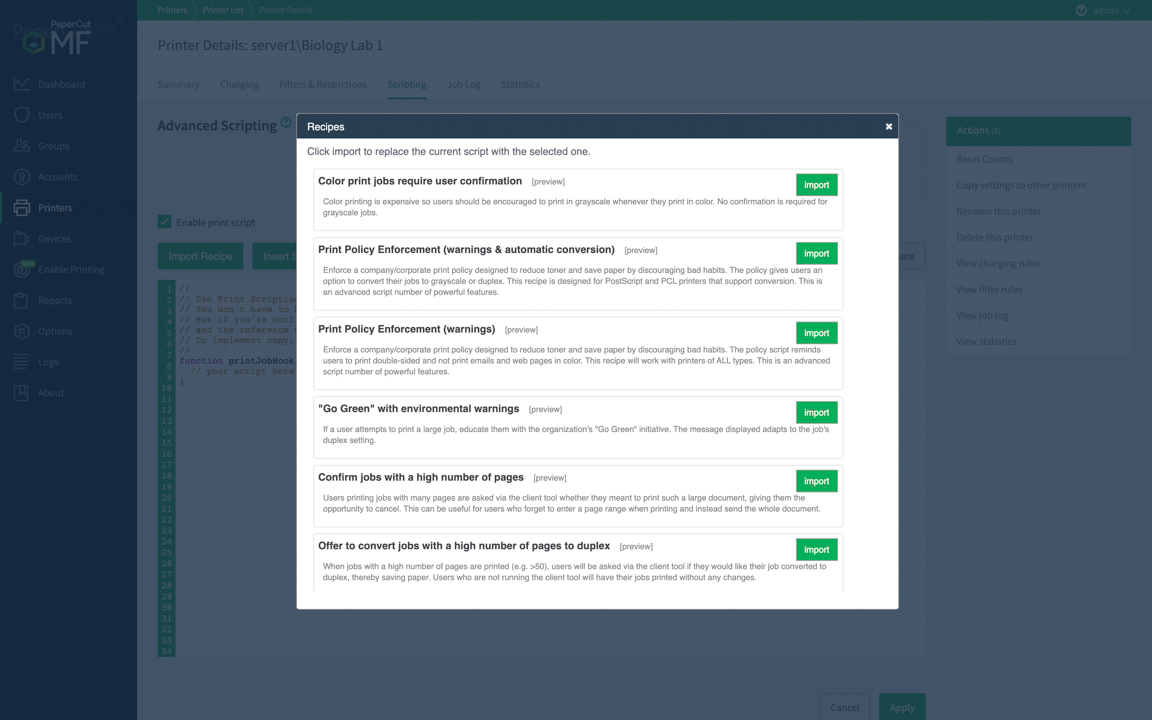
There’s only so many checkboxes you can have before things get cluttered, so PaperCut has the ultimate tool to allow you to go wild with customizing — print scripting. It’s simpler than it sounds, and it comes with a bunch of built-in recipes that let you import the script and have it running within seconds.
A favorite script to reduce costs is the ‘Redirect large jobs with confirmation’ script. Larger organizations will often have ‘high volume printers’ but there will be fewer of them around since they’re normally more expensive. What ends up happening is that people forget about them, and they print the 200-page document on a desk printer because it’s the one they automatically print to.
Three hours later, and after a lot of paper refills, they’re regretting their choice.
With the redirection script, a popup immediately asks: ‘Hey, this job has a high number of pages — would you like to redirect it to the high-volume printer down the corridor?’ The user doesn’t have to think about it. They save wear and tear on the poor desktop printer (printing to high-volume printers is generally cheaper per page, compared to the toner used in a desktop version), not to mention the time saved nursing the 200-page job into existence.
Environmental impact dashboard:
Talk to me about profit and loss sheets, and I’ll be fast asleep in no time. Talk to me about how my behavior is impacting the environment, and now you have me. I’ll listen to your dulcet tree-talking tones all day. For me, that’s because I really care about the impact I’m having on the environment!
Here at PaperCut, there’s a whole company full of like-minded people, so we wanted to be able to help users who think like that, too. PaperCut has a great looking environmental dashboard that shows the printing impact on the environment. It can show the percentage of a tree that you’ve used, and how much CO2 or light-bulb hours you’ve used as an equivalent. Sometimes it’s pretty eye-opening — especially in today’s climate.
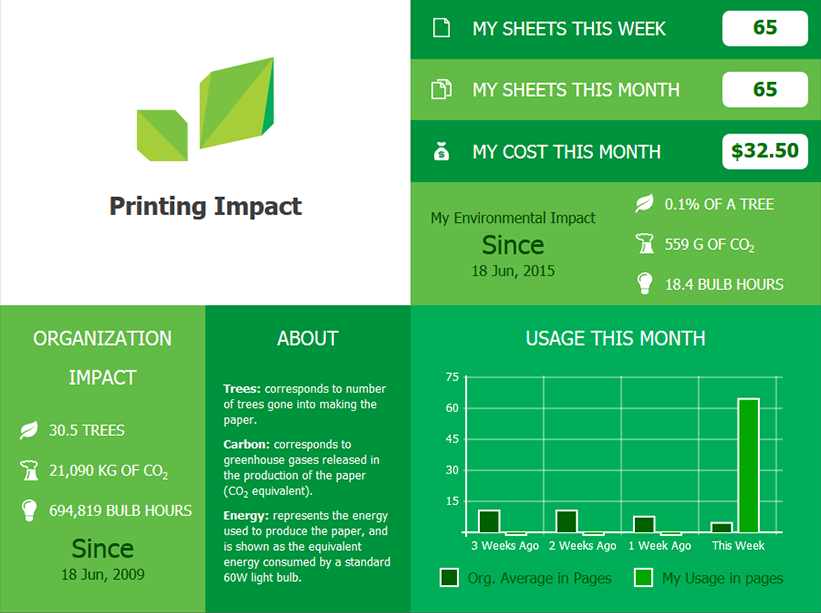
You can compare how your organization is doing, too, which could spark discussions or creative ideas around how to reduce impact (and costs) even further. Maybe something’s being printed that actually doesn’t need to be — something that the print reporting built into PaperCut can help you identify. If your organization has a bunch of people who care about the environment, they’ll often find creative ways to be part of the solution themselves, resulting in a dramatic fall in costs.
The great thing about the environment dashboard is that it brings into focus the behind-the-scenes cost of printing. That paper didn’t just arrive — it was manufactured from trees (using a staggering amount of water in the process), then shipped somewhere, then stored, then delivered to you, and then used in a printer. Imagine all those hidden manufacturing, chemical, fuel, and electricity costs that just go into getting that piece of paper to your organization!
Payment gateways
Sometimes organizations don’t charge for printing purely for the reason that it’s too difficult to charge for it. Payment gateways make it easy to recover the cost of the printing, from the actual users doing that printing. Of all the cost savings methods that we’ve talked about here, this one is the most direct.
Payment gateways allow the Administrator to set up an integration with common payment systems — think Paypal, Barclaycard, CBORD, Cybersource, TouchNET, etc. Once the integration is set up, users can add funds to their printing account direct from their credit card/bank account, etc. It’s all done through the safety of ‘known’ payment systems that they probably already have accounts for. Many education sites already have payment systems set up for cafeteria costs, stationery supplies, sports equipment, and more. If you have a system already in use like Heartland or CBORD, you can integrate this with PaperCut, making the process for adding printing funds as familiar as possible for users.
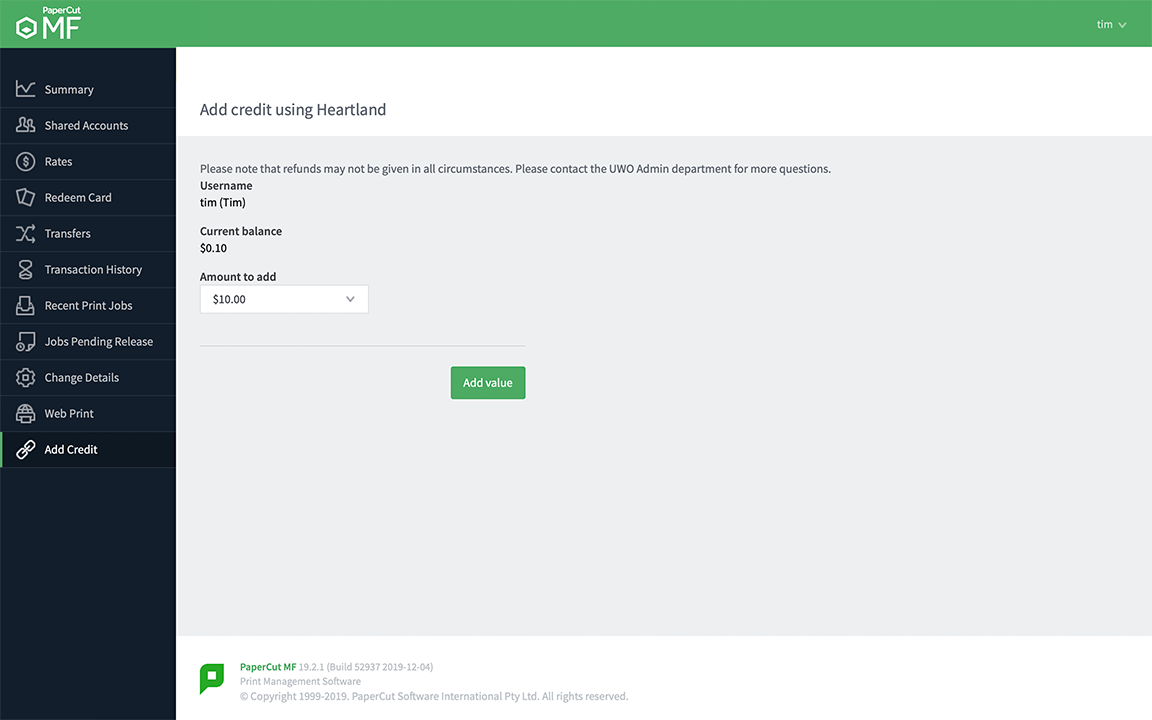
Not only does this allow the organization to recoup the costs of printing done, it also lets the user stay in total control of how much they spend. The more they print, the more they have to spend. The more they choose the cheaper print options, like grayscale and duplex, the more costs are reduced — for the user and the organization.
We’ve even had one enterprizing student call up to mention that they’ve set up a PaperCut system in the dorm rooms with their personal printer, undercutting the University prices by a few cents. We didn’t dare ask if they’ve already integrated the system with Paypal to let their friends add print money whenever needed.
Cloud services
One of the great things about technology is the advance of new features. One of the truly wasteful things about technology is that older (sometimes perfectly useful) hardware gets taken out to the trash.
The cost of constantly upgrading physical hardware can be prohibitive. PaperCut lets you save costs by adding some of the newer features to your existing devices.
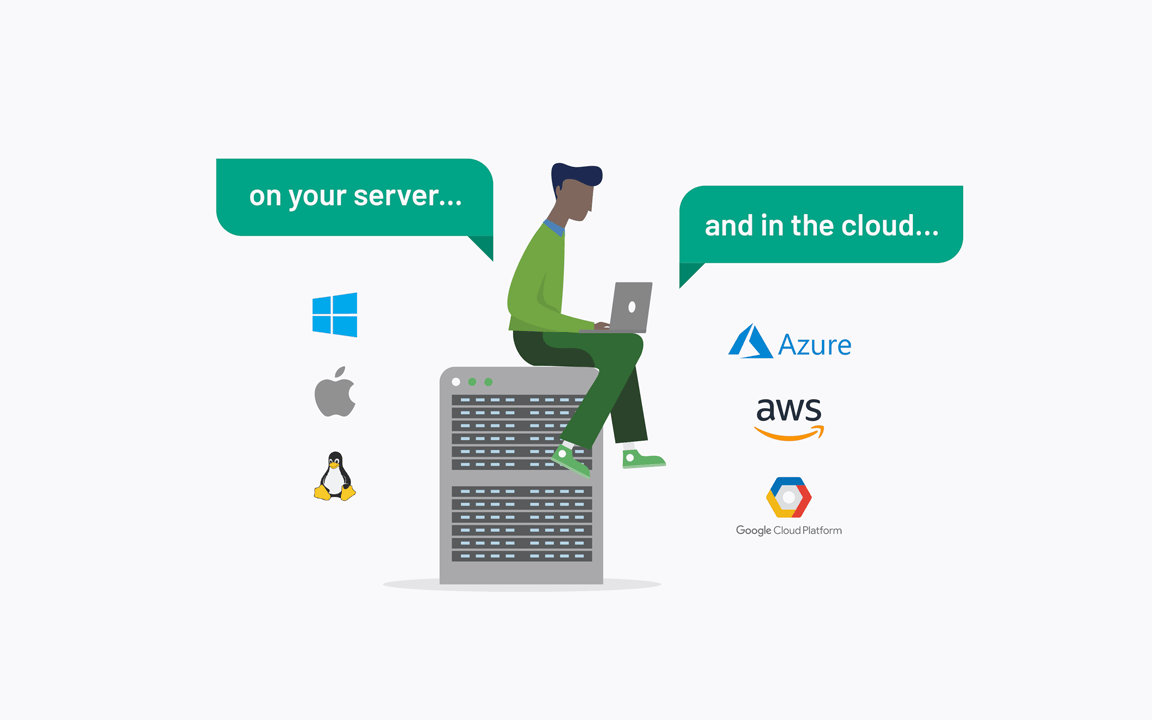
If you have devices that don’t support OCR (Optical Character Recognition) or don’t support Scanning to Google Drive, or Sharepoint, or Dropbox etc., it’s no longer an issue. You can connect the device to your PaperCut server, and the device can then take advantage of the server’s abilities to perform the latest tricks.
Using PaperCut’s Integrated Scanning feature, most devices are now able to take advantage of features like Scan to Cloud, or OCR. Not only that, but the cloud services mean that you have the power of cloud processing available to what might be a slightly old and sheepishly under-featured device — and from a user’s point of view they get the same simple and modern looking experience on every device, no matter what make or model.
Administrators can be happy since it’s all configured server-side, meaning smaller installation costs. And MFDs and devices can now be used for longer, without the need to upgrade — goodbye high upgrade costs!
Want to know more…?
You can find all of the related information, configuration details, setup steps, and more in the:
- [PaperCut NG/MF Help Center[(/help/manuals/ng-mf/home-mf/)
- extensive Knowledge Base